Almost every framework that touches your security or compliance program expects employees to acknowledge the policies they’re subject to — and to do it again whenever the policy materially changes. SOC 2 calls it out in CC1.4 (the entity demonstrates a commitment to integrity and ethical values), ISO 27001:2022 expects evidence of policy awareness in A.5.1, and HIPAA’s Security Awareness rule §164.308(a)(5)(i) is explicit: every workforce member needs documented training and policy acknowledgement.
Most teams handle this once a year with a Google Forms link, a chase-down spreadsheet, and a mad scramble before the audit. Talarity treats it as a recurring, structured workflow — built on the same primitives that drive your DR tests, security questionnaires, and partner attestations.
Who’s involved
- Policy owner — drafts, approves, and publishes the policy.
- Compliance lead — sends the policy for acknowledgement and runs the program.
- Employee — reads the policy and clicks Acknowledge. Gets nudged on a tiered cadence if they don’t.
- Auditor — pulls the per-version attestation report at audit time. Sees exactly who acknowledged which version, when.
What’s on the page
Attestation is a flow across a few surfaces — here’s what you’ll touch:
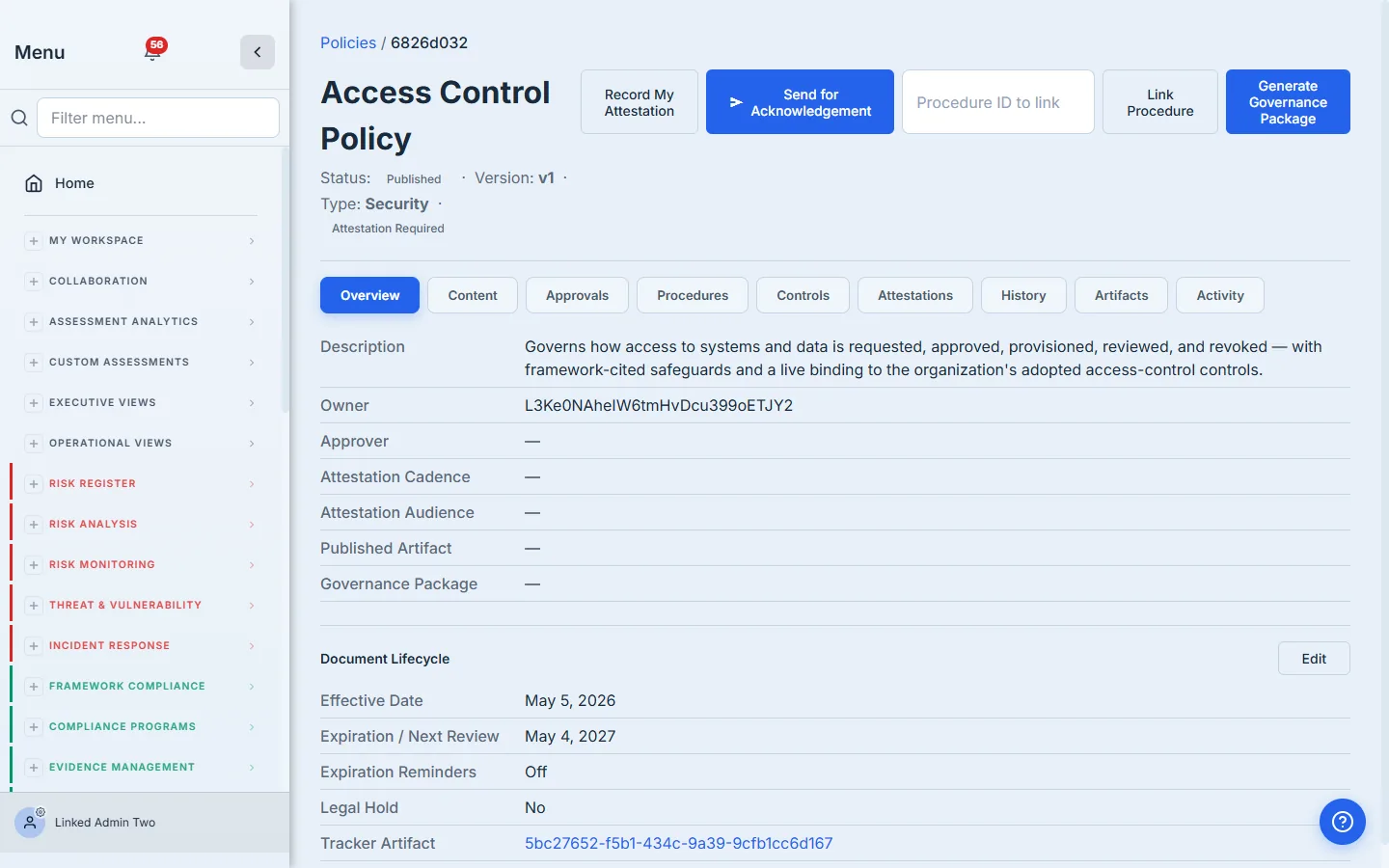
- The published policy’s detail page — the version-stamped case file, with Send for Acknowledgement in the header.
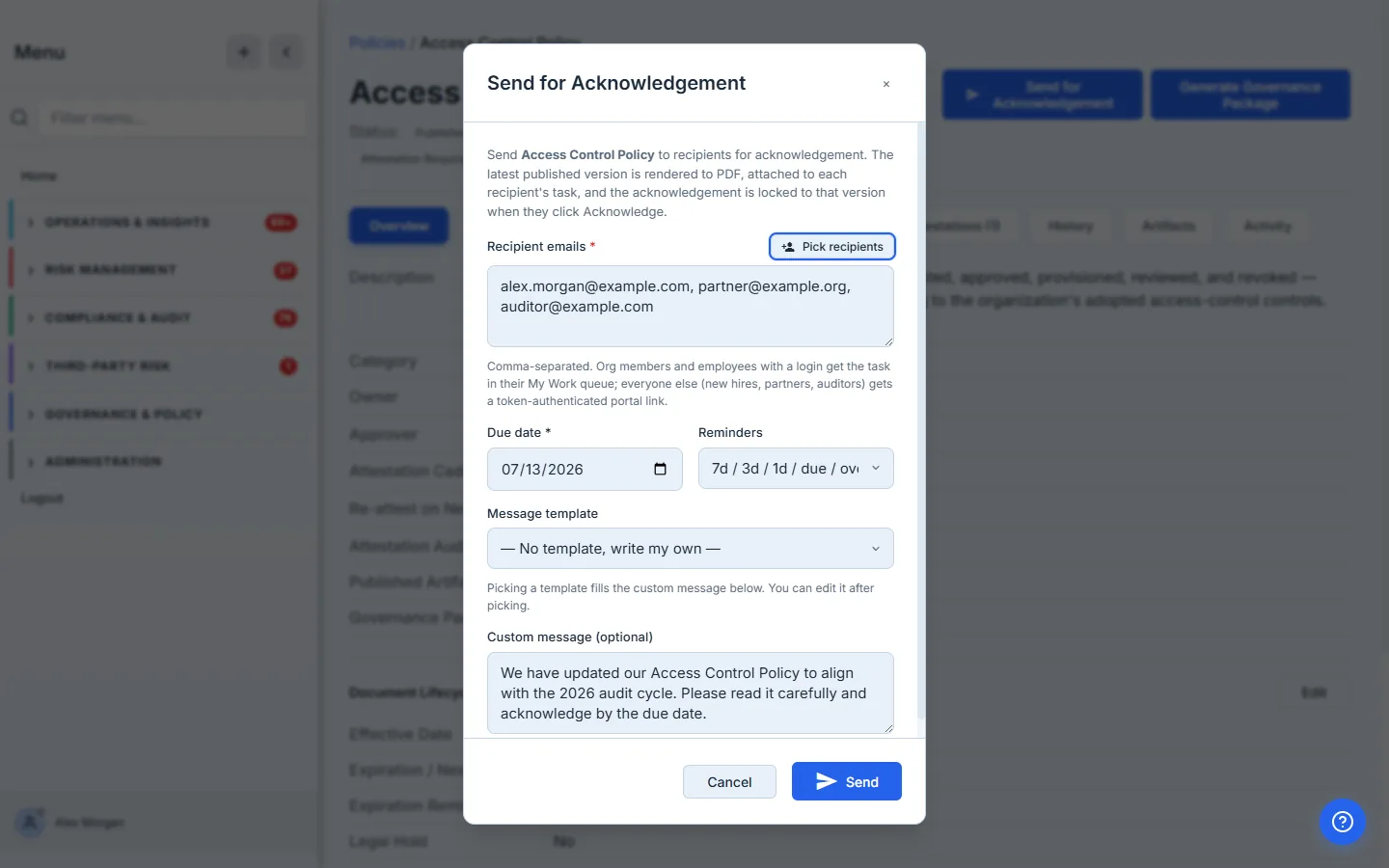
- The Send-for-Acknowledgement modal — recipient emails, a due date, the tiered-reminder toggle, and an optional custom message.
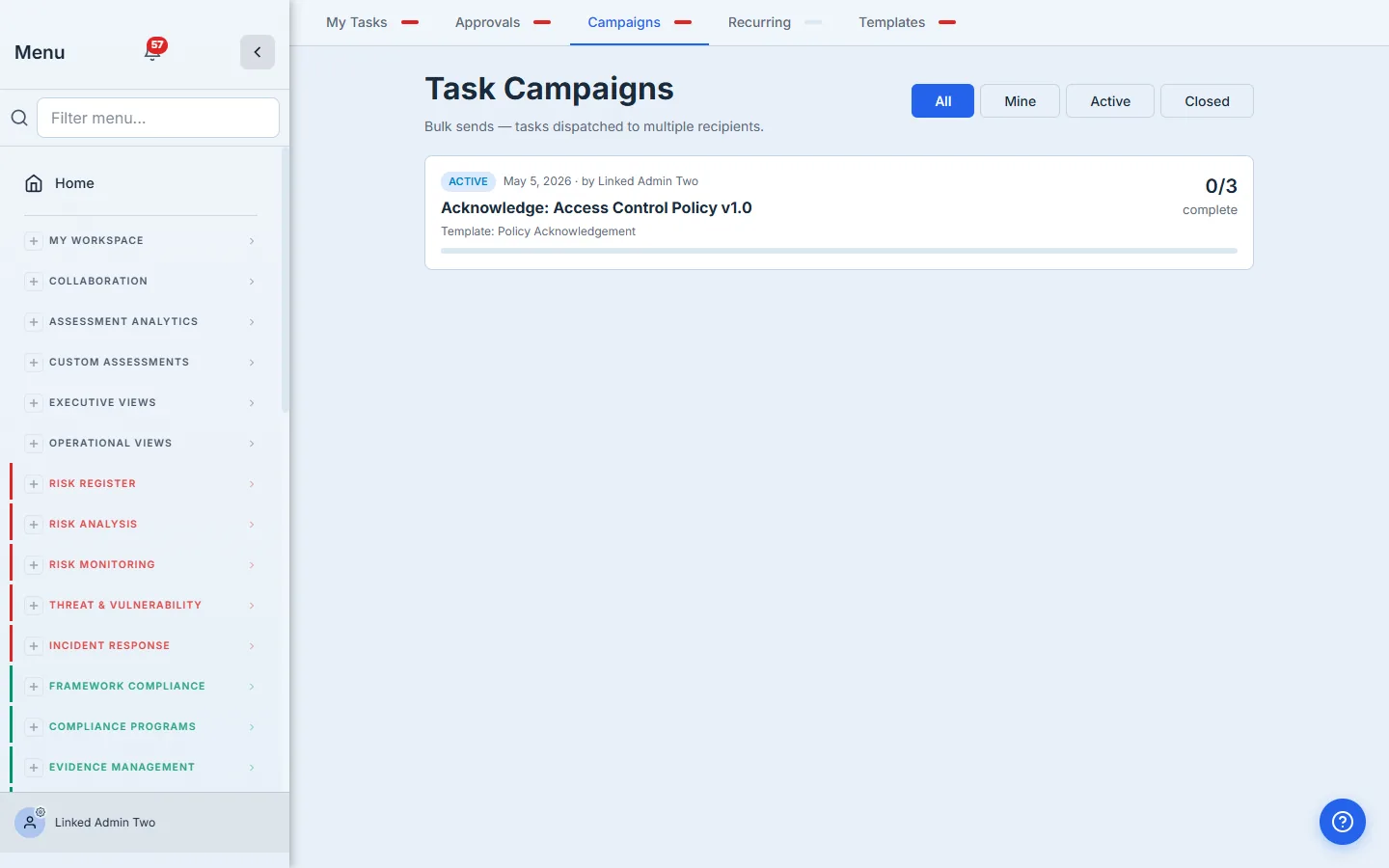
- Task Campaigns (
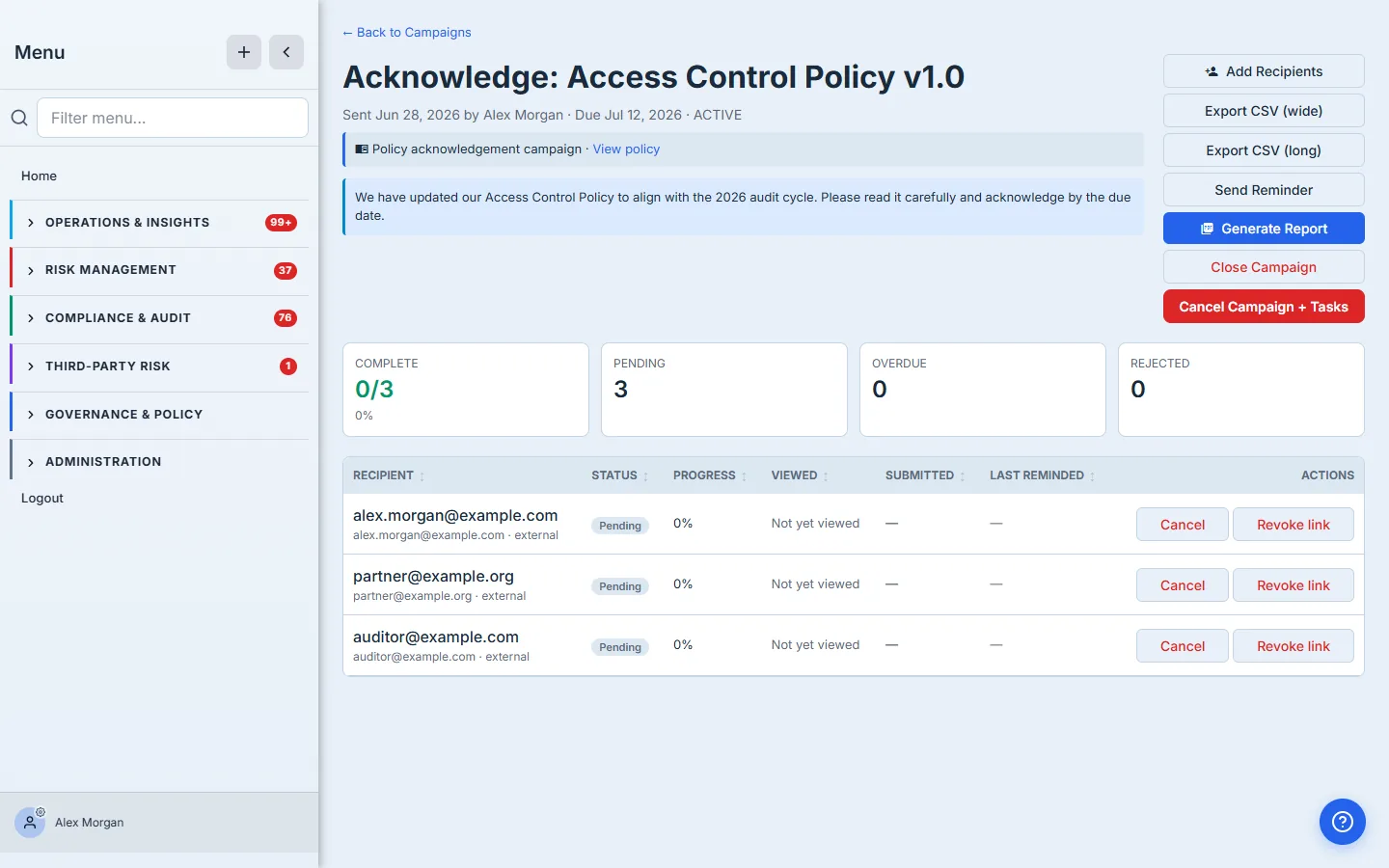
/app/tasks?tab=campaigns) — the drive lands here alongside DR tests and questionnaires; the campaign detail page shows per-recipient status (notified / viewed / completed), a manual-reminder action, Export CSV, and Generate Report. - The recipient’s task — the policy PDF in Files attached for download plus a single Acknowledge item (a Checklist tab for internal users, an inline step for guests).
- Recurring rules (
/app/tasks?tab=recurring) — the auto-cadence rule that re-fires the drive each period.
Step 1 — Publish the policy
Policies live in your governance hub. When a draft moves through review and is published, Talarity freezes a policy_versions snapshot — that’s the immutable record of what was in force on a given date. Every acknowledgement is locked to a version id, so an auditor can verify “Alice acknowledged v2.1 on March 12” even after the policy is updated to v2.2.
Step 2 — Send for Acknowledgement
On a published policy, click Send for Acknowledgement in the header. One screen: paste the recipient emails, pick a due date, decide whether to enable the tiered reminder cascade, and add an optional custom message. Hit Send.
Behind the scenes Talarity:
- Renders and attaches the policy PDF. The latest published version of the policy is rendered as a PDF and deduped by sha256 — sending the same version to twenty people doesn’t generate twenty PDFs. Every recipient sees the document on their task page exactly as it stood when you fired the campaign. Auditors get an immutable, version-locked artifact instead of “the latest copy on the wiki.”
- Creates a campaign in
/app/tasks?tab=campaignswithsource_policy_idandsource_policy_version_idstamped on it. - Spawns one work item per recipient, each carrying the policy PDF as a downloadable attachment — same primitive the DR Test workflow uses for runbooks and procedures.
- Sends the email — internal users with a link to their task; external partners get a Talarity guest account scoped to that one acknowledgement.
- Skips anyone already current. If a recipient has already acknowledged this version within the cadence window, Talarity drops them from the send — so you can’t accidentally double-ask, and a send where everyone is already current creates no campaign at all.
The campaign appears in the same Outstanding Campaigns list as your DR tests, security questionnaires, and other multi-recipient drives.
Step 3 — Recipients receive and acknowledge
Internal users see the task in their dashboard. They open it and read the custom message, the policy summary, and the engagement details — exactly the context the coordinator set in Step 2.
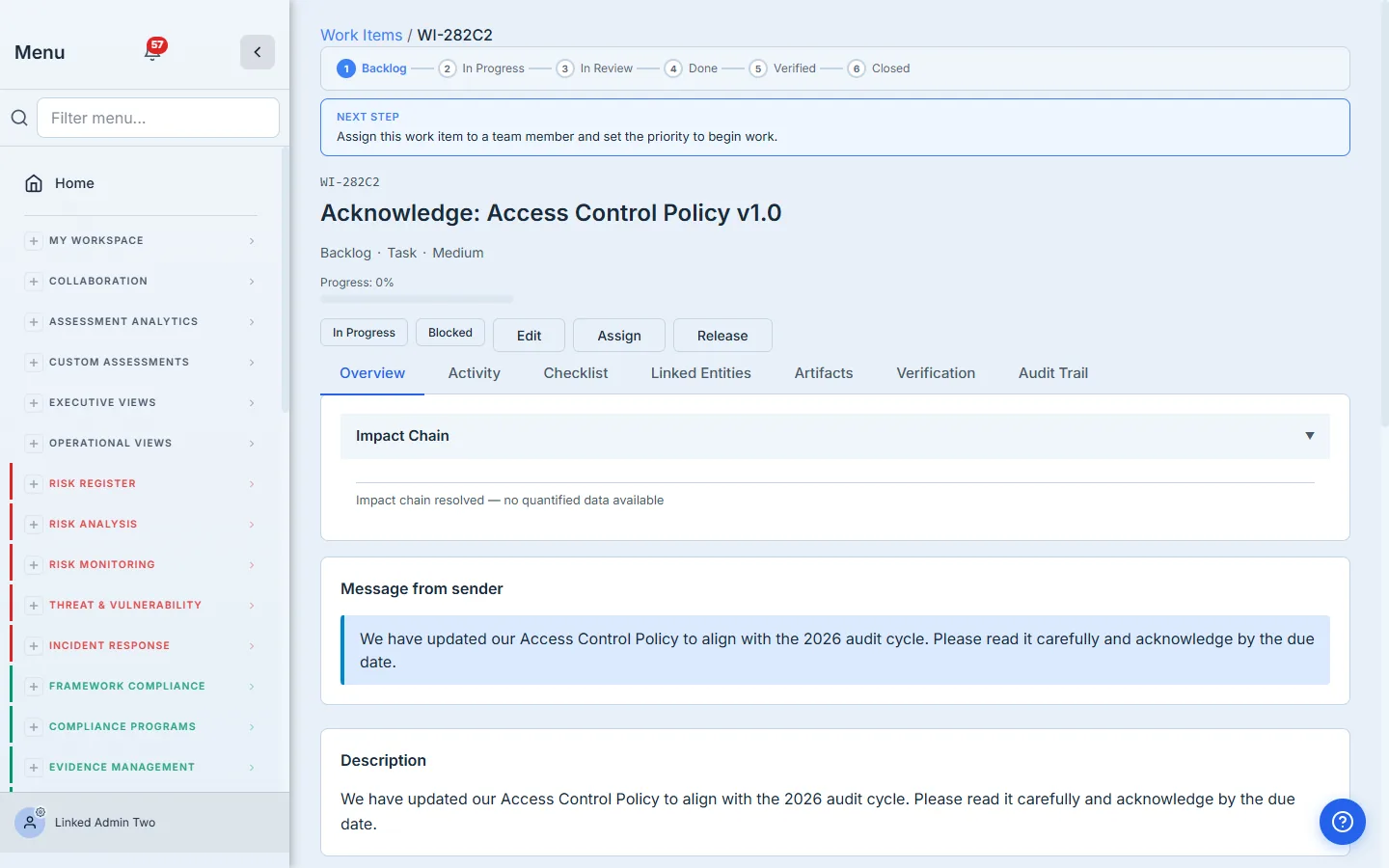
The policy PDF lands in the task’s Files attached for download section — same primitive the DR Test workflow uses for runbooks and procedures. External partners get a real Talarity guest account scoped only to their task, with the same attachments and acknowledgement step in a streamlined single-page layout.
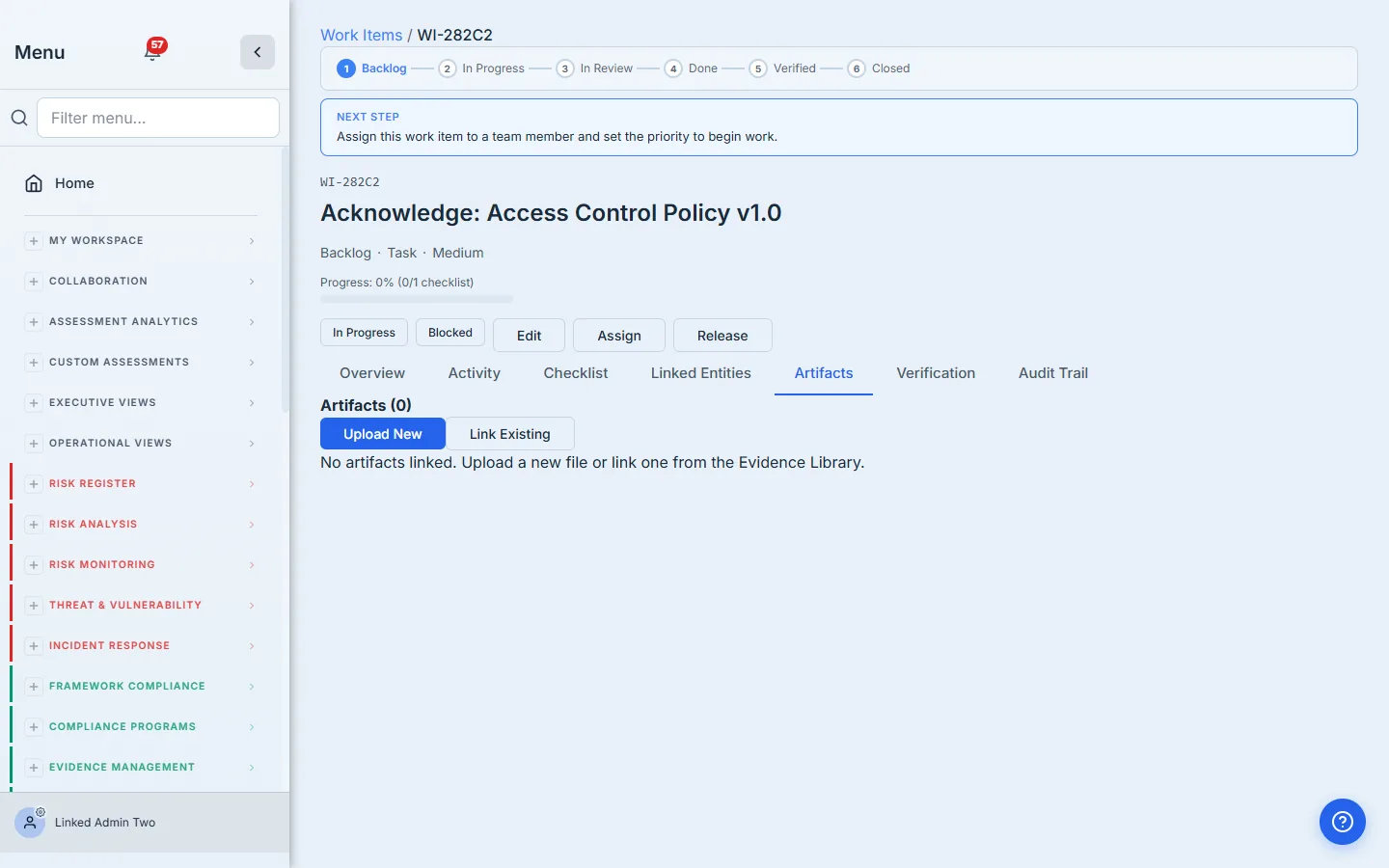
Then they tick the single acknowledgement item and Submit — on the internal task that’s the Checklist tab; a guest sees the same Acknowledge step inline on their single-page task.
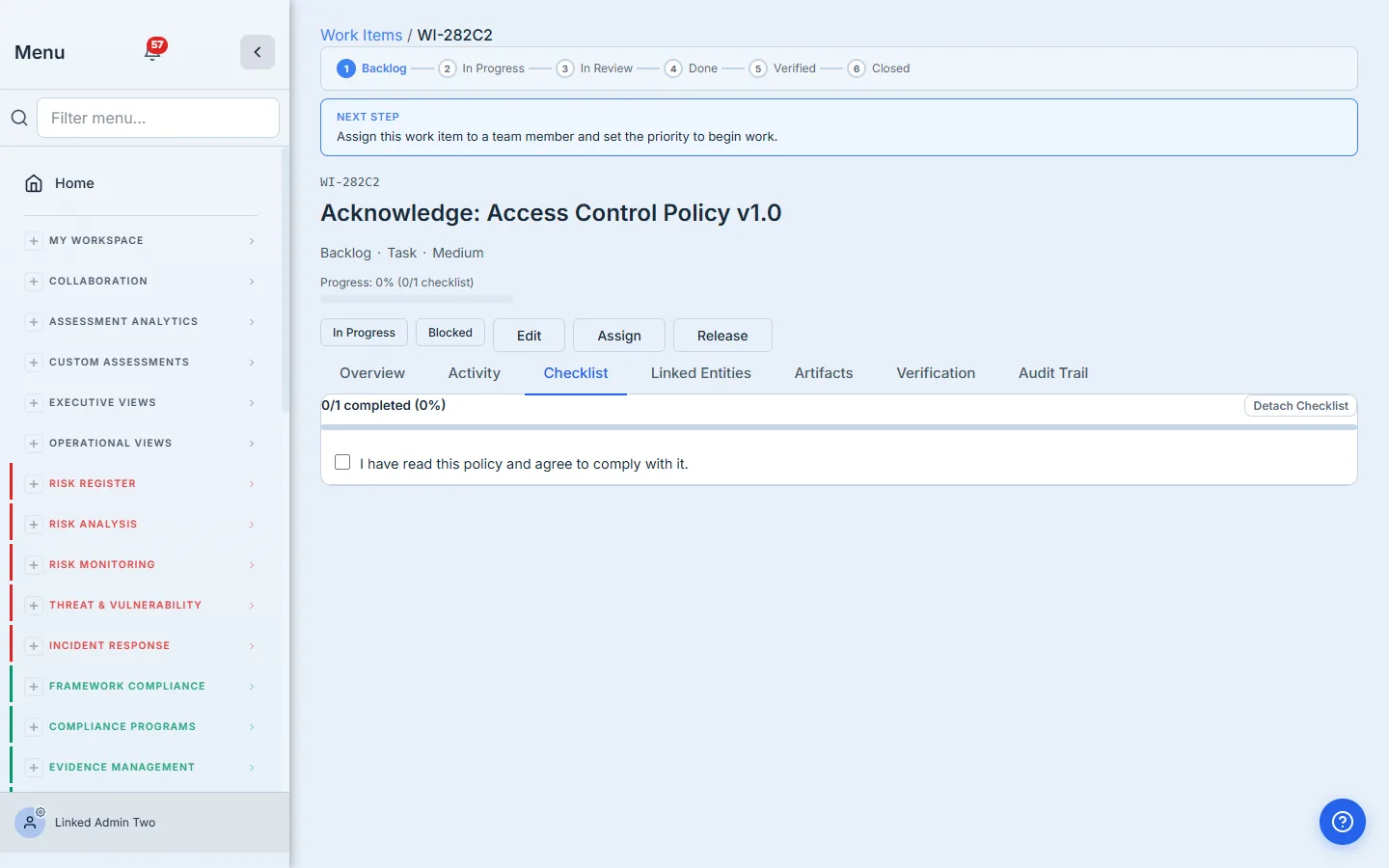
When the recipient clicks Acknowledge, two things happen at once: the work_item is marked complete (which drives the campaign progress counters), and a row is written to policy_attestations with the exact policy_version_id they signed for. That second row is the immutable per-version proof an auditor wants to see.
Step 4 — Reminders keep the cadence on track
Most acknowledgement campaigns aren’t done in a single sitting. Talarity ships a tiered reminder cascade you can opt into per campaign:
- 7 days before due — light info-tier reminder.
- 3 days before due — warning-tier “due soon.”
- 1 day before due — urgent.
- Day of — final notice.
- Days 1–3 overdue — daily nudge, then stop (no harassment).
Each tier dedupes via task_campaign_reminder_log so re-runs don’t flood the inbox. The cascade is opt-in per campaign so DR-style send-and-go campaigns aren’t forced to use it.
Step 5 — Coordinator monitors progress
The compliance lead lives in /app/task-campaigns/{id} during the drive. Per recipient: the work-item creation timestamp (what we use as the notification-dispatched signal), firstViewedAt (the recipient opened the link — they logged in), submittedAt (they completed), plus the live status pill. Send a manual reminder to anyone still pending. Export to CSV. Close the campaign when the window’s done.
Step 6 — Auto-cadence keeps it annual
This is the killer feature for policy programs that run a yearly attestation cycle. On the policy itself, you set:
attestation_required: trueattestation_cadence: 'annual'(or quarterly / semi-annual / biennial / monthly)attestation_audience: 'all_users'(or specific roles / users)
Talarity’s daily maintainAttestationRecurrence job ensures a task_recurrence_rule exists for that policy. The rule auto-fires the campaign on the cadence — a fresh acknowledgement drive every year, on the date you chose, to the audience you chose, attaching the latest published version of the policy. No calendar reminders, no spreadsheets, no manual fan-outs.
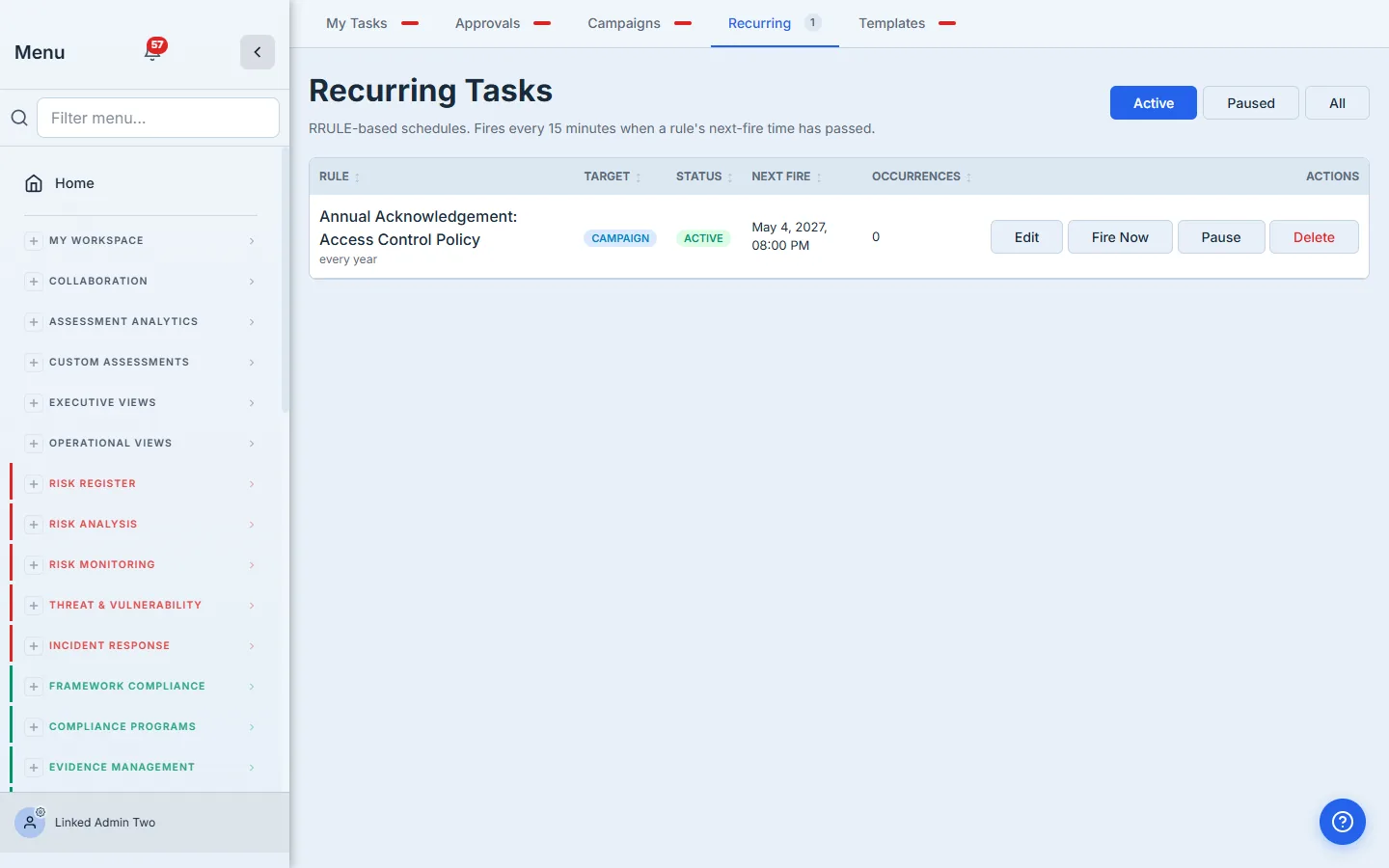
When you publish a new version of the policy, the recurrence rule’s distribution snapshot updates automatically — the next auto-fire ships the new text without any extra coordinator action.
Step 7 — Generate the attestation report
When the campaign’s window closes (or anytime in between), click Generate Report on the campaign detail page. Talarity drafts a Capstone Library artifact — same family as your audit reports, governance packages, and SEC filings.
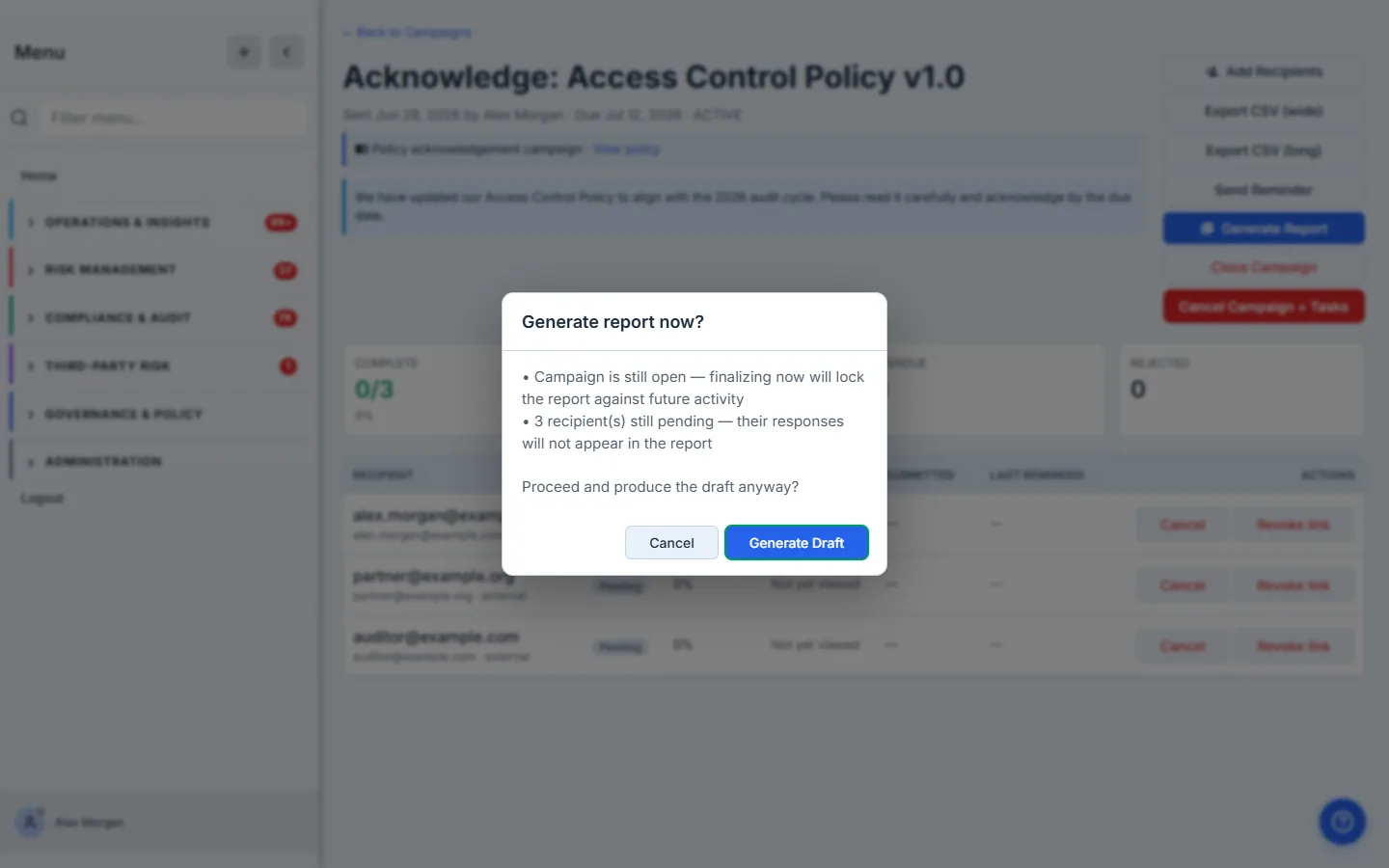
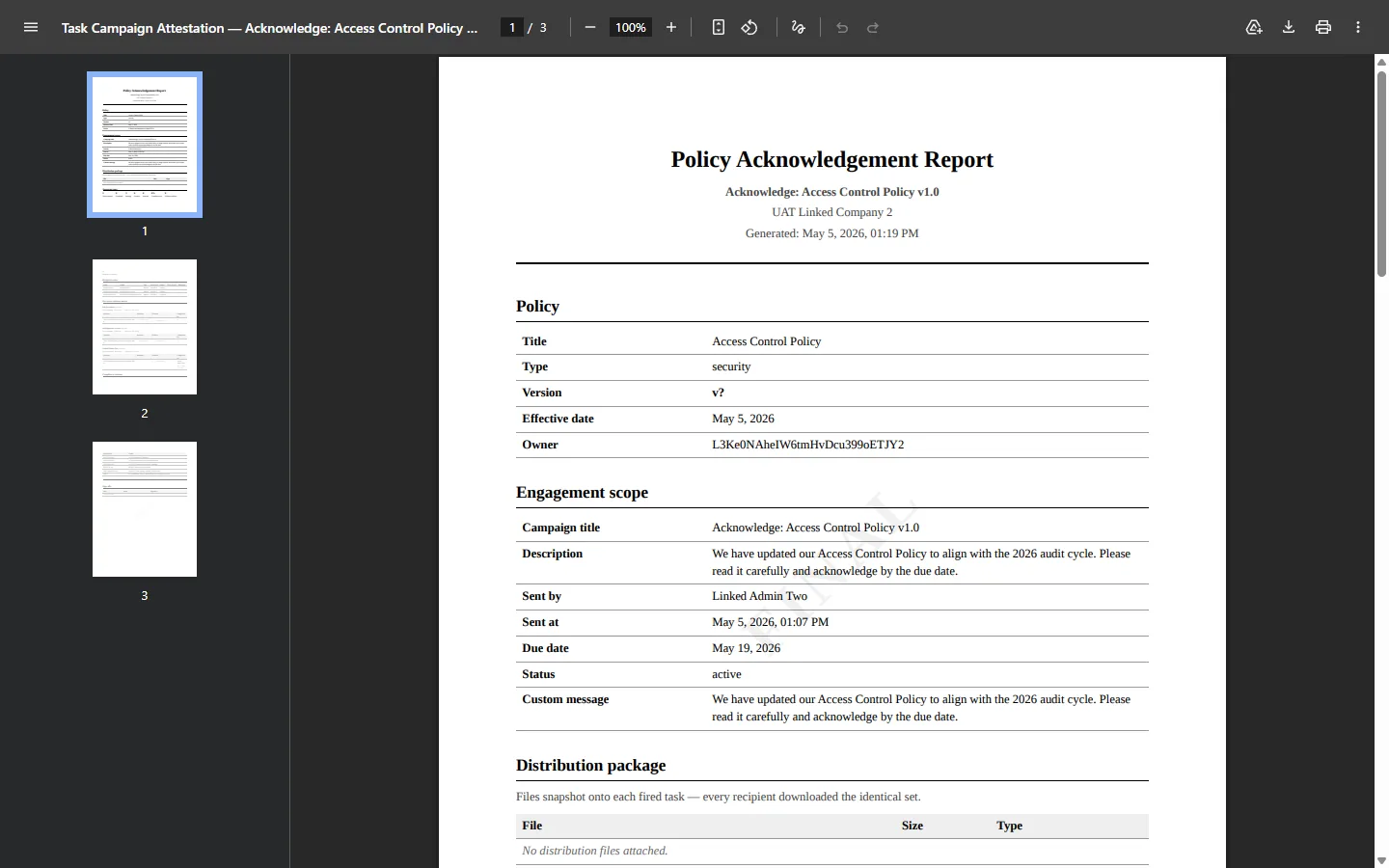
Because the campaign is policy-context, the capstone’s cover swaps from “Task Campaign Attestation Report” to “Policy Acknowledgement Report”. The first content block locks the policy + version (title, type, version string, publish date, owner) into the report header — so the whole report is pinned to the exact text in force, not “the policy as it stands today.” Each recipient’s row then shows their acknowledgement and timestamp against that pinned version.
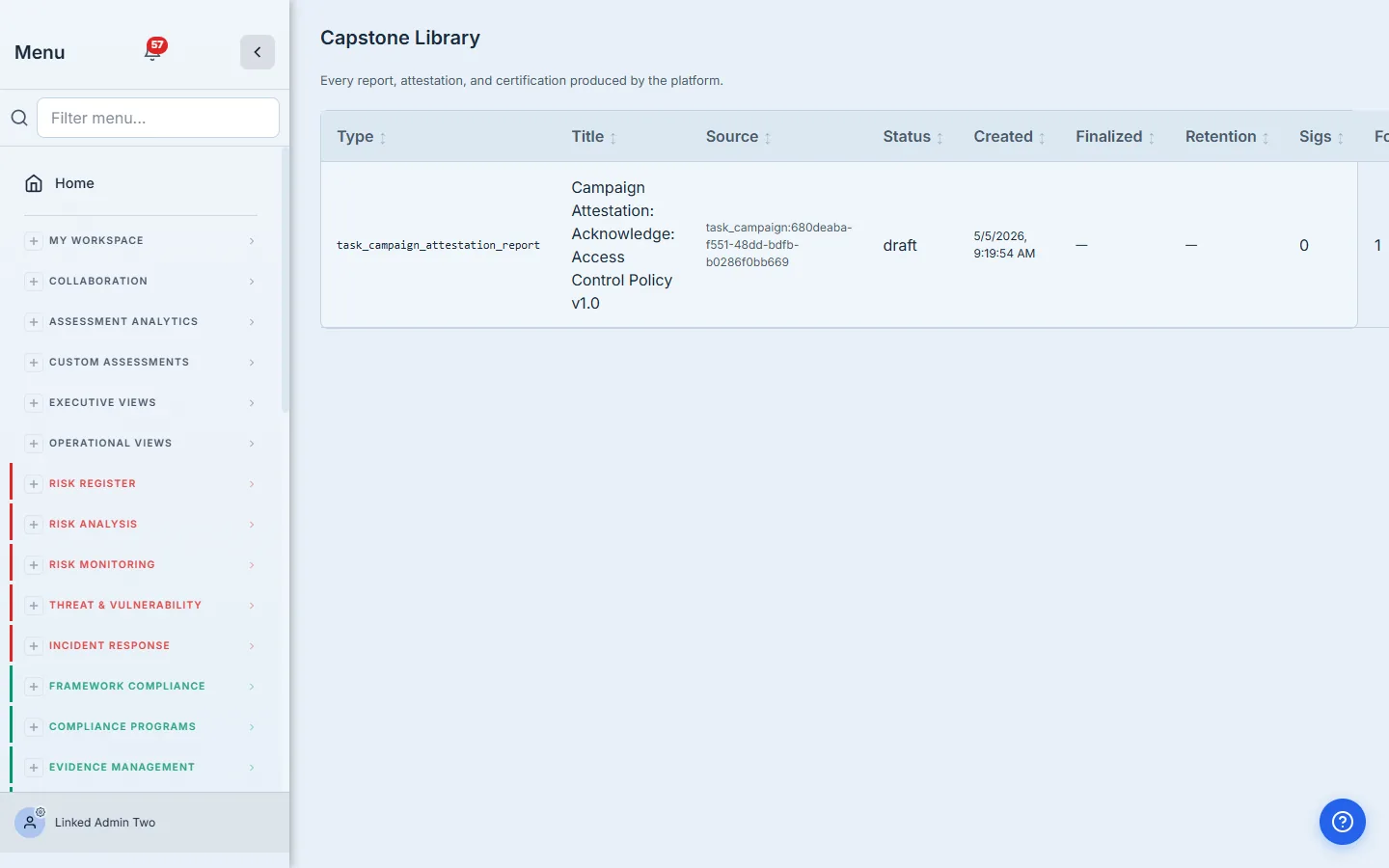
Finalize the draft and the watermark switches from DRAFT to FINAL. Seven-year retention is locked in. The artifact is now an audit-grade record of who acknowledged what version, when.
What you walk away with
- One published policy with versions snapshotted at publish time.
- One acknowledgement drive per cadence period — auto-fired by Talarity, no calendar reminders required.
- One row in
policy_attestationsper (user × version) — the canonical immutable proof an auditor needs. - A finalized PDF report with seven-year retention, policy-context branded, signed by the policy owner and compliance lead.
- A full audit trail on every campaign — who fired it, who got the email, who logged in, who acknowledged, who didn’t.
Run yours this cycle. Open the published policy, click Send for Acknowledgement, paste your roster, set the due date. The first one takes about three minutes. Every year after, Talarity does it for you.
To track the drive against your employee roster as it lands — who signed the current version, who’s pending, and who was never sent it — see Policy sign-off — who signed, who’s missing, and how to close the gap.