“Who has access to that system, and who said they should?” is the question that ends careers when the answer is a shrug. Access creep is silent — people change roles, projects end, contractors leave — and entitlements outlive their reason for existing. Access reviews make removing stale access a routine, evidenced event instead of a fire drill: a reviewer looks at every person’s access to every app and device, decides keep or revoke on each one, and the whole certification is captured as a signed report.
Who’s involved
- The reviewer (a manager, app owner, or security lead) — makes the keep/revoke/flag call on each access.
- Employees — whose SaaS and hardware assignments are under review.
- Auditors — who ask for evidence that access is reviewed on a cadence, with decisions and sign-off.
What’s on the page
Open Access Reviews (/app/workforce/access-reviews) — in the sidebar under Workforce → Access & Attestation. (Workforce Governance is its own capability area with its own sidebar category and home-page card.)
- The review list — one row per certification campaign, scoped to an app, an employee, or all active assignments; each shows its status, decision count (and how many are still pending), and a due date.
- Per-access decisions — a Certify / Revoke / Flag choice on every entitlement inside a review.
- Sign off — closes a campaign once every decision is made and produces the signed certification report.
Step 1 — Run reviews on a cadence
Open /app/workforce/access-reviews. Each row is a certification campaign — scoped to an app, an employee, or all active assignments — with its status, how many decisions it carries (and how many are still pending), and a due date.
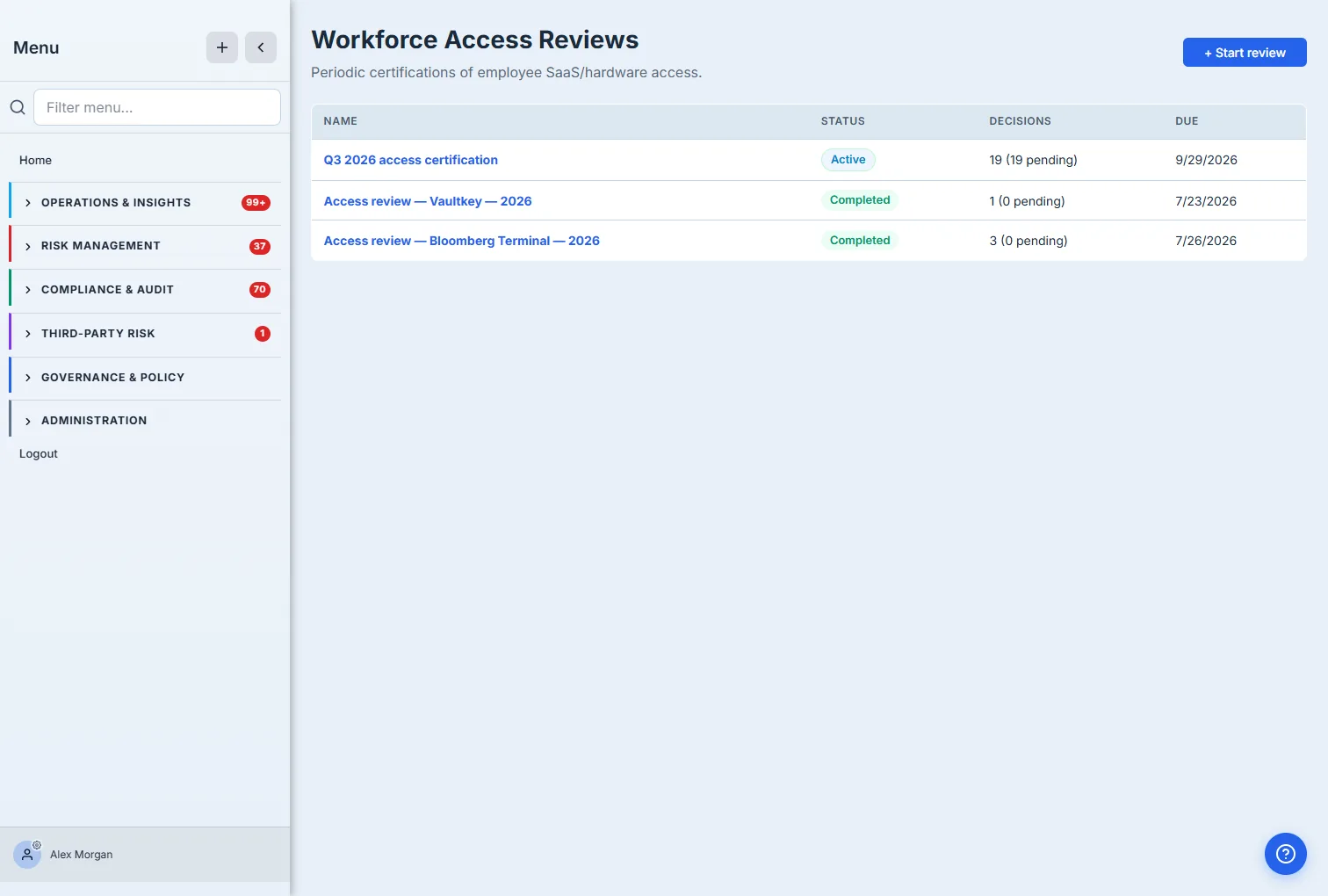
Start review launches a new campaign: name it, set a due date, choose the scope (all active assignments, one employee, or one app), and assign the reviewers. The moment it starts, every in-scope assignment becomes a pending decision waiting for a yes-or-no.
Step 2 — Keep, revoke, or flag each access
Open a campaign and the work is laid out by person: for each employee, every app and device they hold, with one decision per row. Keep certifies the access is correct, Revoke marks it for removal, and Flag sets it aside for follow-up (revoke and flag capture a reason for the record).
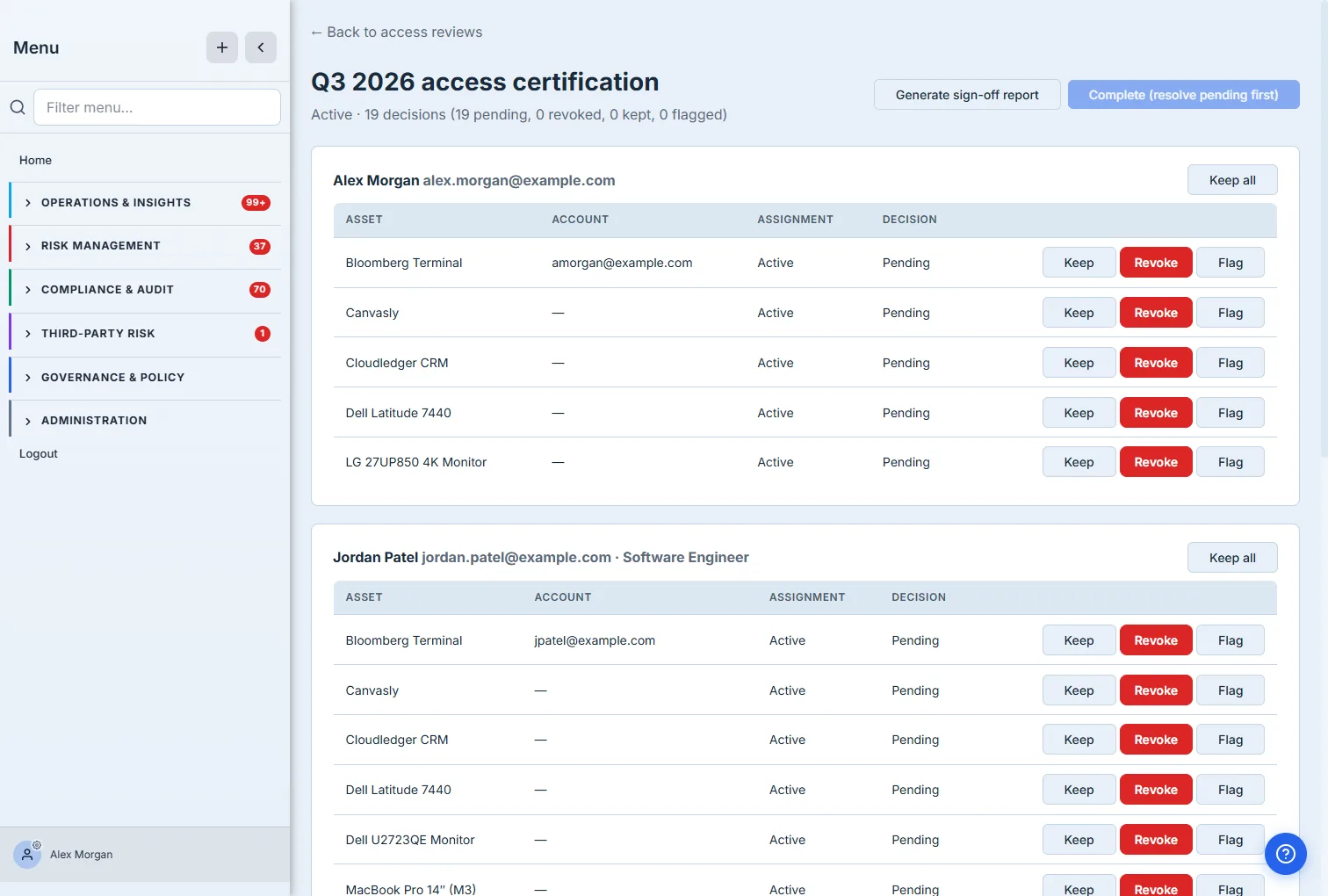
The per-row buttons make this a fast, deliberate sweep rather than a rubber stamp — and Keep all lets a reviewer certify an employee whose access is entirely correct in one click, so the time goes to the access that actually needs scrutiny. The campaign can’t be completed until every pending decision is resolved, so nothing slips through uncertified.
Step 3 — Sign off, with a record that holds up
When every decision is made, the campaign completes — and you generate a sign-off report: a point-in-time record of who reviewed what, what was kept, and what was revoked and why.
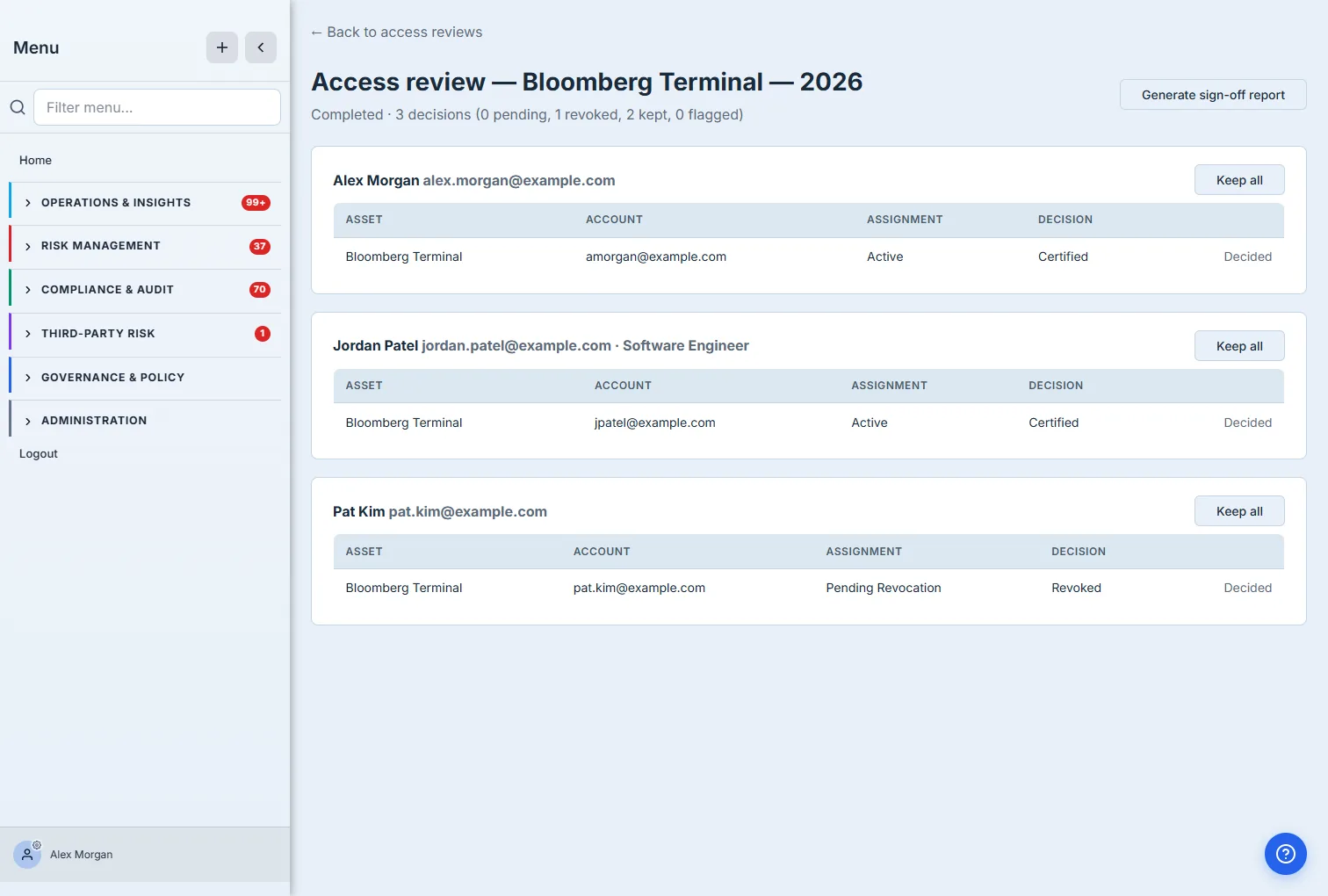
That report is the artifact an auditor actually wants: not “we review access,” but “here is the Q3 review of Bloomberg Terminal — three people, two access grants certified, one revoked, signed.” A revoked decision is a tracked outcome, not a sticky note, so the loop from “this access shouldn’t exist” to “it’s gone” is closed and evidenced.
How the page works
The certification is a closed accounting system, and a few mechanics are why the sign-off report holds up:
- One in-scope entitlement = one decision. When a campaign starts, every assignment its scope captures (all active assignments, or just one employee’s, or just one app’s) becomes a pending decision. Each decision is exactly one of three states — keep (green), revoke (red), or flag (amber) — submitted per entitlement, and revoke/flag prompt for a reason that lands in the record.
- The campaign tracks its own completeness. It carries running counts — kept, revoked, pending — and a percent-complete, recomputed as decisions land. Keep all resolves every pending decision for one employee at once, so the reviewer’s time goes to the access that actually warrants a second look.
- You can’t complete a campaign with anything pending. The Complete action is gated on zero pending decisions — so a campaign that finishes is, by construction, a campaign where every grant was looked at and ruled on. There’s no “mostly reviewed.”
- Completion is what produces the signed artifact. Generating the sign-off report happens on a completed campaign, capturing who reviewed what, the keep/revoke tally, and the reasons — a point-in-time record that doesn’t change after the fact, even as the underlying access keeps evolving.
What you walk away with
- Access creep caught on a cadence — periodic certifications instead of a once-a-year scramble.
- A decision on every grant — keep, revoke, or flag, per person per app, with reasons captured for revocations.
- Faster where it’s safe — “Keep all” for clean employees so scrutiny goes where it’s needed.
- A signed record for the auditor — every campaign produces a sign-off report showing who reviewed what and what changed.
Open /app/workforce/access-reviews, start a review scoped to your most sensitive app, and certify it. The next time someone asks who has access and who approved it, the answer is a signed report — with the stale access already revoked.