Two years ago your company had one or two AI pilots. Today a résumé screener ranks job applicants, a recommendation engine drives the storefront, a chatbot answers customers, and a model flags payment fraud — and each one was stood up by a different team. Meanwhile the EU AI Act is phasing in risk-tiered obligations, ISO/IEC 42001 defines an AI management system, and the NIST AI RMF sets the expectation for how you govern AI risk. The first question every auditor, regulator, and enterprise customer now asks is simple: what AI systems do you run, and how do you govern them?
Most teams answer that with a spreadsheet that’s out of date the day it’s written. Talarity’s AI Governance module answers it with a live register: every AI system inventoried with its risk tier and lifecycle, framework assessments recorded against it, and the specific controls mapped and attested with evidence — all rolled up into a coverage dashboard you can hand to a board or an auditor.
The state of your AI program, at a glance
The Dashboard opens on the numbers that matter: how many AI systems you run, how many are high-risk or fall in the EU AI Act’s unacceptable tier, and how many are overdue for review. Below that, two rollups — assessment coverage and control implementation — show, per framework, how far along you actually are.
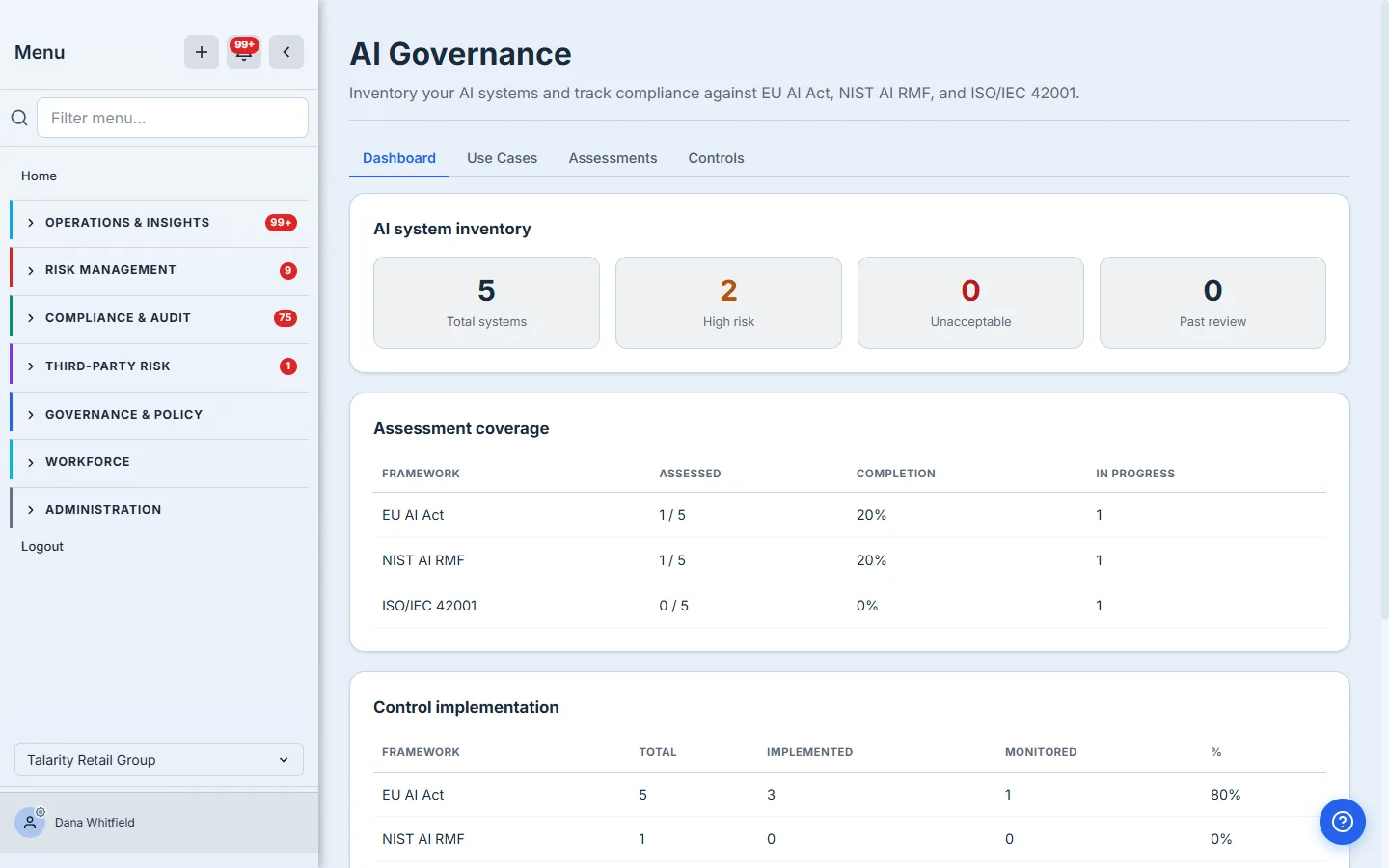
These figures aren’t hand-entered — they’re computed from the systems, assessments, and control mappings you maintain in the other tabs. Register a system, record an assessment, mark a control implemented, and the dashboard moves.
Register every AI system
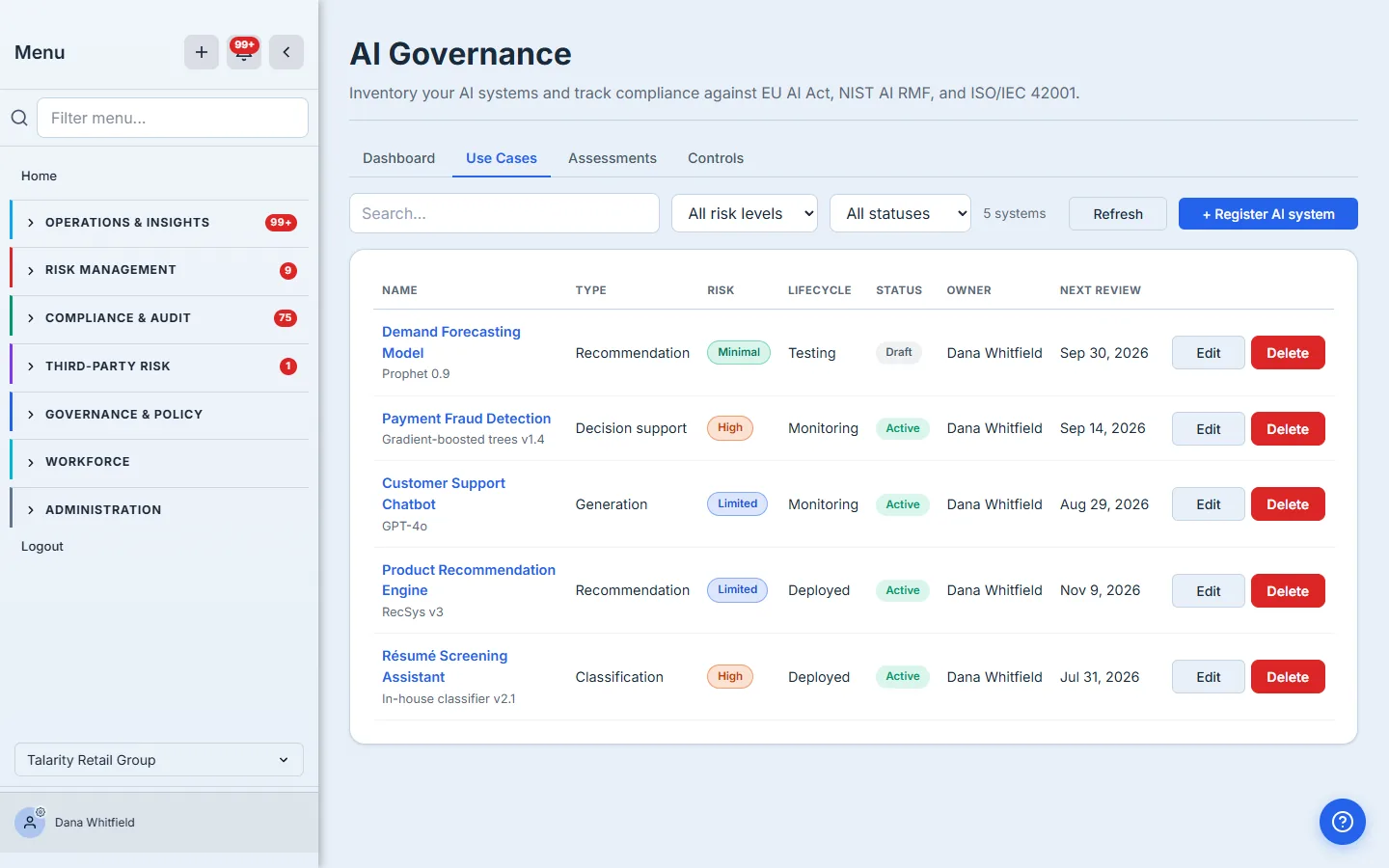
The Use Cases tab is your inventory. Each row is an AI system with its type, EU AI Act risk tier, lifecycle stage, status, owner, and next review date — searchable and filterable by risk level and status so it stays usable whether you run five systems or five hundred.
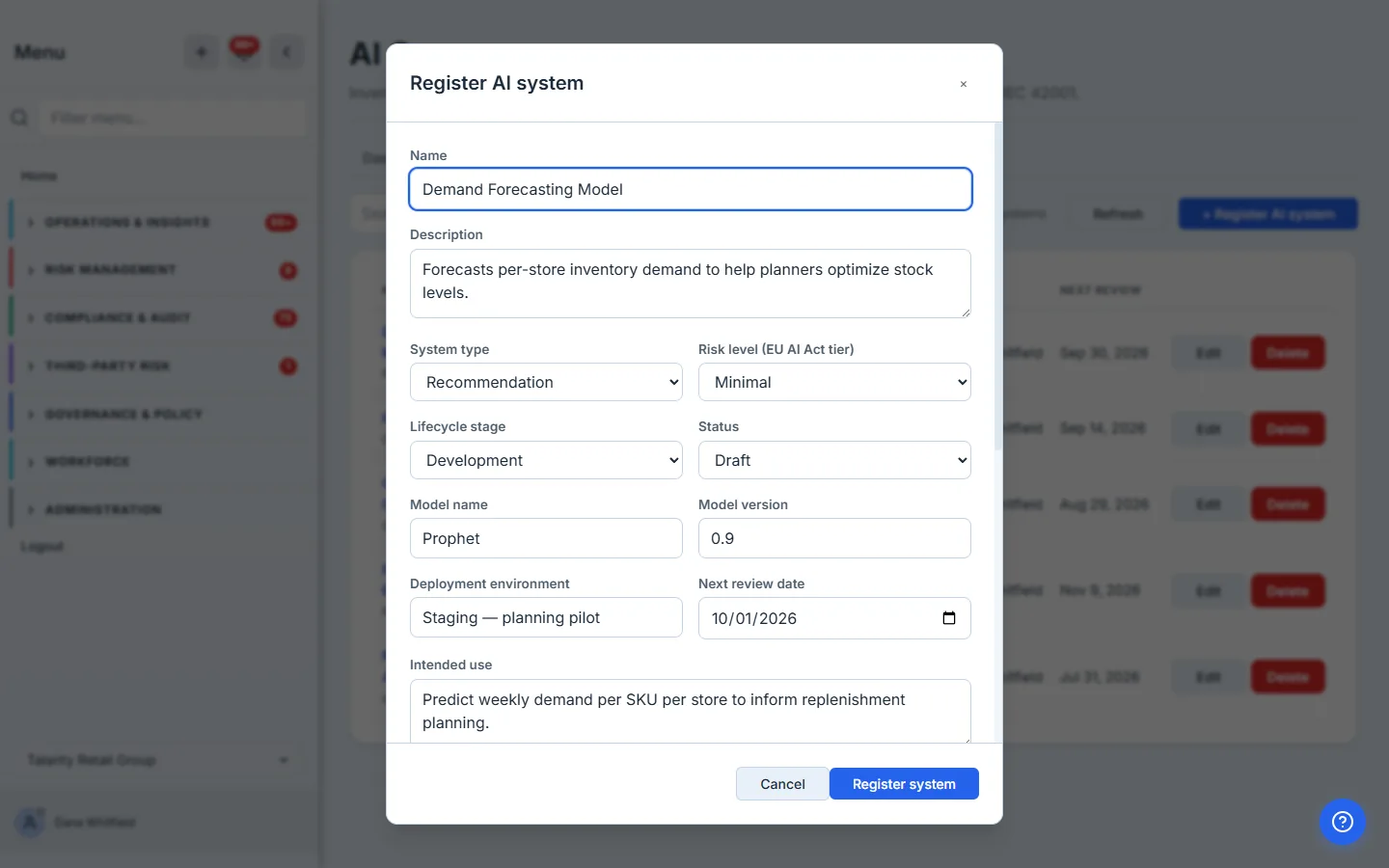
Registering a system captures what governance actually needs to know: a description and intended use, the model name and version, the deployment environment, whether it processes personal or sensitive data, and its EU AI Act risk tier — plus links to the risks and policies already in your GRC program, so an AI system isn’t an island.
Every system, in depth
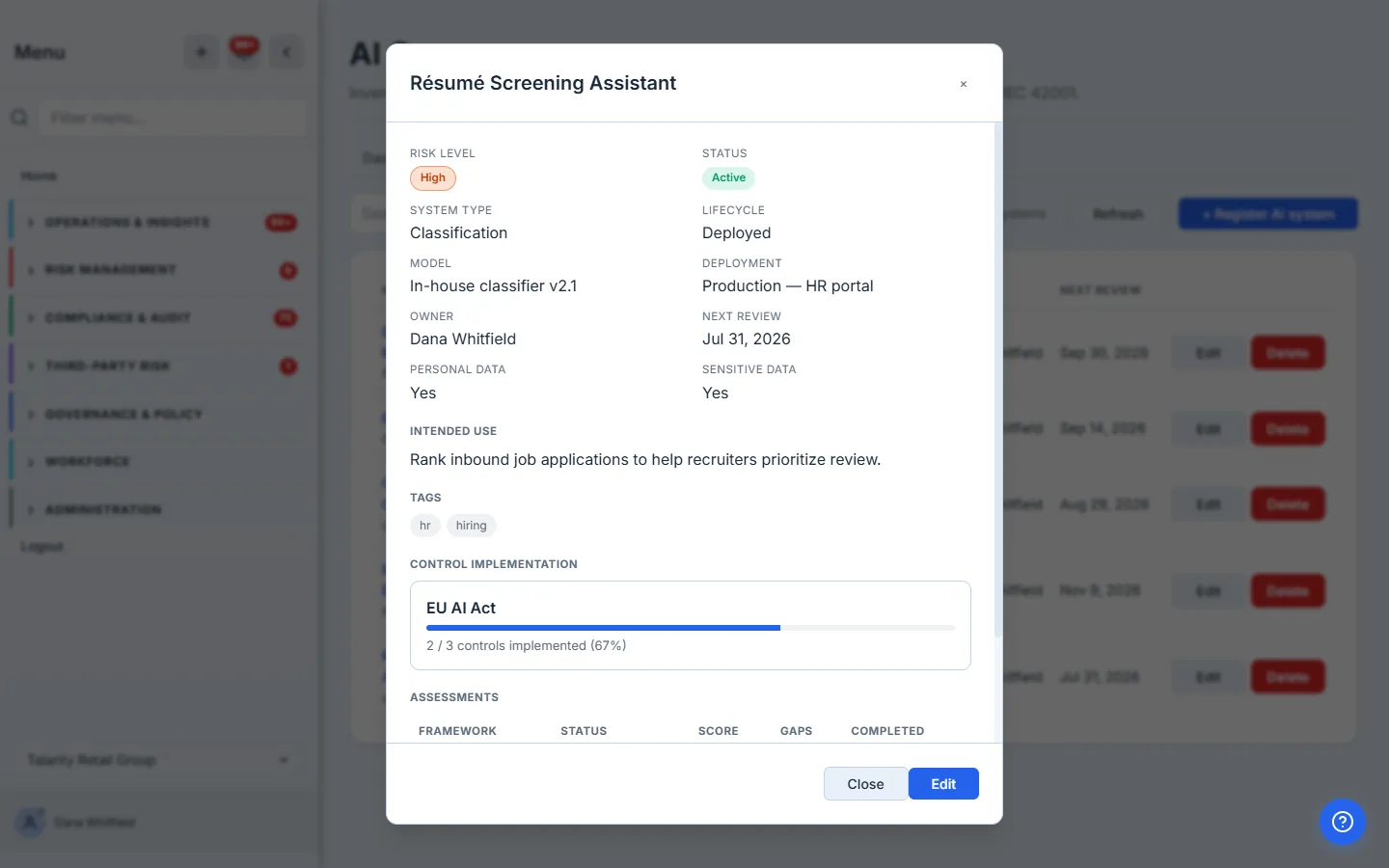
Click any system to open its detail view: the full profile, whether it touches personal or sensitive data, a per-framework control-implementation bar, and the history of every assessment run against it. It’s the single page you’d pull up in an audit interview about that system.
Assess against the frameworks
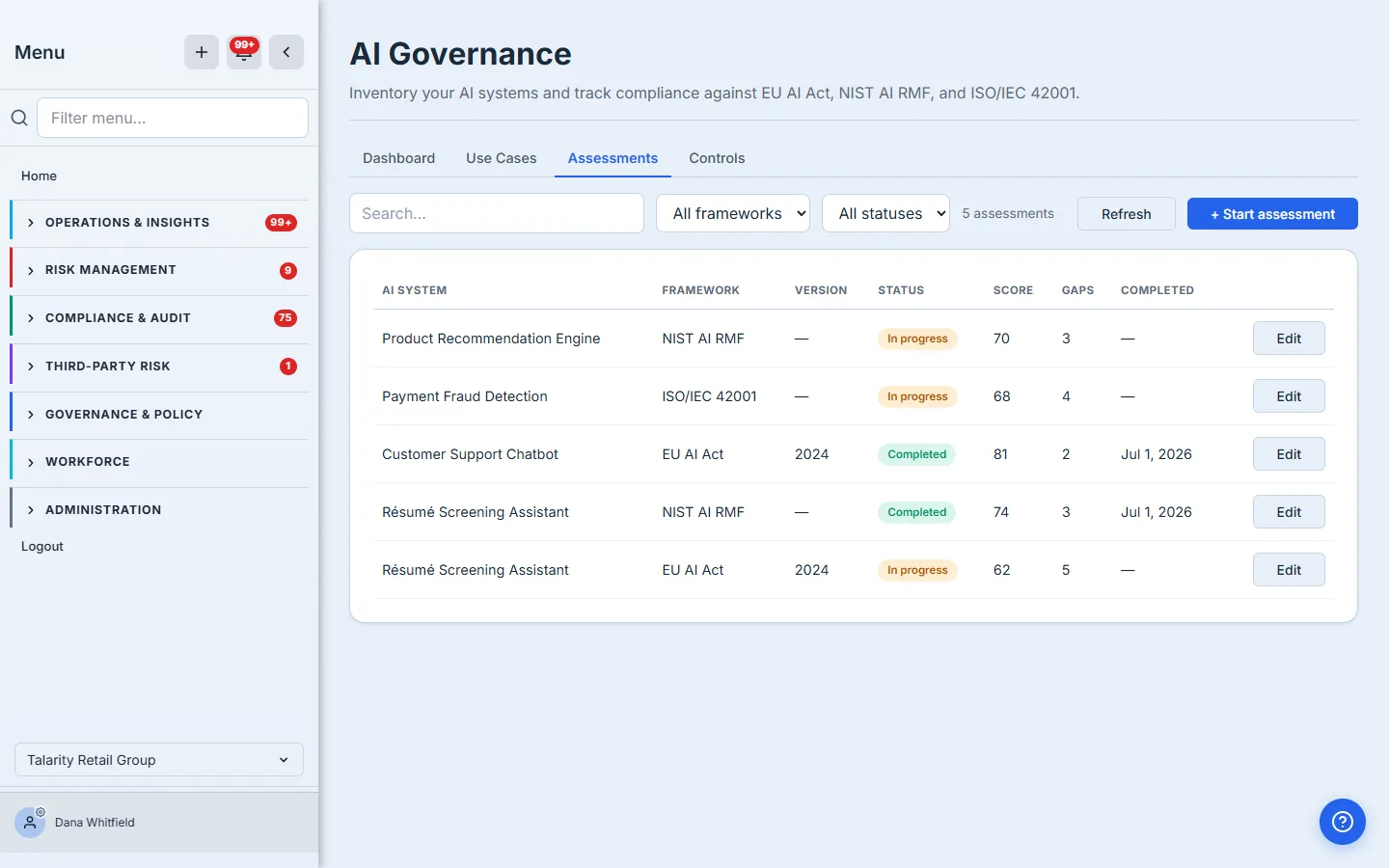
The Assessments tab records where each system stands against a framework. Open an assessment against a system, track its status from in-progress to completed, and capture the score, the number of open gaps, and a findings summary. High-risk systems typically carry an EU AI Act assessment; you can run NIST AI RMF or ISO 42001 alongside it.
Map controls — and attest them with evidence
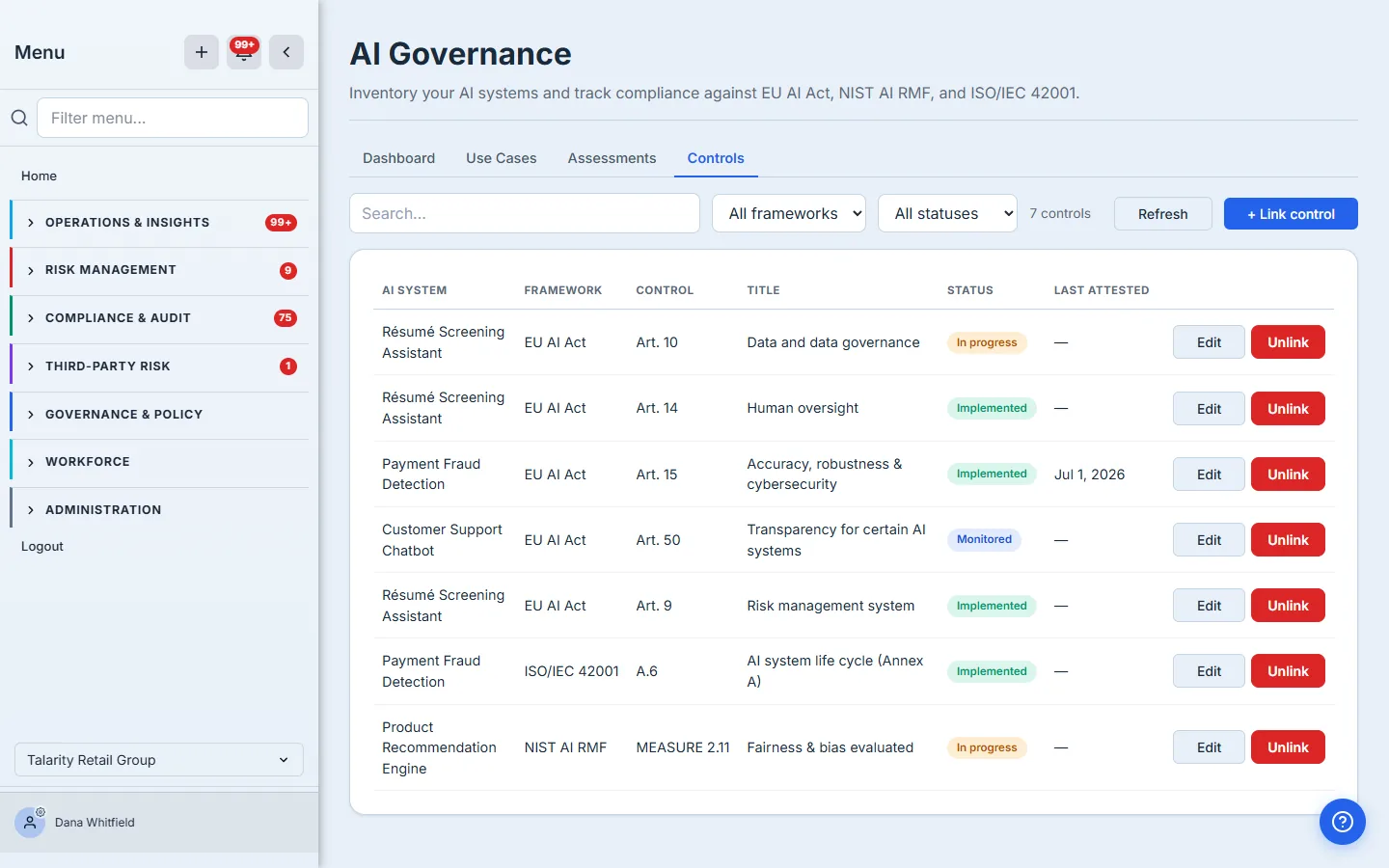
Assessments tell you how you’re doing; the Controls tab records what you’ve done. Map specific framework controls to a system — EU AI Act Article 9 (risk management system), Article 14 (human oversight), a NIST AI RMF subcategory, an ISO 42001 clause — and set each one’s implementation status.
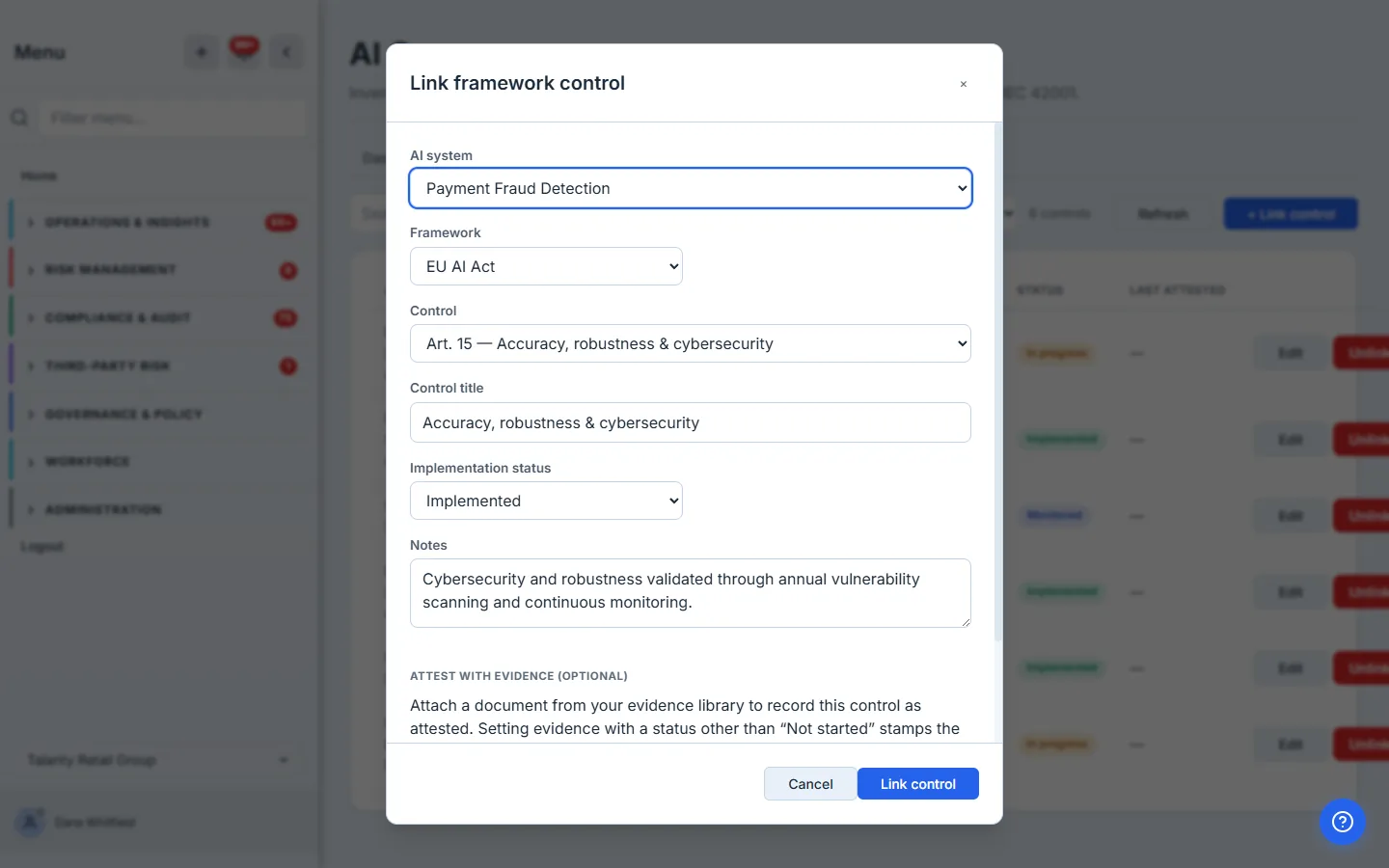
You don’t type control numbers from memory — pick from a per-framework catalog of the real controls, set the status, and optionally attest the control by attaching a document from your evidence library. Attesting stamps the control with the date and the evidence behind it, so “implemented” is a claim you can prove, not just a checkbox.
What you walk away with
- A live register of every AI system — risk tier, lifecycle, model, data sensitivity, and owner — instead of a stale spreadsheet.
- Framework assessments against the EU AI Act, NIST AI RMF, and ISO/IEC 42001, tracked from in-progress to complete with scores and open gaps.
- Control mappings attested with evidence, so an “implemented” control links to the document that proves it and the date it was attested.
- A coverage dashboard — systems by risk tier, assessment completion, and control implementation per framework — that answers “what AI do you run, and how do you govern it?” in one screen.
When the EU AI Act deadline lands or an enterprise customer sends the AI-governance section of their security questionnaire, you’re not starting a spreadsheet. You’re exporting what you already maintain.