Auditors ask a deceptively simple question about every asset: who owns this? Not who uses it — who is accountable for it: for keeping it in scope, for the access that rides on it, for getting it back when the person holding it leaves. In most tools, answering that means assigning an owner to every laptop, every SaaS seat, every server, one row at a time — which means it never actually gets done, and the audit finds blanks.
Talarity inverts the work. You assign a custodian to a category, and every asset in that category inherits the custodian automatically. Set it once at “Hardware,” and every laptop, monitor, and dock underneath has an accountable owner — until you decide a specific branch or a specific asset needs someone else.
What’s on the page
Two surfaces work together. Asset Categories — in the sidebar under Administration → Organization Settings → Business Units, as a tab — is where the taxonomy is built; Custodians — a tab on Workforce → Assets & Licenses — is where ownership and the resulting work live. (Workforce Governance is its own capability area, currently in Early Access.) The Custodians workspace carries four tabs:
- Categories (default) — the management surface: the category tree with an owner beside every node and Change / Remove / Set here controls. This is where you assign and override.
- By Person — the same custodianship pivoted by owner: who is custodian of what, so you can see one person’s full span (and what reassigns when they leave).
- By App — custodianship pivoted by application/SaaS, for the software side of the inventory.
- Provisioning Queue — the work custodianship routes: open issue / grant / recover / revoke items, with My items, Unrouted, and All open sub-tabs.
The taxonomy — categories first
Open Administration → Organization Settings → Business Units, on the Asset Categories tab. Talarity ships a sensible top level — Hardware, Software, Cloud, Data, People, Facilities, Network — as read-only system categories, so everyone’s asset inventory starts from the same shared vocabulary. Underneath, you build your own.
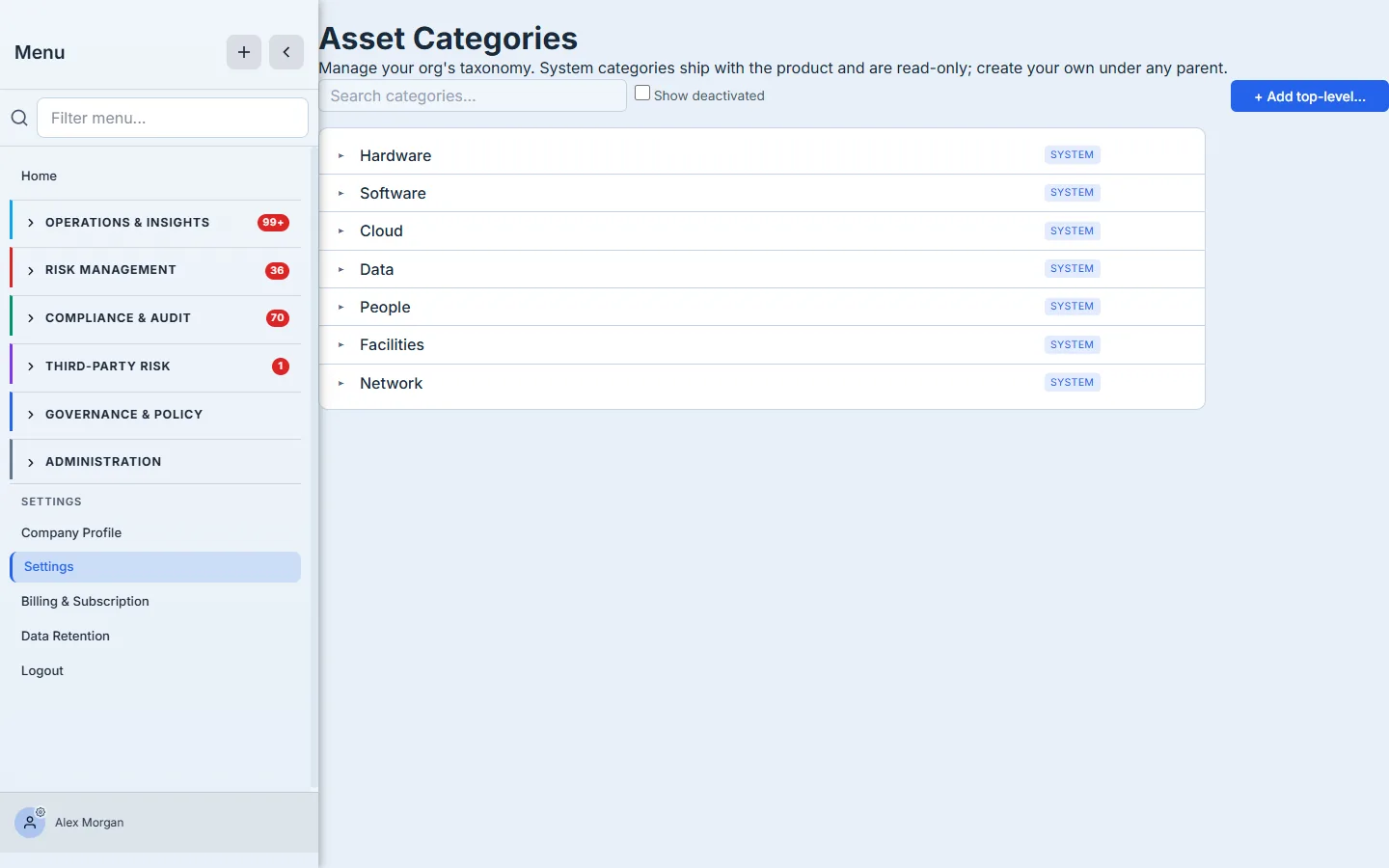
Expand any system root and add child categories beneath it — “Laptops” and “Monitors” under Hardware, “Endpoint agents” under Software — up to five levels deep. The tree is the backbone everything else hangs off: it’s how assets are filed, and it’s the ladder custodianship climbs.
Assign once, inherit everywhere
Now the payoff. Open Custodians (under Workforce). The Categories tab shows the same taxonomy, but with an owner beside every node — and this is where the leverage is.
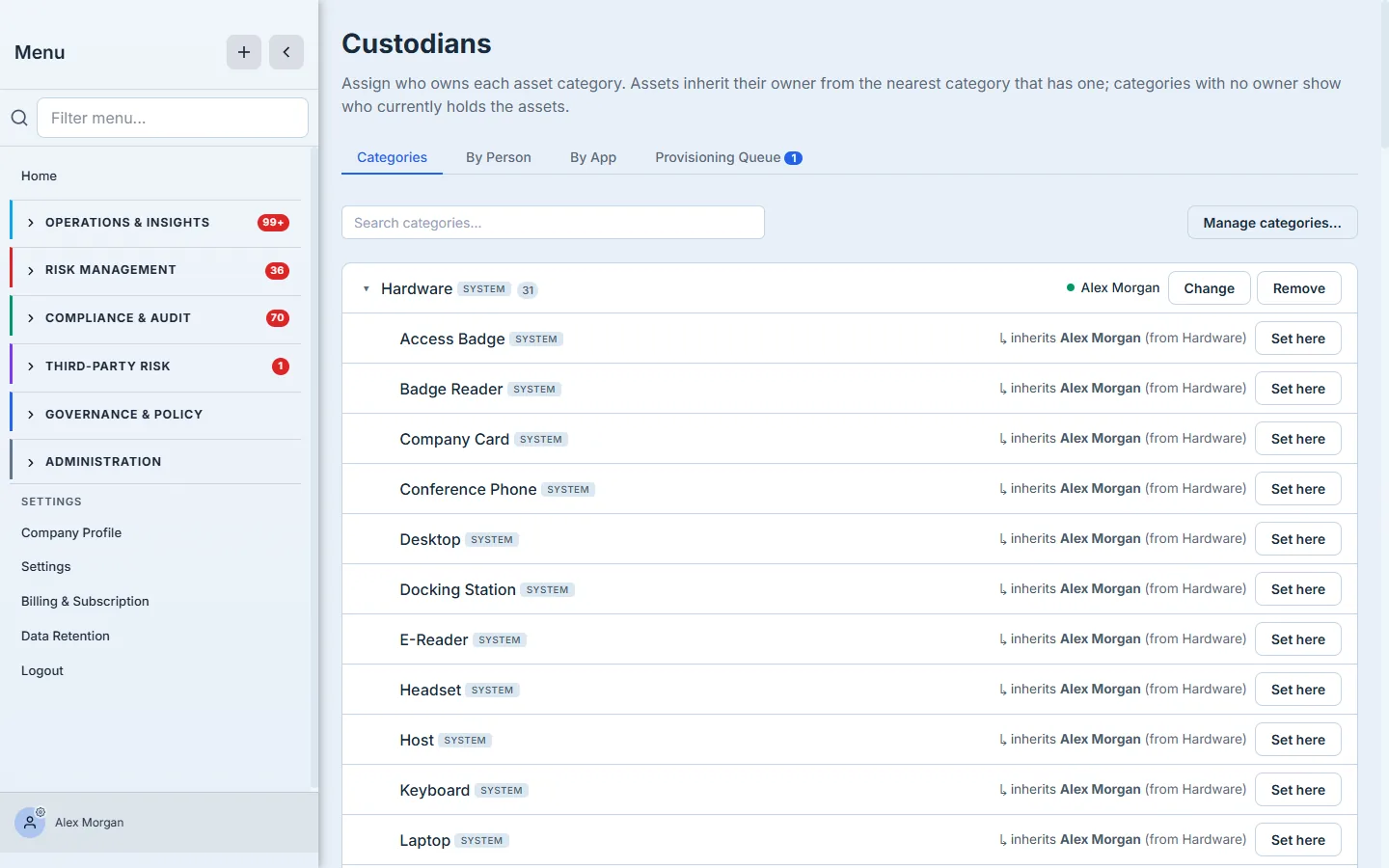
Assign Alex Morgan as custodian of Hardware, and every category beneath it reads ”↳ inherits Alex Morgan (from Hardware)” — and so does every actual asset filed under any of them. One assignment, accountability everywhere. The resolution is precise: each asset takes its custodian from the nearest ancestor category that has one, so a custodian set deep on “Laptops” wins over the broader “Hardware” owner for laptops only.
Overrides are first-class, not afterthoughts:
- Set here on any inheriting node pins a different custodian at that branch — give “Cloud” to your platform lead even though “Software” belongs to IT.
- A per-asset override (set from the asset itself) beats every category rule — the one server that the DBA personally owns, regardless of where it’s filed.
- Remove a category’s custodian and its assets fall back to inheriting from the parent again.
Every change is written to an audit trail (who set whom, on which category, when), because “who owned this asset in March” is exactly the kind of question an audit asks after the fact.
From ownership to action — the provisioning queue
Custodianship isn’t just a label; it’s how the work gets routed. When an asset needs to be issued, recovered, granted, or revoked, that task lands on the custodian. The Provisioning Queue tab is that work, organized.
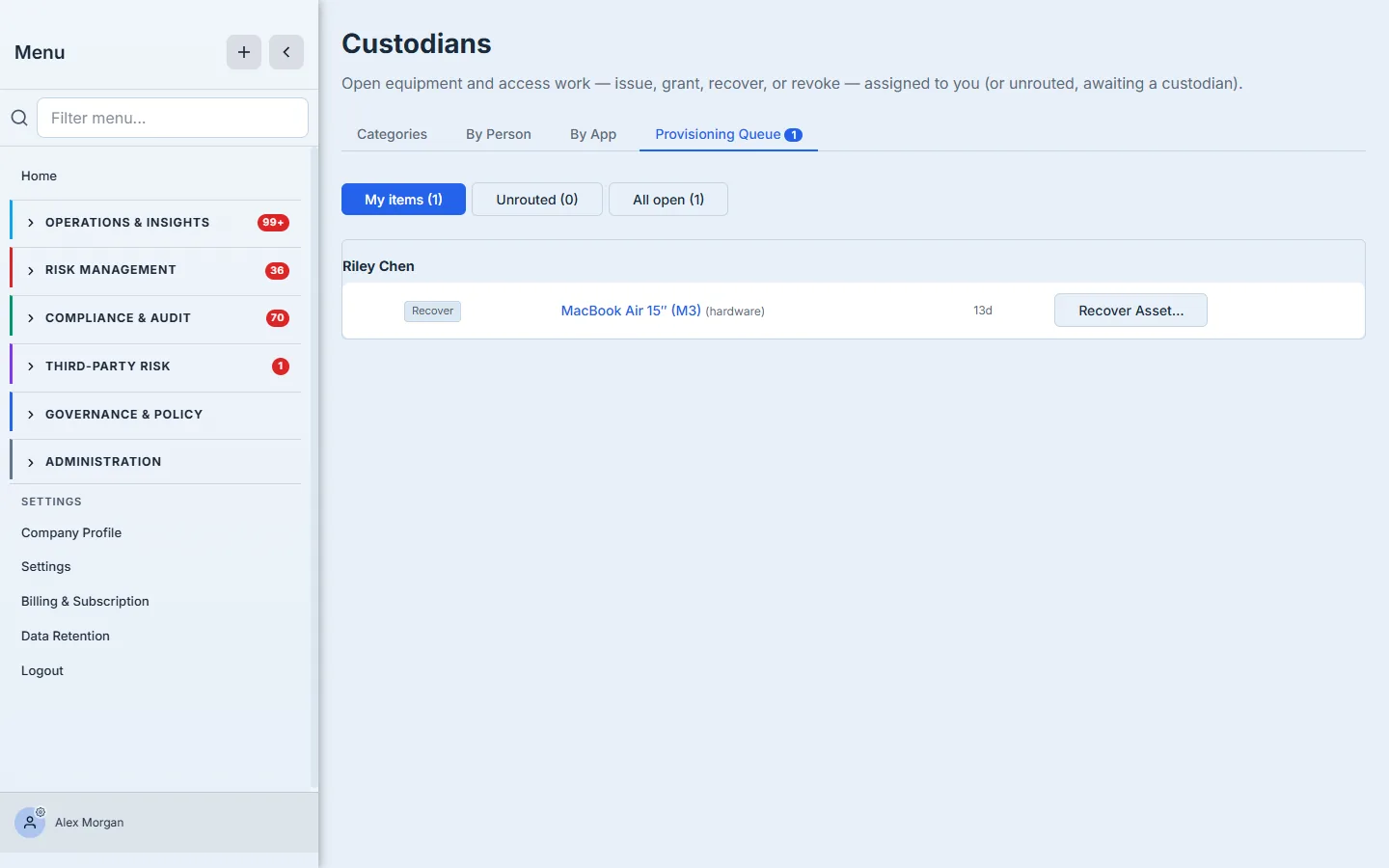
Each item is a real piece of equipment work — recover this MacBook from a departing employee, grant this license, revoke this access — routed to whoever the inheritance resolved to. The Unrouted sub-tab is the safety net: if an asset has no custodian at all (or its custodian has no platform login), the task surfaces there instead of vanishing, so nothing falls through a gap in the taxonomy. The header says it plainly: open equipment and access work — issue, grant, recover, or revoke — assigned to you, or unrouted, awaiting a custodian.
How custodian resolution works
The whole model rests on one resolution rule, applied every time an asset’s owner is read:
- Per-asset override → nearest-ancestor category custodian. An asset takes its custodian from its own per-asset value if one is set; otherwise from the nearest category in its chain that has a custodian, walking up from the asset’s own leaf toward the root. So a custodian on “Laptop” wins over the broader “Hardware” owner for laptops, and a per-asset value wins over both. Remove a node’s custodian and its assets simply resolve to the next ancestor up.
- Routing follows that resolution. When a provisioning task is created, it’s assigned to whoever the asset resolves to — no manual routing. If the resolved custodian has no platform login, the Categories tab flags them with a ⚠ No login chip and their tasks land in Unrouted rather than a dead inbox, so the gap is visible instead of silent.
- Every assignment is audited. Each Change / Remove / Set here writes who set whom, on which category, and when — which is exactly the “who owned this in March?” question an audit asks after the fact.
What you walk away with
- Accountability that scales. Assign a custodian to a category once; every asset under it inherits an owner — no per-asset busywork, no audit blanks.
- Precise control where it matters. Nearest-ancestor resolution plus “Set here” branch overrides and per-asset overrides mean the default is effortless and the exceptions are exact.
- Ownership that does work. Provisioning tasks route to the resolved custodian automatically, and the Unrouted queue guarantees an asset with no owner is surfaced, not silently dropped.
- A defensible trail. Every custodian change is logged, so “who owned this, and when” always has an answer.
Set the categories, assign a handful of custodians at the top, and the question auditors love to ask — who owns this asset? — answers itself for everything you’ll ever add.