Every audit eventually asks the same two questions about your logs: can you produce them, and can you prove nobody changed them? SOC 2 leans on CC7.2 and CC7.3 for monitoring and on CC4.1 for ongoing evaluation; ISO 27001:2022 spells it out in A.8.15 (Logging) and A.8.16 (Monitoring activities); and NIST SP 800-53 is the bluntest of all — AU-9, “Protection of Audit Information,” requires that audit records be protected from unauthorized modification, and AU-6 expects you to actually review them.
Most teams answer the first question with a database dump and the second with a shrug — “trust us, the logs are in the database.” Talarity answers both from one screen. Every audit event is written into a per-row hash chain the moment it happens, so the trail is tamper-evident by construction; you can export any window as a SOC 2 evidence file, and verify the whole chain with one click.
Who’s involved
- Compliance lead — exports the trail for an audit window and hands the file (plus its manifest) to the auditor.
- Security / platform admin — runs the integrity check after any incident, or on a schedule, to confirm nothing was altered.
- Auditor — receives the export and the manifest, and re-verifies the Merkle root offline, without access to your system.
Step 1 — Open the audit-log export
Go to Audit Log Export under Administration → Users & Access. Three things live on one page: a date-range Export, a one-click Verify integrity, and an Export history ledger of everything you (and the scheduled job) have produced.
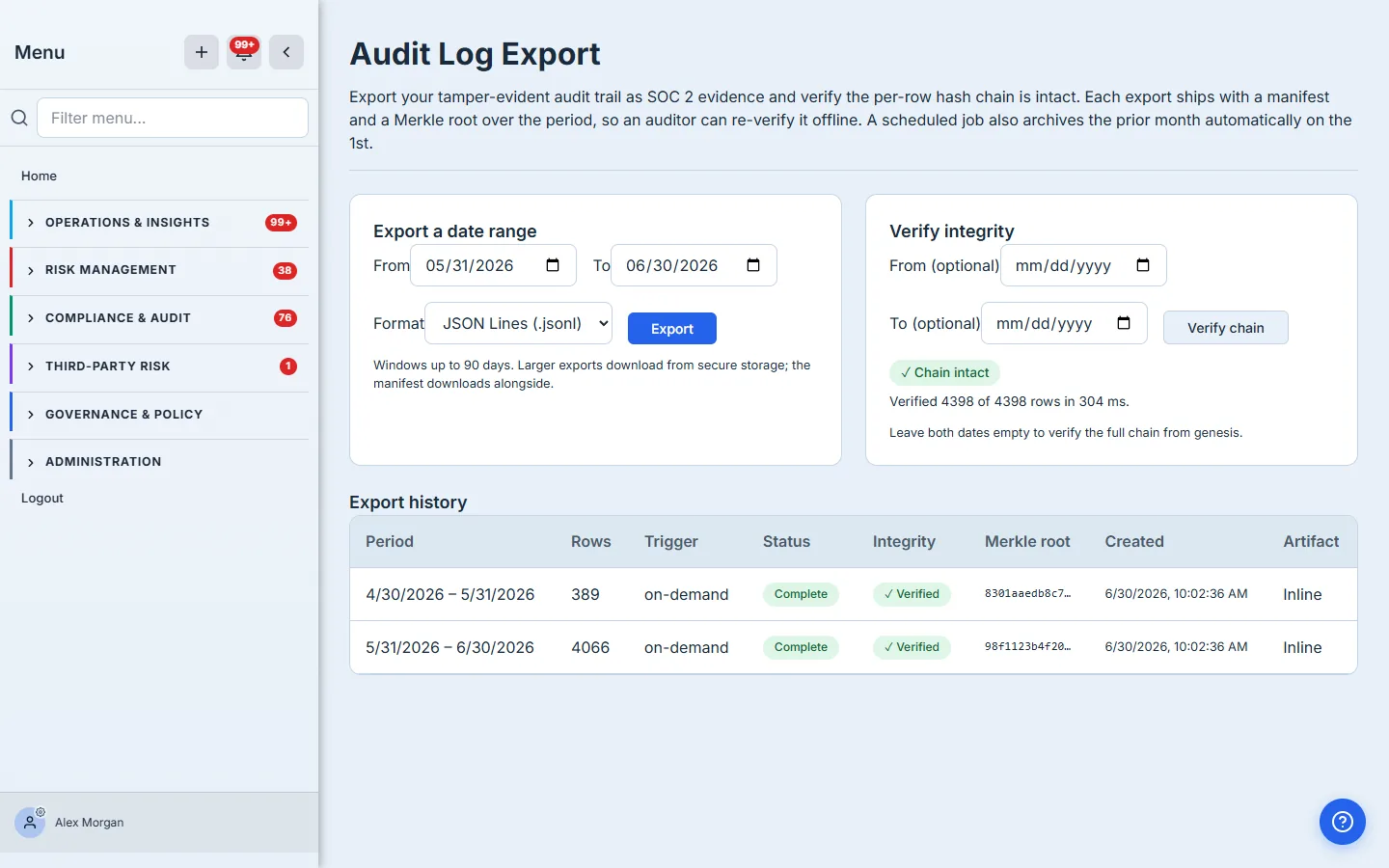
The page exists because “give me the logs” and “prove the logs are intact” are two different asks, and an auditor will make both. Keeping the export, the proof, and the record of past exports together means the evidence and the evidence-of-evidence never drift apart.
Step 2 — Export a date range
Pick a From and To date and a Format — JSON Lines for machine ingestion (one event per line, ideal for piping into a SIEM or a script) or CSV for a spreadsheet. Click Export.
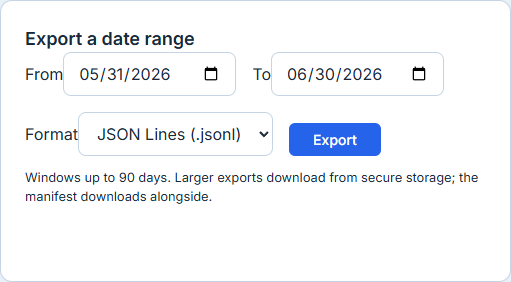
A window is capped at 90 days, which keeps any single file auditor-sized. Small exports download straight to your browser; anything large is streamed to secure storage and handed back as a short-lived download link, so you never block on a giant in-memory file. Either way you get two files: the data, and a manifest that fingerprints exactly what was in the window.
The manifest is the part auditors care about. It records the first and last row, the row count, and a Merkle root computed over every row’s hash — plus the exact recompute rule. An auditor can rebuild that root from the data file on their own machine and confirm it matches, without ever touching your platform. That is what turns “here are my logs” into “here are my logs, and here’s the math that proves they’re complete and unaltered.”
Step 3 — Verify the chain wasn’t tampered with
Leave both verify dates empty and click Verify chain to check the entire trail from genesis (or set a window to check just part of it).
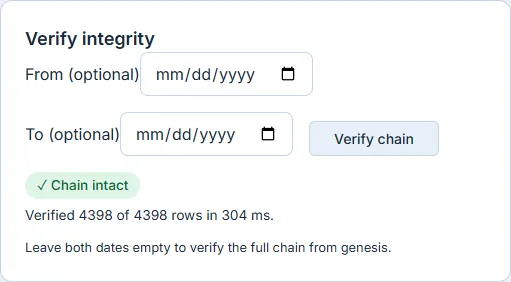
Behind the badge, Talarity walks every audit row in insertion order and recomputes its hash from the previous row’s hash — the same chained computation that ran at write time. If a single field in a single historical row had been changed, deleted, or reordered, the recomputed hash would stop matching and you’d get a red Chain broken result naming the exact row where the trail diverges. A green Chain intact with a full row count is a cryptographic statement, not a status label: every row is present and unmodified.
Step 4 — Read the export-history ledger
Every export — on-demand or scheduled — is recorded as a row in the Export history ledger.

Each row carries the period, the row count, the trigger (on-demand or scheduled), a Status (Complete, or Partial if a very large window hit the row cap), an Integrity result computed at export time, and the run’s Merkle root (hover for the full value). The ledger is itself audit evidence: it shows that you produce and verify your trail on a cadence, not just that you can.
That cadence is automatic. On the first of every month, a scheduled job exports the prior month for each organization, computes its Merkle root, verifies the chain, and files the run here — so a month-by-month evidence trail builds itself with nothing on your calendar.
What you walk away with
- A SOC 2 evidence file of your audit trail for any window, in JSON Lines or CSV.
- A manifest with a Merkle root your auditor re-verifies offline — independent proof the export is complete and unaltered.
- A one-click integrity check that walks the per-row hash chain and tells you, cryptographically, that nothing was changed — or names the exact row if something was.
- A monthly archive that runs itself, building a month-by-month evidence trail automatically.
- An export-history ledger that records every run, its integrity result, and its root — evidence that you operate the control, not just that you have it.
Run yours now. Open Audit Log Export, pick last month, and click Export — then Verify chain. The first one takes under a minute, and from then on the monthly archive does it for you.