A governance platform that can’t talk to the rest of your stack creates exactly the busywork it’s supposed to remove — a second place to manage logins, a directory you sync by hand, data you copy into spreadsheets to get it anywhere else. Talarity’s integrations hub is the opposite: one screen that connects the platform to the identity, directory, and automation systems you already run, so access, user lifecycle, and data flow happen on their own.
What’s on the page
Open Administration → Integrations → Integrations Overview and you land on the overview. Each connector is a card with its current status and a single action to set it up: Single Sign-On, User Provisioning (SCIM), Ticketing (ITSM), API Access, and Webhooks.
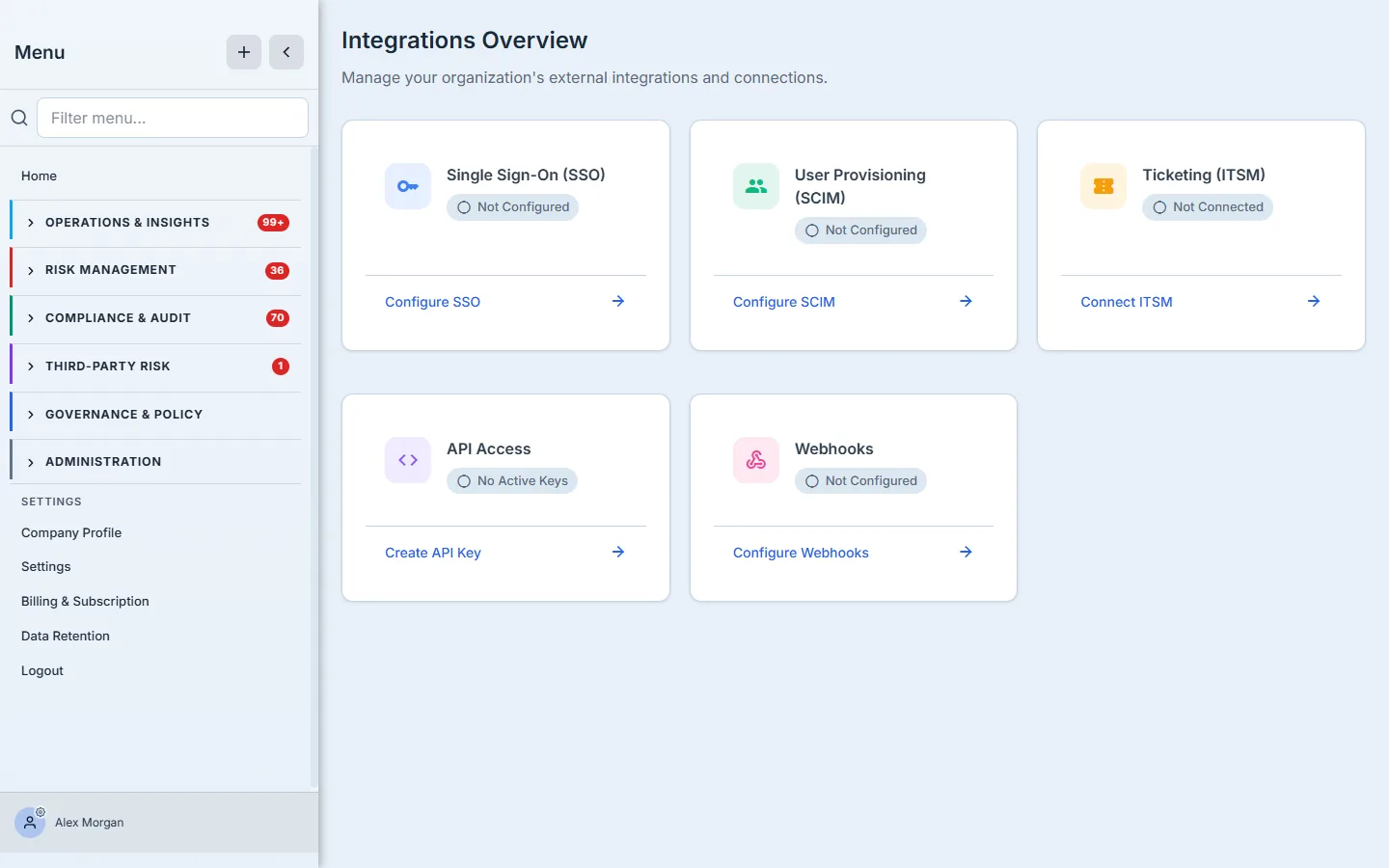
The status badges are the point: at a glance you see what’s live and what’s still “Not Configured,” and the card’s action takes you straight to the setup for that one connector. Nothing is buried in a settings tree.
Single Sign-On — let your IdP own the login
Most enterprises don’t want another password. The SSO connector hands sign-in to your identity provider, so access follows the same lifecycle and MFA policy as the rest of your tools. Talarity supports the providers you’d expect — Okta, Microsoft Azure AD, Google Workspace, Auth0, and generic SAML 2.0 — each as a one-click starting point that pre-fills the right fields for OIDC or SAML.
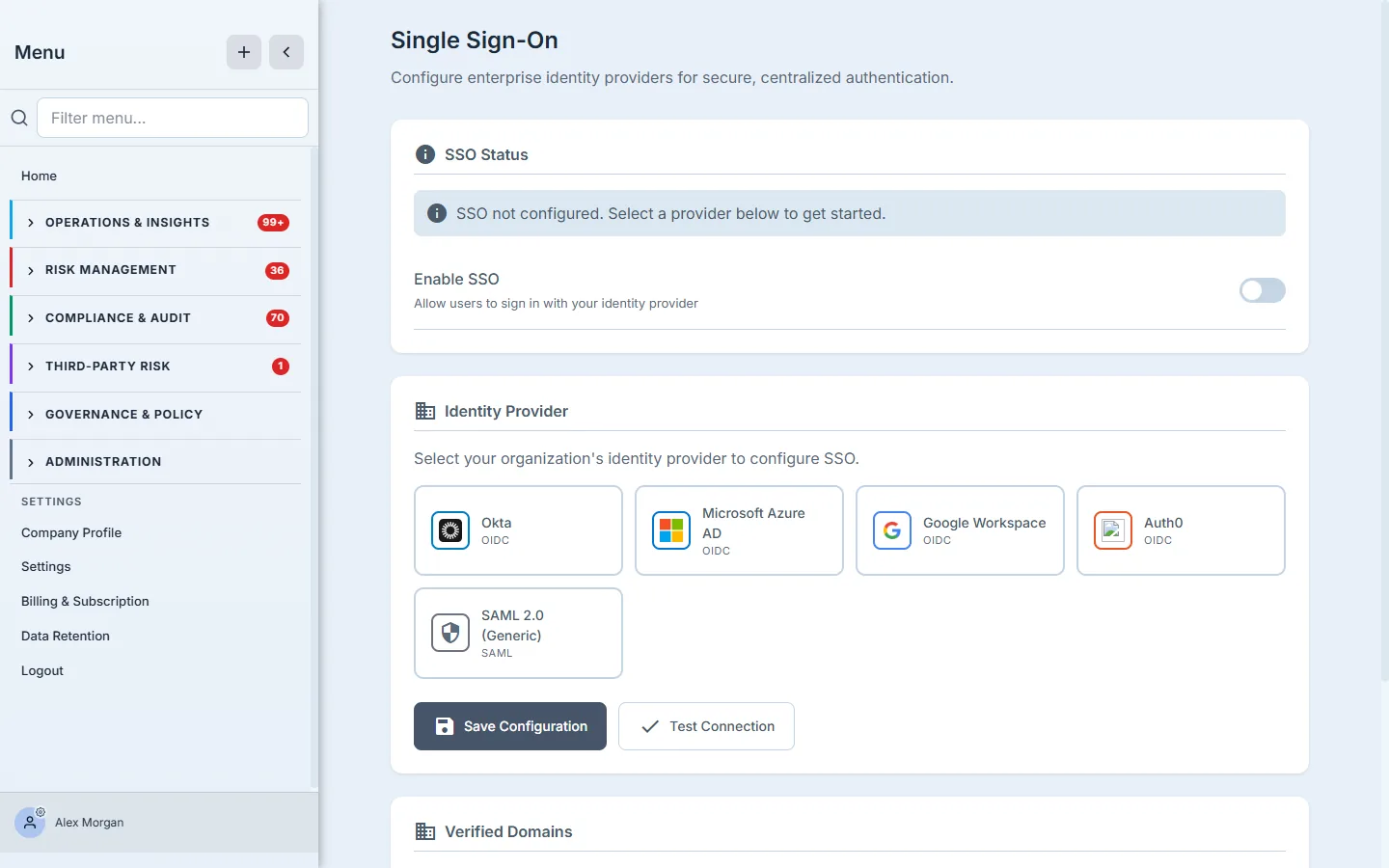
You pick your provider, enter its credentials (stored encrypted — secrets are never returned to the browser in plaintext), and verify your domains. Before you flip it on, Test Connection checks the round-trip against your IdP and reports exactly what failed if anything does, so you’re not debugging a broken login in production.
SCIM provisioning — users appear and disappear on their own
SSO handles authentication; SCIM 2.0 provisioning handles the roster. Point your directory at Talarity’s SCIM endpoint and joiners are created, movers are updated, and leavers are deprovisioned automatically — no one manually adding a new hire or, more importantly, remembering to remove someone who left.
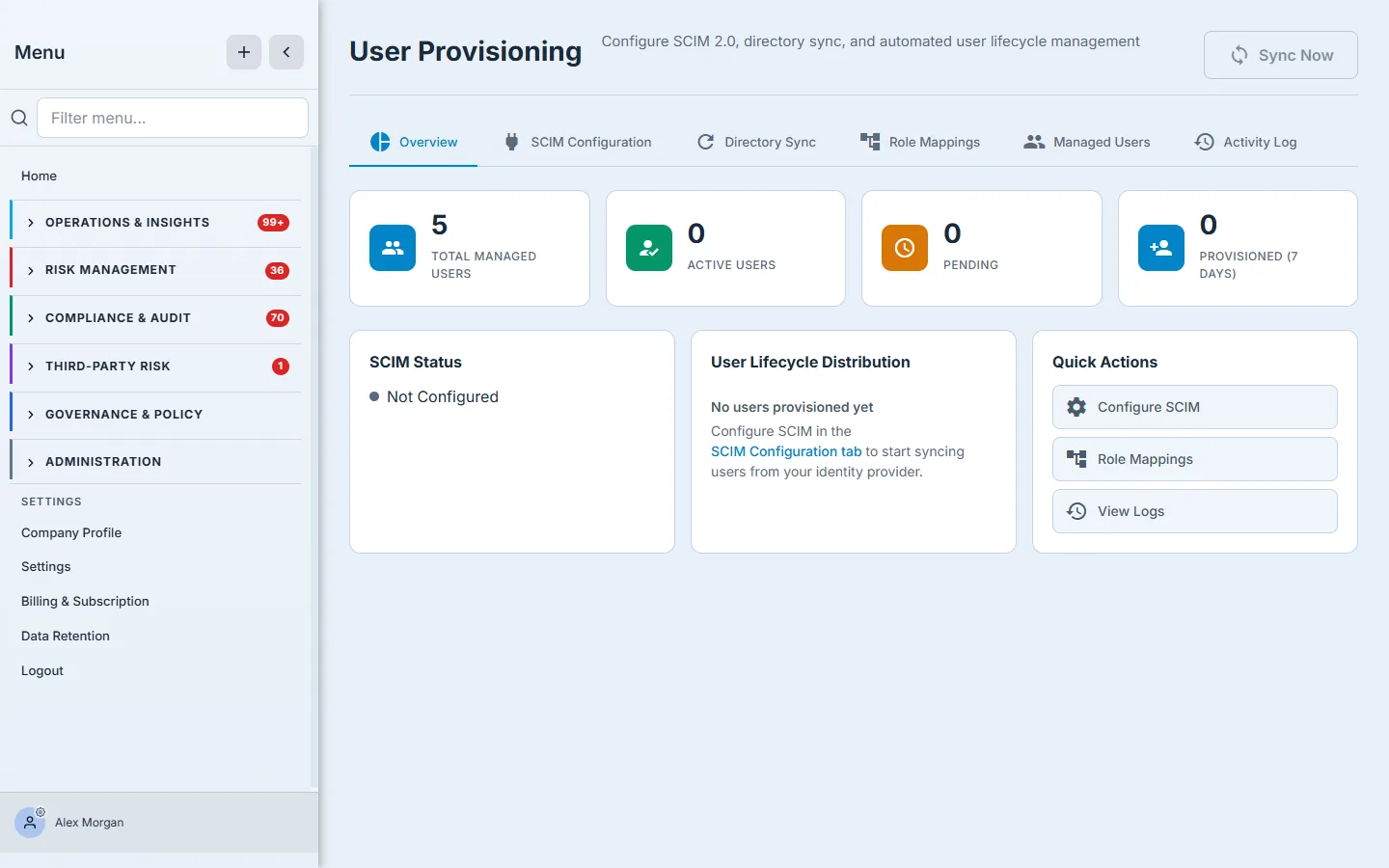
The tabs carry the depth: Directory Sync sets the cadence, Role Mappings translates your IdP groups into Talarity roles, Managed Users shows everyone the directory pushed, and the Activity Log records every sync run and any errors. The empty state tells you exactly where to start (“Configure SCIM in the SCIM Configuration tab”) rather than leaving a blank screen.
API keys — scoped, expiring programmatic access
When you want to drive Talarity from your own scripts or a CI pipeline, you mint an API key — and Talarity makes you scope it. The create dialog asks for a name, an optional expiration, and a checklist of exactly which operations the key may perform (read vs. write, per domain — Assessments, Linked Accounts, Users, Reports, and more).
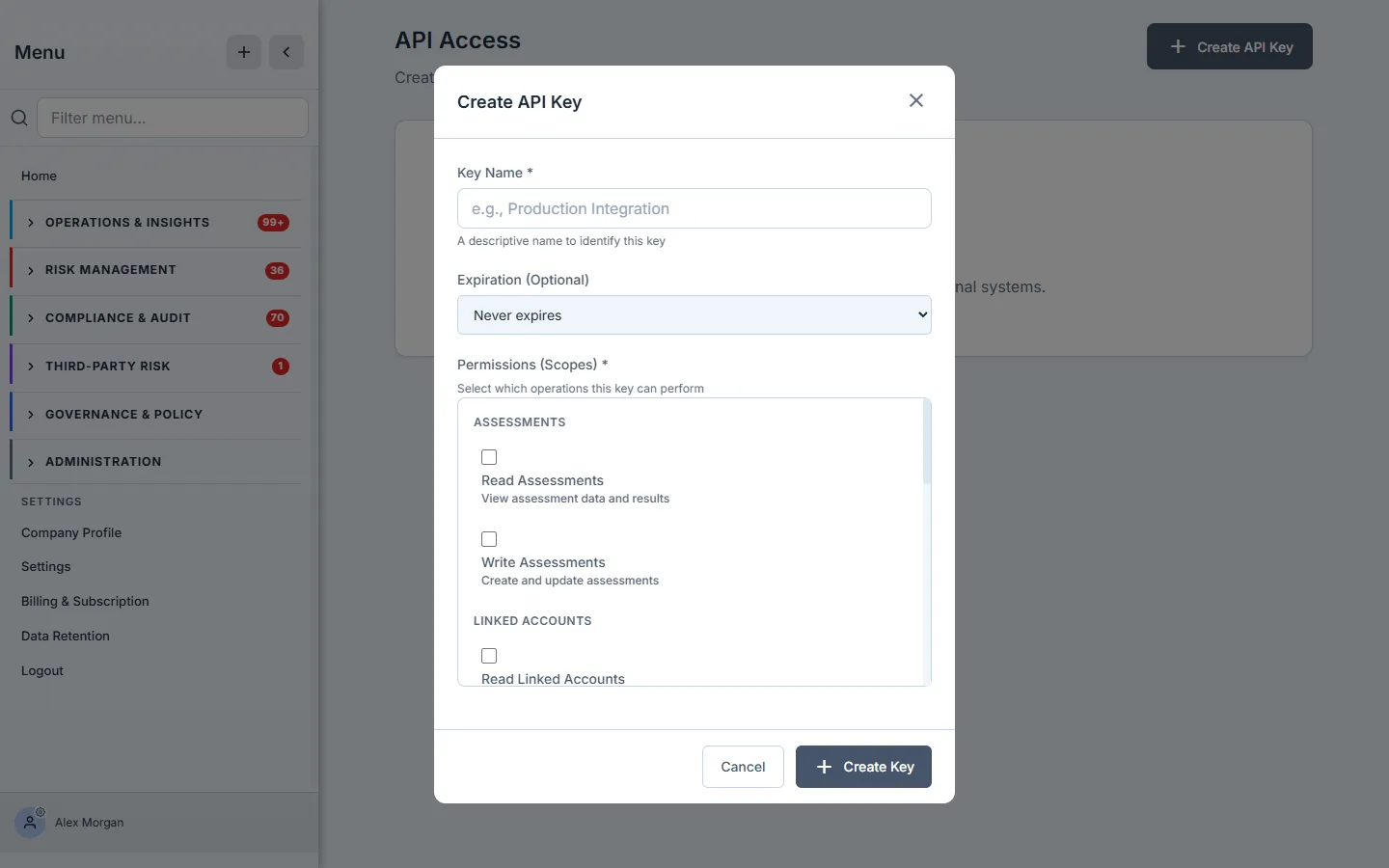
Least privilege is the default posture: a reporting script gets read:reports and nothing else. The full key value is shown once at creation (copy it then — it’s stored only as a hash afterward), and every key carries its created date, last-used time, and request count so you can spot a stale or over-used credential and revoke it.
Webhooks — push events to your own systems
The other direction is webhooks: instead of polling Talarity, you subscribe an HTTPS endpoint to the events you care about and Talarity calls you when they happen. Every delivery is signed with HMAC-SHA256 so your receiver can verify it’s genuine.
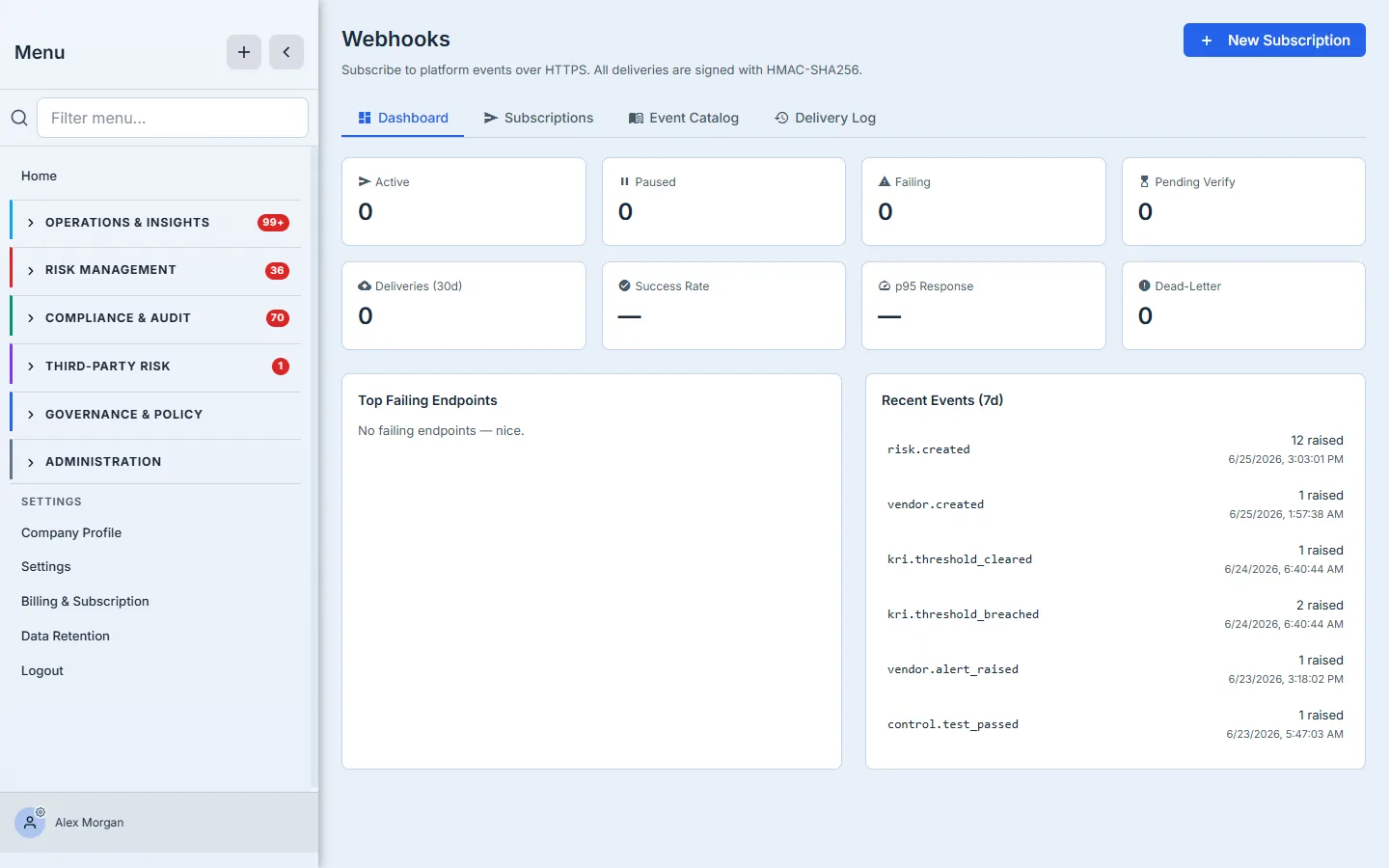
The Event Catalog lets you browse the subscribable events with sample payloads (assessment.completed, risk.escalated, kri.threshold_breached…); the Delivery Log records every attempt with its HTTP status and latency; and a dead-letter queue catches anything your endpoint couldn’t take, so a momentary outage on your side doesn’t silently lose events. The dashboard’s success-rate and failing-endpoint tiles turn webhook health into something you can actually monitor.
Ticketing (ITSM). The hub’s fifth connector links tickets to evidence — close a ticket in your tracker, and Talarity records it against the control it satisfies. Manual linking is live today; native Jira and ServiceNow sync are on the roadmap, and the connector states its status honestly rather than pretending a half-built sync works.
And one that runs the other way — industry benchmarking
Connecting outward isn’t only about your own systems. Talarity also offers privacy-preserving industry benchmarking: opt in, declare your sector and size band, and you can see how your KPIs and KRIs compare against anonymized peers in the same cohort. The privacy model is the headline — aggregates are computed across a cohort with a k-anonymity floor of five peers minimum, so no individual organization’s values are ever exposed, and your opt-in (and opt-out) is recorded with a consent audit trail. It’s benchmarking you can use without becoming someone else’s data point.
What you walk away with
- One login, one roster. SSO routes authentication through your IdP; SCIM keeps the user list in lockstep with your directory — joiners and leavers handled automatically.
- Programmatic access that’s safe by construction. Scoped, expiring API keys shown once and stored as hashes; webhooks signed with HMAC-SHA256 with a delivery log and dead-letter queue.
- Honest status, everywhere. Each connector shows whether it’s configured, tests before it goes live, and tells you plainly what’s GA versus on the roadmap.
- Comparison without exposure. Opt-in benchmarking against anonymized peers behind a five-org privacy floor.
Wire these up once and Talarity stops being a place you visit and starts being part of the plumbing — access, provisioning, and data flowing between it and the systems you already trust.