Every framework expects evidence of work performed. Almost none of them anticipate the internal coordination problem that produces that work — the part where a security manager, a compliance lead, and a system owner all need to answer questions from the same assessment, sometimes from the same conference room, sometimes from three different time zones. SOC 2 doesn’t talk about it. ISO 27001 doesn’t talk about it. CIS Controls v8.1 doesn’t talk about it. But every team running one of those programs runs into it on day one.
Most assessment platforms handle this with a polite “only one person at a time” warning, or — worse — let two users into the same form, accept both their submissions, and silently drop one. Talarity treats a shared assessment as the first-class case. Multiple users in the same organization can open the same run, see who else is in, see each other’s answers as they land, and never overwrite each other’s work.
Who’s involved
- Compliance lead — drives the assessment and decides which sections to delegate.
- Security manager — owns the technical controls; takes the technical questions.
- System owner — answers the questions about a specific application or business unit.
- Auditor — pulls the completed run later and gets per-question attribution showing exactly who answered what.
What’s on the page
This is the assessment runner with collaboration on — the same form you’d take solo, plus a layer of live-presence affordances:
- Presence bar (runner header) — one colored avatar chip per active editor, with an “N editing” badge; your chip is outlined, a peer’s reveals their name + email on hover.
- Per-question attribution chip — a small colored avatar pinned beside each answered question (“Answered · 2m ago”), in that editor’s color.
- Answer flash — a question card briefly flashes a peer’s color the instant their answer lands.
- “…is typing” indicator — appears under a free-text prompt while a peer types (shows both chips if two are).
- “Assessment is full” modal — shown to an 8th editor who tries to join, listing the seven incumbents by name and email.
Step 1 — Start (or join) a shared assessment
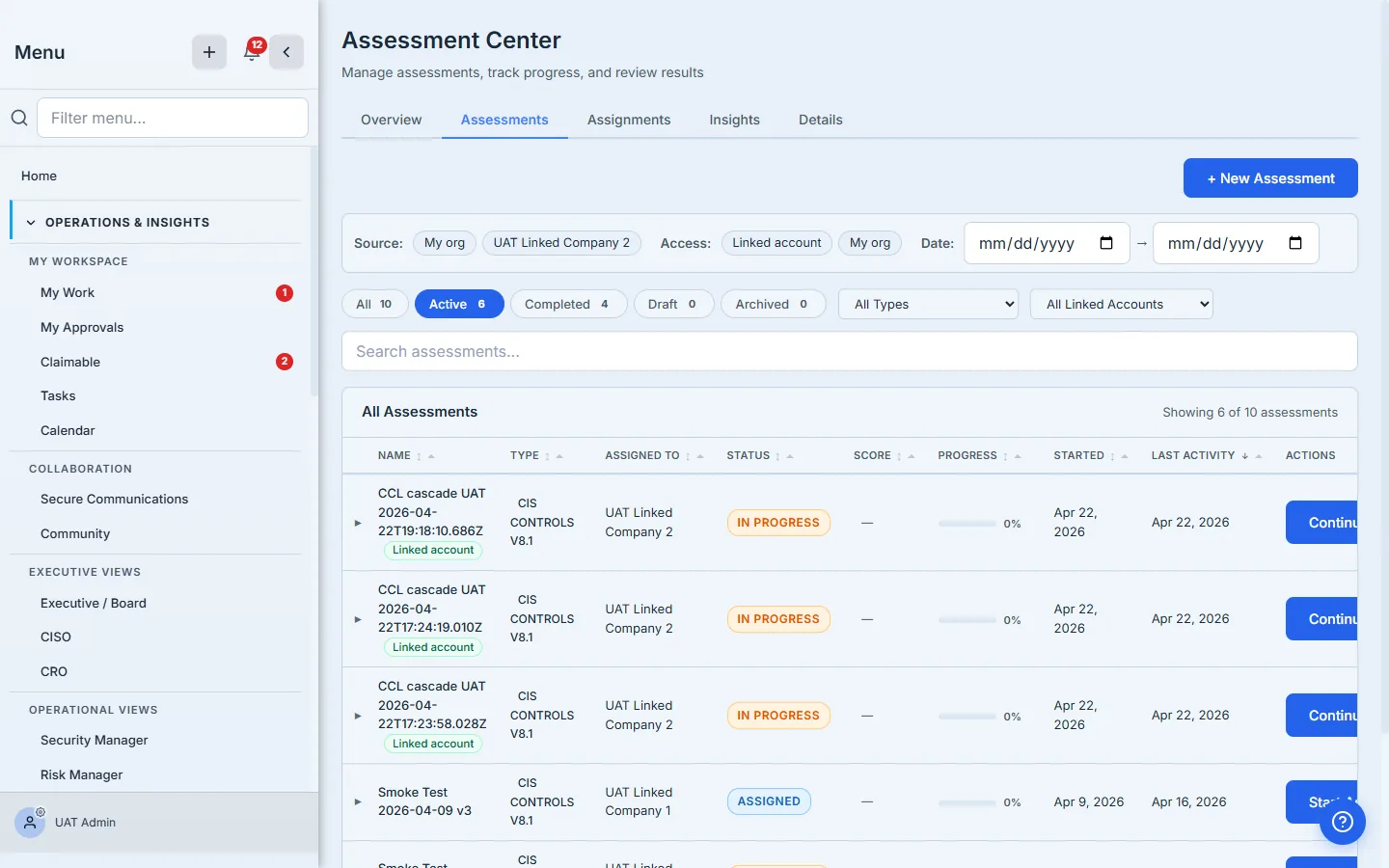
The first user opens Assessment Center → Assessments, picks the framework and linked account, and clicks Start Assessment. Talarity creates one in-progress run and lands them on the runner page.
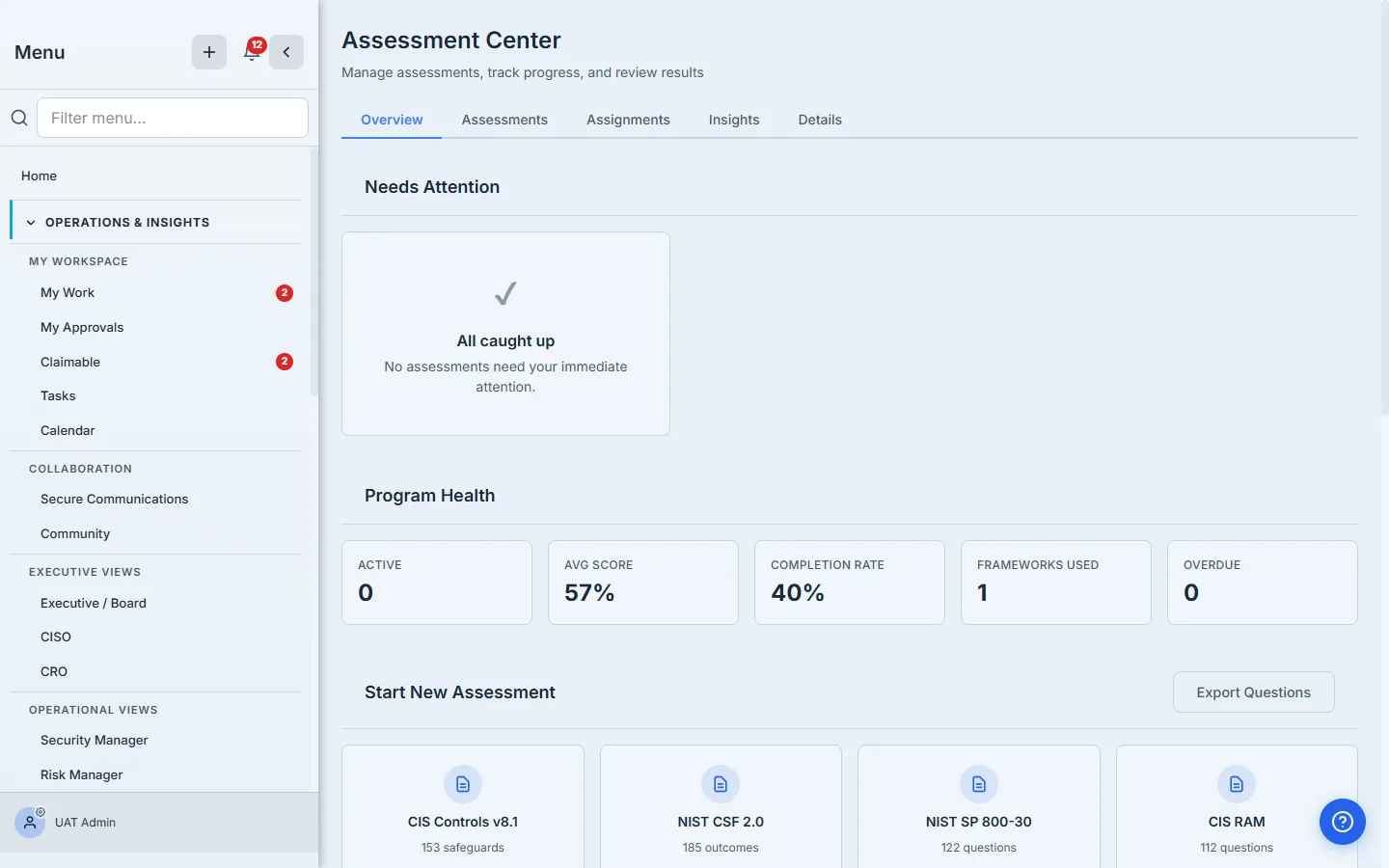
When the second user clicks Start Assessment (or Continue) for the same framework and the same linked account, Talarity doesn’t create a second run. The risk.assessment.run.findOrCreate handler is idempotent on (orgId, framework, linkedAccountId, status='in_progress') — the second user joins the existing run instead. No more “I started over because the page looked empty” data loss; no more two parallel runs that have to be reconciled at the end.
Step 2 — The presence bar
The runner page header now carries a presence bar — a row of colored avatar chips, one per active editor. Each chip is a circle with the editor’s initials inside, painted in a category color (blue, sky, teal, cyan, rose, pink, or slate) assigned by the server when the user joined. Your chip is outlined; your peers’ chips show their initials and reveal “Name — email” on hover. (One neighbour to not confuse them with: on an evidence-gated framework the same header row also carries a shield-badged Evidence gating pill, visible in the shot below. That one describes the run’s evidence policy, not a person — presence chips are always circular initials.)
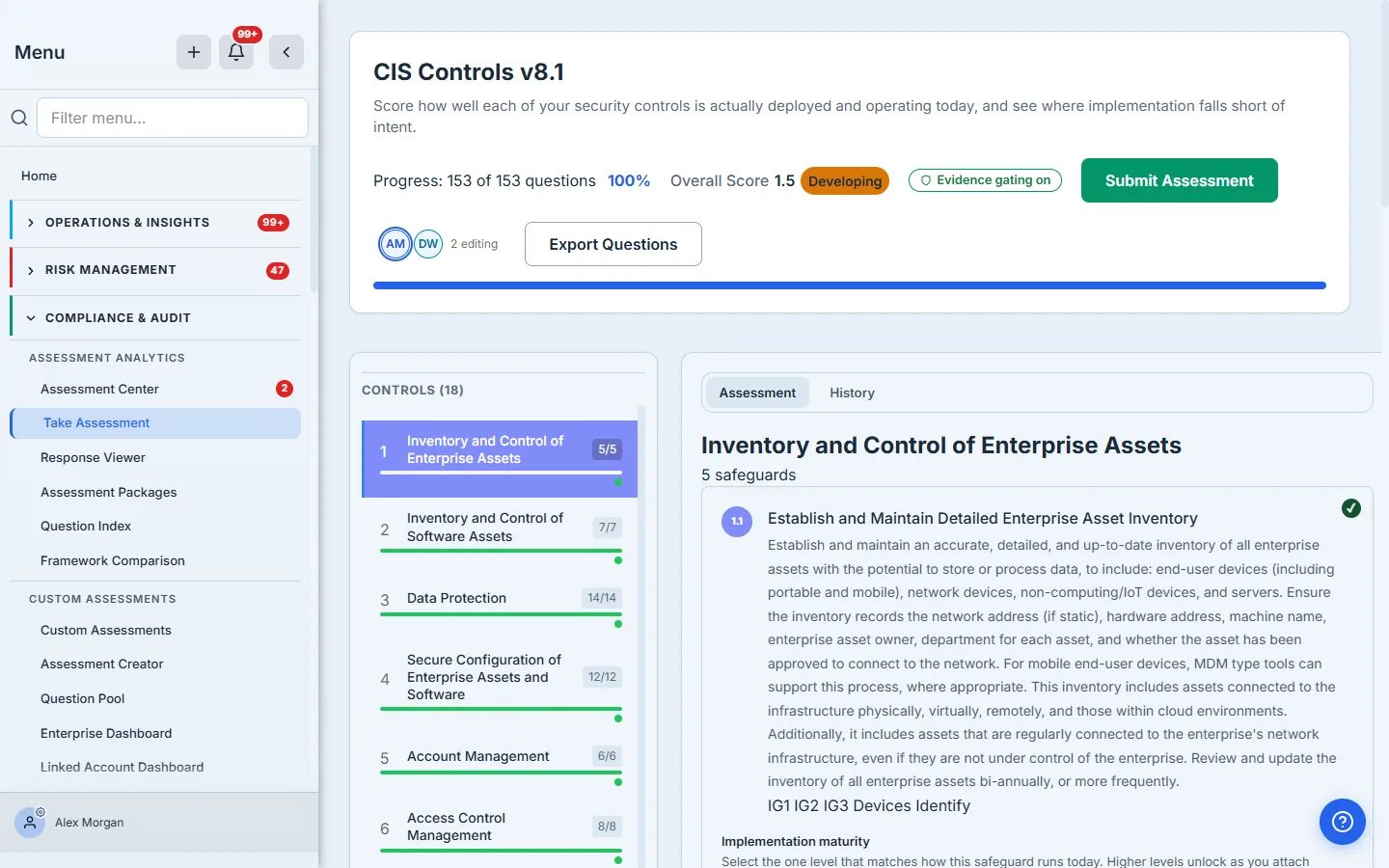
The presence bar updates over a live server-push stream (Server-Sent Events), not a poll — open the runner and your peers see your chip appear in about a second. The SSE connection is your liveness signal: there’s no client heartbeat to send. Close the tab and the stream closes, so your seat is released immediately; a crashed tab that never closes cleanly is swept within ninety seconds, once its server-side assessment_presence row’s last_seen_at ages past the stale threshold.
The color is the editor. Peer-driven answer flashes, the “is typing…” indicator, and the per-question attribution chip on every answered question all share the same color family the presence bar assigned. If Marcus is teal in the presence bar, his answers flash teal and his attribution chip is teal. Color is the single shared identity signal across the whole runner.
Step 3 — Peer answers, live
When a peer answers a question, your runner receives it over the live SSE stream within about a second and the affected question card briefly flashes their color. No reload. No “you have unsaved changes.” Just a quiet color-coded ping that says Marcus answered Q4.2 a moment ago — go take a look. The flash fades after a couple of seconds, but the attribution stays: a small colored avatar chip is now pinned next to that question’s answer, captioned Answered · 2m ago. Hover the chip and you see Marcus’s full name and email.
This is the most under-used affordance in collaborative tools. Most platforms make it easy to write but invisible to read — you can’t tell whether the answer in front of you came from the person who actually owns the system or from a placeholder somebody dropped in five minutes before the call. Talarity’s attribution chip is always there, in the color the rest of the room already associates with that person. The information is free.
Step 4 — Typing indicators on free-text questions
Free-text questions get a richer affordance: if a peer is currently typing in the answer area, your card shows a small “Marcus is typing…” indicator directly below the question prompt. The indicator carries the peer’s avatar chip, debounces over a half-second keystroke window, and auto-clears after five seconds of idle. If two people are typing in the same question, the indicator shows both chips and says “2 people are typing…”
Behind the scenes the indicator is server-mediated, not WebRTC — risk.assessment.session.typing fires when a peer starts typing (debounced over a half-second keystroke window) and again when they stop, and the server pushes the state to every other tab over the same SSE stream. One long-lived connection per tab, not a polling loop — and no noisy reconnect storms when the network blips.
Step 5 — Multi-tab is the same person
Open three tabs of the same run as the same user, and Talarity counts you as one editor. One avatar chip in the presence bar. One color. Every tab opens its own SSE stream, but the join handler is idempotent per user — all of your streams resolve to the same assessment_presence row keyed on your user id, so three connections still present as one editor. No leader-election, no tab coordination: the back end simply collapses every connection from the same user into a single seat.
This matters because the seven-editor cap counts editors, not connections. A user with three tabs takes one of the seven seats, not three — so a packed conference room where everyone has the run open twice doesn’t lock itself out. The dedup is server-side and unconditional; there’s no browser-feature fallback to get wrong.
Step 6 — Seven editors per run, no more
Real-time collaboration has a room size problem. Two people scale fine. Four people scale fine. Seven people start to feel crowded but the colored avatar palette still distinguishes everyone. Eight people would mean either reusing colors (confusing) or expanding the palette into colors that look the same in the dim glow of a midnight audit session.
We picked seven. When the eighth user tries to join an in-progress run, the server rejects with resource-exhausted and the runner renders a clear “Assessment is full” modal listing the seven incumbents by name and email. The eighth user can step away and try again later, or wait for someone to close their tab — a seat frees the moment an incumbent’s stream closes (and within ninety seconds for a crashed tab that never closed cleanly).
The cap is enforced inside a pg_advisory_xact_lock on the run id so two simultaneous joins can’t both squeak past as the seventh and eighth. There is no “soft cap” or “warning at six” — the cap is binary and the modal is the only way the eighth user finds out.
Step 7 — At submit time
When the run is submitted for approval, the per-question attribution is captured into the gap-analysis snapshot and into the eventual capstone report. An auditor pulling the assessment record later sees not just “this run was completed on March 12” but, for every answered question, who answered it and when. The colored chip in the runner is decoration; the attribution row in the audit record is the receipt.
What you walk away with
- One shared in-progress run per (framework, linked account) — no more duplicate runs from concurrent starts.
- A presence bar at the top of the runner with one colored avatar chip per active editor, updated over a live server-push stream (SSE) in about a second.
- Peer-color flashes on the question cards as answers land, plus per-question attribution chips that persist long after the flash fades.
- A “Marcus is typing…” indicator on free-text questions, anchored under the question prompt.
- A seven-editor cap with a clear “Assessment is full” modal listing incumbents, enforced atomically against concurrent joins.
- Multi-tab dedup so opening the runner in three tabs counts as one editor, not three.
- Per-question attribution captured into the gap-analysis snapshot and final audit-grade capstone.
Run yours this week. Open Assessment Center → Assessments, pick a framework, click Start Assessment. Tell a teammate to open the same one. The first one is the demo. Every assessment after that — Talarity keeps the room together so the work happens once, not twice.