Your compliance obligations are a moving target. GDPR guidance gets updated, PCI DSS moves to a new version, a US state passes a privacy law, the EU AI Act’s deadlines land. Most teams find out from a consultant’s newsletter, scramble to figure out what it affects, and hope nothing slipped. The obligations themselves live in a spreadsheet that was accurate the day someone made it.
Talarity’s Regulatory Change Management replaces that with a living register: the obligations that apply to you, the changes logged against each one, an impact-assessment workflow to work a change to closure, and a horizon-scan watchlist for what’s on the way. When a rule changes, it becomes a tracked item with an owner and a status — not a fire drill.
Your obligation register
The Obligations tab is the register: every obligation you’re on the hook for, with its compliance status, priority, and last-updated date. It’s searchable and filterable by status and priority, so it stays usable whether you track a dozen obligations or hundreds.
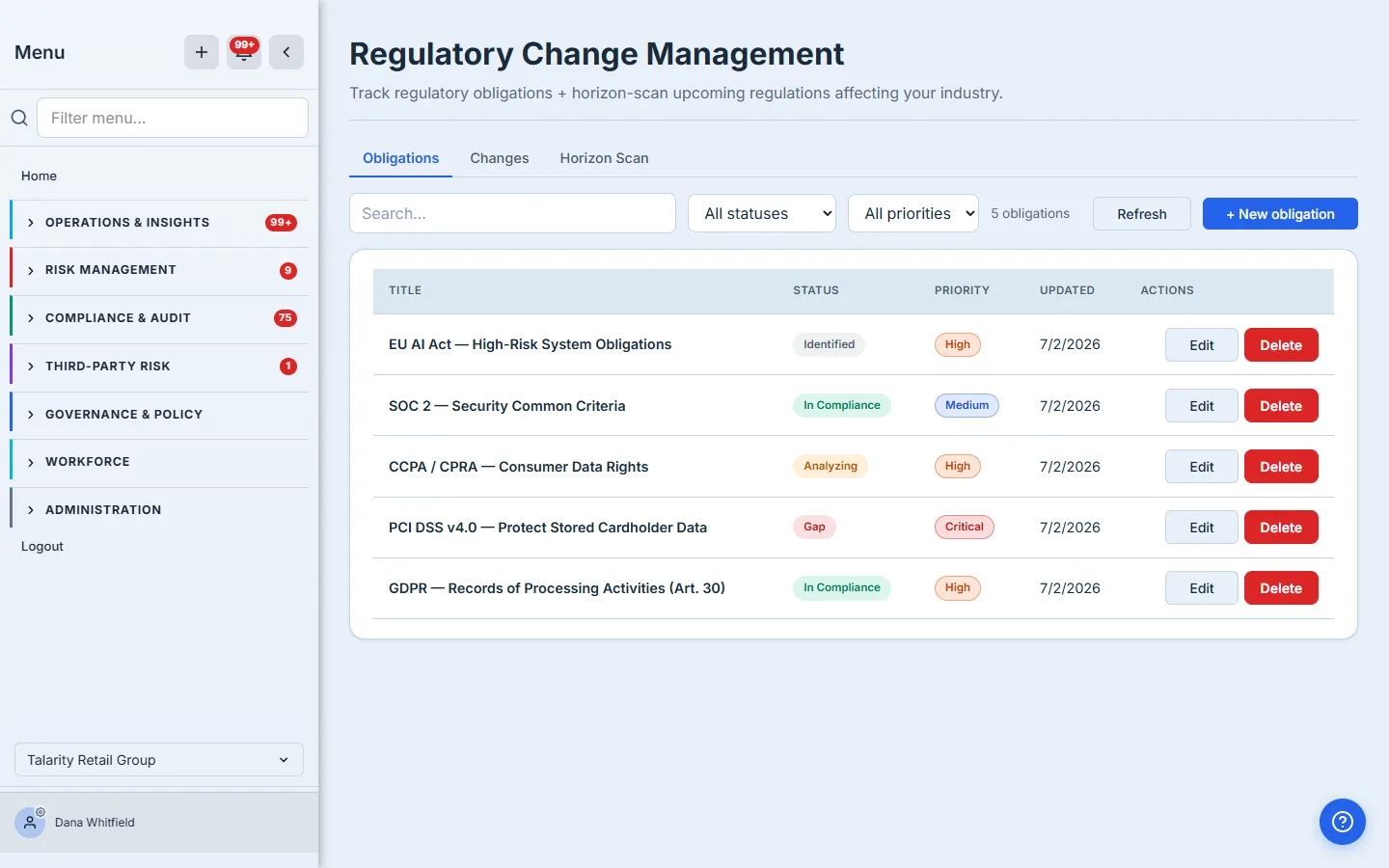
Registering an obligation
Adding an obligation captures what a reviewer or auditor will ask for: its source (regulator, standard, guidance, internal, or contract), jurisdiction, the specific citation, the framework it belongs to, a review cadence, and its effective date — plus an impact summary and tags.
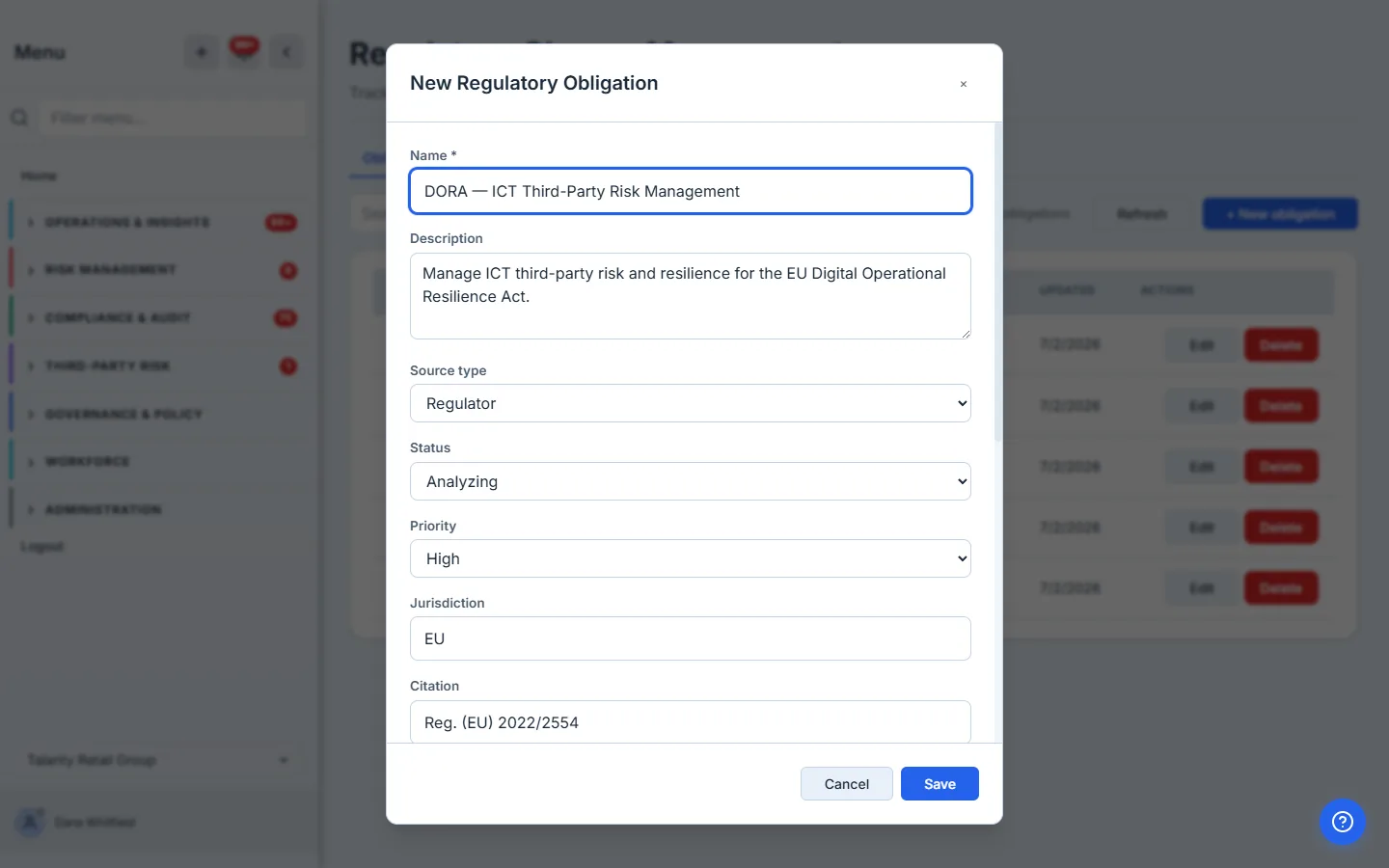
Every obligation, and the changes against it
Open any obligation to see its full profile — status, priority, source, jurisdiction, citation, framework, next review date, and owner — and, below that, the regulatory changes recorded against it. This is the point of the register: when a regulation moves, the change is attached to the obligation it affects, so the history lives in one place.
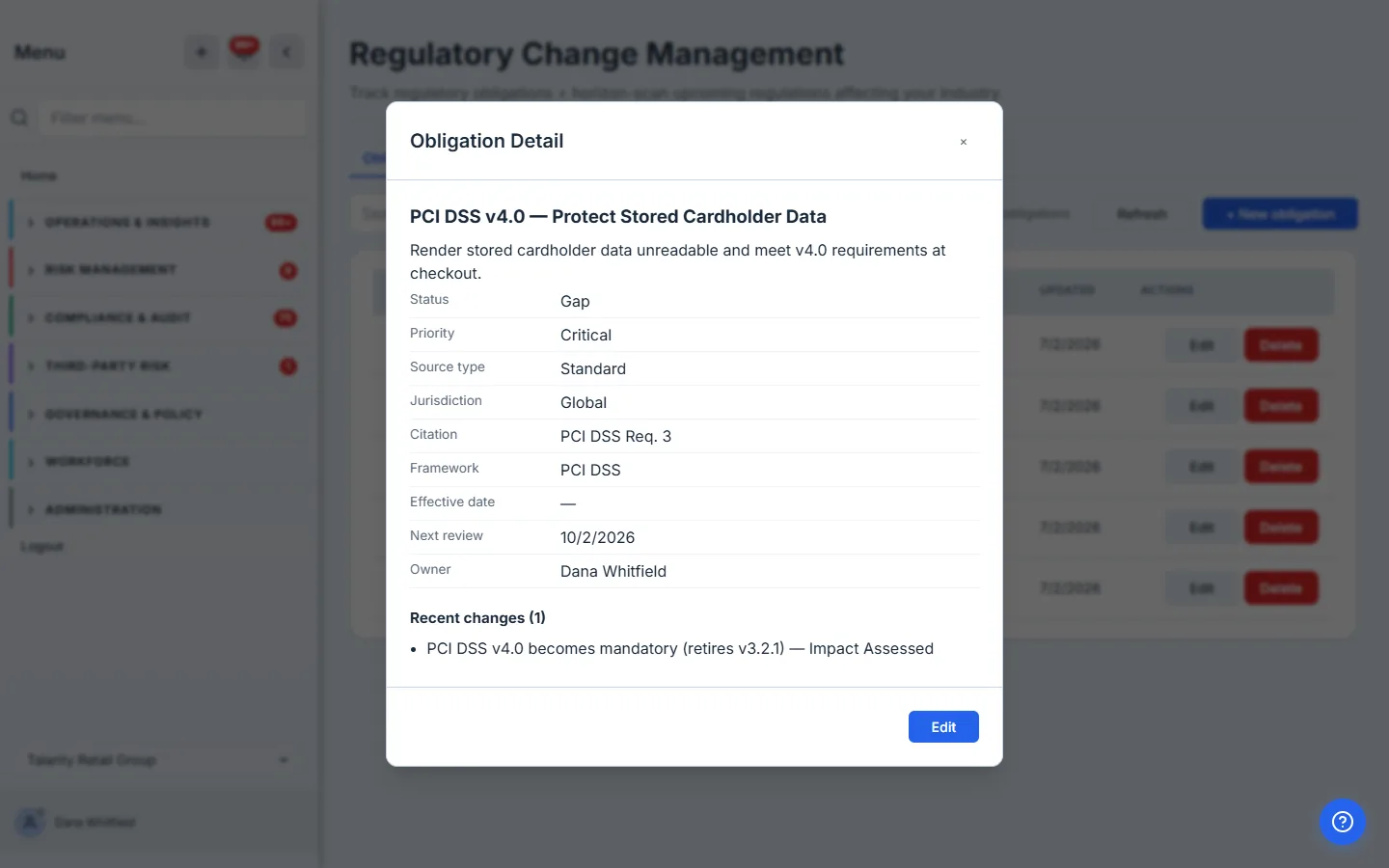
Logging a regulatory change
The Changes tab is the running log of regulatory changes you’ve recorded — each typed as new, amended, rescinded, a guidance update, or an enforcement action, with a priority and a status. When you log a change, you link it to the obligation it affects (which is why it appeared on the PCI DSS obligation above), so each regulation’s history stays with the obligation.
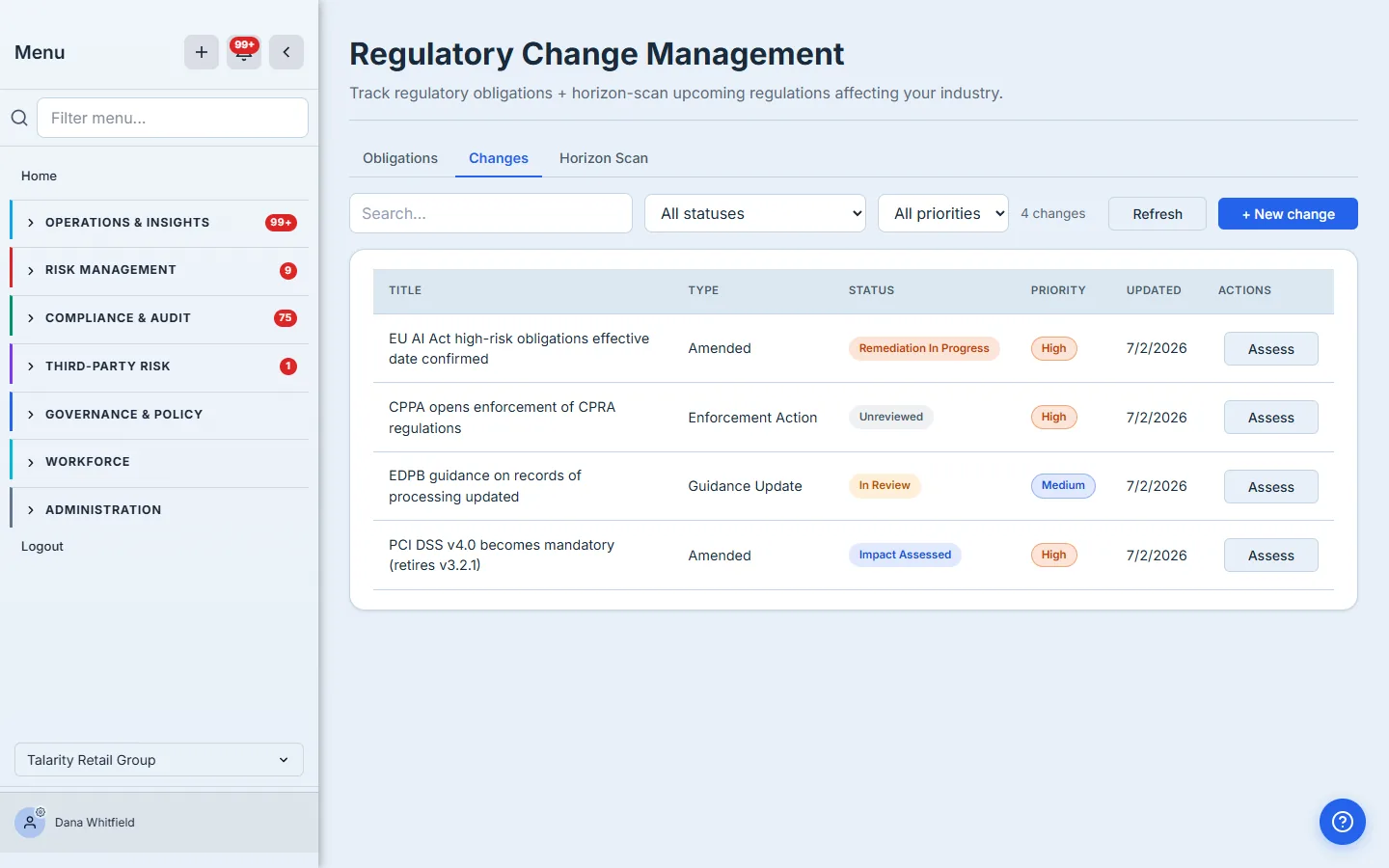
Assessing a change’s impact
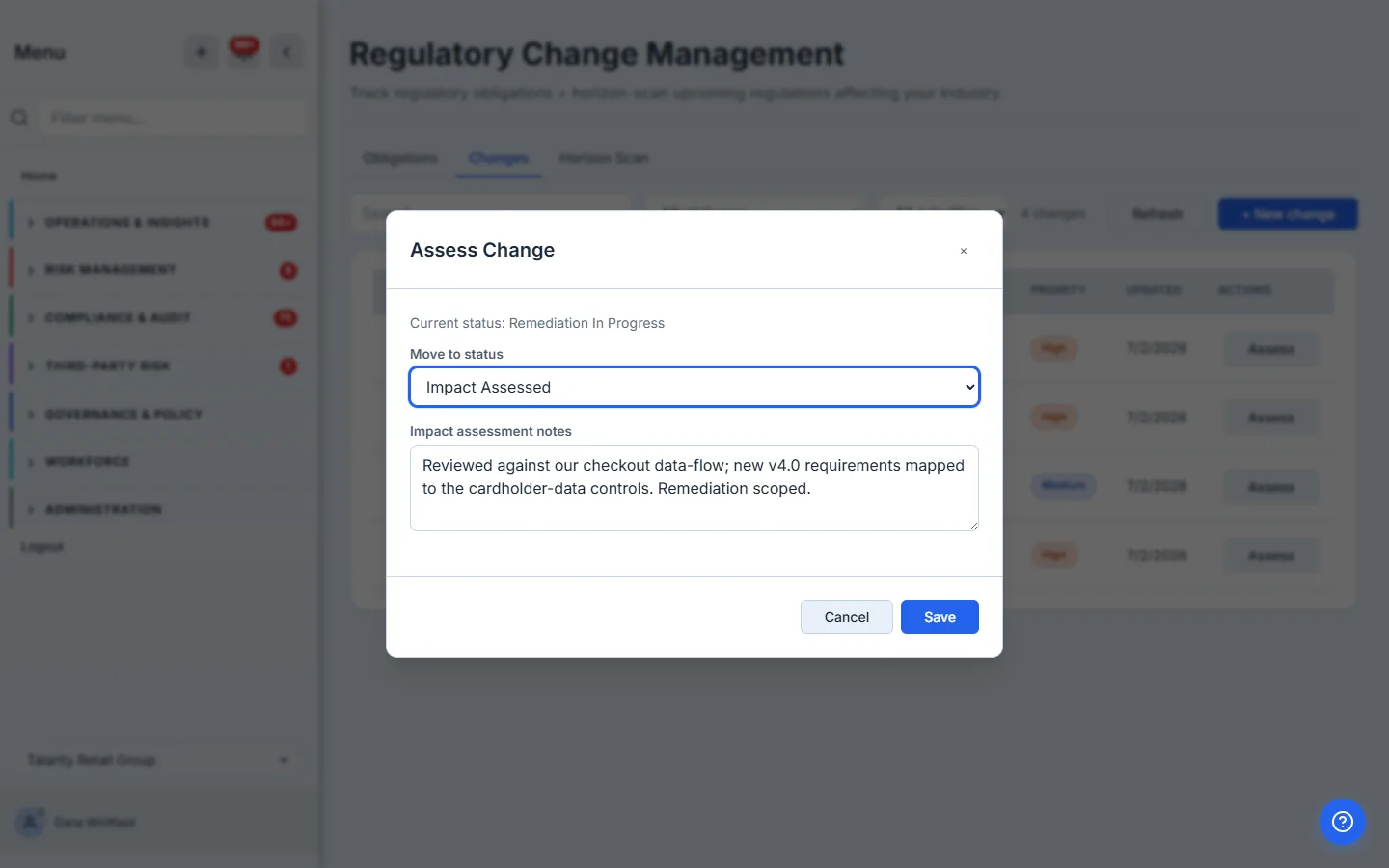
A logged change isn’t done until you’ve worked out what it means for you. Assess moves a change through the workflow — from unreviewed to in-review, impact-assessed, remediation-in-progress, and finally closed with a disposition (compliant, remediation required, no action, or exempt) — and captures your impact-assessment notes at each step. It’s the audit trail that shows you didn’t just notice the change, you acted on it.
Horizon scanning — what’s coming
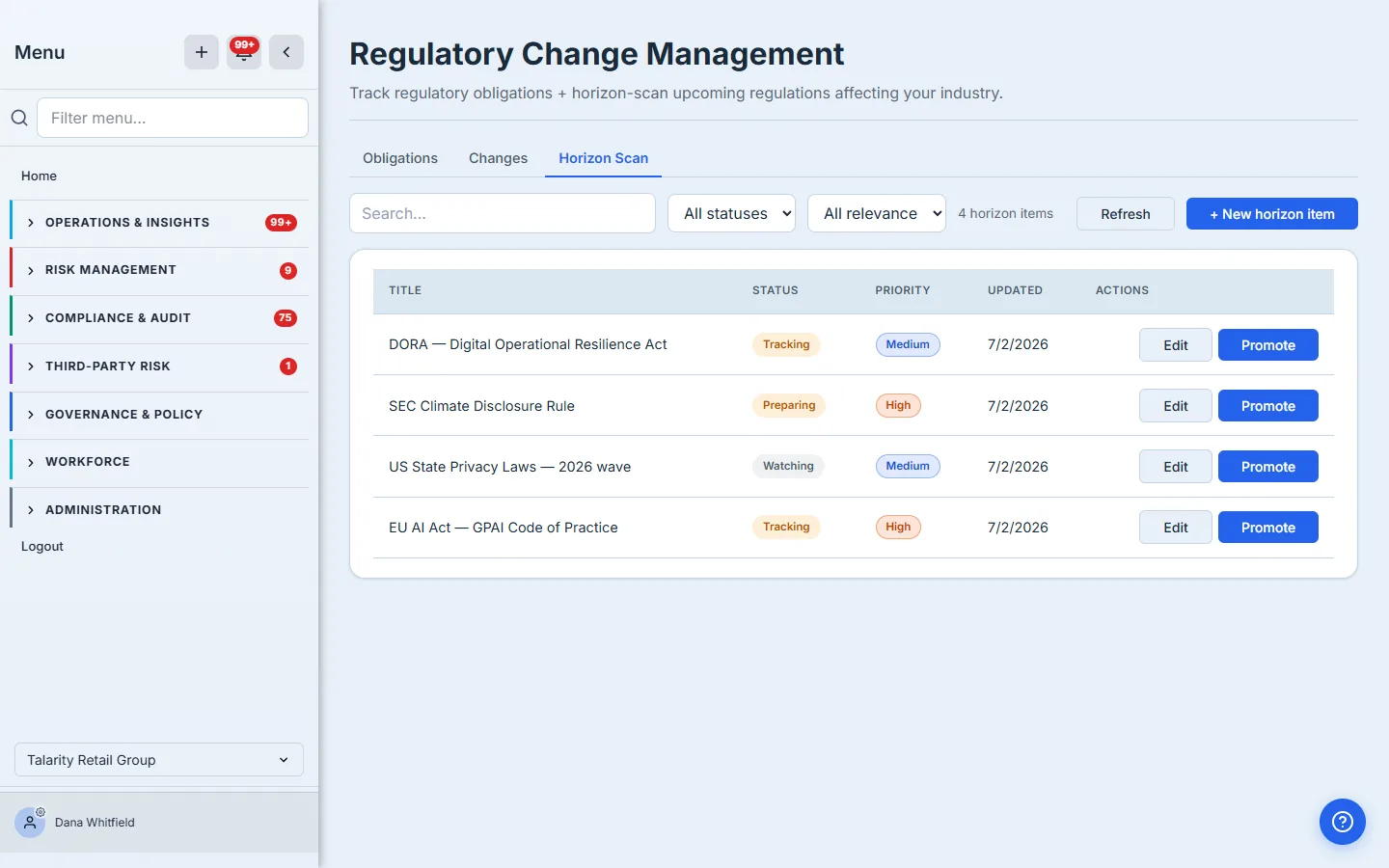
Not every regulation is in force yet. The Horizon Scan tab is your watchlist for upcoming regulation — the rules you’re tracking before they bind you, each with a monitoring status (watching, tracking, preparing, in-force) and a relevance rating. When a horizon item becomes real, Promote turns it into a tracked obligation in one step, carrying its name, framework, jurisdiction, and source across so you don’t re-key anything.
What you walk away with
- A living obligation register — status, priority, citation, framework, jurisdiction, cadence, and owner — instead of a stale spreadsheet.
- Changes tracked against the obligations they affect, so each regulation’s history is in one place.
- An impact-assessment workflow that moves a change from noticed to closed with a disposition and a written record — the audit trail a manual process never leaves.
- A horizon-scan watchlist for upcoming regulation, with one-click promotion to a tracked obligation when it lands.
When the next regulation changes, you won’t be starting from a blank page. You’ll be updating a register you already keep.