Testing one recovery plan tells you whether that process recovers. But a real disaster doesn’t politely fail one system at a time — it takes out a datacenter, and you find out all at once whether your identity provider, your payment gateway, your database, and your network all come back. A DR exercise is how you rehearse that: a coordinated test across every critical asset, with named testers, recorded recovery times, and — this is the part that matters — automatic remediation for whatever fails.
ISO 22301 §8.5 and NIST SP 800-34 §3.5 expect you to exercise recovery and act on the gaps; SOC 2 A1.3 wants the evidence. Most teams run the exercise, fill a spreadsheet with “issues found,” and lose it by Q3. Talarity closes that loop: every failed asset test opens a tracked remediation work-item, every serious failure opens a scored risk, each result stamps the asset it tested, and each tester walks away with a tamper-evident attestation they can retrieve themselves long after the exercise is closed.
This is the overview. Three companion guides go deep on each seat at the table:
- Set up your DR exercise — the administrator’s path: scope, assignments, and the settings that decide what the exercise does.
- The tester’s guide — what a tester receives, records, and can retrieve afterwards.
- The reviewer’s guide — reading the results and signing the exercise off.
Who’s involved
- Business continuity owner — scopes and launches the exercise, sets the thresholds, reads the results.
- Testers — one or more per asset. Each records an outcome, the recovery time they actually achieved, and what went wrong.
- Reviewers — named up front. Testing closing doesn’t complete the exercise; it hands it to them.
- Auditor — opens the completed exercise, reads per-asset outcomes, and follows the auto-opened risks into the register.
Step 1 — The DR Exercises register
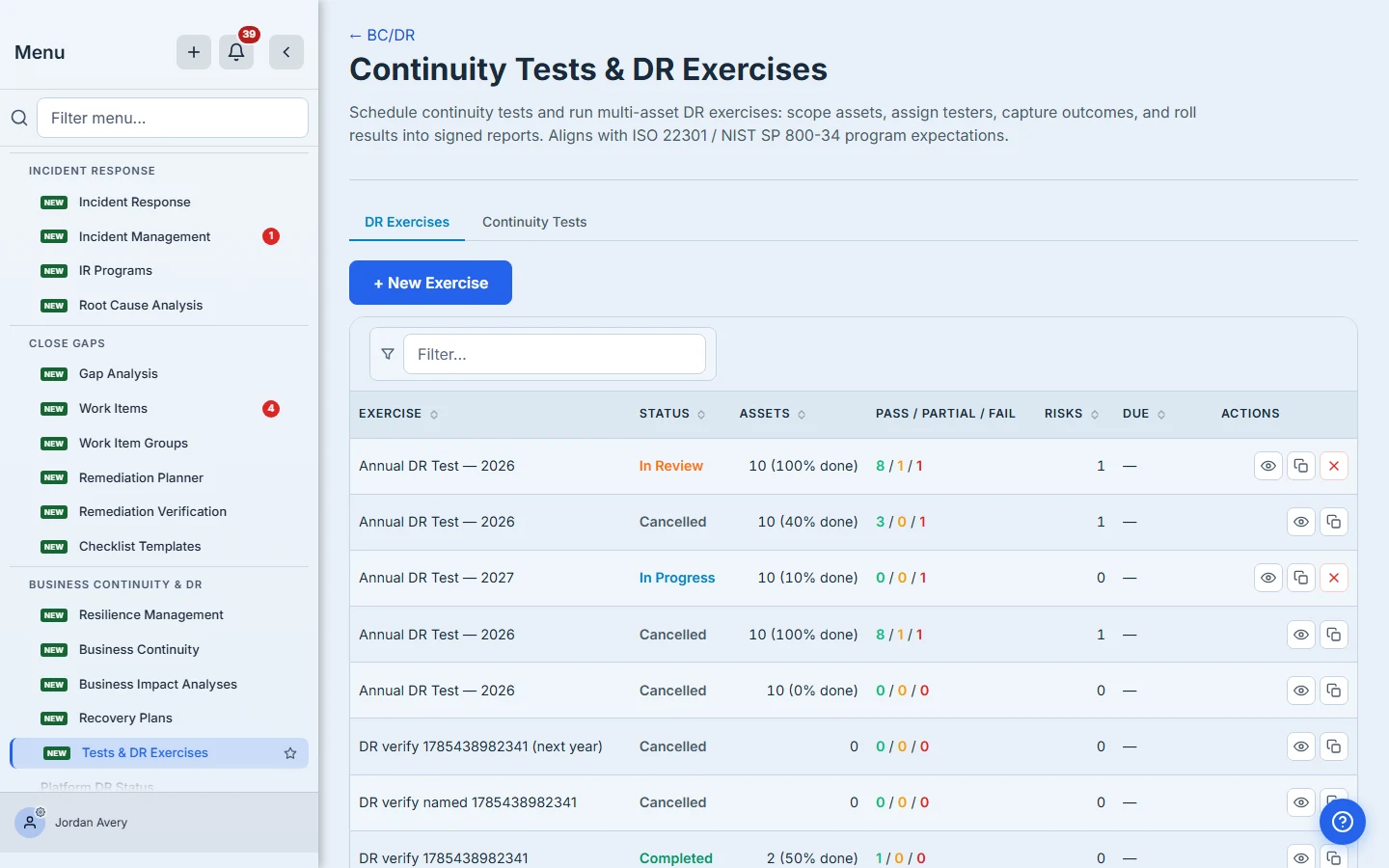
Open Business Continuity & DR (/app/grc/bcdr) → the DR Exercises tab. Each coordinated exercise shows its status, how many assets are in scope and tested, the pass / partial / fail tally, and how many risks it opened.
Step 2 — Scope the estate and name the testers
You scope by criticality, by location, by vendor, or by picking individual applications by name — then press Resolve scope, and Talarity builds a row per in-scope subject.
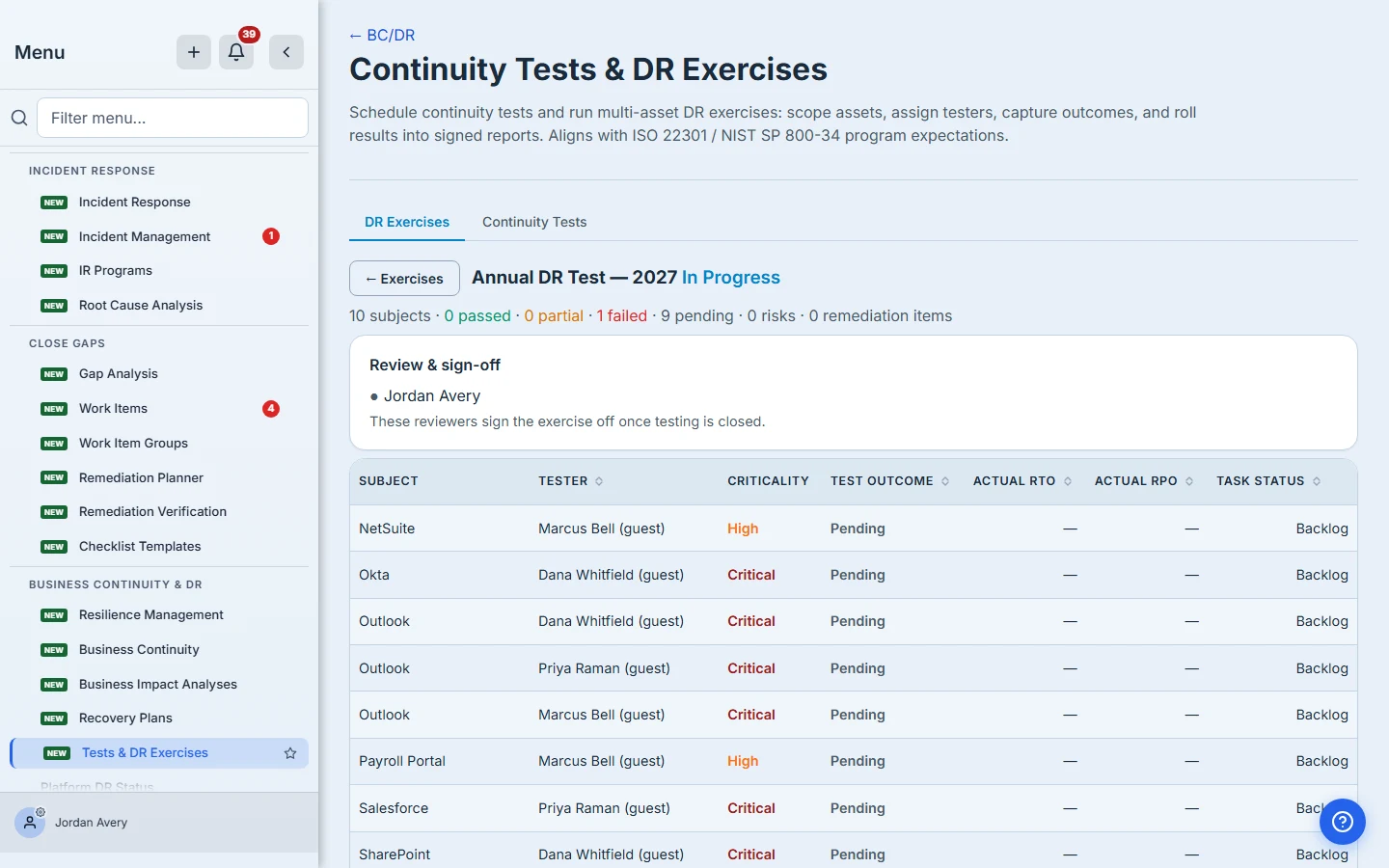
Each row takes one or more testers, and this is where a decision gets made that’s easy to skim past: there are three kinds of tester, and they get materially different things.
| Tester kind | What they get | Can they retrieve their own attestation later? |
|---|---|---|
| Member | The task in their work queue | Yes — in their account |
| Guest | A real account scoped to their tasks, consuming a guest seat | Yes — they sign back in |
| One-time link | A tokenised link, no account | No — the record exists, but they have nowhere to sign in to read it |
Pick Guest for anyone you want to be able to look their own result up next year. Pick One-time link only for a contact you’ll never need to give durable access to.
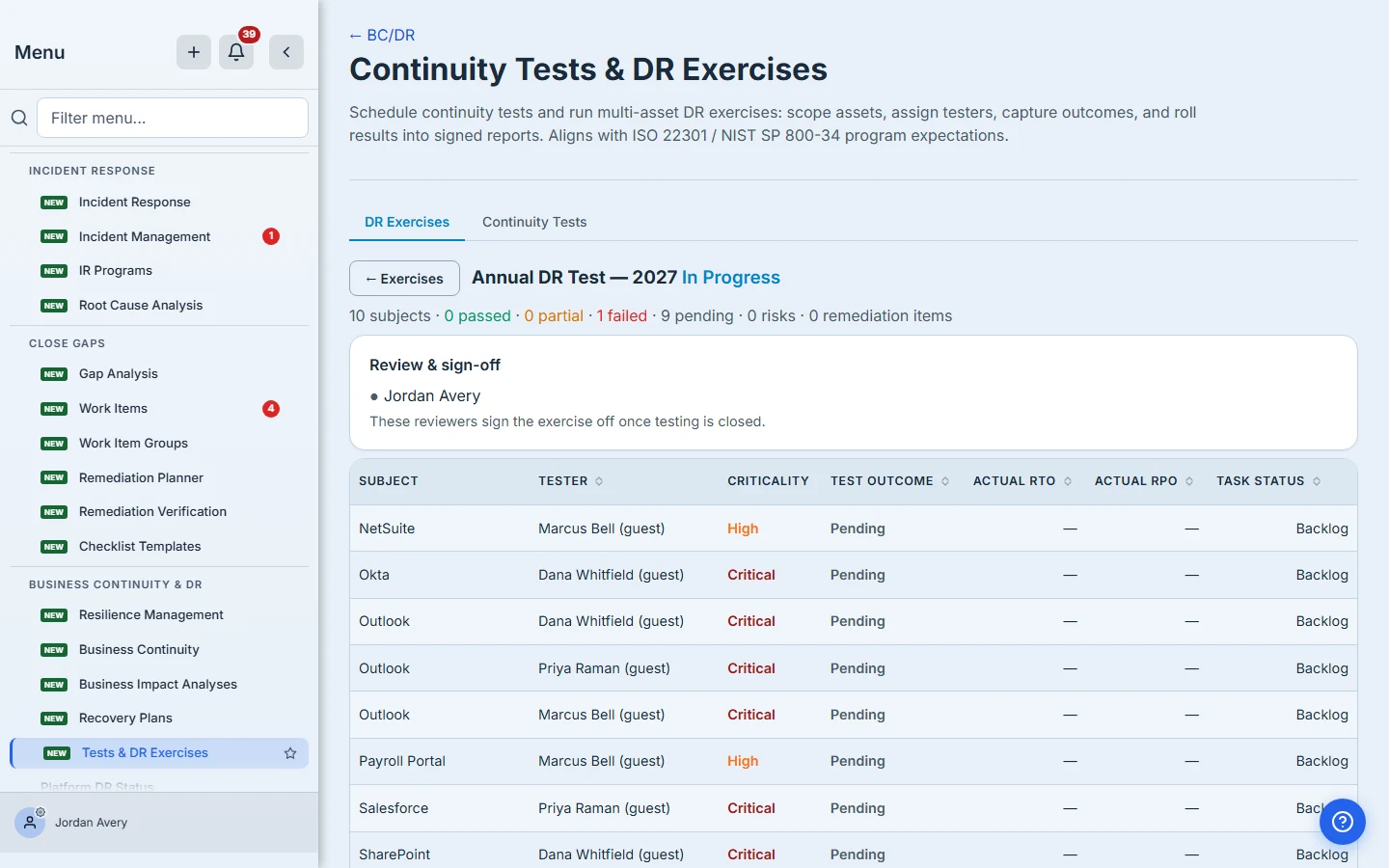
A draft is completely silent. Nothing is sent, no accounts are created, and no work items exist until you press Save & Launch — which means you can stage the whole exercise now and launch it on the date you actually want it to start. The setup guide covers every setting in detail.
You can also decide what proof the test has to produce. Beyond “attach something”, an exercise can require specific document types and counts — 1 × Restore Job Log and 1 × DR Test Evidence — drawn from your own artifact-repository types. Testers attach as many files as they need, classify each one, and cannot submit until every line is satisfied; the wrong type doesn’t count toward it.
Step 3 — Read the board
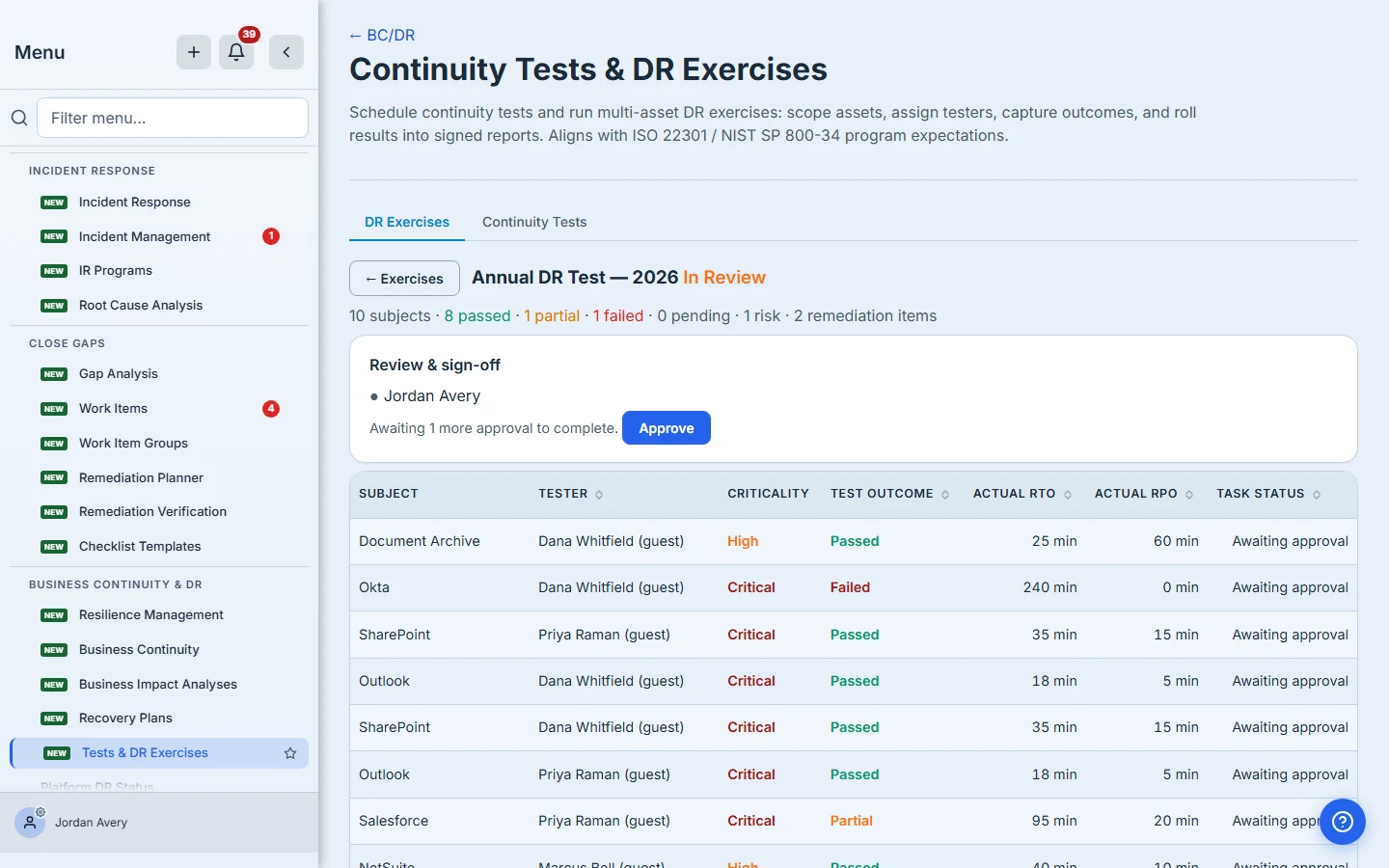
As testers submit, the board fills in: who tested each subject, the outcome, and the actual RTO/RPO they achieved. A subject tested by two people is two rows, distinguished by the tester — the counts line counts tests, not subjects.
Step 4 — The failures become work
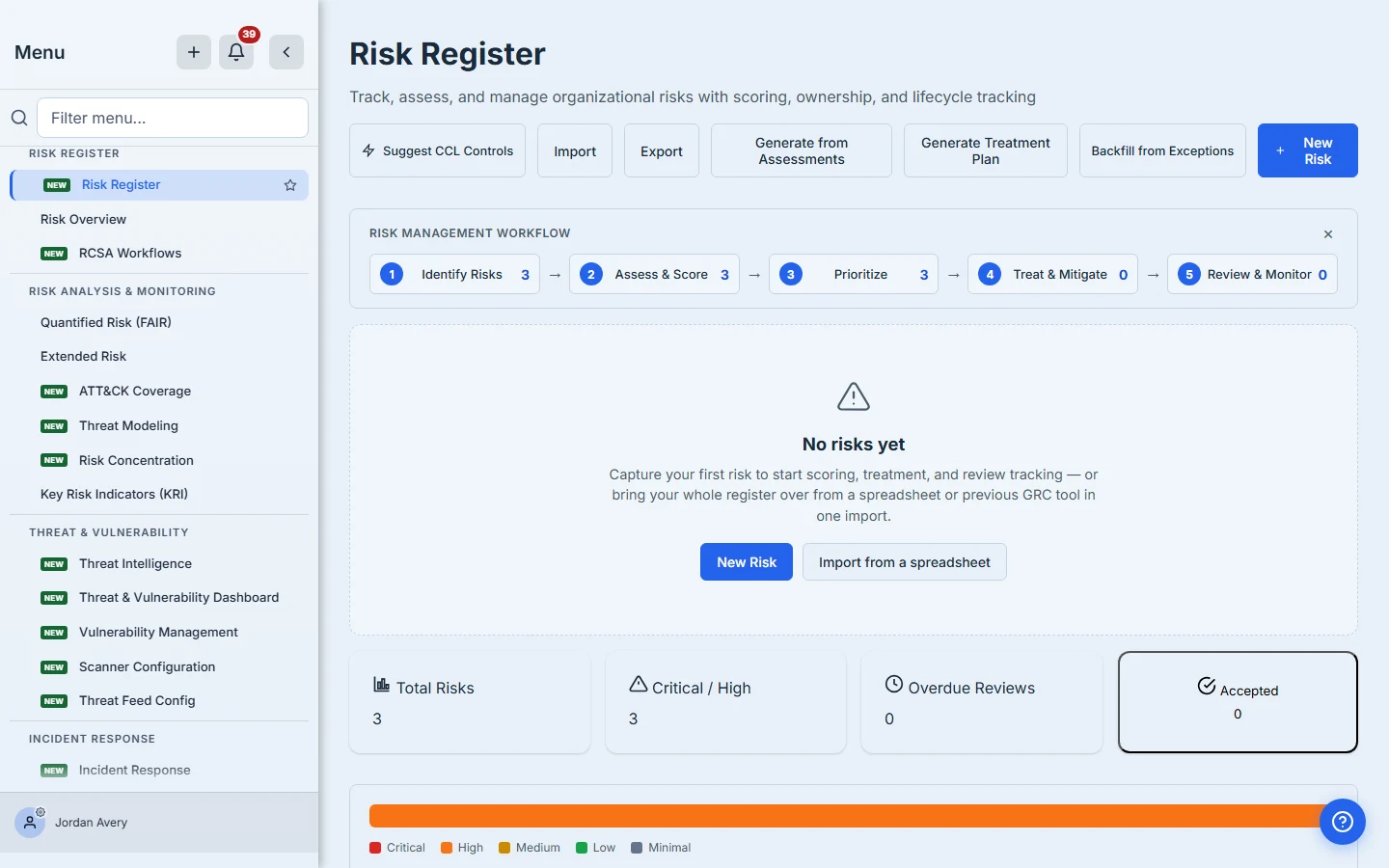
Every failed or partial test opens a remediation work-item. Failures at or above the severity threshold you configured also open a scored risk, linked back to the asset and the exercise.
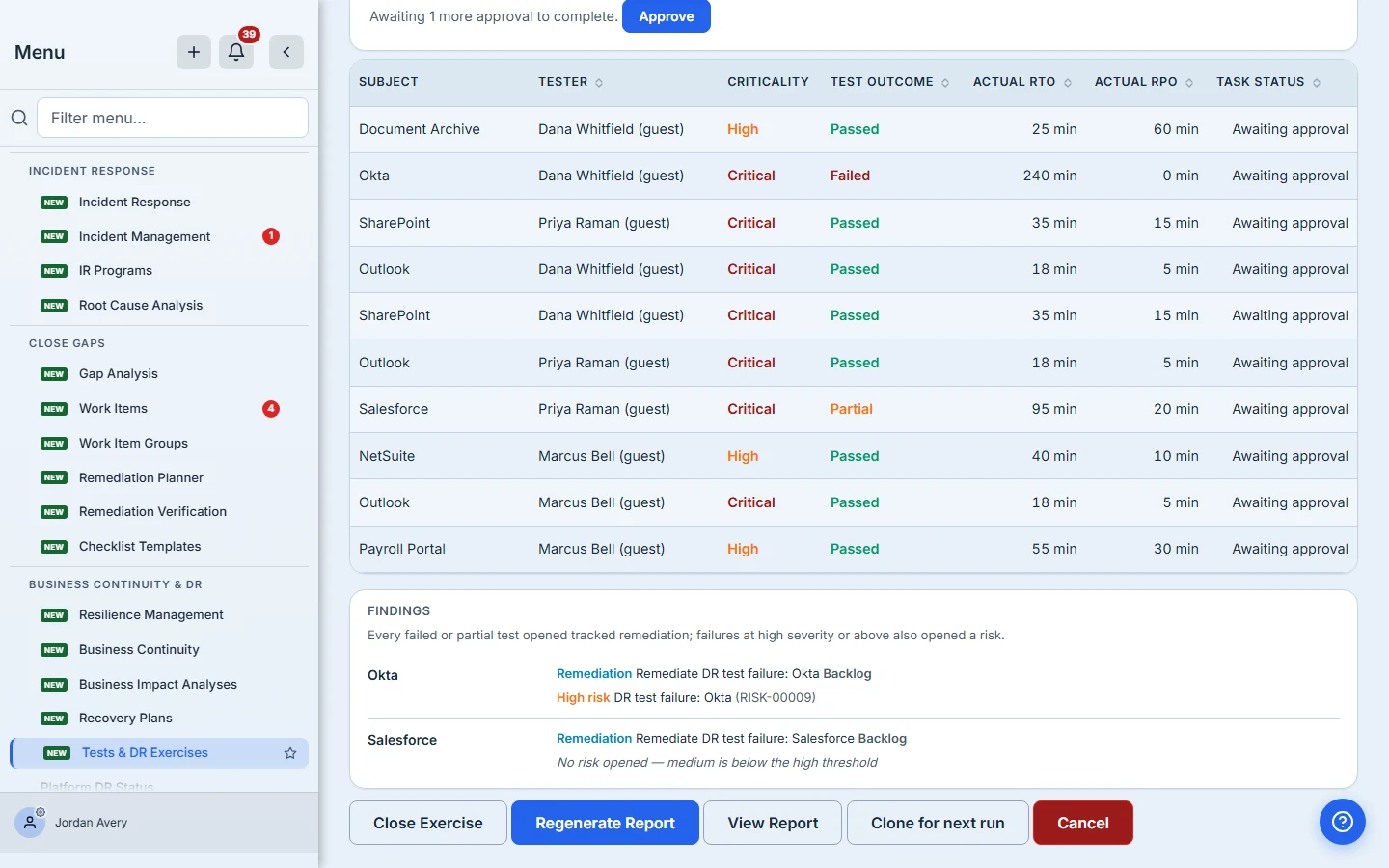
Two details worth knowing, because they change how you read this card:
- Impact scales with the asset. The same class of failure on a Critical asset opens a higher-impact risk than on a Medium one — so a payment-gateway failure outranks a payroll one automatically.
- A blank severity is not a low severity. Issue severity is optional for the tester. If they leave it blank, no risk opens at any threshold — and the card says exactly that, rather than implying the threshold was applied. If you want severity guaranteed, say so in the tester instructions.
Those risks are first-class entries in your Risk Register, scored and triaged like any other.
Step 5 — Reviewers sign it off
Reviewers hear from the exercise twice before it reaches them. At launch they are emailed and notified that testing has started and how much of it there is, and it appears in their work queue marked Testing in progress with a running count of results in and results outstanding — so a tester who goes quiet can be chased while there is still time.
Testing closes itself. The moment the last outstanding test is settled — every assigned subject either submitted with an outcome or cancelled, and no submitted result still waiting on a custodian sign-off — the exercise leaves In Progress without anyone clicking anything. You can still close it by hand from the board at any point, and force it closed if you want to stop while tests are outstanding, which cancels those tests off the testers’ queues.
Then, if you named reviewers, closing testing moves the exercise to In Review rather than straight to Completed. Each reviewer sees it in their work queue, reads the individual results, and approves. The exercise completes when the last one does, at which point every reviewer is told it is done.
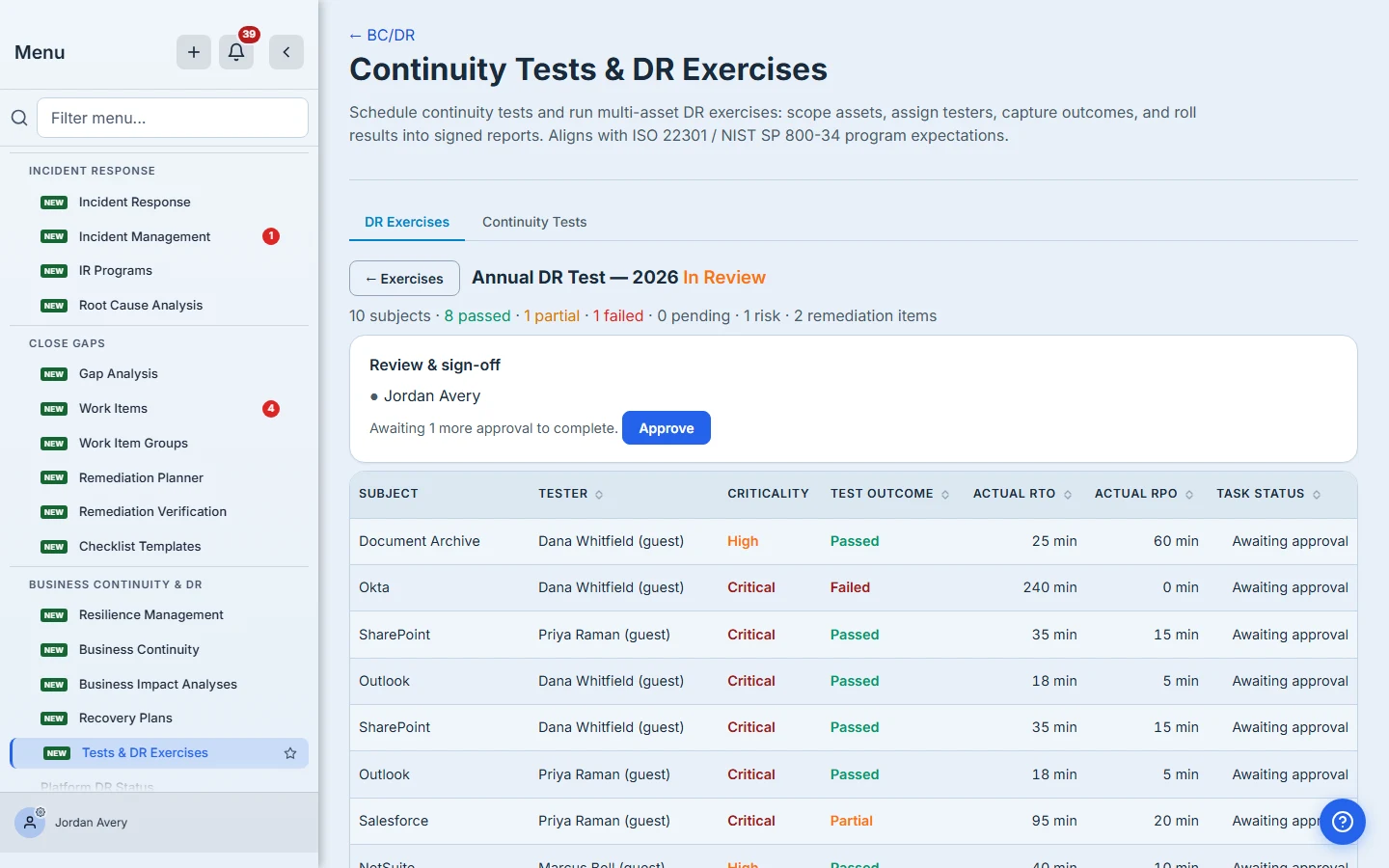
Name no reviewers and the exercise completes the moment it closes. That’s a legitimate choice — it just needs to be a deliberate one. The reviewer’s guide covers the queue and what approval does.
Step 6 — What the exercise leaves behind
The point of rehearsing is the record. A completed exercise leaves four durable traces:
The asset knows it was tested. Each result stamps the asset itself with when it was last recovery-tested, the outcome, and which exercise produced it — so “when did we last prove this system comes back?” is a property of the system, not a question you answer by hunting for the exercise. Where two testers disagree, the worse outcome is the one that sticks: a system that failed for one person is a system that failed, whichever order the results arrive in.
Every result is attested to a person. Each submission writes a per-person attestation into a tamper-evident hash chain scoped to the exercise — who certified what, and when — so the record is about named people rather than an anonymous tally.
If a tester amends a result, the correction is appended to the chain as a new entry and the earlier one is kept and marked superseded. The history stays readable and the ledger stays verifiable — a corrected result and an altered one are not the same thing, and the record can tell them apart.
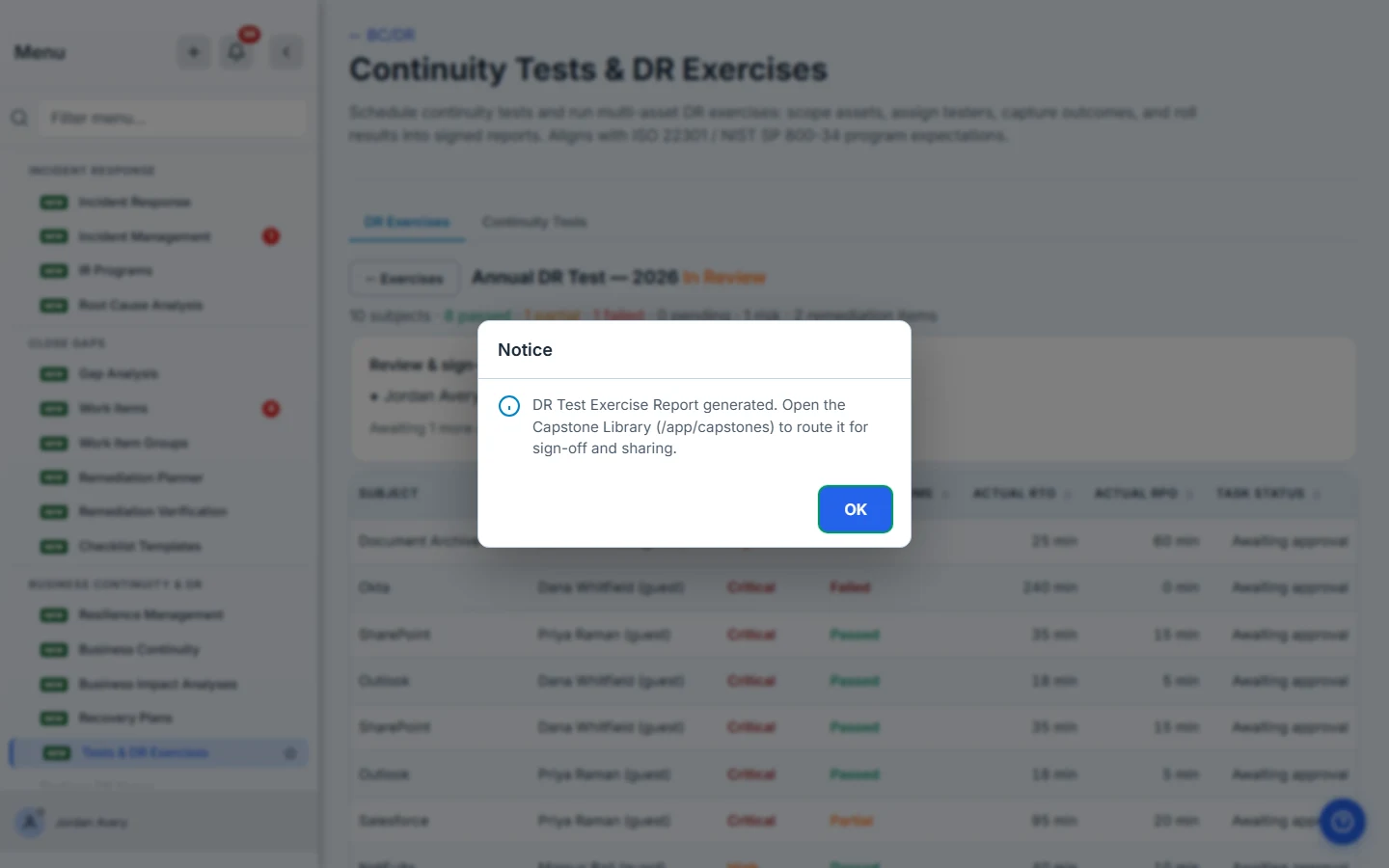
The exercise produces a report. Generate it from the board and it drafts into the Capstone Library.
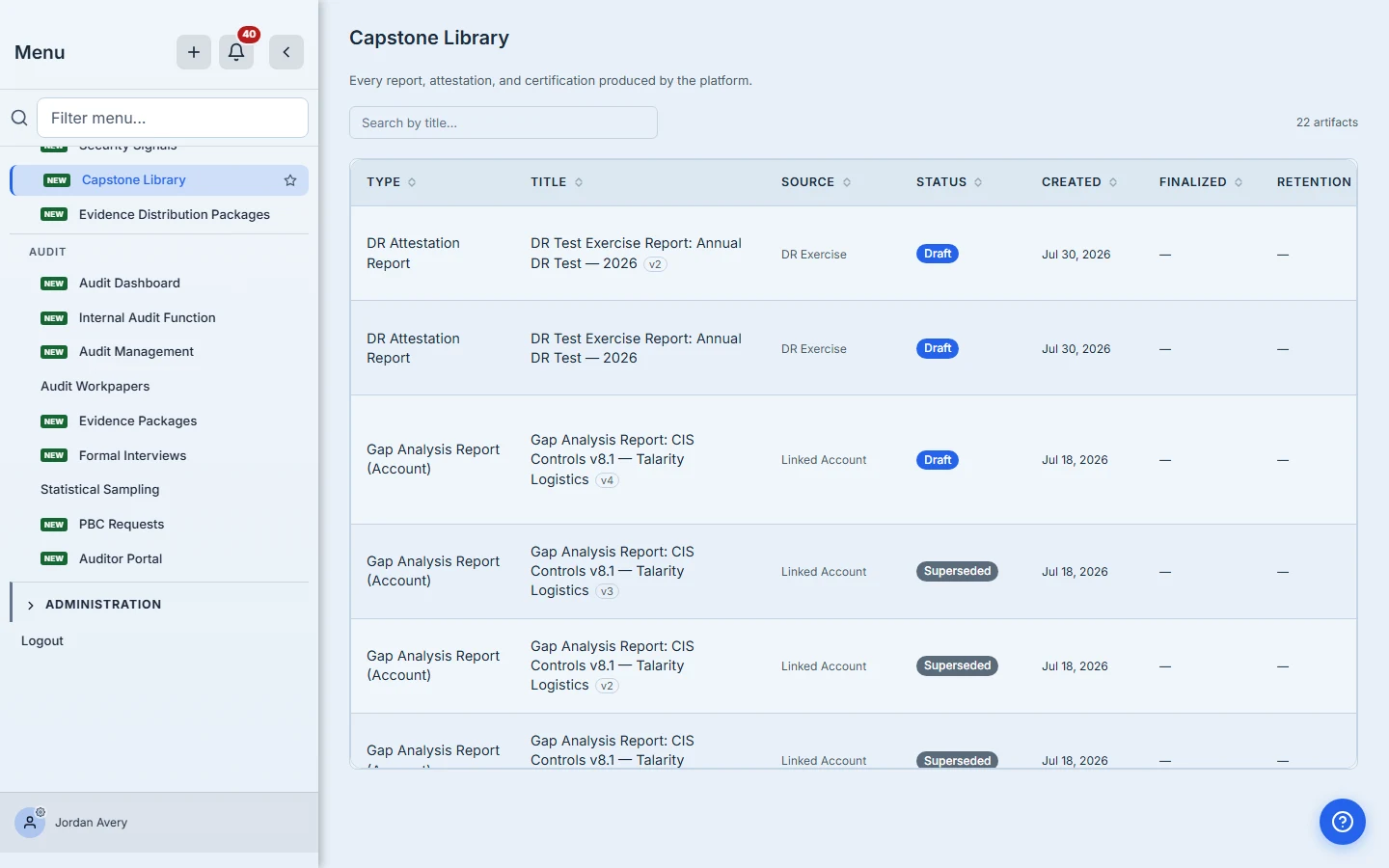
Worth being precise here: Generate produces a draft. It is when someone finalizes that report in the Capstone Library that it becomes an evidence record in your artifact repository and gets linked to whichever control-library controls you nominated on the exercise. Generating and walking away leaves you with a document, not evidence.
Next year is a copy, not a rebuild. Clone for next run copies the scope, the assignments, the tester list, the evidence rule, the reviewers, the control links and the instructions into a fresh draft — resetting the dates, the results and the approvals.
Set the new dates before you launch it. A clone starts with its due date blank, and an exercise with no due date sends no reminders.
Where this stops
So you know the edges:
- Continuity Tests — the other tab on the same page — is a different tool: one scheduled test against one recovery plan, with the facilitator recording the outcome directly. It shares no data with exercises.
- Custodian sign-off is a separate control from reviewer sign-off, performed in the approvals queue rather than here. It applies to asset subjects whose custodian has a Talarity login; it does not apply to vendor subjects.
- Very large exercises (above 500 subjects) are split into shards and roll up to a parent board. Shard-split exercises produce a rollup report that summarises rather than a finalizable per-test report.
- The DR program view — coverage across your whole estate over time, rather than one exercise — is its own thing.
What you walk away with
- A coordinated recovery test across your estate, with named testers rather than an anonymous checklist.
- Measured recovery — the RTO and RPO you actually achieved, per asset, against the ones you assumed.
- Automatic remediation — every failure a tracked work-item, every serious one a scored risk, both linked back to the asset.
- Per-person attestations in a verifiable chain, retrievable by the testers themselves.
- A report that becomes real evidence when it’s finalized, linked to the controls it supports.
- A clone that makes next year’s exercise a date change.
Open the DR Exercises tab and scope a small one — three or four of your most critical applications. Stage it as a draft, launch it when you’re ready, record one honest failure, and watch the remediation and the risk open themselves. That closed loop is the whole reason to rehearse before the real thing.