You cannot plan a recovery you haven’t prioritized. Before you write a single recovery plan, you need to know which processes would hurt the most if they went down, how long you can survive without them, and how much data you can afford to lose. That’s a Business Impact Analysis — and it’s the first thing an ISO 22301 auditor asks for (clause 8.2.2), the heart of the NIST SP 800-34 contingency-planning lifecycle, and the prioritization that SOC 2 A1.2 expects behind your recovery commitments.
Most teams skip it, or bury it in a spreadsheet that nobody updates, and then write recovery plans against a gut feeling about what’s important. Talarity makes the BIA a living, ranked record: each one carries its criticality, its recovery objectives, the dependencies it rests on, and a review cadence so it doesn’t rot — and every recovery plan and DR test downstream inherits its numbers. This guide walks you through building your first one.
Who’s involved
- Business continuity owner — creates the BIAs, sets the recovery objectives, owns the review cadence.
- Process / system owner — knows the process inside out and is the BIA’s owner of record.
- Executive / auditor — reads criticality and the MTD/RTO/RPO numbers to confirm the program is protecting the right things first.
What’s on the page
The BIA surface sits under Business Continuity & DR (/app/grc/bcdr) on the BIAs tab, and has three layers:
- The register — one row per analyzed process, showing its criticality, status, Maximum Tolerable Downtime, RTO target, owner, and next review date, with per-row actions to edit, map dependencies, link, and delete. + New BIA starts one.
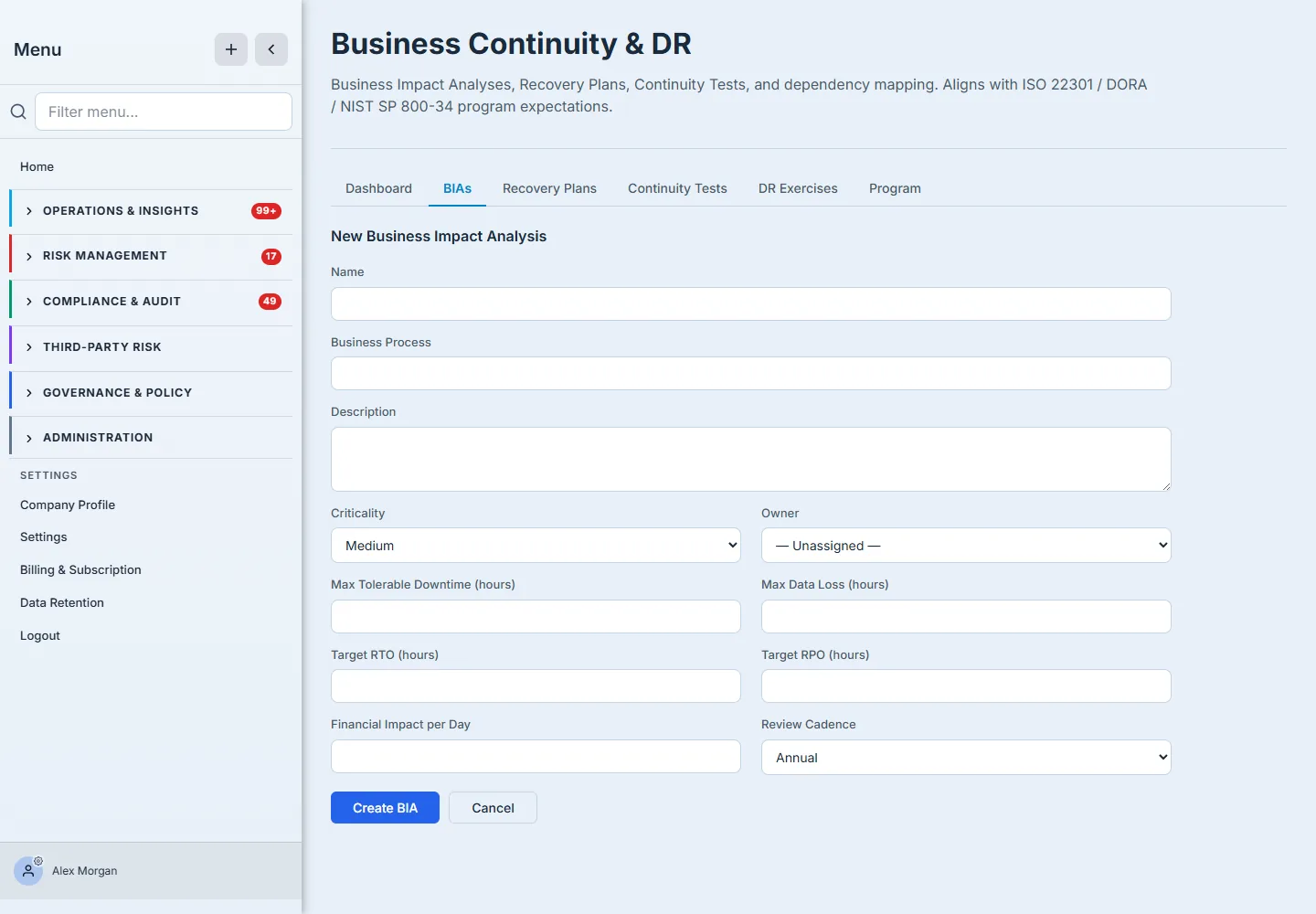
- The New BIA form — the essentials (name, business process, criticality) and the four recovery numbers (MTD, RTO, RPO, financial impact per day), plus the owner and review cadence.
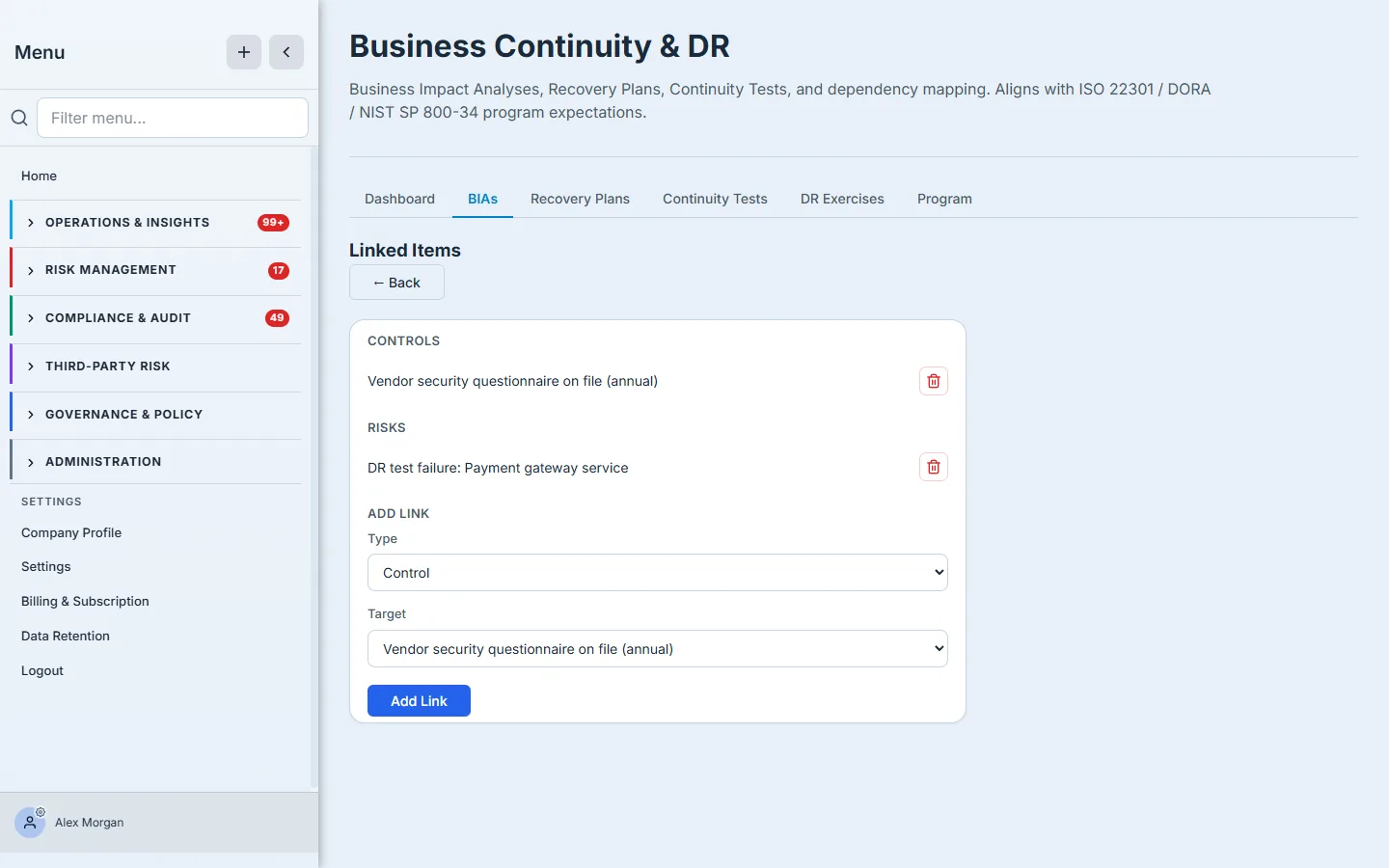
- The per-BIA panels — once created, a BIA carries a Dependencies panel (typed system / vendor / people / data / facility entries, each with its own criticality), a Links panel (to existing controls and risks), and an Edit view that moves it through the draft → active → under review → retired status lifecycle.
Step 1 — Start at the register
Open Business Continuity & DR (/app/grc/bcdr) and select the BIAs tab. This is your register: every business process you’ve analyzed, with its criticality, status, Maximum Tolerable Downtime, RTO target, owner, and next review date in one view.
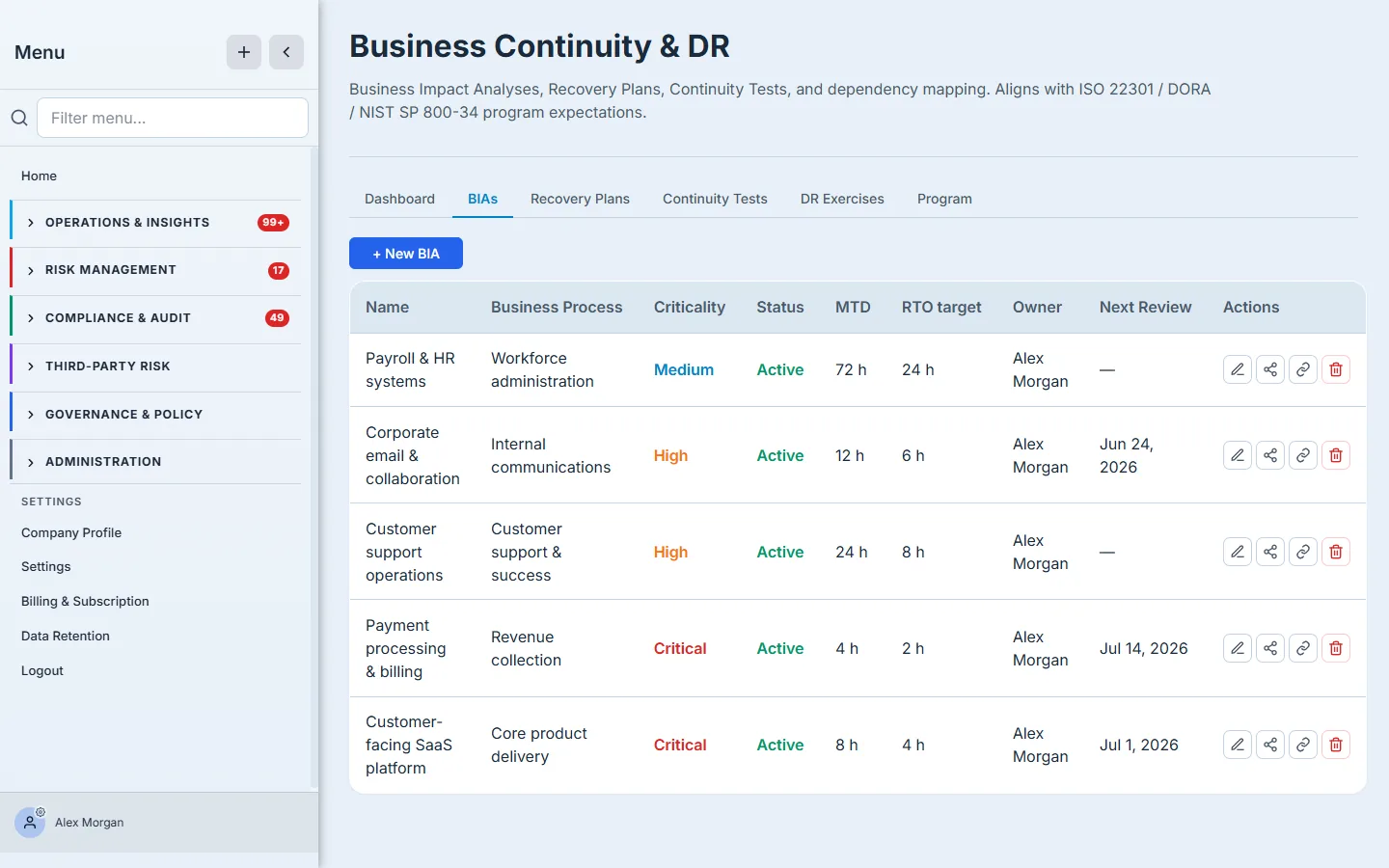
The register is sorted so the work that matters is in front of you. Starting one is a single click: + New BIA.
Step 2 — Name the process
The form opens on the essentials: a name, the business process it covers, an optional description, and its criticality (Critical / High / Medium / Low). Criticality is the single most consequential field — it drives where this process sits in the register, how the dashboard rolls it up, and how aggressively the program treats failures of the assets it depends on. Be honest: not everything is Critical.
Step 3 — Set the numbers that drive everything
This is the part that earns the BIA its name. Four numbers define how the process must be recovered:
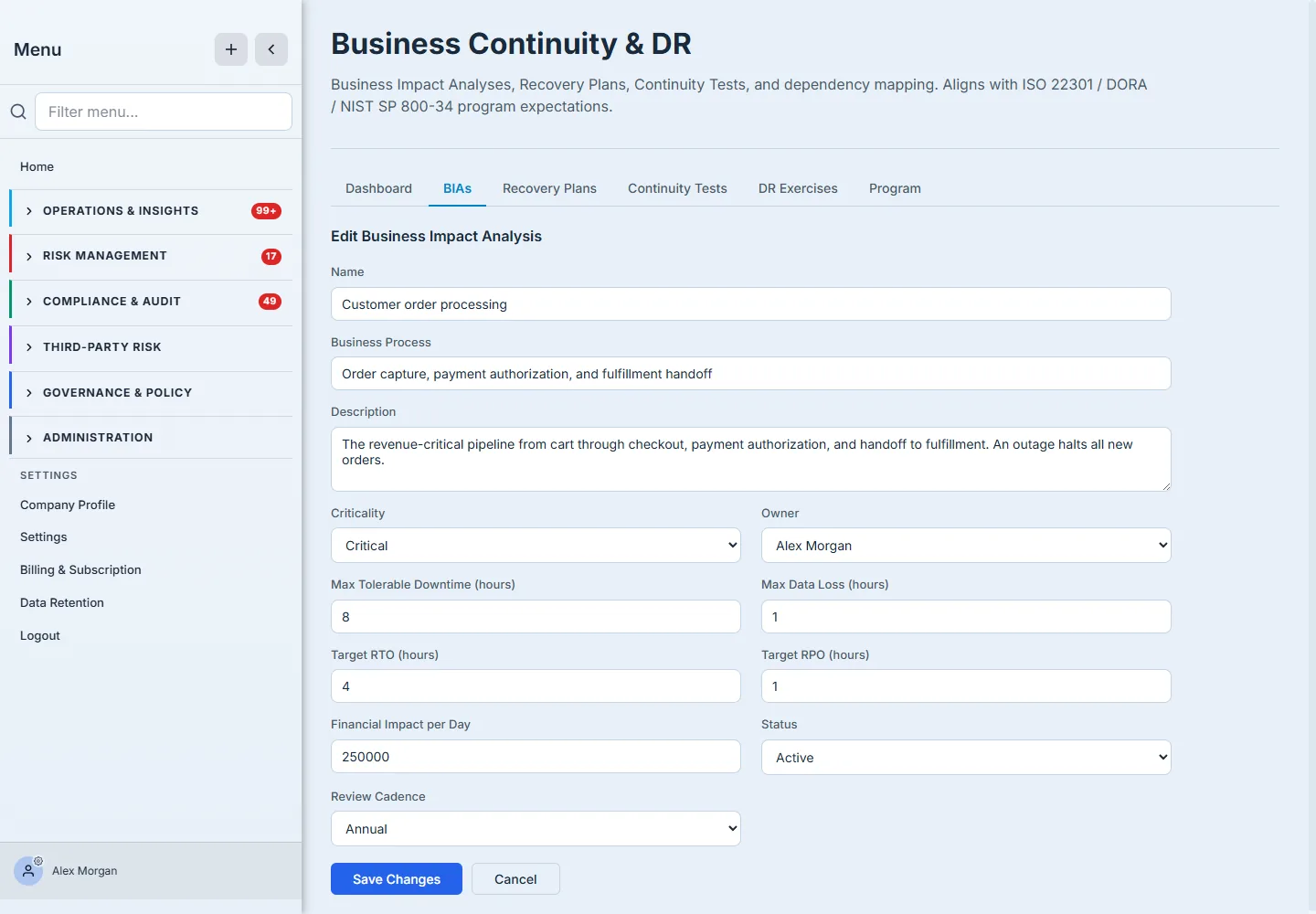
- Maximum Tolerable Downtime (MTD) — the longest the process can be unavailable before the damage is unacceptable. The outer limit.
- Recovery Time Objective (RTO) — how fast you intend to restore it. Must be inside the MTD, with margin.
- Recovery Point Objective (RPO) — how much data you can afford to lose, expressed as time. An RPO of one hour means hourly backups (or better).
- Financial impact per day — what an outage costs, which is what turns “important” into a number an executive can act on.
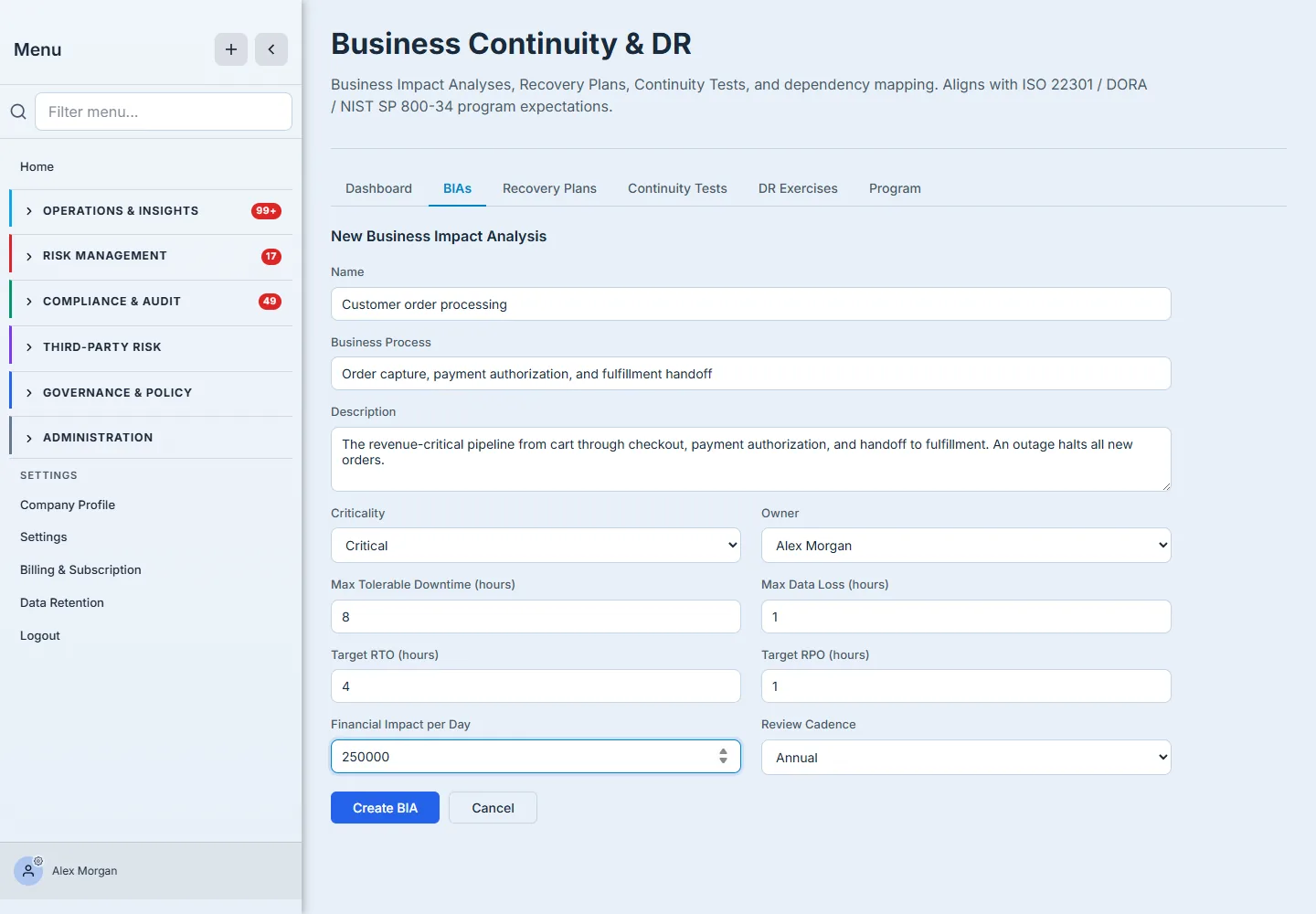
The distinction that trips teams up is MTD vs RTO vs RPO: how long you can survive without the process, how fast you’ll restore it, and how much data you can lose on the way back. Get those three honest and everything downstream — recovery plans, test targets, the gaps the dashboard flags — falls out of them. Guess at them and every plan you write is built on sand.
Step 4 — Assign an owner and a cadence, then create it
A BIA with no owner is nobody’s job. Pick the owner — the person accountable for this process’s recovery — and a review cadence (monthly through biennial) so the analysis is revisited before it goes stale; the cadence sets the next-review date the register tracks. Then Create BIA.
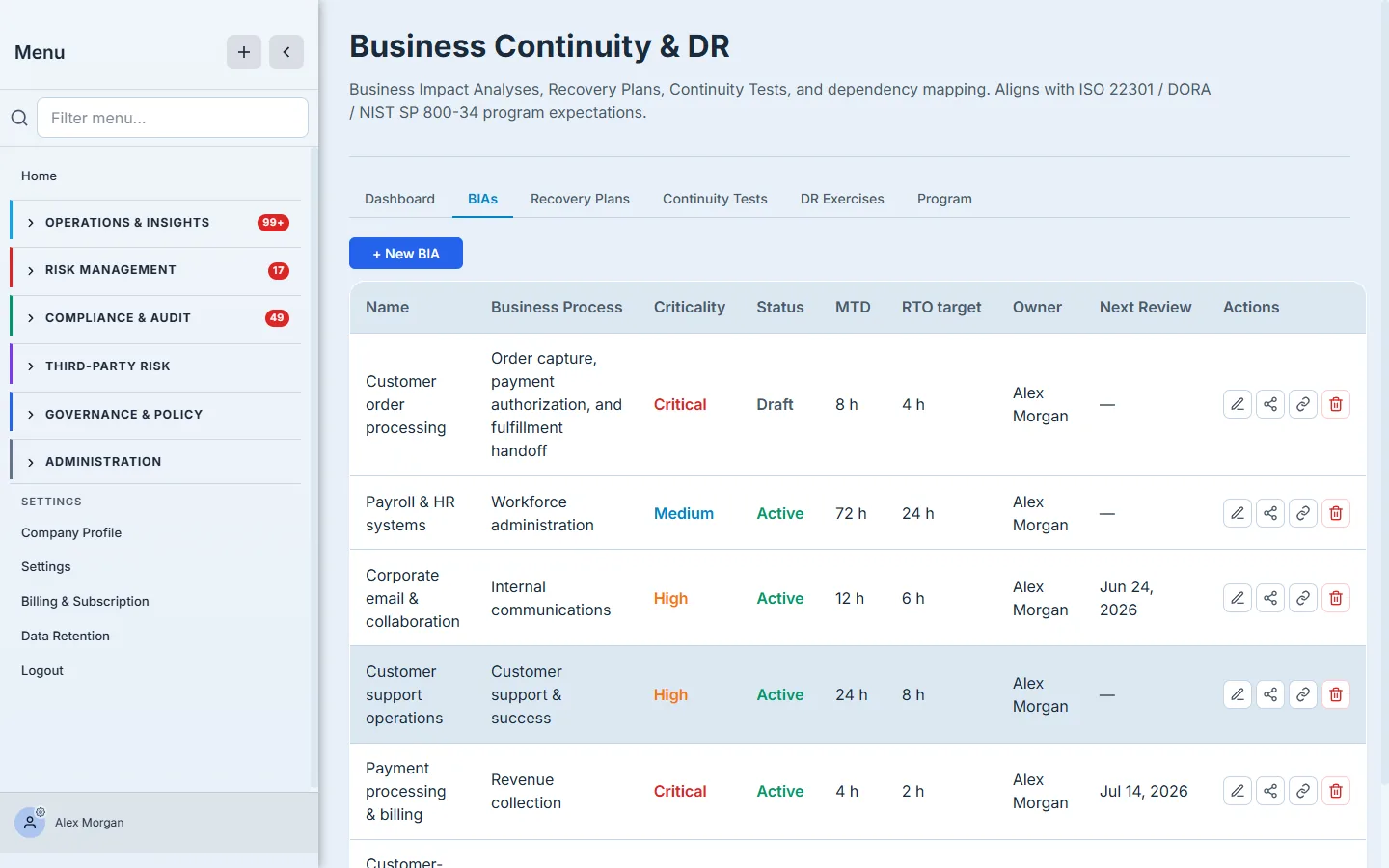
It’s now a first-class record you can plan against, test, and hand an auditor.
Step 5 — Map what it depends on
A process is only as recoverable as the things underneath it. Open Dependencies on the BIA and add what it relies on — each typed (system, vendor, people, data, or facility) and given its own criticality, because a Critical process can rest on a dependency that’s even harder to restore than the process itself.
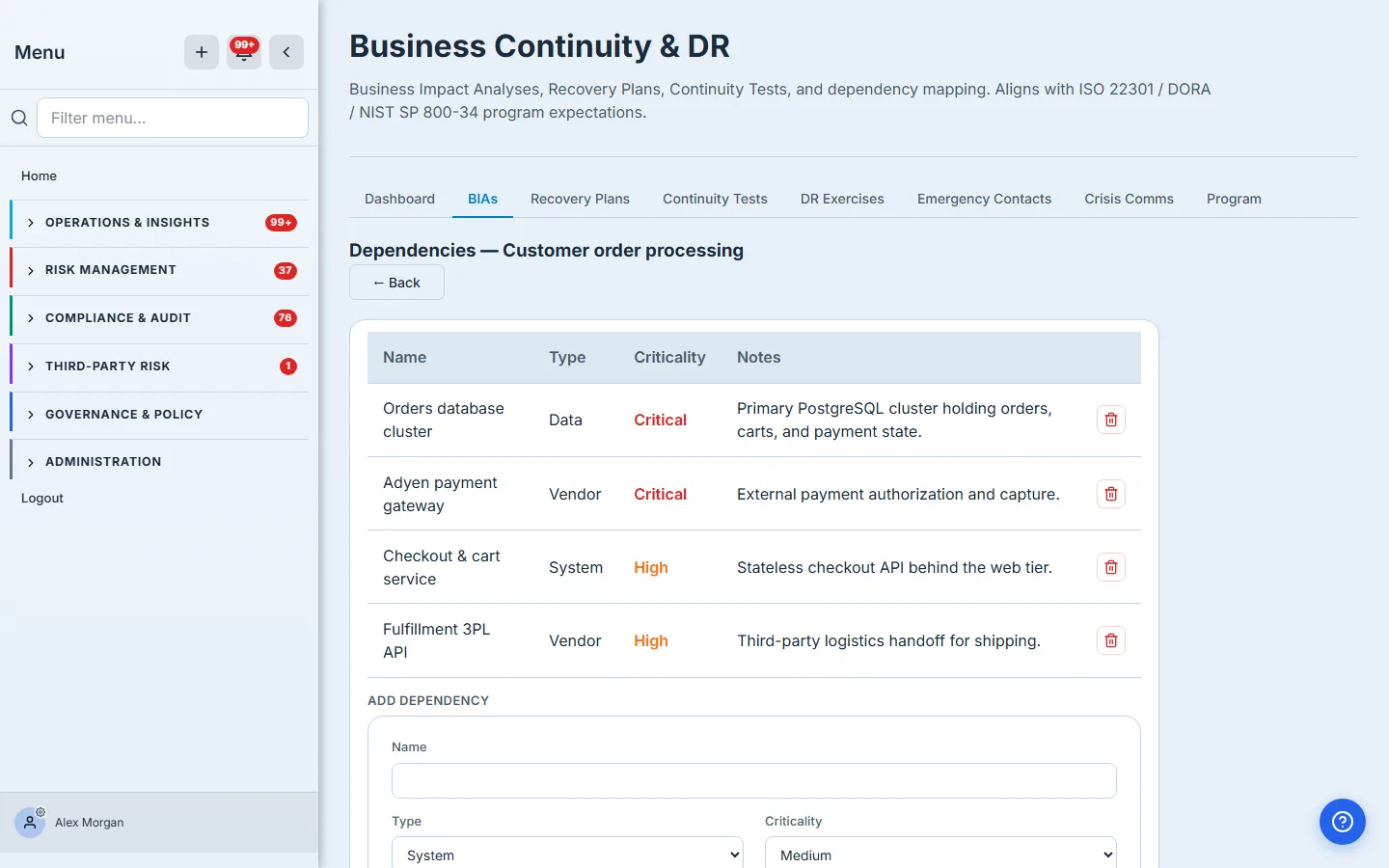
This is where a BIA stops being a number and starts being a map of real exposure.
Step 6 — Link the controls and risks already in play
Your process almost certainly already has controls protecting it and risks logged against it elsewhere in Talarity. Open Links and connect them, so the BIA isn’t an island — an auditor reviewing recovery can trace straight from the impact analysis to the control that mitigates it and the risk it answers.
Step 7 — Activate it
A new BIA starts as a draft. When the numbers and dependencies are right, Edit it and move its status to Active — that’s the signal that it’s in force and ready to anchor recovery plans. The status lifecycle (draft → active → under review → retired) and the review cadence keep the register honest over time.
What you walk away with
- A ranked business process with an honest criticality — visible the moment anyone opens the register.
- The four numbers that drive recovery — MTD, RTO, RPO, and financial impact per day — captured once and inherited by every plan and test downstream.
- A dependency map (systems, vendors, data, people, facilities) that shows real exposure, not just a label.
- The BIA linked to the controls and risks already in your program, so recovery traces end to end.
- A review cadence and owner that keep it current instead of letting it rot in a spreadsheet.
Open the BIAs tab and start with your single most critical process — the one whose outage would make the worst day. Name it, give it honest recovery numbers, and create it. The first one takes about ten minutes; once it exists, the recovery plan writes itself against it.