Most compliance work is point-in-time. You run an assessment, score every control, generate a report — and six months later nobody knows whether the controls you attested to are still in place. Frameworks have caught up to this: SOC 2’s common criteria expect controls to operate continuously, ISO 27001:2022 asks for ongoing monitoring and improvement, and the CIS Controls are explicit that implementation maturity is something you maintain, not something you certify once.
Talarity closes that gap with System Configuration. When you complete an assessment, the maturity level you recorded for each safeguard becomes an enforceable expected value. From then on, Talarity tracks the observed state against that baseline, flags any drift, and opens remediation work automatically — so the gap between “what we said we do” and “what we actually do” never goes unnoticed.
What this gives you
- An enforceable baseline, derived automatically. Finish a CIS Controls (or any maturity) assessment and the safeguards you scored become configuration records with an expected value — no re-keying.
- Expected vs. observed, per control. Each record shows the maturity level your assessment recorded and the level most recently observed, with a clear Drift / In sync status.
- Remediation that opens itself. When a control drifts, Talarity opens a remediation work item automatically — the loop closes without anyone remembering to file a ticket.
- Evidence where the control lives. Attach the console export, policy, or screenshot that proves a control’s state directly to its configuration record.
Step 1 — Read your configuration baseline
Open System Configuration at /app/system-config. Every row is one safeguard from a completed assessment, carrying the expected value you recorded (for CIS Controls, a maturity level from None through Optimized), the most recently observed value, and a status — green In sync when they match, red Drift when they don’t.
The header shows how many controls are currently drifted, and the toolbar lets you search by name and filter by status or framework — so a program with a hundred-plus safeguards stays navigable, not a wall of rows.
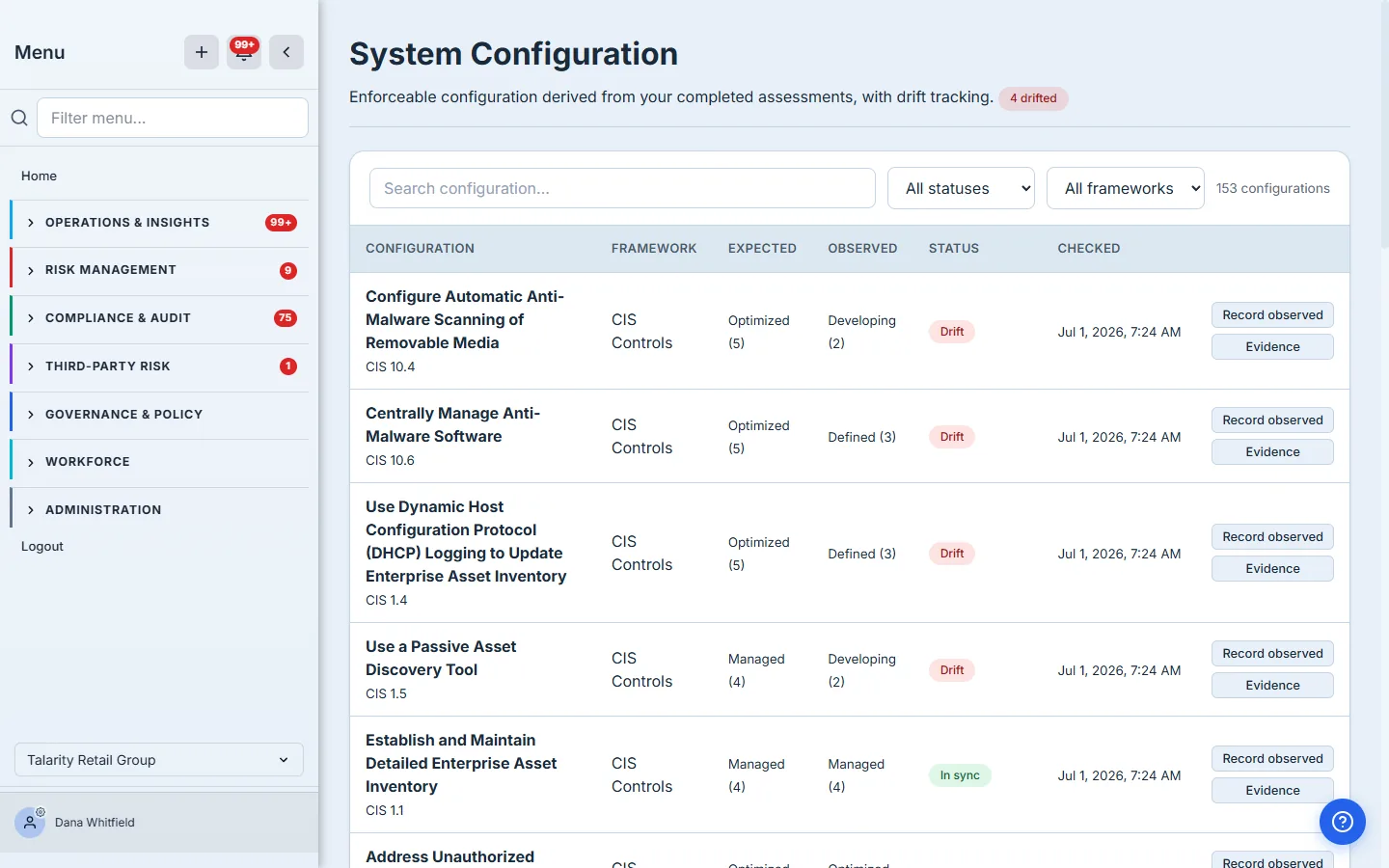
This baseline isn’t something you build by hand. The moment an assessment run is completed, Talarity binds each answered safeguard to a configuration record — the expected value is the answer you gave. Re-take the assessment later and the baseline updates with it.
Step 2 — Record what you actually observe
Drift only means something if you re-check reality against the baseline. Click Record observed on any control to capture the value you observe today — pulled from an endpoint console, a config export, a spot check, whatever your evidence is.
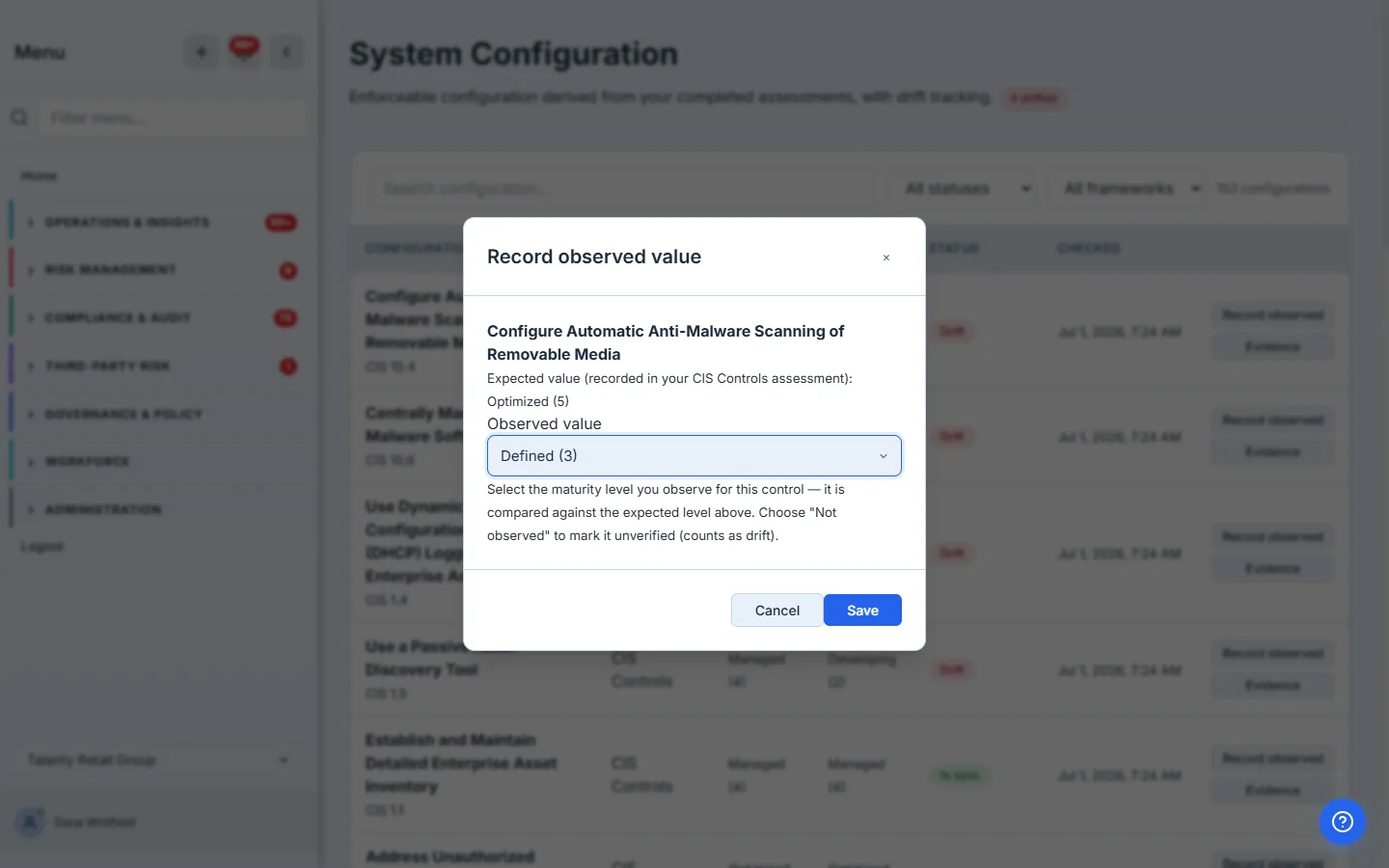
Talarity compares the observed value against the expected one and sets the status accordingly. Record a value that matches and the control reads In sync; record a lower level — or leave the field empty to mark it not observed — and it counts as drift. Either way the status, and the drift count on the page header, update immediately.
Step 3 — Attach evidence to the control
A status is more defensible when it’s backed by proof. Every configuration record has an Evidence panel where you can link an artifact — an anti-malware console export, a hardening baseline, a change-approval record — straight from your evidence library, or upload a new one.
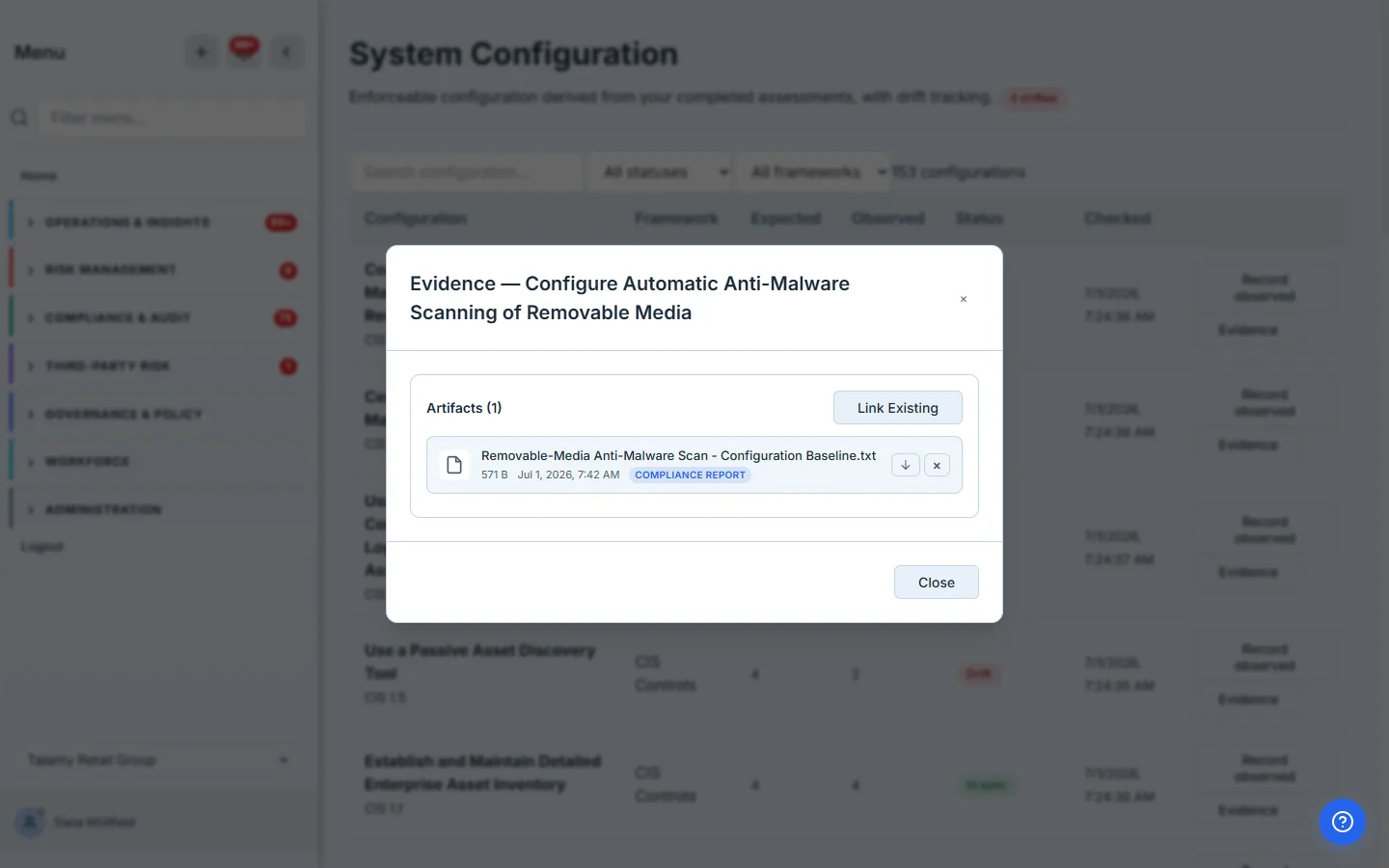
The evidence lives with the control, not in a separate folder an auditor has to cross-reference. When someone asks “prove safeguard 10.4 is enforced,” the answer is one click from the drift status itself.
What happens when a control drifts
You don’t have to watch this page for red badges. When a control drifts, Talarity opens a remediation work item automatically — titled for the drifted control and parented to its System Configuration record — and closes it again when the drift clears. It shows up in your remediation queue alongside every other work item, with an owner, a priority, and a due date, so a slipped control becomes tracked work instead of a number nobody’s watching. A scheduled re-check keeps the observed state fresh between manual spot checks.
What you walk away with
- A living control baseline that comes straight from your assessments and updates as they do.
- Continuous expected-vs-observed visibility, so “implemented once” becomes “implemented still.”
- Remediation that opens itself the moment a control slips — no manual ticketing.
- Per-control evidence that turns a drift status into an auditor-ready answer.
Point-in-time compliance tells you where you were. System Configuration tells you where you are.