The quiet failure mode of every GRC program is the deadline nobody saw coming: a policy whose review date passed, a vendor due for reassessment, a remediation that blew its SLA. Each obligation lives in its own module, with its own date, and there’s no single place that says “here’s everything due — and here’s what you’ve already missed.” Talarity’s Calendar is that place: every dated item across the platform, aggregated, color-coded, and sorted by urgency.
What’s on the page
Open Calendar (/app/calendar) — one view of every dated obligation across the platform:
- Tiles — Overdue / This Week / This Month / Total, with plain-language banners.
- Category filter chips — one per non-empty category: Work, Compliance, Risk, Vendor, Governance (a category with no items this period hides its chip).
- Month / Week views — each obligation placed on its date.
- + New event and export — add your own deadlines, or push the feed to your own calendar.
One view, every deadline
Open Calendar. The top tiles give you the state of play at a glance — overdue, due this week, due this month, and the total — with plain-language banners (“4 items are overdue and need attention”, “Busy week ahead: 6 items due in the next 7 days”). Below, the month grid places each obligation on its date.
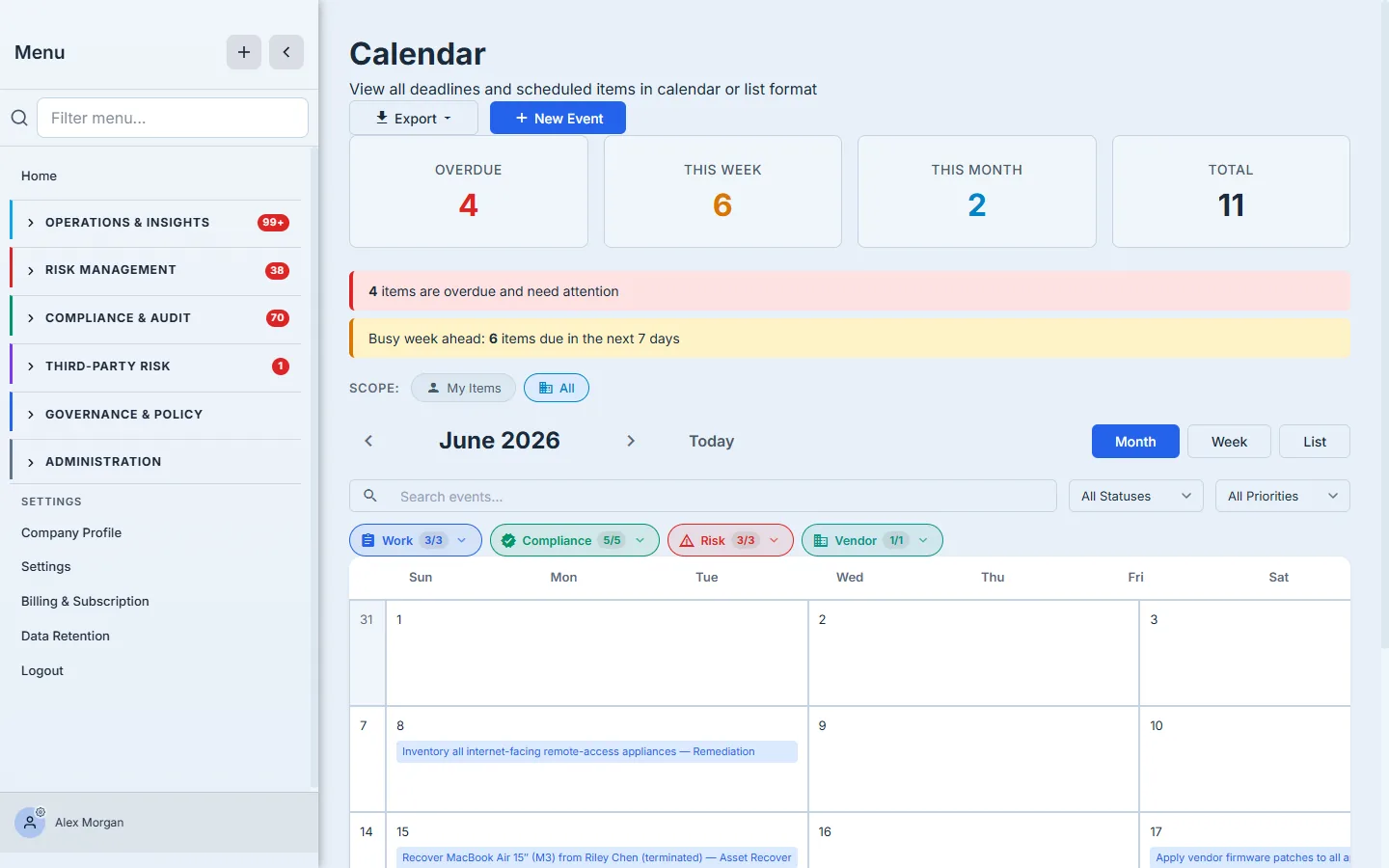
Every item is color-coded by where it came from — Work, Compliance, Risk, Vendor, Governance — and the filter chips (here Work 3/3, Compliance 5/5, Risk 3/3, Vendor 1/1; Governance has no items this period, so its chip is hidden) let you focus on one stream or see them all together. A Scope toggle switches between My Items and the whole org. Click any item and you jump straight to the underlying record — the work item, the assessment, the vendor — because the calendar isn’t a separate to-do list, it’s a live index of the real things.
Zoom to the week
When the month is the planning view, the Week view is the working one — the next seven days, with each day’s obligations laid out so you can see exactly what this week demands.
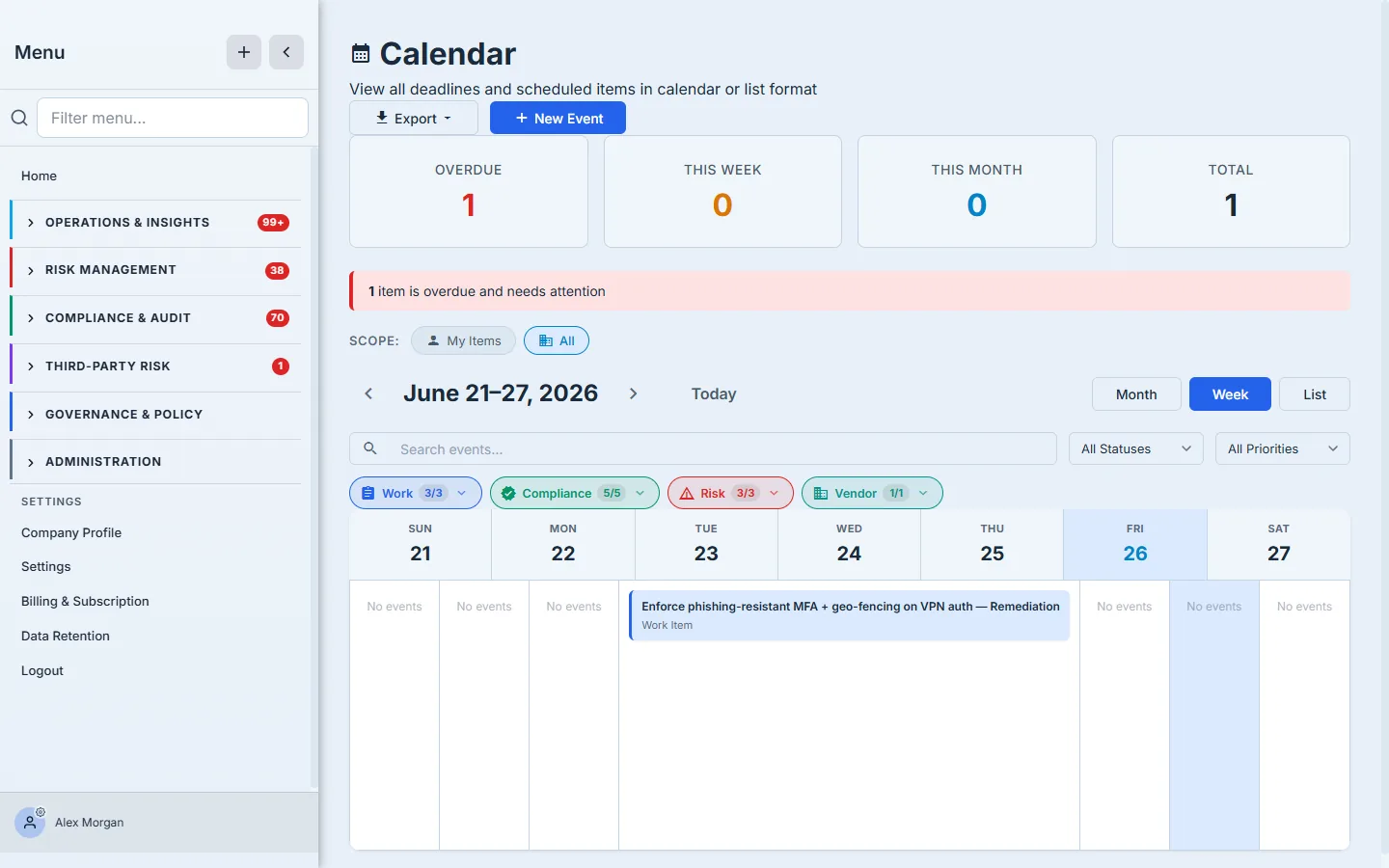
Multi-day items span their range, single-day items sit on their date, and empty days read as empty — so a glance tells you whether this week is light or loaded. A List view is there too when you’d rather read the deadlines as a sorted agenda than a grid.
Add your own — and export
The calendar isn’t only what the platform schedules for you. + New Event lets you put any obligation on it directly, typed to what it actually is.
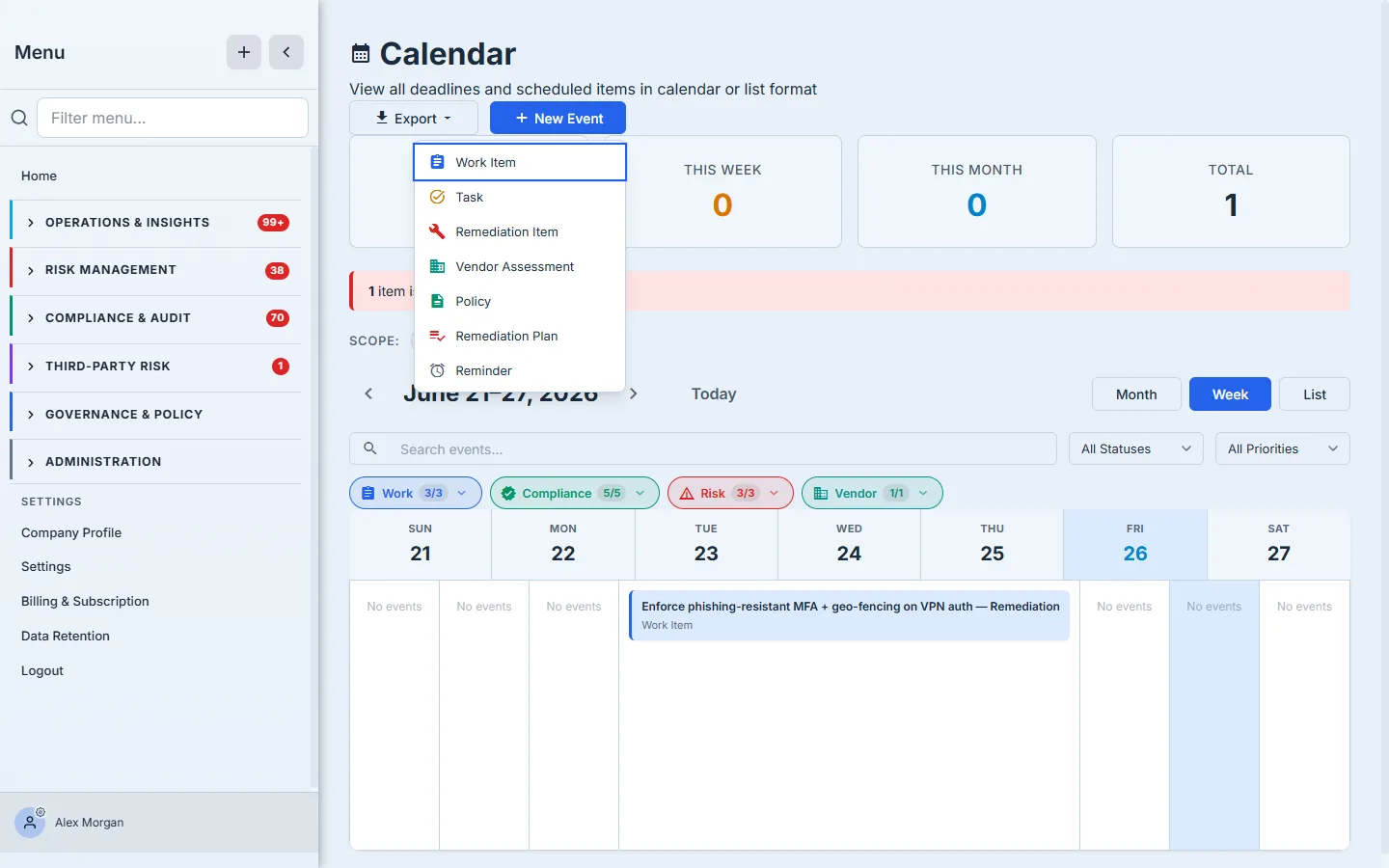
Schedule a Work Item, a Task, a Remediation Item or Plan, a Vendor Assessment, a Policy review, or a plain Reminder — each created as the real object, not a sticky note, so it shows up everywhere that object belongs and on the calendar. And Export pushes the whole view out (to your own calendar app) so the deadlines follow you even when you’re not in Talarity.
How the page works
A few mechanics explain why the Calendar can be trusted as the single source of “what’s due”:
- It aggregates, it doesn’t duplicate. One handler (
task.calendar.getEvents) pulls every dated obligation across the platform into the view — roughly twenty event types, including work items, tasks, attestation and acknowledgement campaigns, recurring rules, remediations and remediation plans/milestones, vendor assessments, policy and requirement reviews, assessment assignments, DR exercises, and certificate/artifact expiries. Each is the live record, not a copy, which is why clicking one jumps you to the underlying object. - Color is the type; chips are the category. Every event type has its own color and icon, and the filter chips collapse that long list into a handful of top-level categories (Work, Compliance, Risk, Vendor, Governance) — so you can reason about streams without memorizing twenty colors. A category with zero items this period simply doesn’t show its chip.
- Overdue is computed, and it’s polite about it. An item is flagged overdue only when its date has passed and it isn’t already in a terminal state — a completed or cancelled item never shows up as overdue, no matter how old. So the “overdue” tile is real work, not finished work with a stale date.
- Scope re-queries. The My Items / org toggle changes whose obligations are aggregated, and the tiles, banners, and grid all recompute against the same set — the page always tells one consistent story for the scope you’ve selected.
What you walk away with
- One source of “what’s due.” Policy reviews, assessments, vendor reassessments, remediations, and control tests from across the platform, aggregated into a single dated view.
- Overdue caught, not buried. Tiles and banners surface what’s already late and what’s due this week, so nothing slips because it lived in a module you didn’t open.
- Month, week, or list — and filtered. Switch the zoom and filter by category (Work / Compliance / Risk / Vendor) or scope (mine / org) to match how you’re planning.
- Add and export. Put your own typed obligations on the calendar, click through to the real record, and export the whole thing to wherever you actually live.