Raw threat intelligence is a firehose: dozens of feeds, thousands of indicators, a new “critical” advisory every hour. The value isn’t having the feeds — it’s correlating them into something you can act on, and ranking the noise by what actually threatens you. Talarity’s threat-intelligence module does three things in order: install the feeds, correlate the indicators, and prioritize the vulnerabilities by real-world exploitation.
What’s on the page
Open Threat Intelligence (under Risk, /app/threat-intel). The page is a tab strip over one correlated intelligence set — its subtitle says it plainly: “Strategic briefings, operational actors and campaigns, tactical IOCs — correlated across every source you install.” The tabs, in the order they appear:
- Briefings — the strategic narrative: written intel summaries for the people who need the story, not the raw IOCs.
- Vulnerabilities — the CVE-advisory layer, ranked by exploitation signal (the heart of “what do I patch first”).
- Actors / Campaigns / Malware / TTPs — the operational layer: who’s attacking, the campaigns they run, the malware families, and the MITRE ATT&CK techniques — all rolled up from the same feeds.
- Indicators — the tactical layer: the deduplicated IOCs (URLs, IPs, domains, hashes) your feeds report.
- Feeds — where the sources live: subscribe, manage custom feeds, set digest subscribers and retention.
- Check IoC — an on-demand lookup: paste a single indicator and search it across everything you’ve installed.
Three of these tabs are the working core, and the rest of this guide walks them in the order you’d actually use them.
Install the feeds
The Feeds tab is where the sources live. Talarity ships a catalog of platform feeds — abuse.ch, MITRE ATT&CK, OTX, and more — each row showing Feed, Tier, Type, Last refresh, and a Subscription toggle, plus room for your own Custom Feeds.
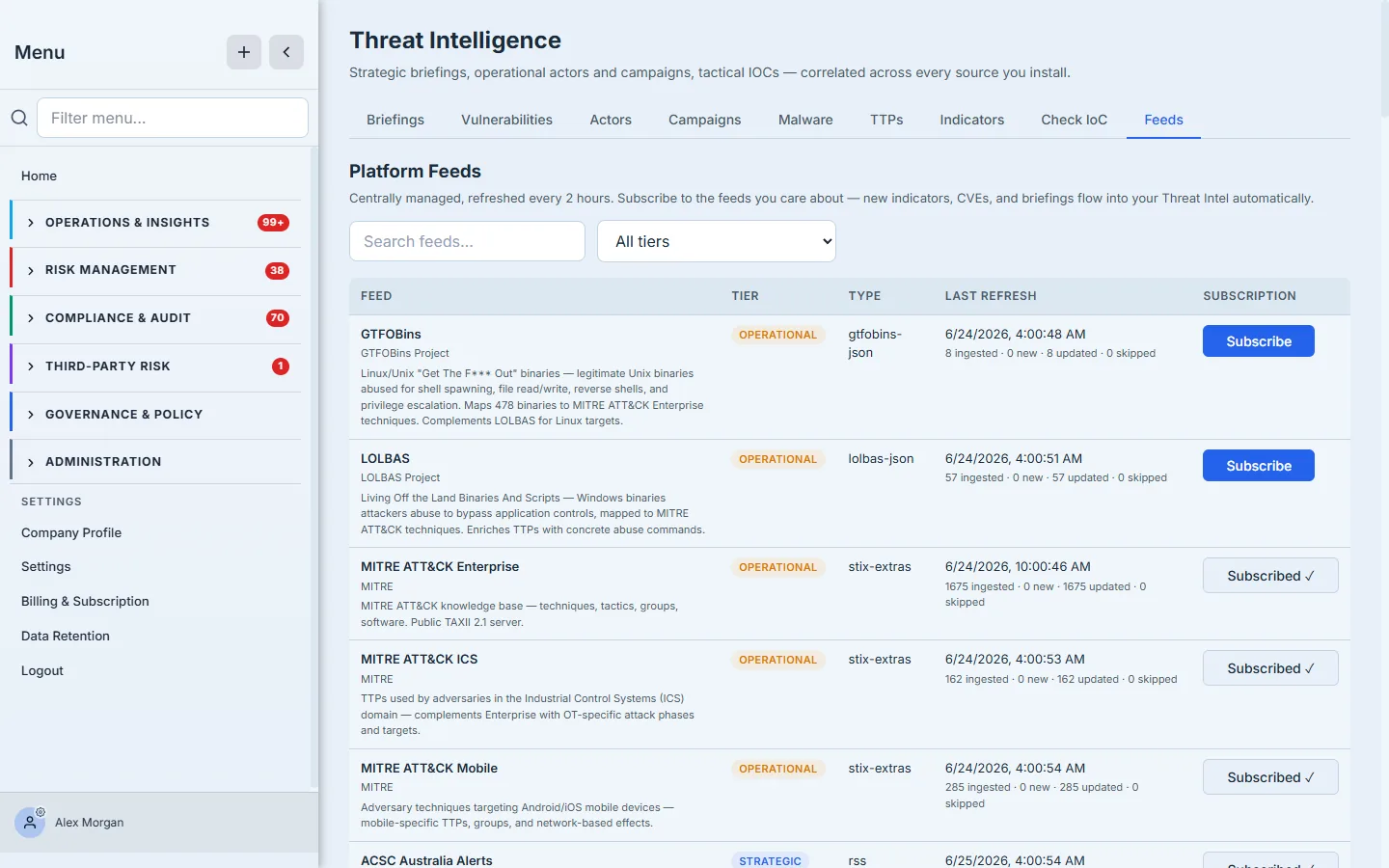
How it works: the platform feeds are centrally managed and refreshed every two hours — you don’t run scripts or schedule pulls. You just flip the Subscription toggle on the feeds that matter to your stack, and new indicators, CVEs, and briefings flow into your Threat Intel automatically. Everything downstream is correlated across every feed you’ve subscribed to: when the same indicator is reported by three sources, the ingest deduplicates it to one enriched row rather than three copies, so a feed refresh never double-counts what you’ve already seen. Below the feed tables, Daily Digest Subscribers is the recipient list for the once-a-day email (new briefings, KEV additions, feed health) — a scheduled job fans the digest out to each enabled subscriber — and retention settings control how long ingested intel is kept.
To subscribe to a feed: open the Feeds tab → find the source in Platform Feeds → flip its Subscription toggle on. Within the next refresh cycle its indicators and advisories appear in the Indicators and Vulnerabilities tabs. To be notified rather than poll, click + Add Subscriber under Daily Digest Subscribers and add the email that should get the morning summary.
Correlate the indicators
The Indicators tab is the tactical layer — the IOCs the feeds report, deduplicated and scored.
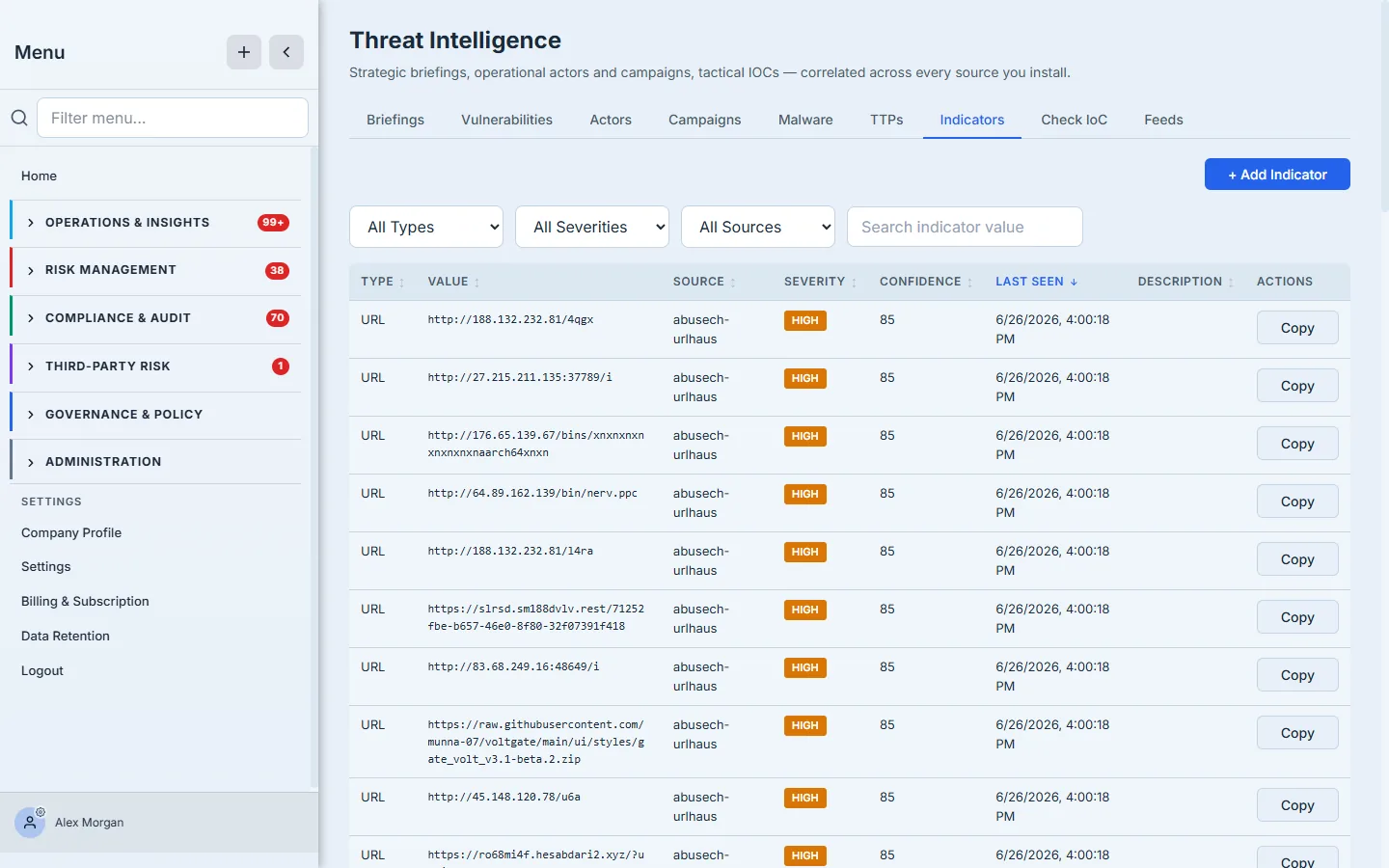
Each indicator carries its Type (URL / IP / domain / hash), its Value, the Source feed that flagged it, a Severity and Confidence, when it was Last Seen, and a short Description, with a one-click copy action on the value. Because indicators are correlated across feeds, an IOC’s confidence reflects corroboration — three sources agreeing reads differently from one source’s lone opinion. Filter to high-confidence, recently-seen indicators and hand them straight to your blocking and detection tooling.
To vet a single indicator, use the Check IoC tab: paste any URL, IP, domain, or hash and Talarity looks it up across every feed you’ve installed and returns what each source knows about it — the fast answer to “is this thing in my inbox actually malicious?”
The page caches each tab for about a minute and refreshes on demand, so the numbers are current without re-querying every feed on every click. After a feed refresh or a delete, the cache drops so you’re never reading stale intel.
Prioritize by what’s actually being exploited
A list of every “critical” CVE is useless — there are thousands, and you can’t patch them all today. The Vulnerabilities tab ranks them by the signals that predict real risk: EPSS (the probability a CVE will be exploited) and KEV (CISA’s catalog of vulnerabilities known to be exploited in the wild).
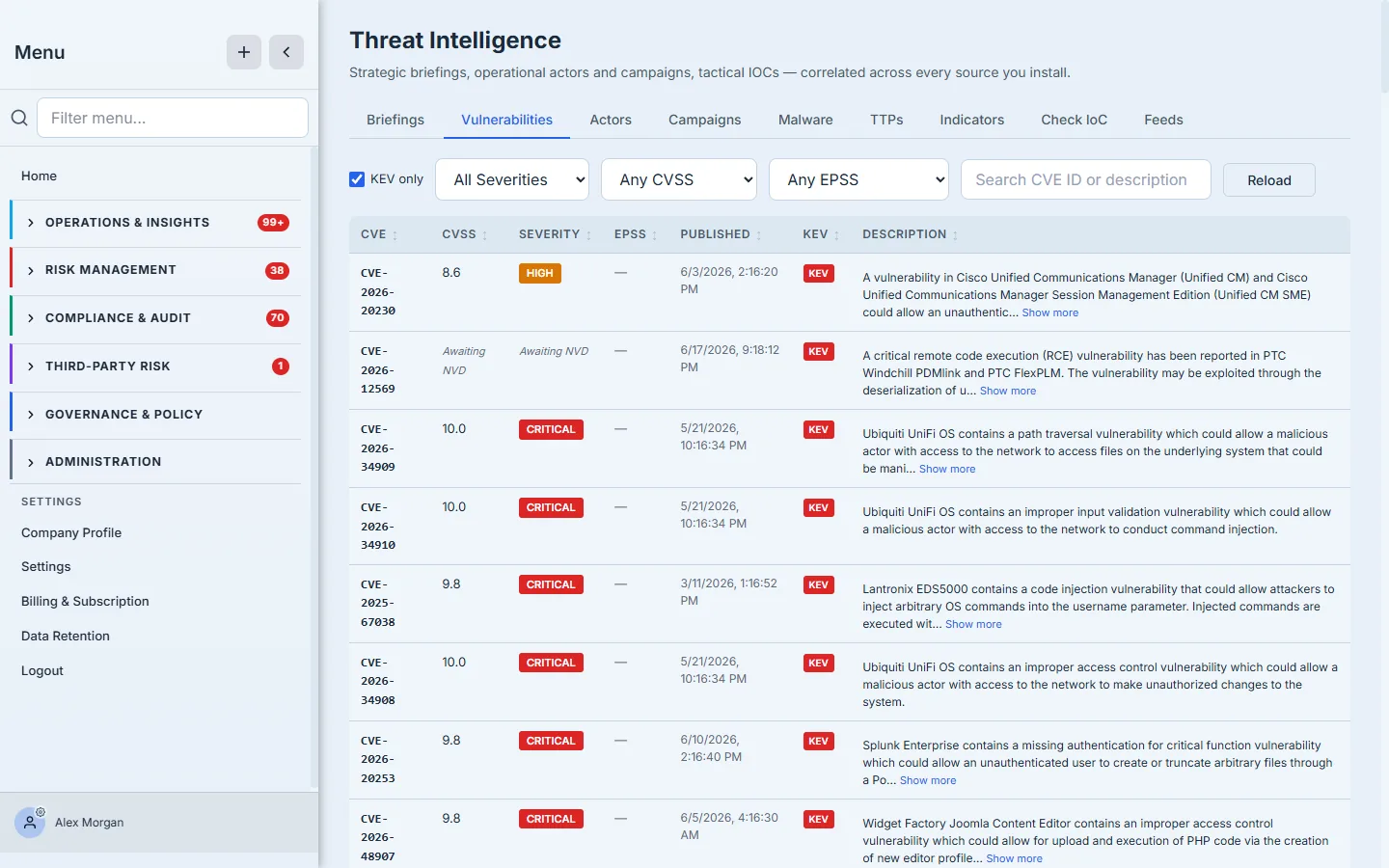
The table shows CVE, CVSS, Severity, EPSS, Published, a KEV flag, and a Description, with filters for KEV-only, severity, CVSS, and EPSS. This is the difference between “CVSS 9.8” and “CVSS 9.8, on the KEV list” — the second is being exploited right now.
To build a patch queue you can actually work: open Vulnerabilities → set the KEV only filter. What remains is the short list of vulnerabilities attackers are actively using, regardless of how many other criticals exist on paper. Then clear KEV and sort by EPSS to rank the rest by how likely they are to be weaponized next. That’s a queue ordered by real-world threat rather than a theoretical severity score. When you need the narrative instead of the raw rows, the strategic Briefings and the Actors / Campaigns / Malware / TTPs tabs roll the same correlated intelligence up for analysts and leadership.
What you walk away with
- Feeds without plumbing. Subscribe to a catalog of sources (abuse.ch, MITRE ATT&CK, OTX, custom feeds) that refresh every two hours and correlate automatically — plus a daily digest so you’re told, not left to poll.
- Indicators you can act on. Deduplicated IOCs with type, source, severity, confidence, and last-seen — corroborated across feeds, ready for your detection tooling, with Check IoC for one-off lookups.
- A patch queue ranked by reality. The KEV-only filter and EPSS exploitation probability push the genuinely dangerous CVEs to the top, so you patch what’s being used, not what merely scores high.
- Tactical and strategic in one place. The same correlated intelligence powers both the raw indicator/CVE layers and the briefings/actors/campaigns narrative.