This is the last article in the vendor-management series, and it’s about the moment all the earlier work has to pay off. You’ve onboarded the vendor, tiered it, sent the questionnaire, collected evidence, tracked the findings, watched the residual risk drop as controls came online. Then an auditor — or a regulator, or your own board — asks the only question that matters: “Show me.”
What most programs reach for at that moment is a spreadsheet and a folder of PDFs. What they actually need is a single, defensible record: this vendor, assessed against this framework, for this period, was determined to carry this much risk, here are the findings, and here are the people who signed off on that determination. That record is the Vendor Risk Attestation — an auditor-ready document generated directly from the finished assessment, with nothing re-keyed and nothing that can drift out of sync with the data behind it.
The frameworks expect exactly this kind of artifact. SOC 2’s CC9.2 wants evidence that you assess and manage vendor risk; ISO 27036 frames it as documented supplier-relationship risk management; NIST SP 800-161 treats it as supply-chain risk documentation. None of them are satisfied by “we looked at it.” They want a record with a determination, a rationale, and an owner. That’s what the attestation produces.
Who’s involved
- TPRM officer / risk manager — generates the attestation, authors (or reviews) the narrative, and is one of the two required signers. Owns the determination.
- Vendor owner — the business owner of the relationship; the first signature on the record, attesting that the determination reflects how the vendor is actually used.
- Auditor / regulator / board — the consumer. Receives a finalized, content-hashed PDF that’s also registered as evidence, so it’s traceable rather than emailed-and-forgotten.
What’s on the page
The attestation lives on a completed vendor assessment case file, on its Attestation tab:
- Generate Vendor Risk Attestation — activates only once the assessment is submitted, reviewed (risk tier assigned), and approved (disabled with a tooltip until then).
- Attestation tab — three narrative sections (Executive Summary, Control Assessment, Risk Determination), each badged Pending → Authored (or AI-drafted · needs review), an authoring box, and a Download PDF (draft).
- Finalize Attestation — gated until all three are authored; stamps a FINAL watermark + SHA-256 content hash + 7-year retention and registers the PDF in the Artifact Repository as evidence on the vendor.
- The finished PDF — cover (vendor / org / framework / risk-tier banner), Vendor Profile table, Findings, Signatures (Vendor Owner → TPRM Officer), and Compliance Citations.
Step 1 — Start from a finished assessment
The attestation isn’t a free-floating document — it’s generated from a completed vendor assessment, so it can’t say anything the assessment didn’t establish. That’s the point: the determination on the attestation is the determination from the assessment, not a fresh opinion typed into a report.
So the gate is deliberate. The Generate Vendor Risk Attestation button only activates once the assessment has been submitted, reviewed (with a risk tier assigned), and approved. Until then it’s disabled with a tooltip telling you what’s missing.
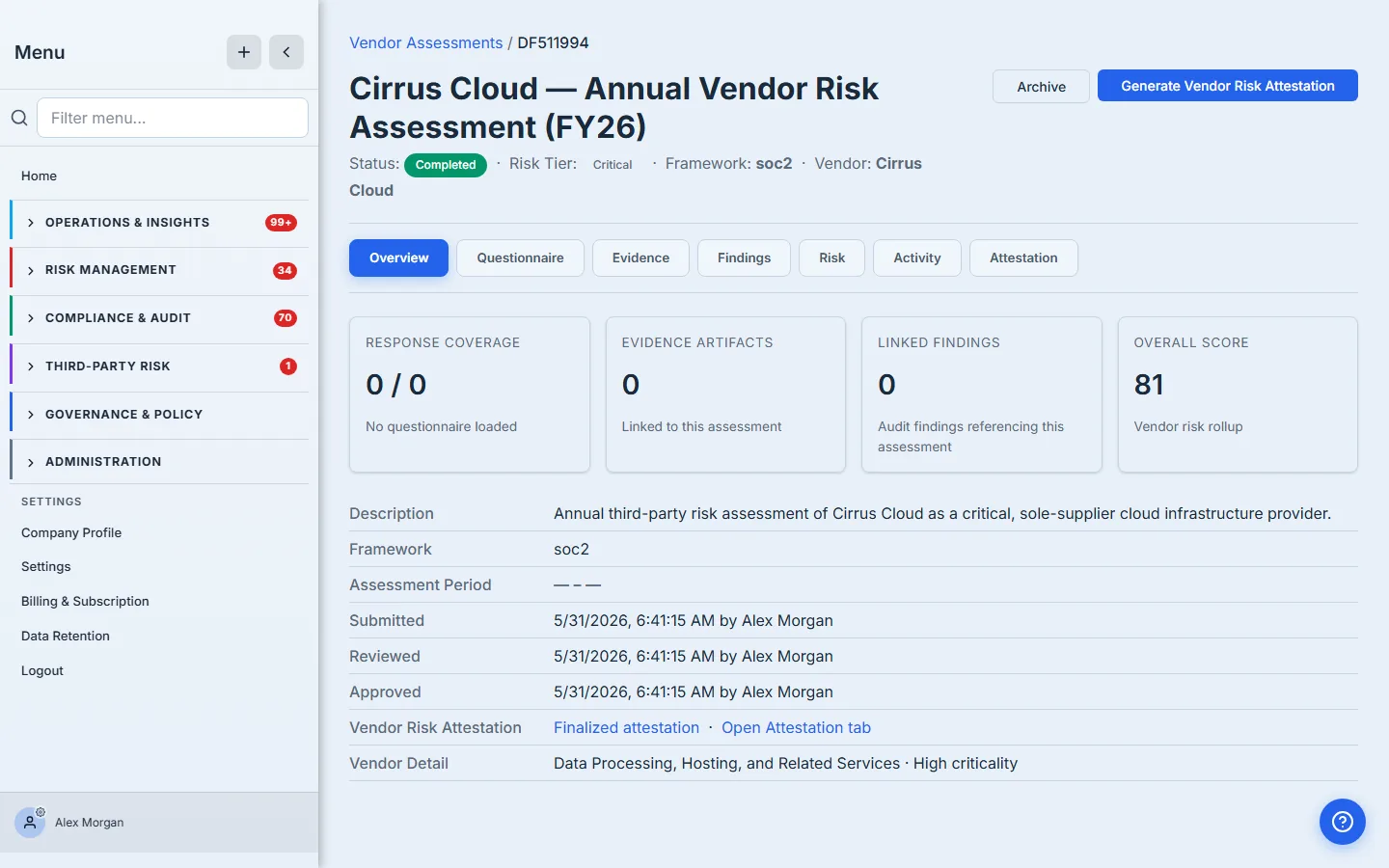
Here the Cirrus Cloud assessment is complete: Critical tier, an overall score of 81, framework SOC 2. The vendor detail line carries the real classification — Data Processing, Hosting, and Related Services · High criticality — pulled straight from the vendor record, not retyped. Everything the attestation needs is now in place.
Step 2 — Generate the draft
Click generate and Talarity assembles the draft on the Attestation tab. It pulls the vendor profile, the assigned tier and score, the linked findings, the required signing order, and the compliance citations directly from the assessment, then lays them into a structured report. What it doesn’t do is invent the prose — the three narrative sections start empty, waiting for an author.
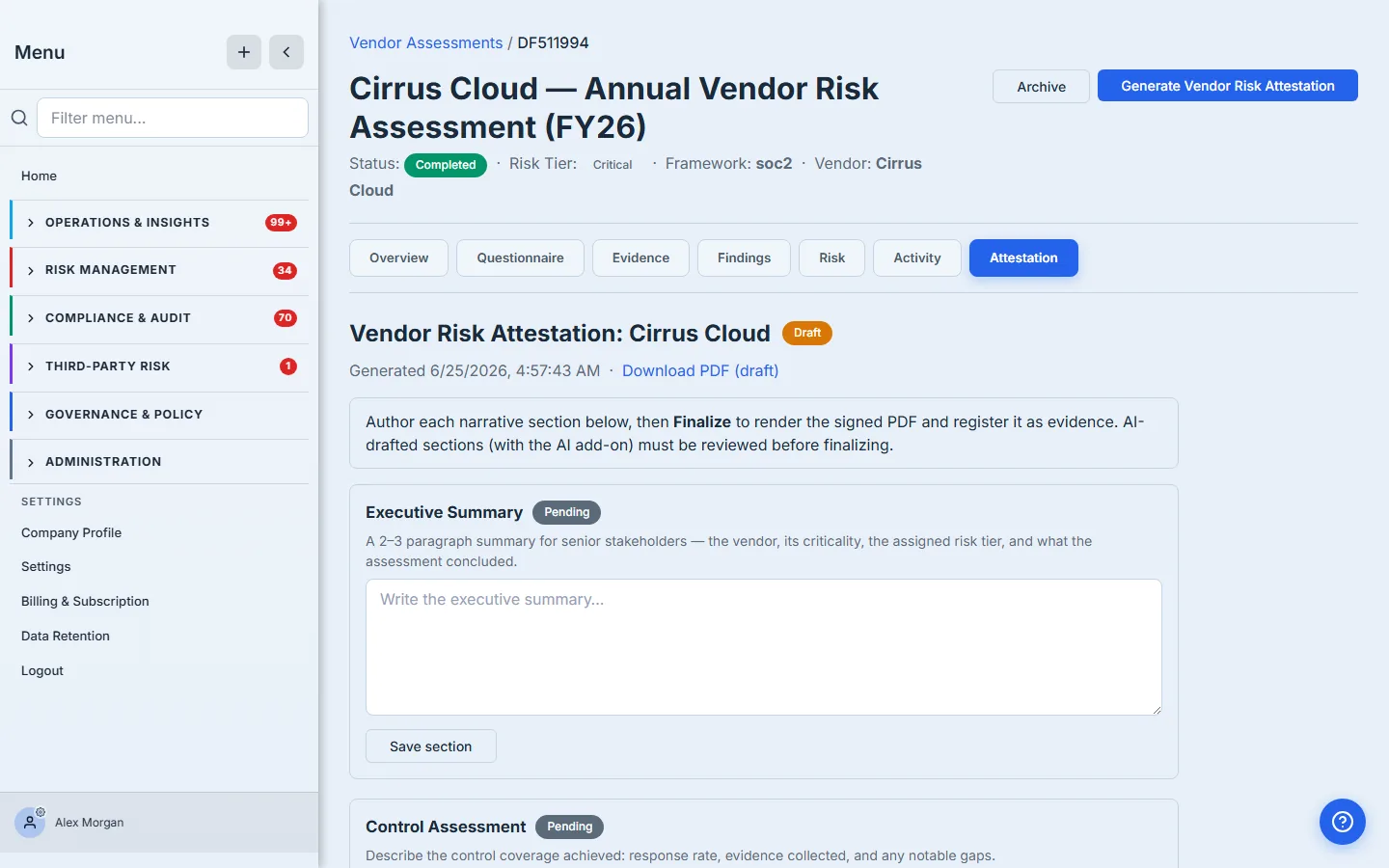
That separation is deliberate. The data in an attestation — the tier, the score, the findings, the signers — is computed and must match the assessment exactly. The narrative — why this tier, what the control review found — is a human judgement that someone has to stand behind. So the draft hands you the data already assembled and asks you to author the three sections that carry the reasoning.
The draft is rendered as a PDF the moment it’s generated, watermarked DRAFT, and you can download it at any point to see exactly what the finished record will look like. Nothing about the report is hidden behind the final step.
Step 3 — Author the narrative
Three sections carry the analysis, each with a prompt for what belongs there:
- Executive Summary — the senior-stakeholder version: the vendor, its criticality, the assigned tier, and the conclusion.
- Control Assessment — what the control review actually found: coverage achieved, evidence collected, gaps worth noting.
- Risk Determination — the rationale for the tier: the factors and findings that drove it, and whether you’re accepting or mitigating.
Write each one and save it. The section’s badge flips from Pending to Authored, and the text is persisted onto the draft immediately.
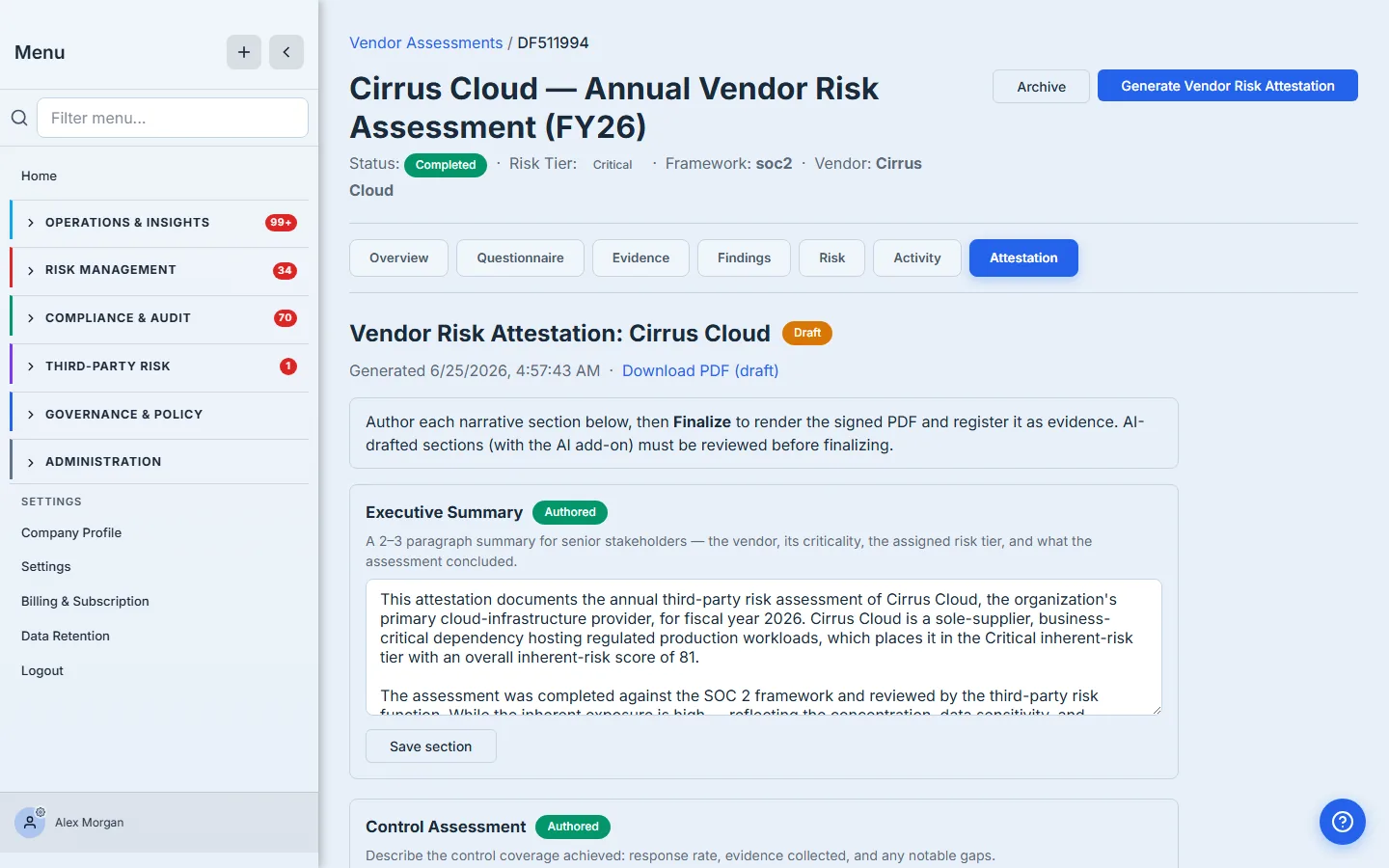
If your organisation has the AI add-on enabled, this step starts further along: the three sections arrive pre-drafted by the model from the assessment’s own numbers, badged AI-drafted · needs review. You don’t get to finalize an AI draft you haven’t looked at — every AI-drafted section must be explicitly reviewed (accept it as-is, or edit it) before the report can be finalized. The human stays accountable for the words either way; the add-on just gives you a first draft instead of a blank box.
Step 4 — Finalize, sign, and register as evidence
Once all three sections are authored, the Finalize Attestation button activates. Until then it stays disabled and tells you precisely what’s outstanding — an empty section, or an AI draft still awaiting review — so you can’t accidentally ship a half-written record.
Finalizing does three things in one step: it re-renders the PDF with a FINAL watermark (capturing the authored narrative, not the empty draft), it stamps the document with a SHA-256 content hash and a 7-year retention class, and it registers the attestation in the Artifact Repository as a piece of evidence linked to the vendor.
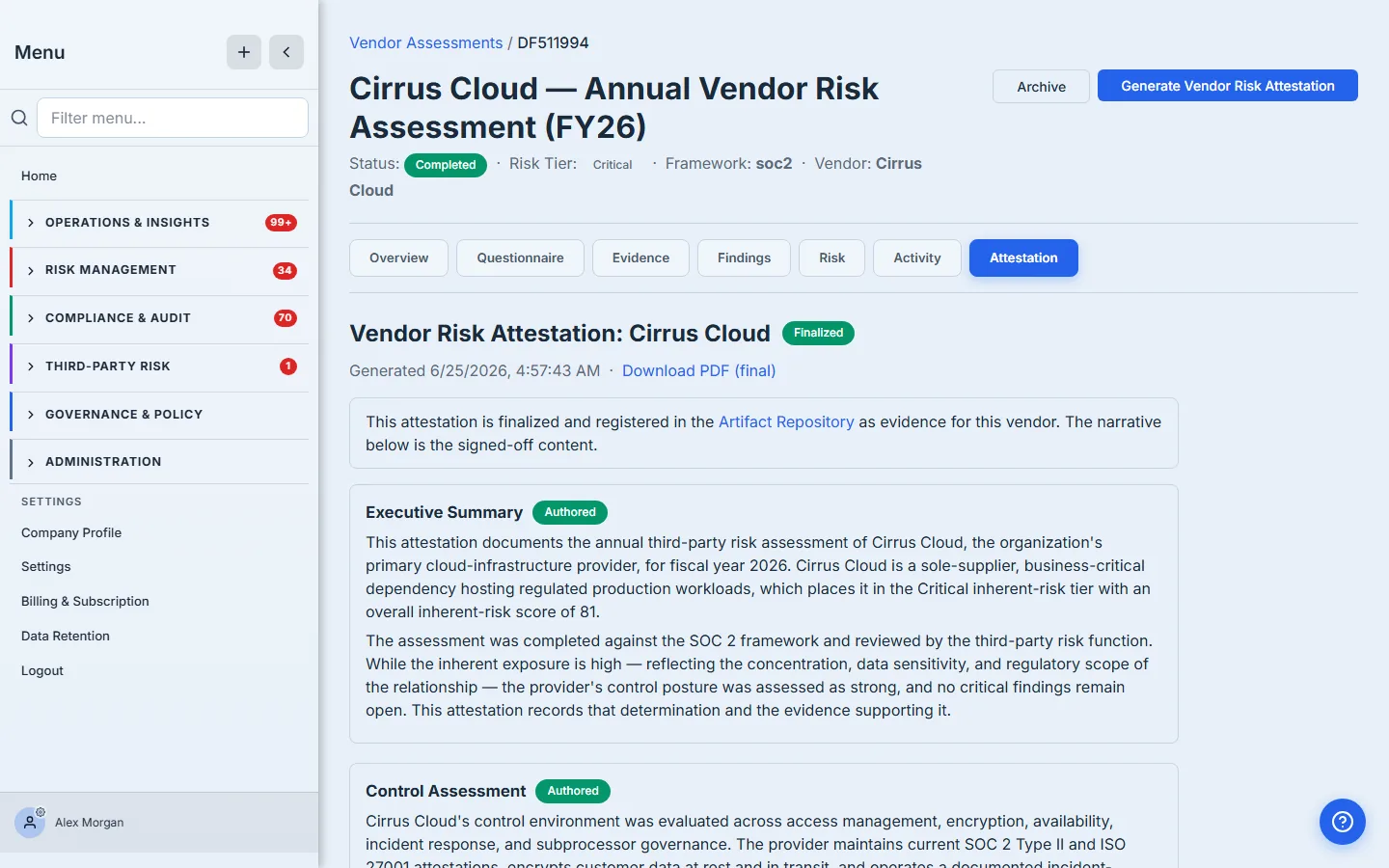
That last part is what separates an attestation from a report you emailed yourself. It’s not a file on someone’s laptop — it’s an evidence record, hashed and retained, that you can point an auditor to and that will still be there, unchanged and provable, years from now.
What the finished record looks like
Open the final PDF and you have the document an auditor asked for, on one continuous record:
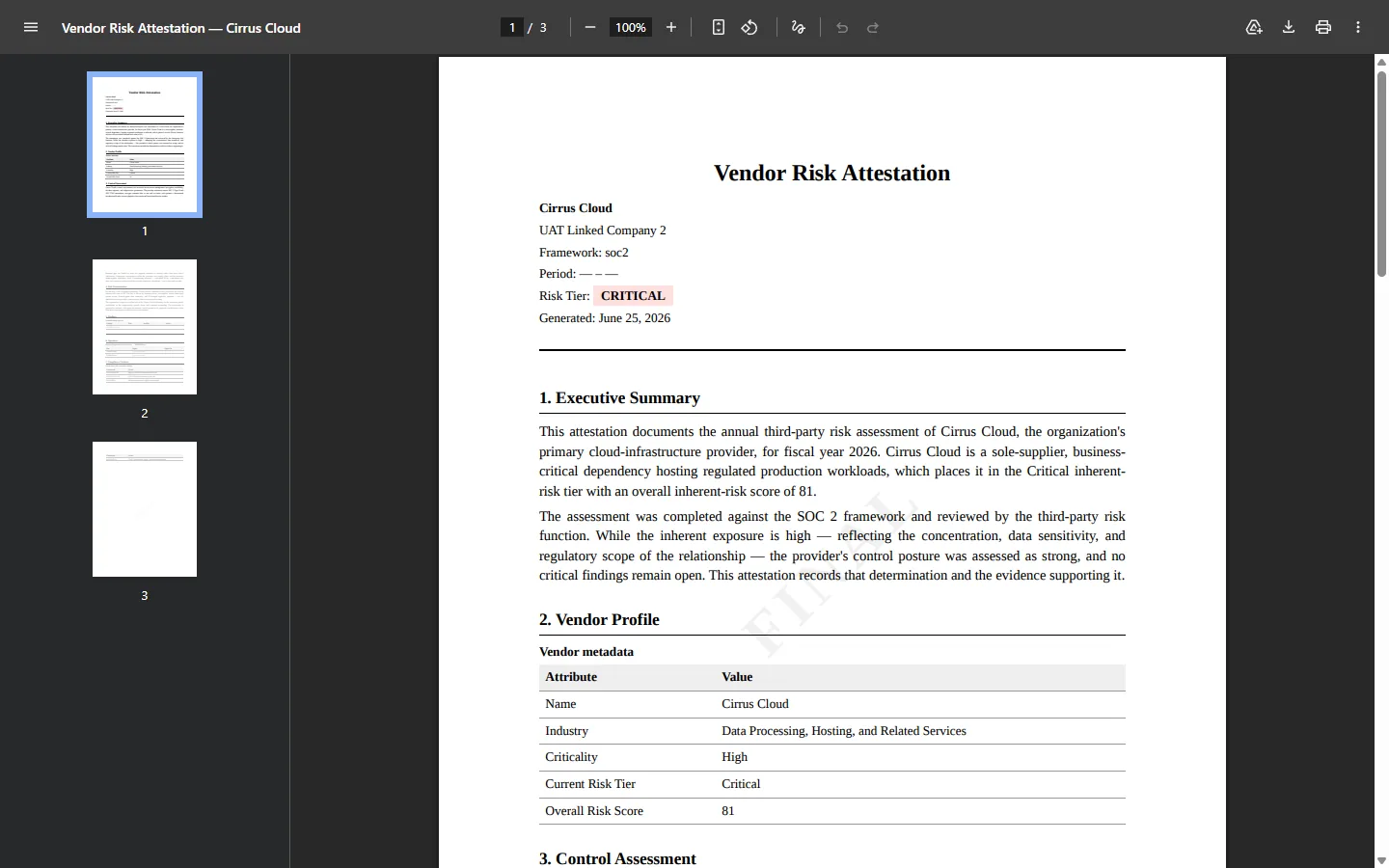
The cover states the determination up front — vendor, organisation, framework, and the Critical tier in a banner you can’t miss. The Vendor Profile table carries the structured facts: industry, criticality, current risk tier, overall score — every value sourced from the vendor and assessment records, so the report can’t disagree with the system it came from.
Below that, the narrative and the proof:
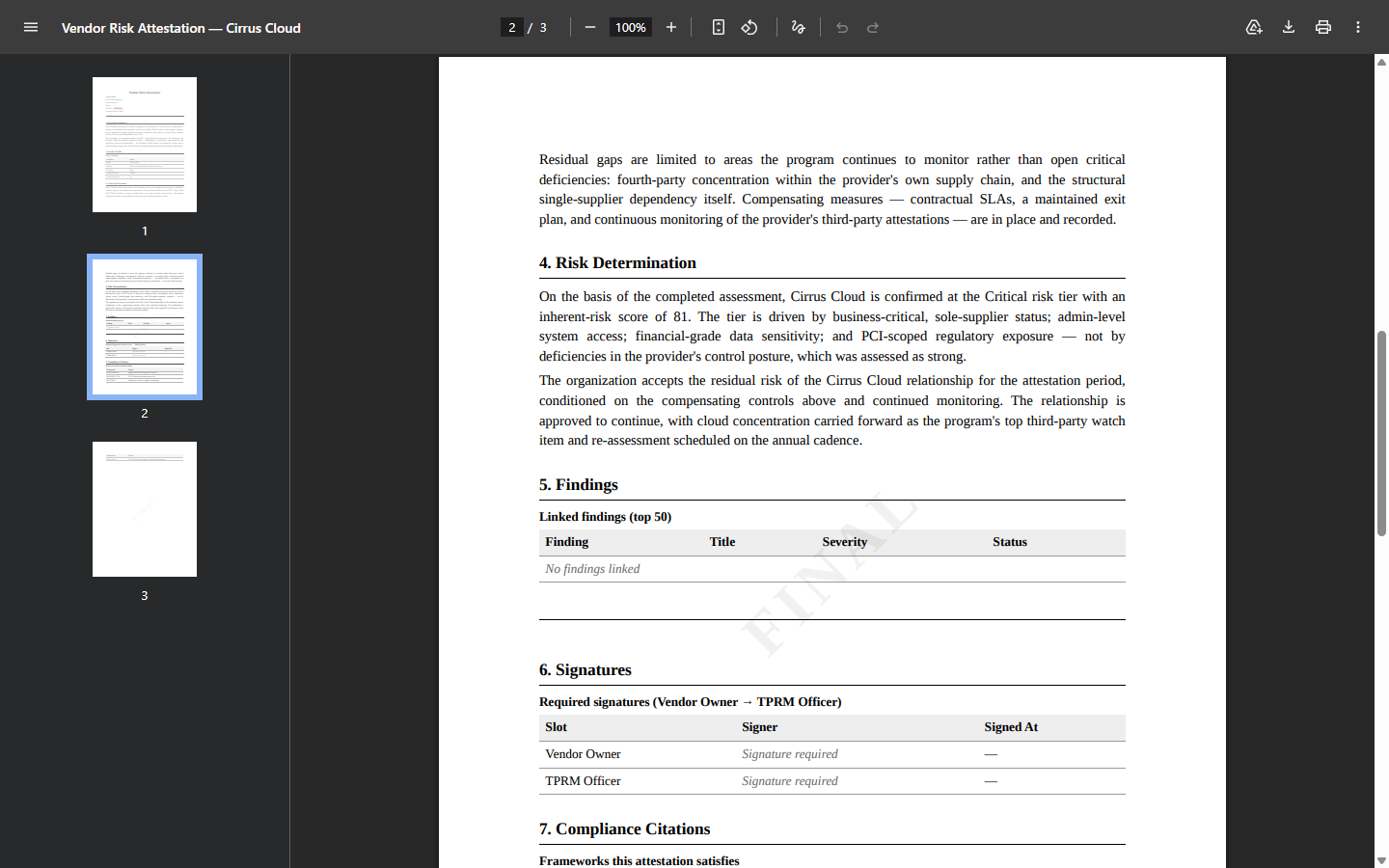
- Findings — the linked audit findings, with severity and status, so the determination is shown against the actual issues, not in the abstract.
- Signatures — a required signing order: Vendor Owner → TPRM Officer. The block names both required signers, so the record carries its own chain of accountability rather than relying on an email thread.
- Compliance Citations — the specific framework clauses this attestation satisfies, so the auditor doesn’t have to take your word that it maps to their checklist.
What you walk away with
- A single, defensible record per vendor — the determination, the rationale, the findings, the sign-offs, and the framework mapping — generated from the assessment so it can never drift out of sync with the data behind it.
- A human-accountable narrative: the reasoning is authored (or AI-drafted and reviewed) by a named person, and the report won’t finalize until every section has been stood behind.
- A two-party sign-off — Vendor Owner and TPRM Officer — baked into the document, not tracked in someone’s inbox.
- A content-hashed, retained evidence artifact, registered in the Artifact Repository against the vendor, that you can hand an auditor today and still produce, unchanged and provable, in seven years.
That’s the whole point of a third-party risk program made tangible. The tiering, the questionnaire, the evidence, the findings, the residual-risk math — all of it exists so that when someone says “show me,” you have a single, signed, traceable record to put in front of them. Finish an assessment, open the Attestation tab, and generate yours. The first one takes about five minutes, and at the end of it you’re holding the artifact the audit actually runs on.
Related: an attestation is a claim; questionnaires and evidence are how it gets tested, and monitoring is how it stays true. Overview: vendor risk management.