Every audit, every customer security review, every regulator request ends with the same sentence: “Send us your evidence.” The problem is never that you lack evidence — it’s that the evidence lives in a dozen places. Your framework readiness is one report, your vendor due-diligence is another, your policy attestations are a third, your continuity tests a fourth. SOC 2 expects you to evidence the controls behind every Trust Services Criterion; ISO 27001:2022 Clause 9 wants proof your program is monitored and reviewed; a customer’s vendor-risk team wants a curated subset, redacted. The usual answer is a shared drive thrown together the night before — no version control, no redaction, no record of who you sent what, and no way to pull access back when the engagement ends.
Evidence Distribution Packages close that gap. You assemble the signed artifacts you already produced — across every domain — into a single immutable package, pick the audience, and hand it over as a redacted, watermarked copy behind a secure link that expires on a date you choose. The same evidence can go to your SOC 2 auditor, your regulator, and a prospect’s security team — each as its own package, redacted to its own profile. You sign the evidence once; you distribute it as many times as you need, on your terms.
Who’s involved
- Compliance / GRC lead — assembles the package, picks the audience, finalizes it, and shares it.
- Control owners — produce the signed artifacts the package draws on (the framework readiness package, the vendor attestation, the policy-acknowledgement report, the DR program report).
- Auditor, regulator, or customer — receives a redacted, watermarked copy through a secure, time-limited link. No Talarity account to provision, no raw files in an inbox.
What’s on the page
Open Evidence Distribution Packages (/app/evidence-packages):
- Package register — a sortable table of packages across the four audiences (Regulator Submission, Internal Review, Customer Diligence, and Audit), each with its status.
- New Evidence Package dialog — a Title field, a Package Type selector for the four audiences, and an optional description.
- Package case file — Overview · Capstones · Evidence · Findings · Recipients tabs: Draft is editable, Finalize freezes and snapshots the packet, and Share is gated on a finalized package.
- Per-recipient controls — a redaction profile, login-gating, and an expiry per auditor, with an access log.
Step 1 — Open the register and pick the audience
Every distribution package lives in one place — in the sidebar as Evidence Distribution, under Audit & Evidence → Evidence Management. Open it and you see your packages as first-class records — each with its number, title, type, status, and how many capstones and pieces of evidence it carries.
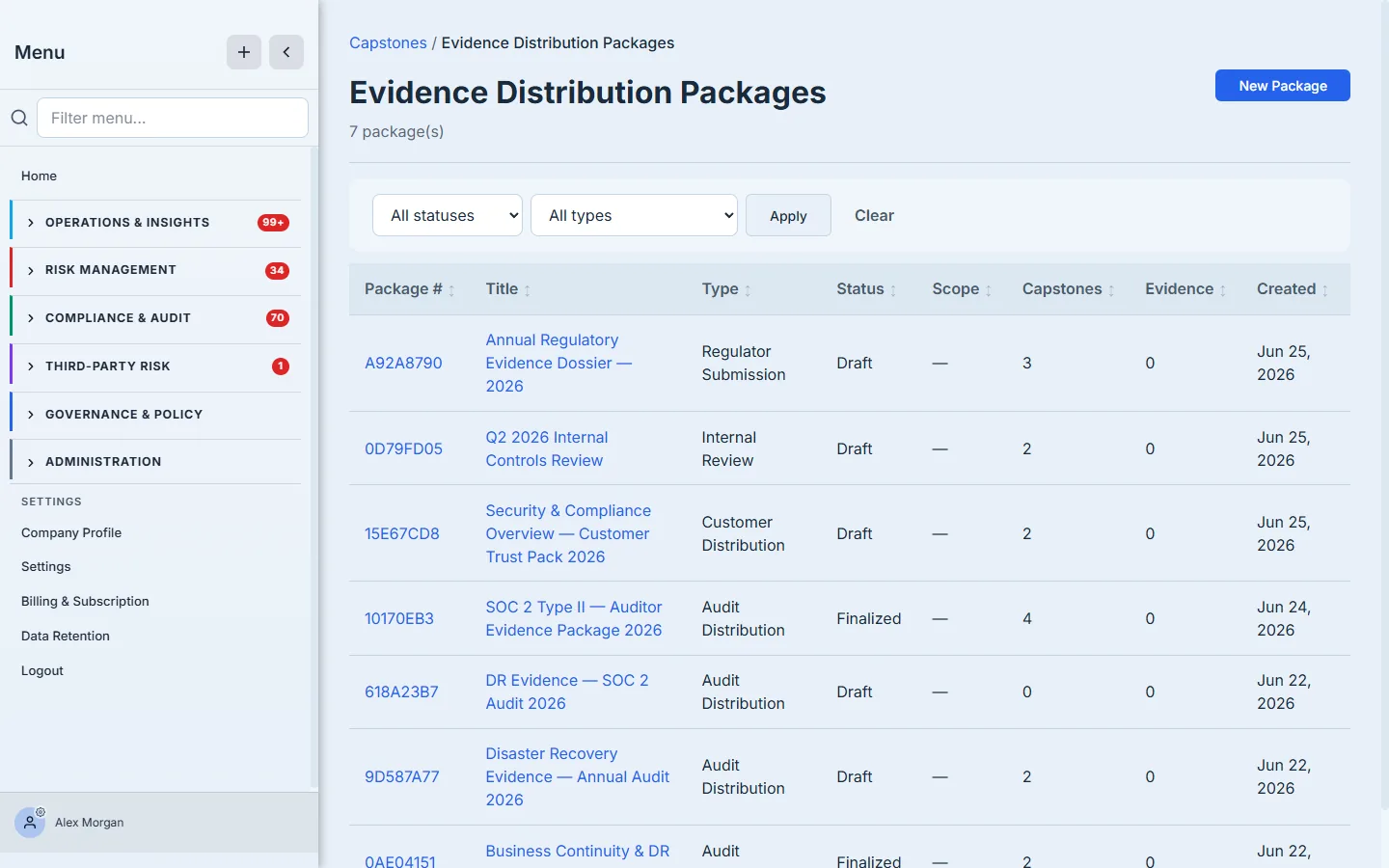
The type is the first decision, and it isn’t cosmetic — it names the audience the package is being assembled for, and it’s what the Recipients log and your auditor read it as. (You pick the redaction audience separately at share time, per recipient.) Click New Package, give it a name, and pick one of four:
- Audit Distribution — an external auditor (SOC 2, ISO). Minimal redaction; they need to see the work.
- Regulator Submission — a regulator or examiner.
- Customer Distribution — a prospect or customer’s security team. Redact more aggressively.
- Internal Review — a management or board review that never leaves the building.
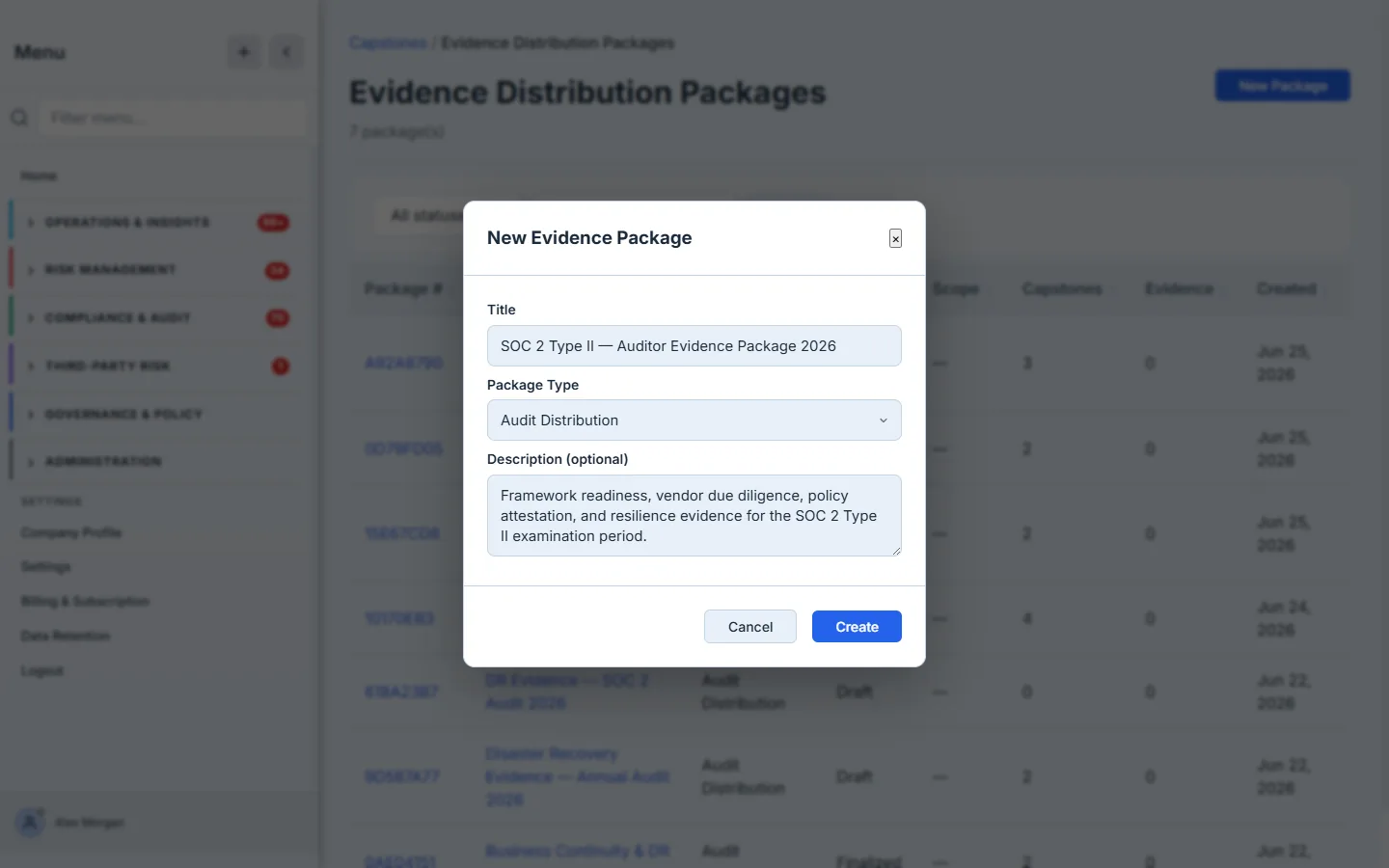
Pick the type for the reader, not the contents. The same DR Program Report is “Audit Distribution” to your SOC 2 firm and “Customer Distribution” to a prospect — and Talarity will redact each copy differently when you share it. Naming the audience up front is what makes the redaction automatic later.
Step 2 — Your package, ready to fill
A fresh package opens on its Overview. It’s a draft — empty, mutable, and waiting for evidence. The header carries the type and status; the Summary panel shows the package number, when it was created, and the retention and expiry it will inherit; and the Scope note tells you plainly that this package covers evidence across your whole organization rather than one entity.
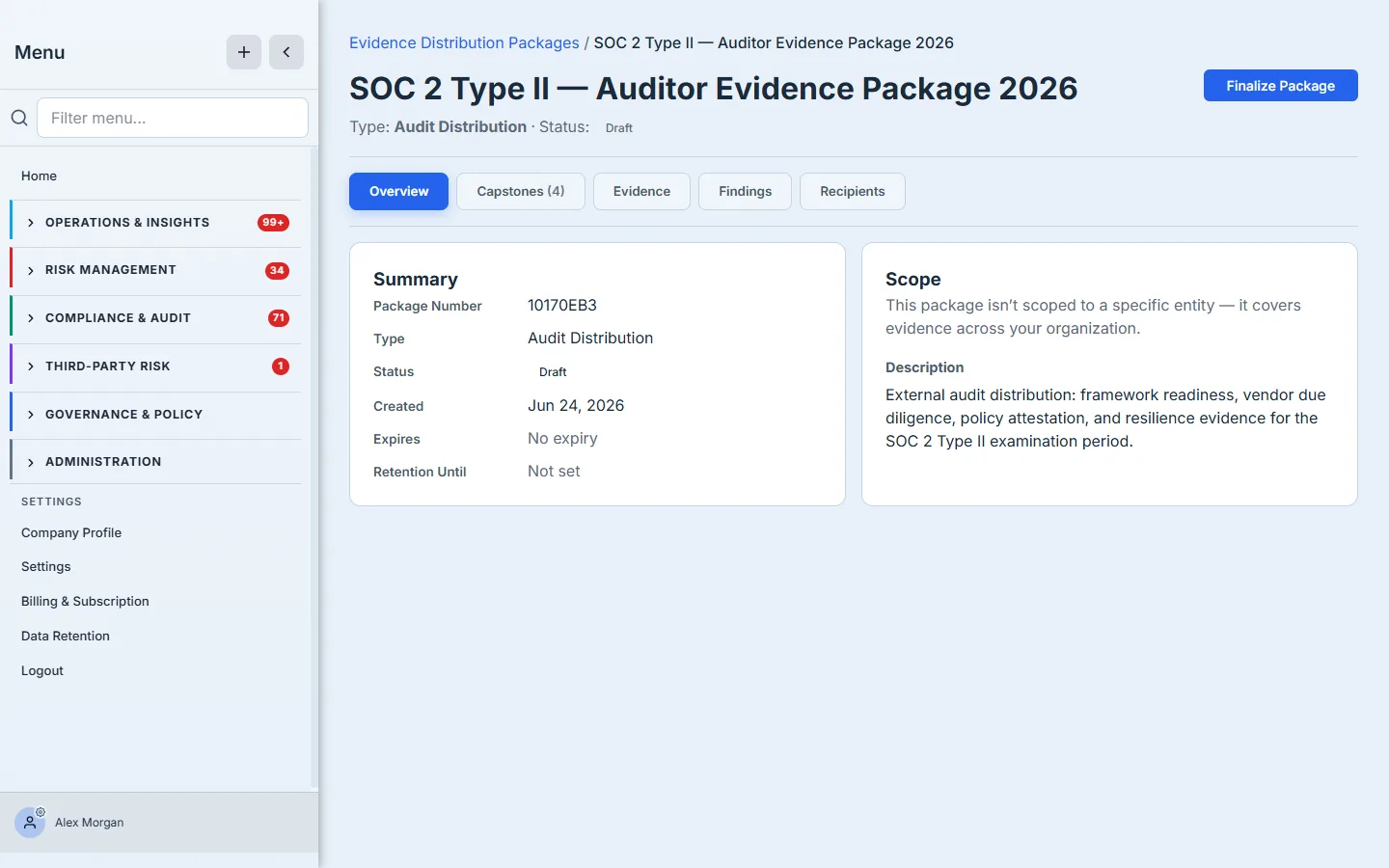
Everything here is reversible while the package is a draft. You add evidence, review it, remove what doesn’t belong — and nothing is locked until you decide it’s complete.
Step 3 — Assemble evidence from across your program
This is the part that turns four scattered reports into one package. Open the Capstones tab and click Add capstones. The picker lists every finalized capstone in your library — the signed, immutable artifacts the platform has already produced — each with its type, its title, and the date it was sealed.
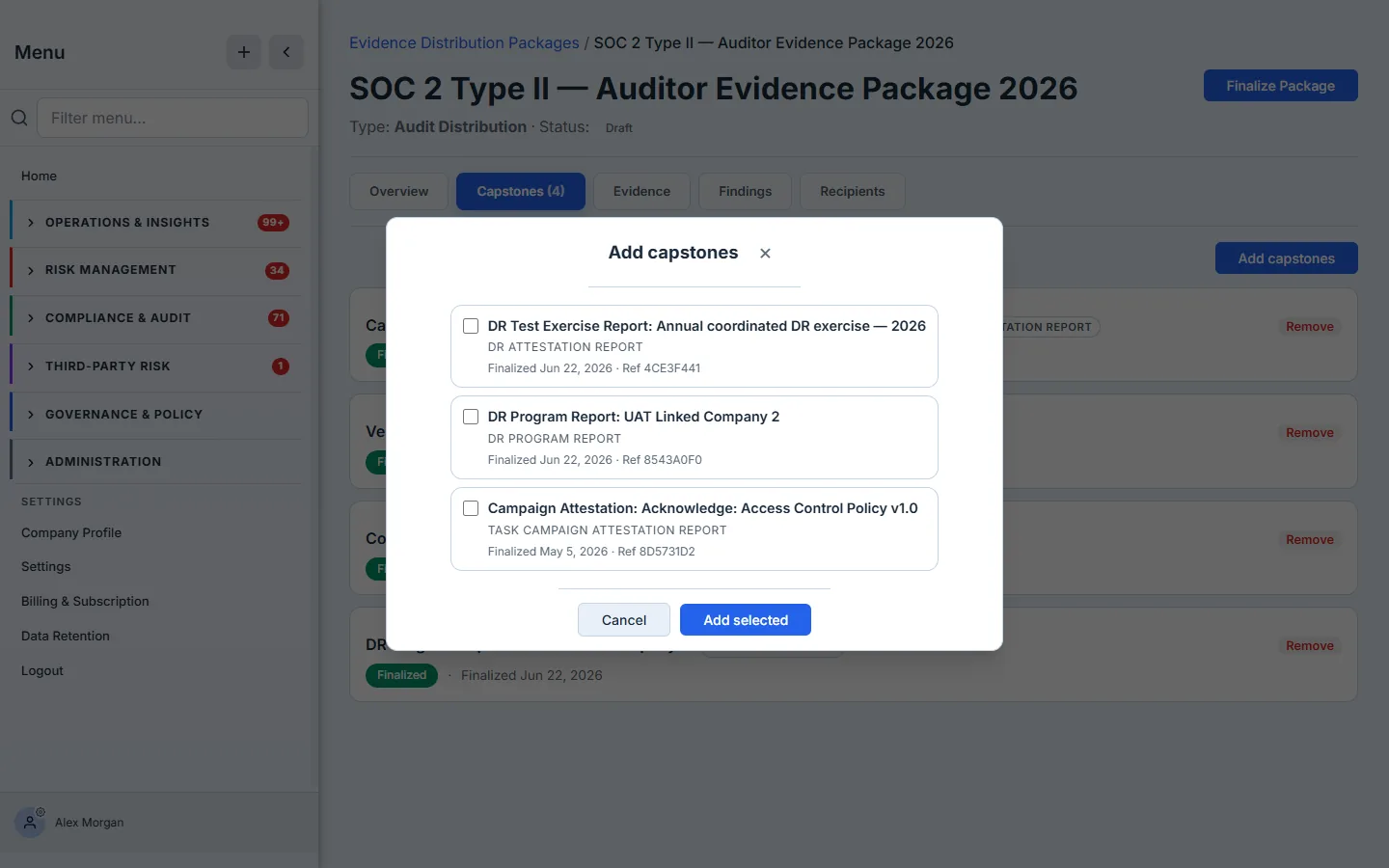
You’re not uploading files or pasting IDs. You’re selecting from evidence you already signed. Tick the artifacts this audience asked for and add them. For a SOC 2 package, that’s the whole program in one view:
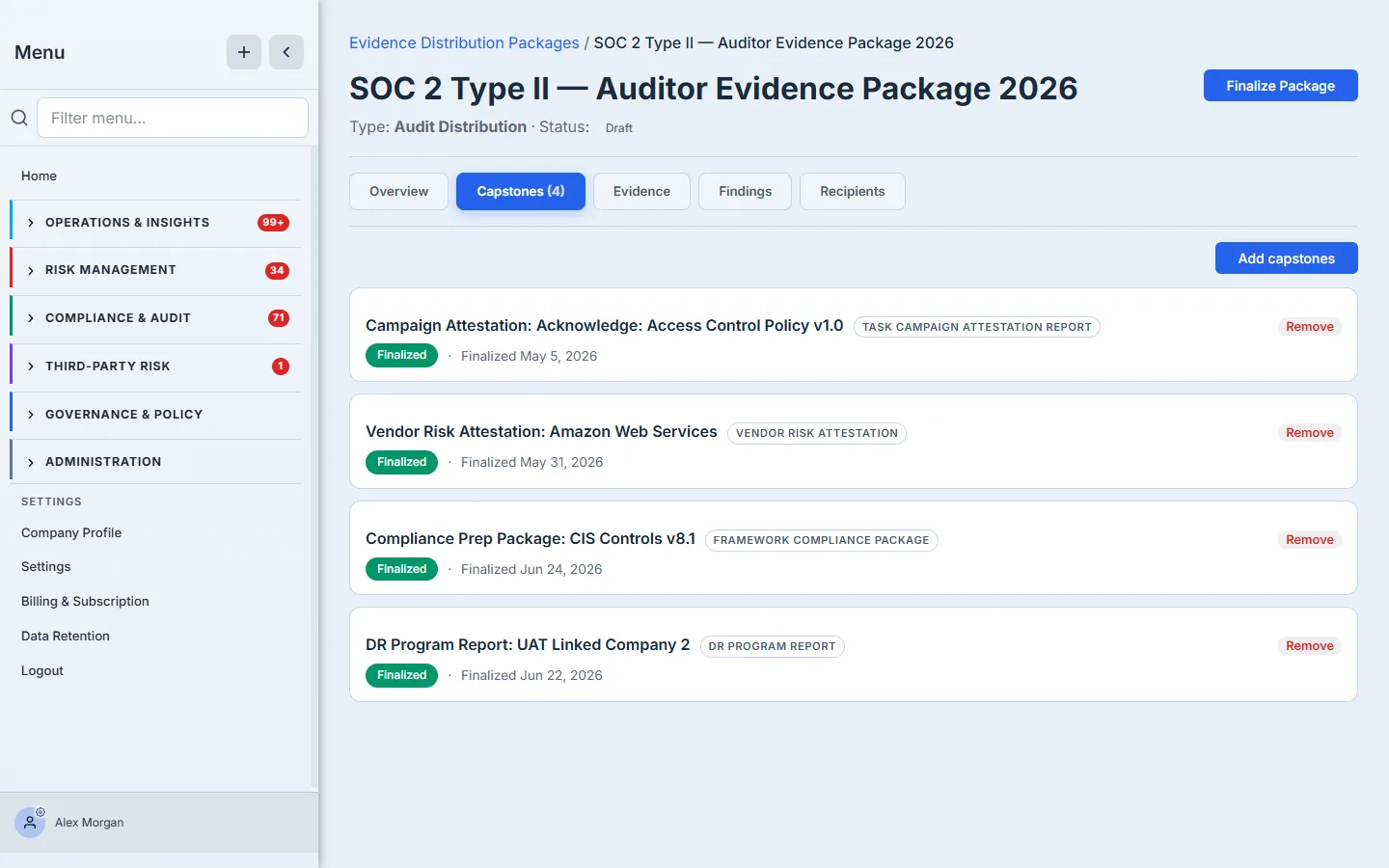
That single view is the difference between “here’s a folder” and “here’s a package.” Four domains — governance (a policy-acknowledgement attestation), third-party risk (the AWS vendor attestation), compliance (the CIS Controls v8.1 framework package), and resilience (the DR Program Report) — each a signed artifact with its own provenance and seal date, not a loose PDF someone might have edited.
A capstone can sit in many packages at once. The same finalized DR Program Report goes into your SOC 2 audit package, your regulator dossier, and your customer trust pack — three packages, three audiences, three redaction profiles, one signed source of truth. Beside Capstones, the Evidence and Findings tabs let you fold in linked evidence and audit findings the same way; the deeper findings workflow lives in the Audit Hub, which is where that thread continues.
Step 4 — Seal it
When the contents are right, finalize the package. Finalizing is deliberate and irreversible, so Talarity asks you to confirm: once sealed, the package is immutable — no adding or removing capstones, evidence, or findings — and a Distribution Packet, the single watermarked PDF bundle your recipient receives, is generated automatically.
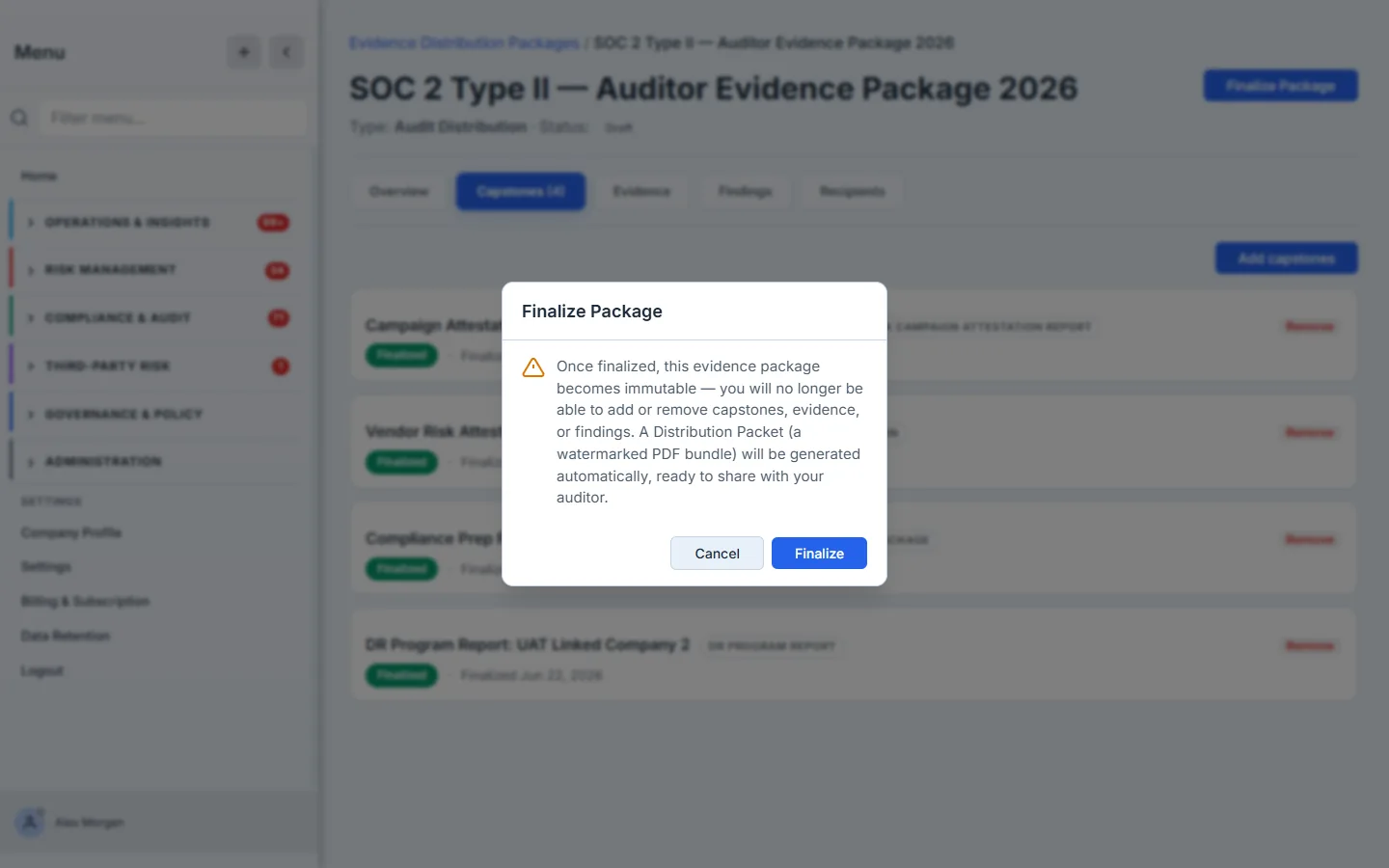
Immutability is the whole point. An auditor has to trust that what they reviewed is what you attested to — a package you could quietly edit afterward is worthless as evidence. Once you finalize, the package becomes a fixed record, and the Overview shows the auto-drafted packet sitting ready to send.
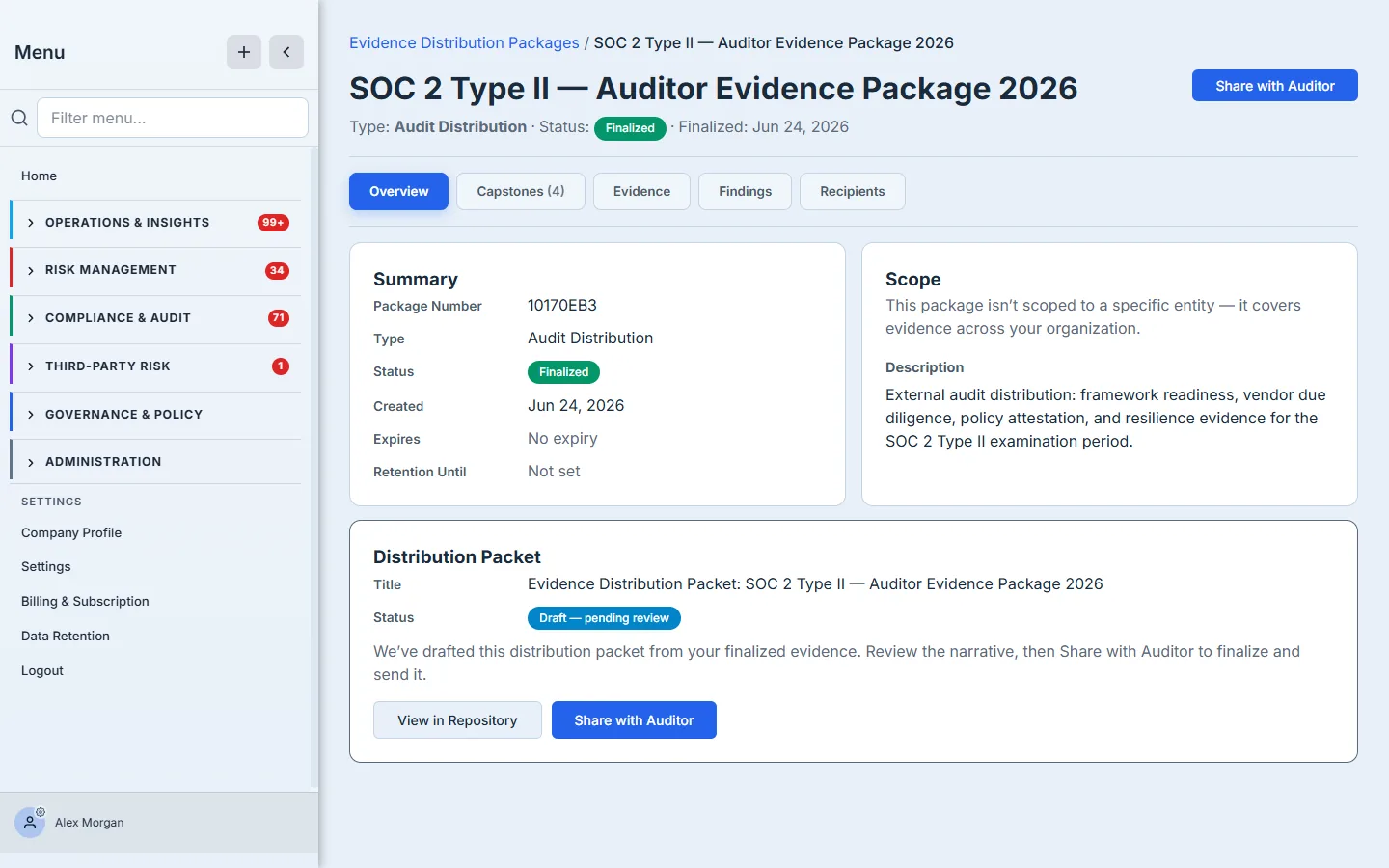
The packet is drafted but held as pending review — Talarity writes a cover narrative from your evidence and waits for you to send it, rather than firing it off automatically. The review gate is yours; nothing leaves until you share it.
Step 5 — Hand it to the auditor
Now the handoff. Share with Auditor opens one short form: the recipient’s email, an audience, a checklist of what to hide from their copy, and an optional expiry.
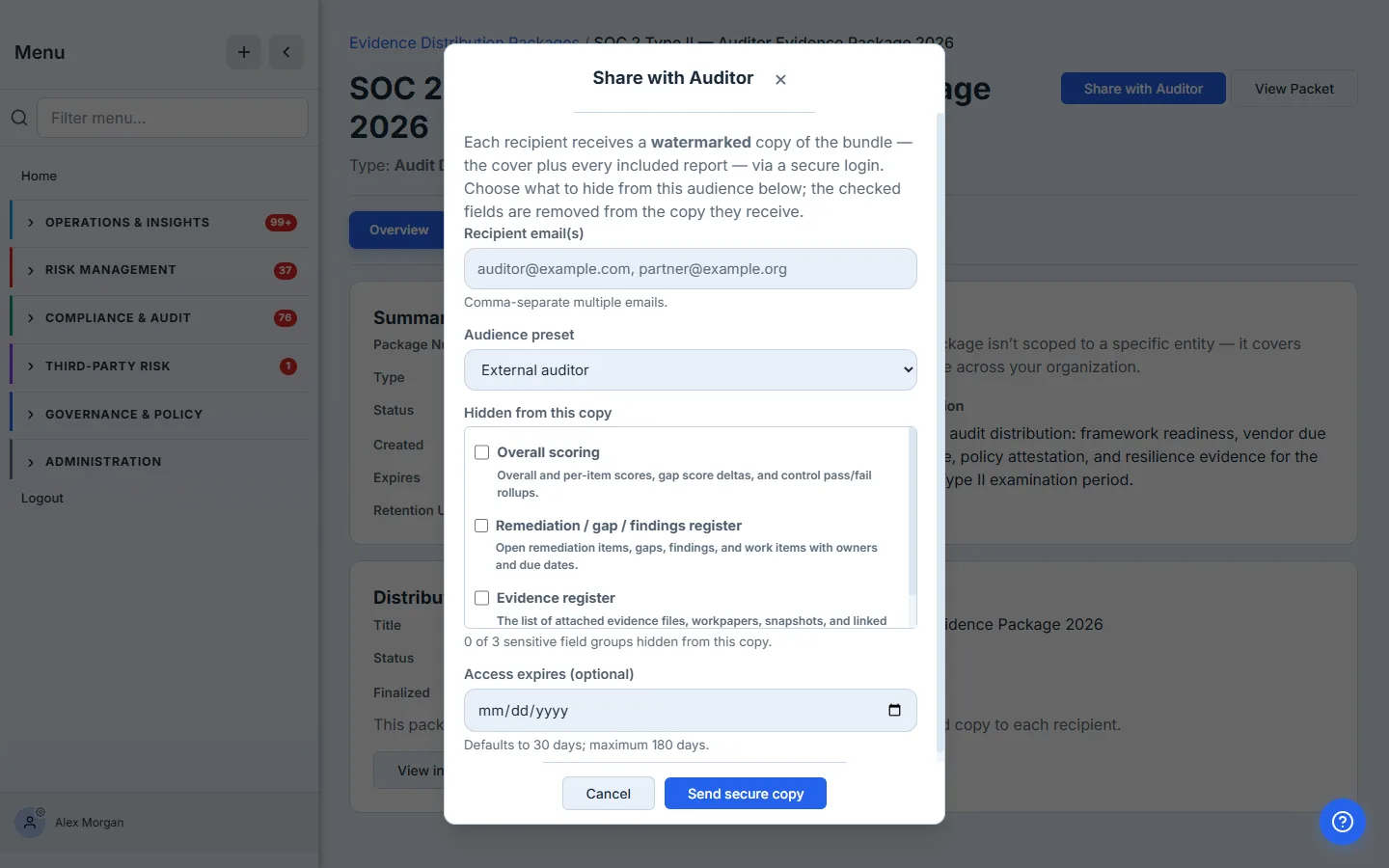
Each recipient gets a redacted, watermarked copy and an email with a secure login link — no Talarity account to create, no raw file to leak. The audience you pick — External auditor, regulator, customer, or vendor — seeds the checklist beneath it, and you control every line: the checklist offers only the sensitive field groups that actually exist in this package’s reports (reviewer notes, staff identities, per-question answers, scores, the remediation and evidence registers), with a live count of how many are hidden. Nothing is masked silently, and you are never offered a redaction that would mask nothing. Access defaults to 30 days and runs to a maximum of 180 — and the moment it expires, the link stops working. Every recipient is recorded on the package’s Recipients log, so you keep a defensible record of who received what, redacted how, and until when.
Step 6 — What the recipient sees
This is the part most teams never get to see from the other side. When your auditor opens the link, they don’t land in your Talarity account — they land on a clean, single-purpose view of exactly what you shared: the packet, named, with the date their access expires stated plainly at the top, and the watermarked PDF bundle rendered inline to read right in the browser. That bundle is the cover plus the reports themselves plus every PDF document you included — merged into one file, not a cover letter pointing at evidence they don’t have. If the package also holds documents that aren’t PDFs — a control matrix in a spreadsheet, a signed certificate image — they’re listed underneath as Files included in this package, each on its own link with the same expiry. There’s nothing else on the page: no navigation into your program, no other packages, no way to wander.
The bundle is watermarked with the recipient’s own identity on every page, so a leaked screenshot traces back to its source, and it’s redacted to the field groups you chose in Step 5. Be deliberate about the non-PDF files: a spreadsheet or an image has nowhere to carry a watermark and no fields to mask, so those travel as you uploaded them — and a recipient downloads them to open them, even on a view-only link. When the expiry passes, the whole link — bundle and files — returns “access expired” instead of the document. That’s the difference between emailing a PDF you can never take back and granting a controlled, revocable, accountable view: the recipient reads the evidence, and you keep the receipt.
What you walk away with
- One package, not a scramble — the framework, vendor, policy, and resilience evidence an auditor needs, assembled from artifacts you already signed, instead of a shared drive built the night before.
- The right copy for each audience — auditor, regulator, customer, or internal, each with its own redaction profile, from one signed source of truth.
- Evidence that holds up — finalized packages are immutable; the recipient reviews exactly what you attested to, with seals and dates intact.
- A controlled handoff — redacted, watermarked, login-gated, and time-limited, with a recorded trail of every recipient — instead of a file in an inbox you can never recall.
When the request comes in, open Evidence Distribution Packages, pick the audience, add the capstones your program already produced, finalize, and share. The first one takes about five minutes — and it turns “scramble for the evidence” into “hand it over and move on.”