Security questionnaires are how third-party due diligence actually happens. SOC 2 CC9.2 expects you to assess vendor risk; ISO 27001:2022 A.5.19/A.5.20 expects supplier controls to be agreed and monitored; NIST SP 800-161 builds its whole model on getting evidence from suppliers proportional to their risk. In practice that means sending a CAIQ, a SIG, or a VSA and getting defensible answers back.
The failure mode is everyone’s inbox. A spreadsheet goes out as an attachment, comes back three weeks later half-filled, gets eyeballed by whoever’s free, and the “score” is a gut call nobody can reconstruct at audit time. Two analysts assessing the same vendor land in different places. The evidence the vendor cited lives in a different email.
Talarity makes the questionnaire a system, not an attachment: a library of industry-standard templates you clone and send, a secure portal the vendor fills out (no login, no spreadsheet), automatic weighted scoring, a reviewer disposition with separation from the answers, and a one-click PDF of record. The same questionnaire scored the same way, every time.
Who’s involved
- Program owner — curates the template library: which standard, cloned and tuned to your program, published so it can be sent.
- Security analyst — sends a questionnaire to a vendor, then reviews and scores what comes back.
- The vendor — fills the questionnaire in a browser through a secure link; no account required.
- Auditor — reads the response of record: every answer, the points it earned, the evidence cited, and who approved it.
What’s on the page
Open Third-Party Risk → Vendor Assessments, on the Questionnaires tab (/app/vendor-questionnaire-builder):
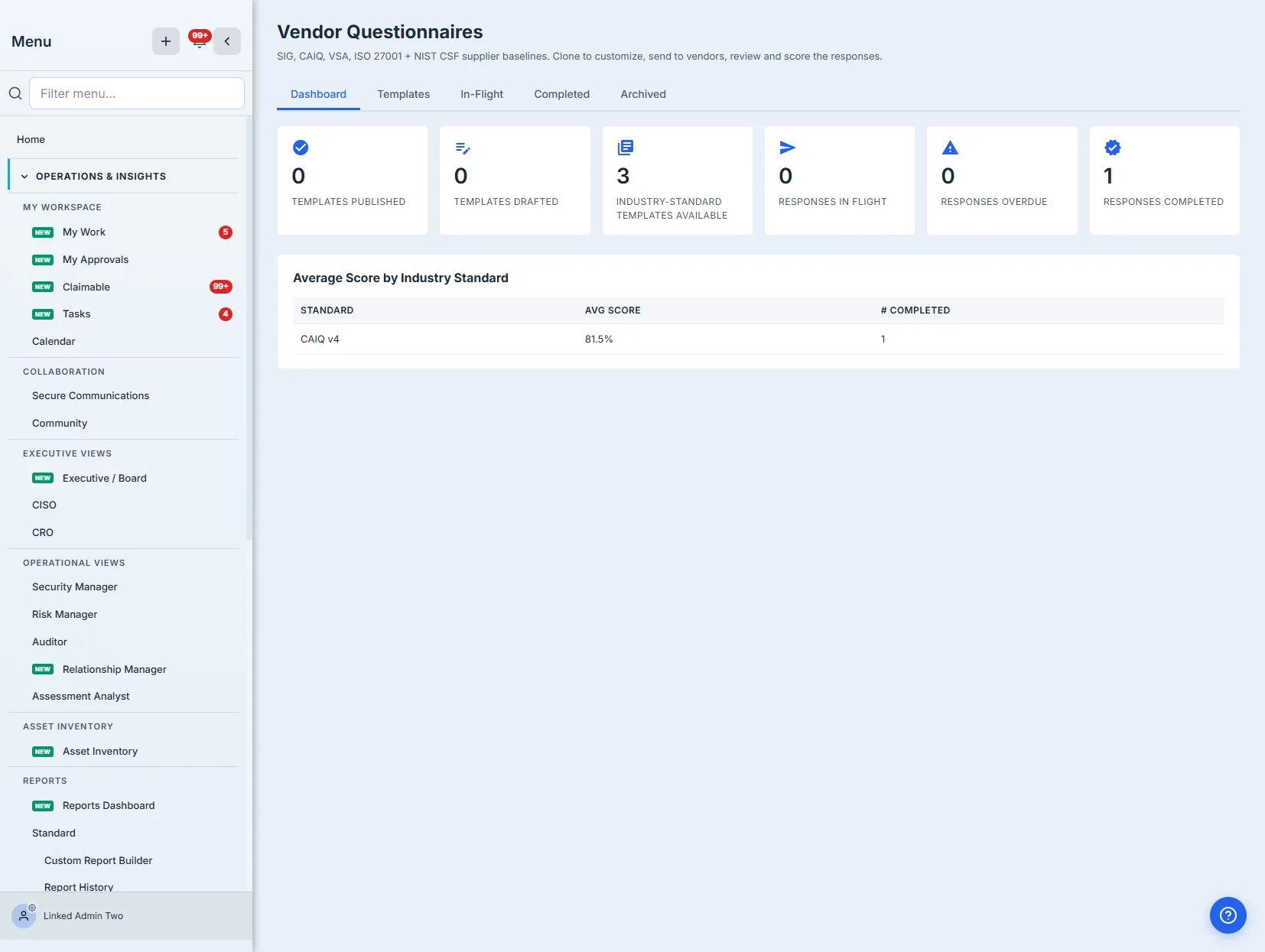
- Dashboard — templates published / available, responses in-flight / overdue / completed, and average score by standard.
- Templates tab — the library (CAIQ v4, SIG Lite, VSA Core baselines) with View / Clone / Send per template; cloning makes an editable draft, Publish locks it.
- Send modal — vendor contact email(s), assessment name, due date, and the link-validity window.
- Vendor portal — the no-login form the vendor fills: answers by domain, evidence-reference fields, Save progress, and an attestation before submit.
- In-Flight queue + Response review — submissions arrive already scored; the review shows the per-question transcript with points + cited evidence, a reviewer disposition (approve / reject / needs clarification / pending), and Recompute score / Export PDF.
Step 1 — The library: industry standards, ready to send
Open Third-Party Risk → Vendor Assessments, on the Questionnaires tab (/app/vendor-questionnaire-builder). The Dashboard is the program at a glance — how many templates you’ve published, how many are industry-standard baselines available to clone, how many responses are in flight, overdue, and completed, plus the average score by standard once responses start landing.
The Templates tab is the library. Out of the box you get published, platform-global baselines drawn from the real standards — CAIQ v4 (Cloud Security Alliance), SIG Lite (Shared Assessments), and VSA Core (Vendor Security Alliance) — each with its real domain structure and question codes.
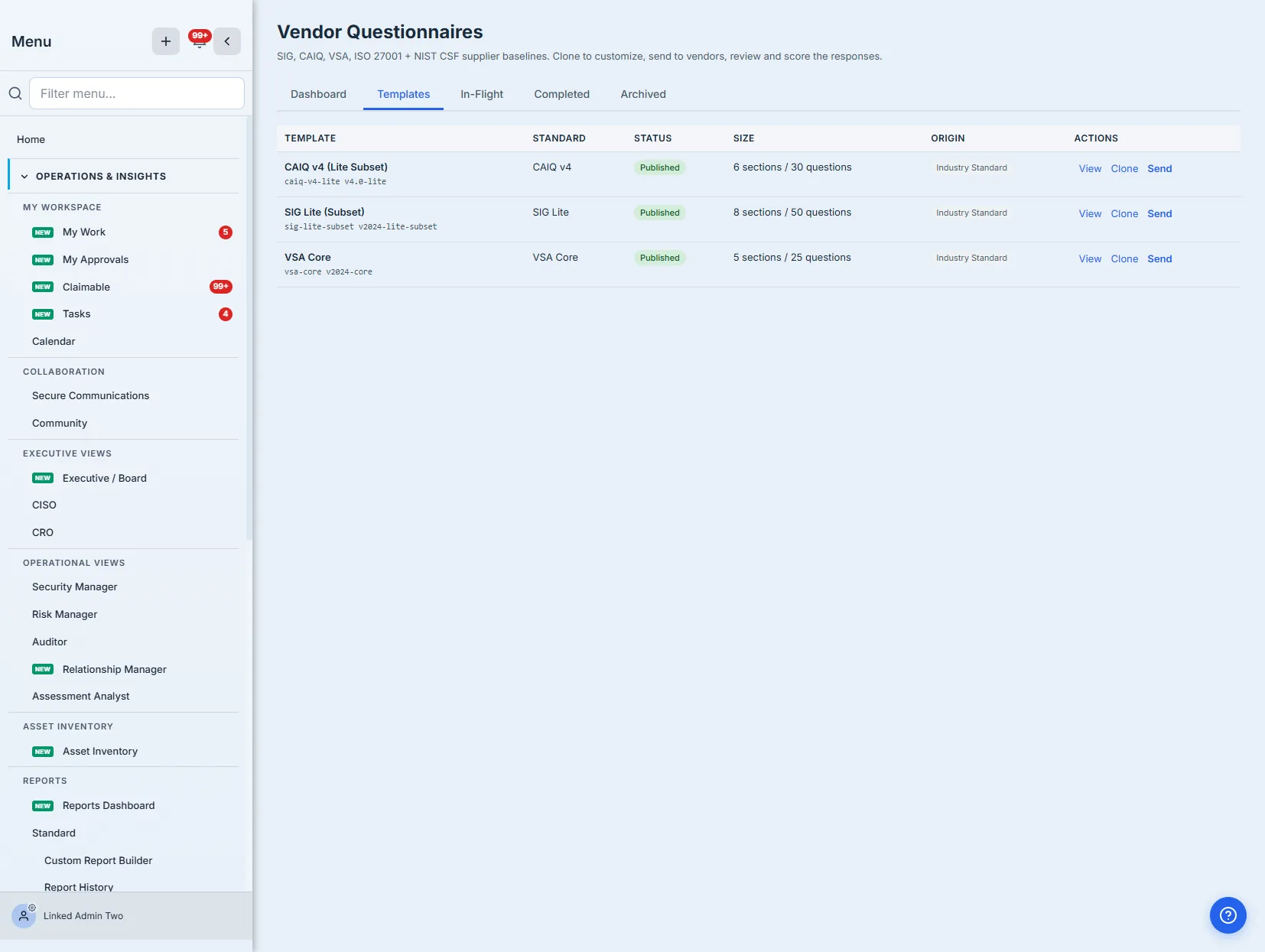
These aren’t placeholder questionnaires. The CAIQ baseline carries real Cloud Controls Matrix domains and question codes (AIS, IAM, DSP, IPY, SEF, BCR); SIG Lite spans the Shared Assessments domains; VSA Core covers the five VSA categories. You send the vendor the actual standard, with the codes their team already recognizes. (The baselines ship as representative subsets of each standard — e.g. a CAIQ Lite subset — that you clone and extend to the full question set.)
Step 2 — Look before you send
Click View on any template to read it end to end — every section, every question, its code, whether it’s required, and the answer format. This is where you decide whether the baseline fits or needs tuning.
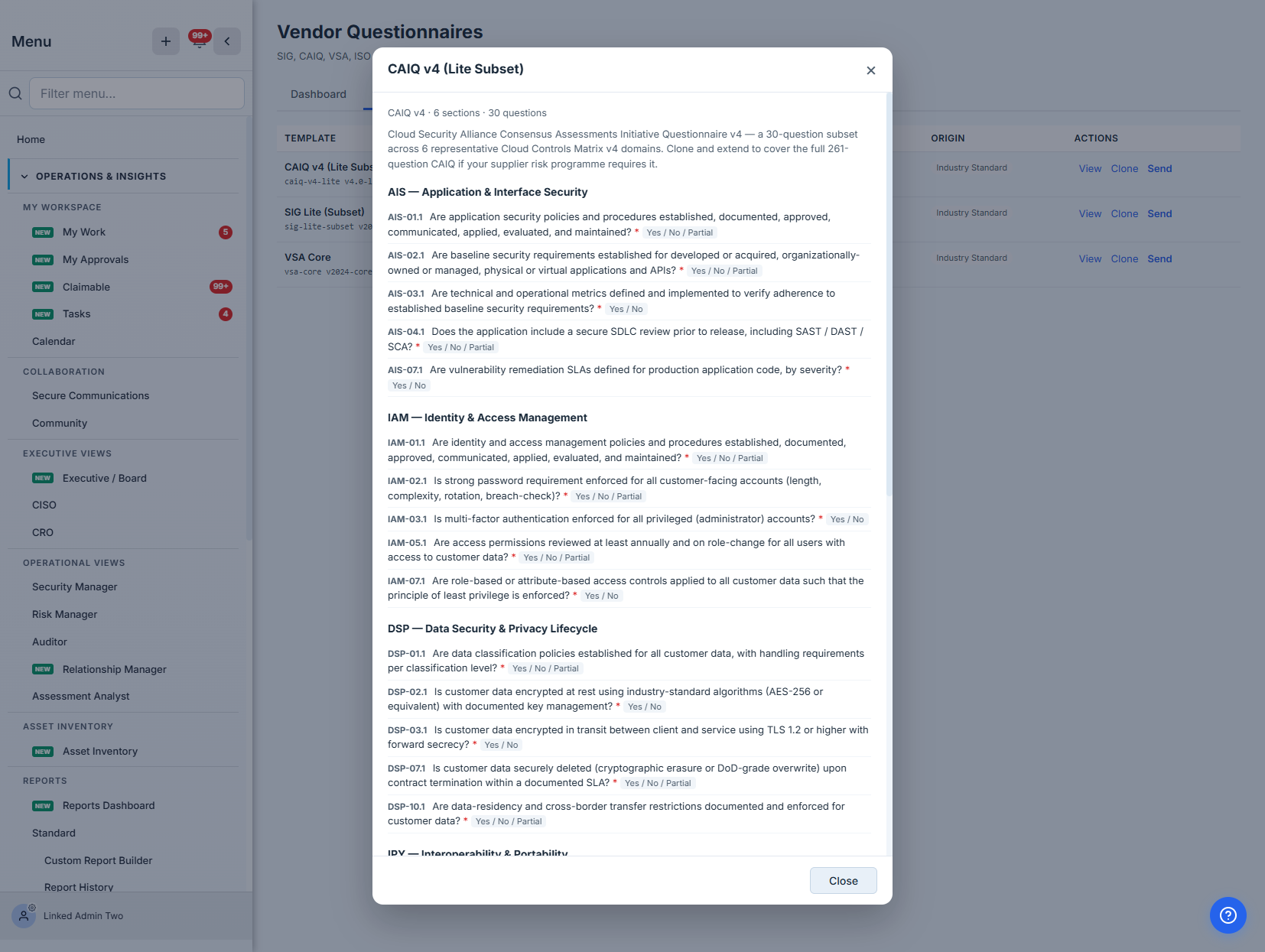
The answer type matters because it drives scoring later: a Yes / No / Partial question can earn partial credit; an evidence-flagged question asks the vendor for a document reference; a free-text question is a placeholder for you to make the standard your own. Which brings up the most useful button on this page.
Clone copies a platform baseline — every section and question, with its weights and evidence flags intact — into a draft you own. Industry baselines are read-only by design (so the standard stays the standard); cloning is how you add an industry-specific question, drop one that doesn’t apply, or reweight what matters to your program. A cloned draft is editable; once you Publish it, it locks (clone again to make the next change) and becomes available to send. Platform baselines are already published, so you can send them as-is or clone-then-publish your tuned version.
Step 3 — Send it through the portal
Click Send. You pick the vendor contact’s email — add more than one if several people at the vendor will collaborate on a single shared response, each getting their own link — give the assessment a name, optionally set a due date, and choose how long the access link stays valid.
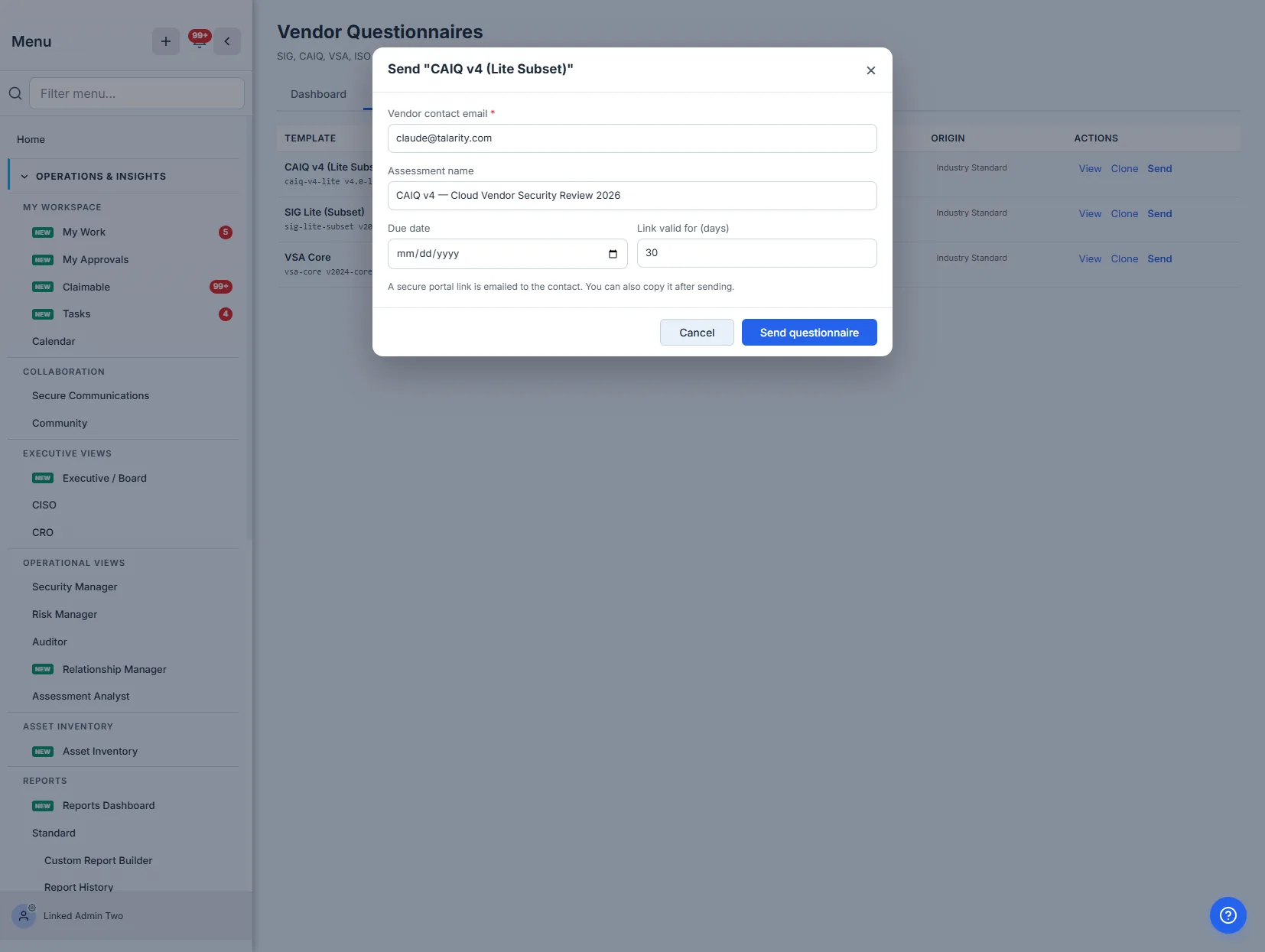
On send, Talarity mints a unique, expiring access token per recipient, creates the response instance, and emails the contact a portal link. You also get each link back to copy directly — useful when you’d rather paste it into an existing thread with your vendor contact.
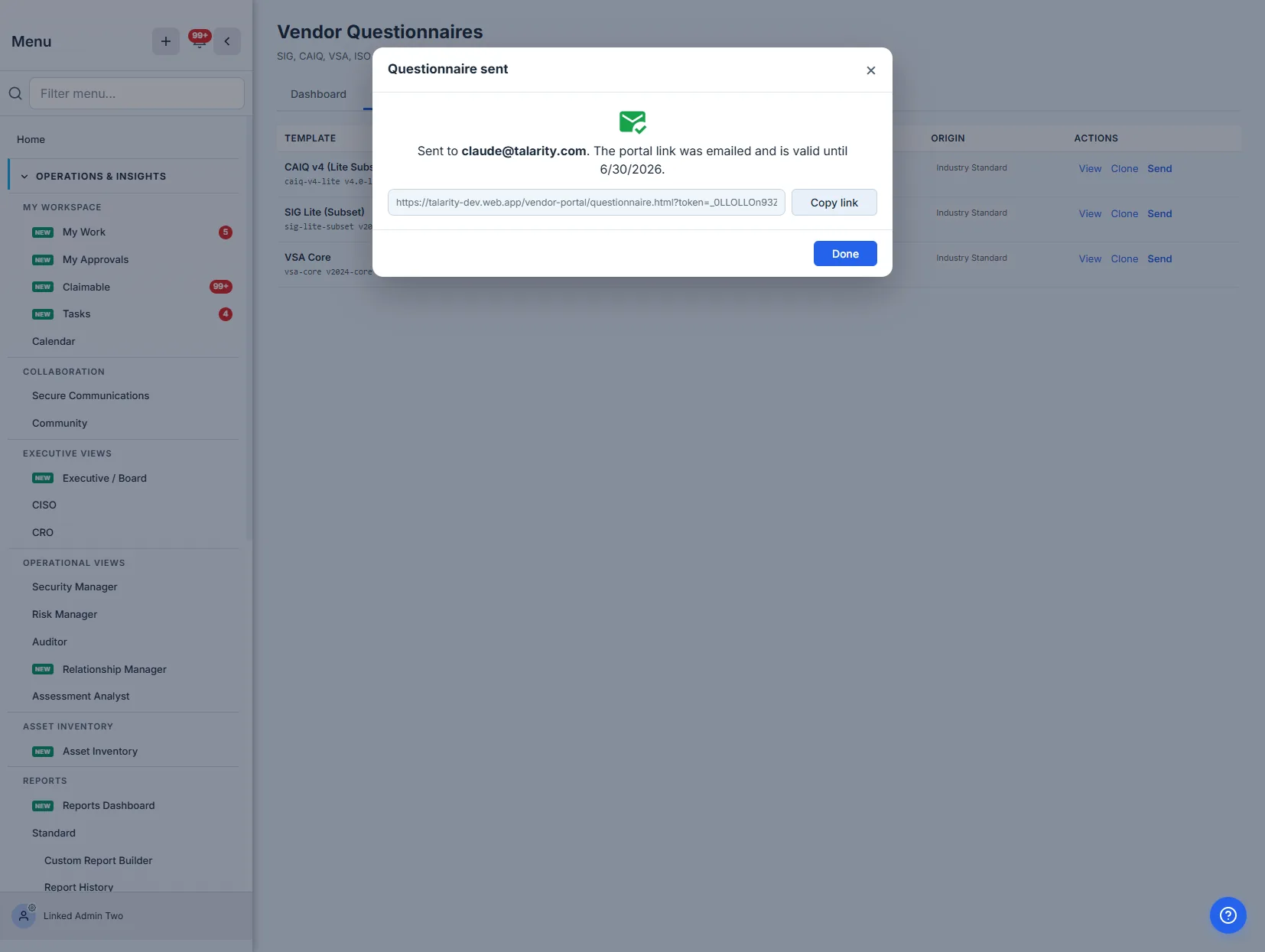
The link is the authentication. The vendor doesn’t create an account, get provisioned, or land in your tenant — the token is their credential, scoped to exactly this one response and expiring on the date you set. That’s the difference between “fill this out” and “here’s a spreadsheet, email it back”: the response comes back into the system, attributed and timestamped, not as a file you have to reconcile.
Step 4 — What the vendor sees
The vendor opens the link and gets a clean, branded form — your org name, the questionnaire, the due date, and the questions grouped by domain. No login screen, no Talarity account.
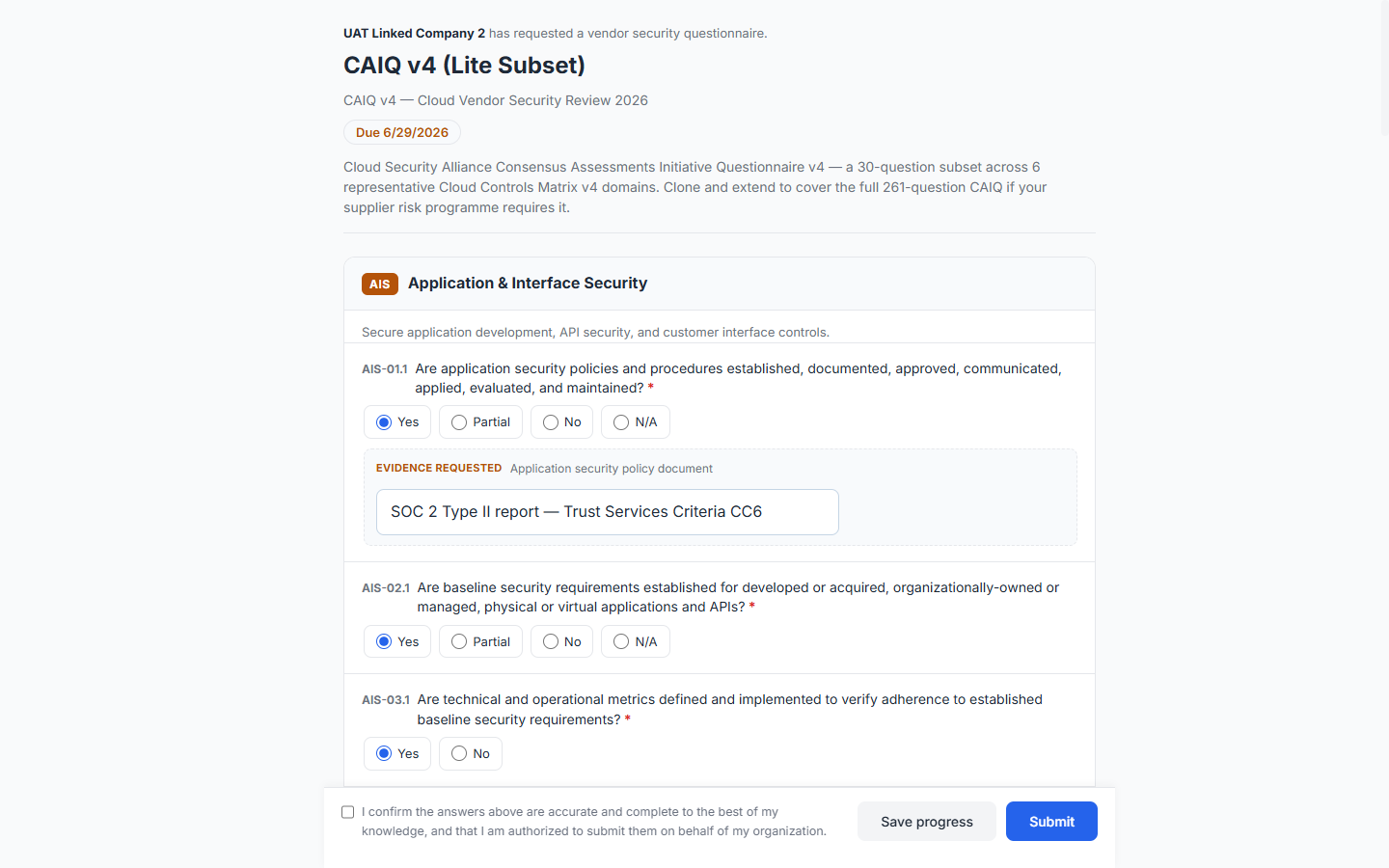
Each question renders in its native format, and questions that need proof show an evidence-reference field where the vendor links or names the supporting document (“SOC 2 Type II report — CC6”, “ISO 27001 Statement of Applicability, A.8”). The vendor can Save progress and come back — a 50-question SIG isn’t filled in one sitting — and submitting requires an attestation that the answers are accurate and the person is authorized to give them. That attestation is the line that turns answers into a representation you can rely on.
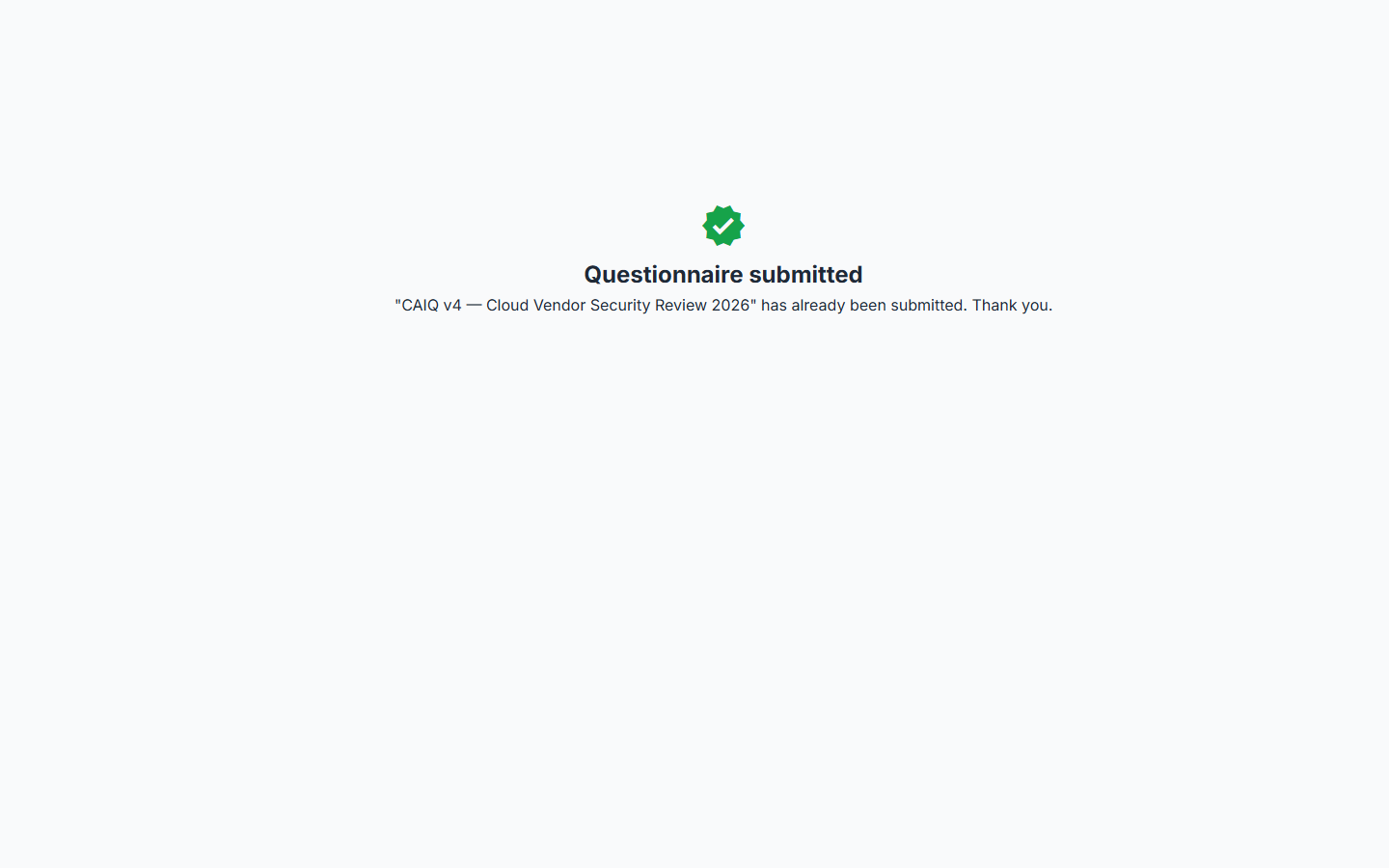
Step 5 — It comes back scored
The moment the vendor submits, the response lands in your In-Flight queue — already scored. You didn’t tally anything.
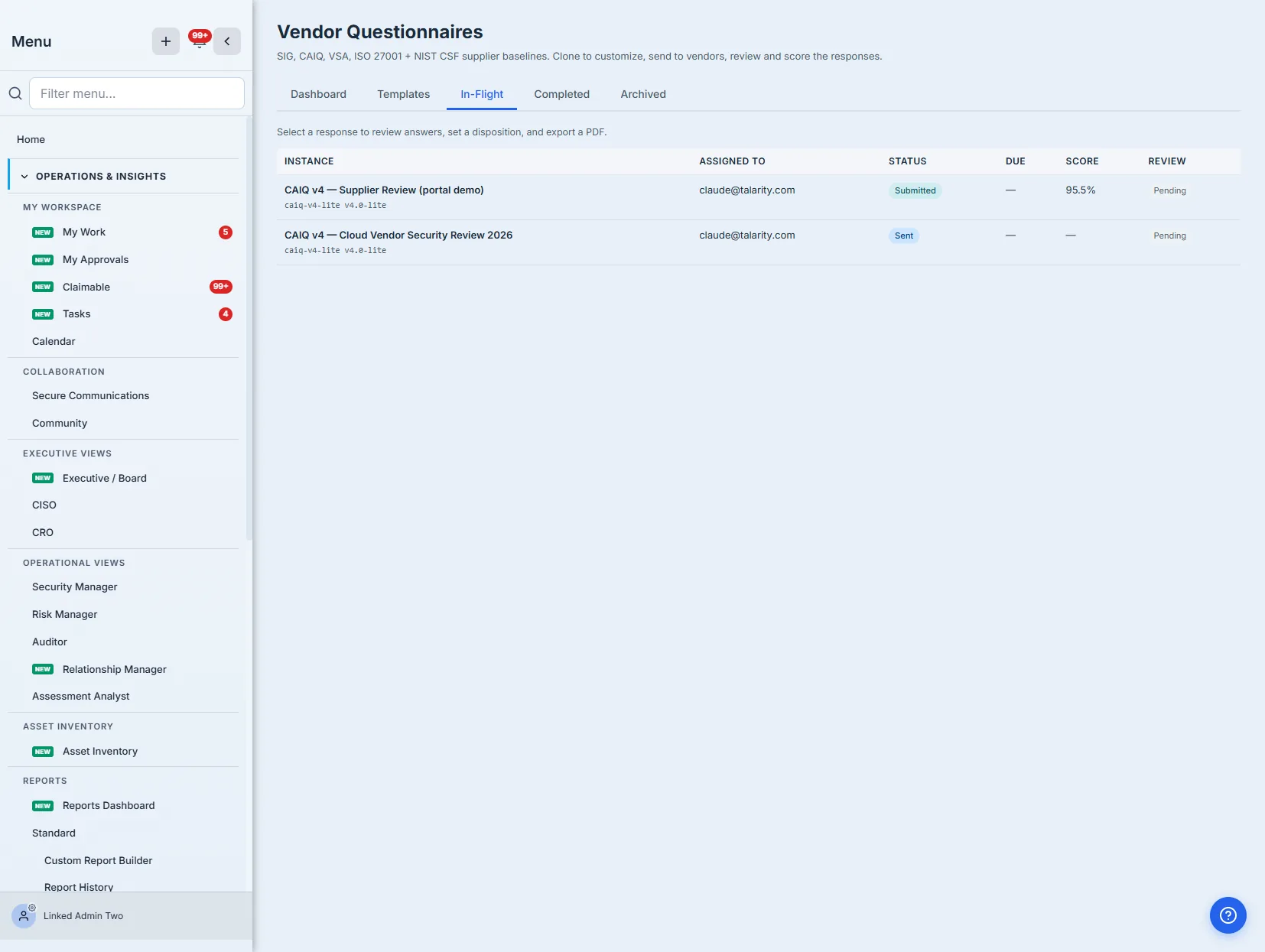
The score is weighted, not a raw percentage of yeses. Each question carries a scoring weight and each section a multiplier, so a Yes on MFA-for-admins or encryption-at-rest counts for more than a Yes on a documentation question — and a Partial earns partial credit while a No earns none. Two analysts who send the same template to the same vendor get the same number, because the number comes from the model, not the marker.
The score is repeatable by construction. This is what makes questionnaire-based diligence defensible: the weighting is encoded in the template once, so “why is this vendor an 81?” has an answer you can point to — question by question — instead of “that’s where it felt right.”
Step 6 — Review, with the disposition separate from the answers
Open the response and you get the full transcript: every question, the vendor’s answer, the points it earned, and the evidence they cited — grouped by domain. Below the score sit two actions, Recompute score (re-runs the model, useful after you’ve tuned weights) and Export PDF, plus the reviewer panel.
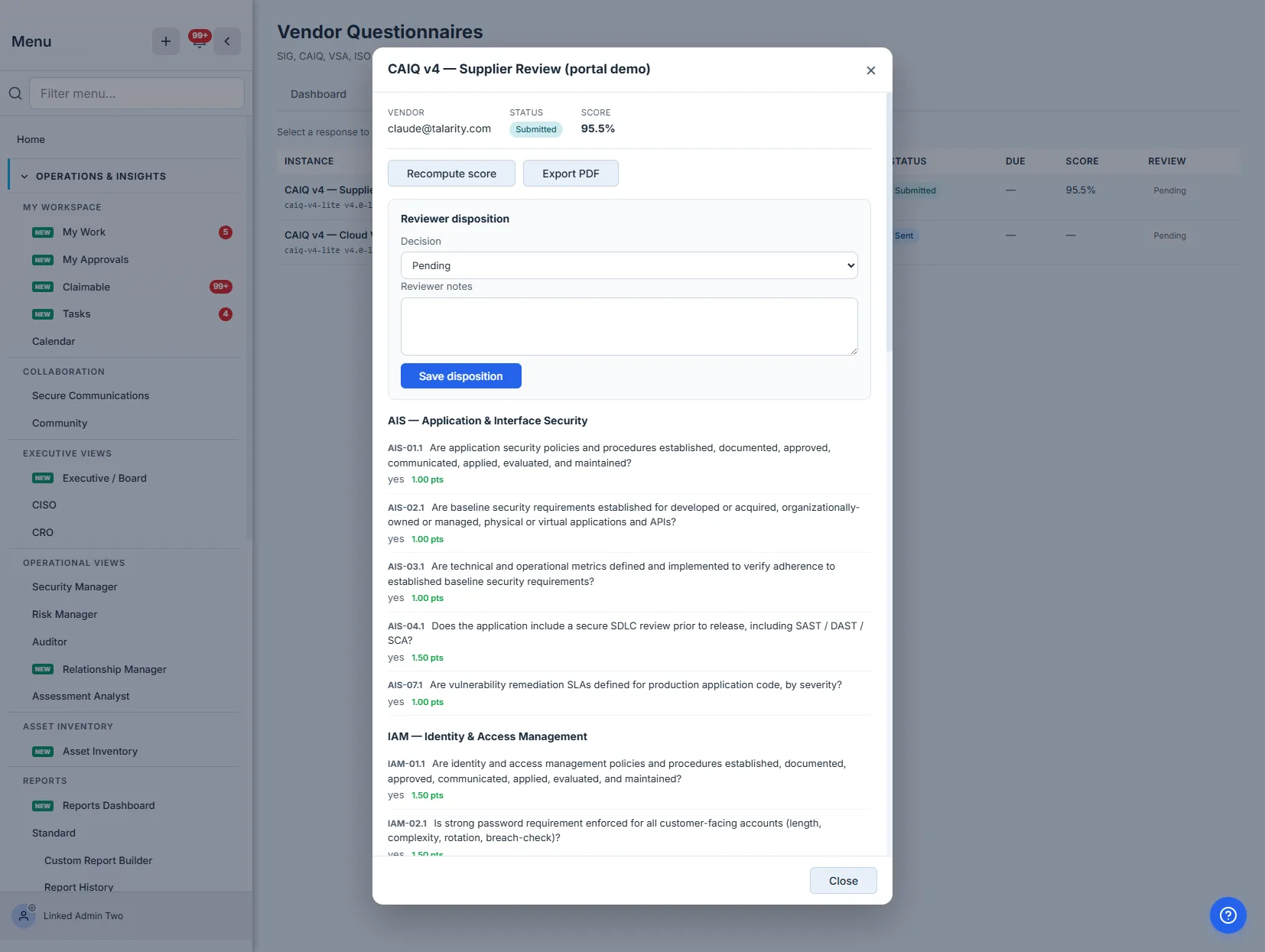
The reviewer disposition is a deliberate decision recorded as one: a status — approved, rejected, needs clarification (which sends it back to the vendor), or pending (keep it under review) — and reviewer notes. The disposition is yours; the answers are the vendor’s. Keeping them distinct is what lets an auditor see that a human reviewed the submission and signed off, separately from what the vendor claimed.
Saving an approved (or rejected) disposition completes the response. From there, Export PDF renders the questionnaire of record — questions, answers, points, evidence, reviewer notes — to a stored artifact you can attach to the vendor’s file or hand to an auditor.
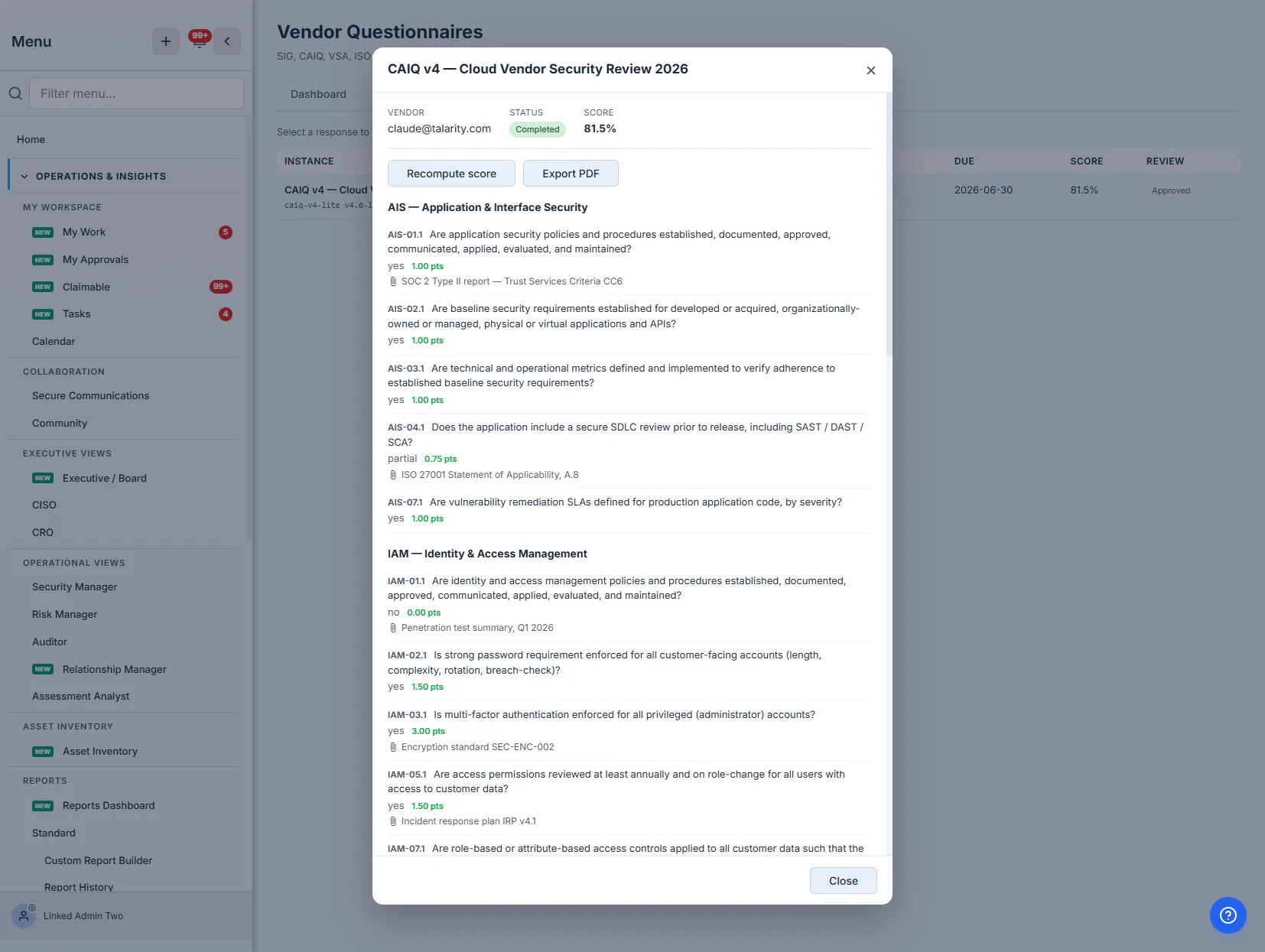
Completed responses roll up into the Dashboard’s average score by standard, so “how do our cloud vendors score on CAIQ” stops being a manual tally and becomes a number that’s always current.
Where this ends, and what’s next door
This article is the questionnaire send-and-score loop. A few related surfaces sit deliberately just outside it:
- Tuning a template’s questions — adding, removing, or reweighting questions happens on a cloned draft (industry baselines stay read-only). Clone, edit, publish; the published version is what you send.
- Risk tiering decides which questionnaire a vendor warrants and how often — covered in vendor risk tiering. Send the SIG to the critical vendor, the VSA Core to the low-risk one.
- Onboarding — getting the vendor into your program in the first place is the onboarding walkthrough.
What you walk away with
- An industry questionnaire library — CAIQ, SIG, VSA baselines you clone and tune, not rebuild.
- A secure vendor portal — the vendor fills the questionnaire through a unique, expiring link, with evidence references and an attestation, and the response comes back into the system attributed and timestamped.
- Automatic weighted scoring — the same questionnaire scores the same way every time, with the why visible question by question.
- A reviewer disposition kept separate from the vendor’s answers — a recorded, accountable sign-off.
- A PDF of record and a dashboard roll-up — audit-ready evidence and an always-current view of how your vendors score by standard.
Open /app/vendor-questionnaire-builder, clone the CAIQ baseline, and send it to one real vendor this afternoon. The questionnaire that comes back will be scored before you’ve finished your coffee — and you’ll be able to defend the number.
Related: how deep a questionnaire should go is a tiering decision, and the answers become the baseline that monitoring compares against next time. Overview: vendor risk management.