Almost every framework that touches workforce policy management distinguishes initial acknowledgement at hire from ongoing acknowledgement on change. SOC 2 carries it across CC1.4 (commitment to integrity, operationalised at hire) and CC1.5 (corrective action when a policy changes). ISO 27001:2022 A.6.1 (screening of personnel) covers the joiner; A.5.1 (policies reviewed and re-communicated) covers the update. HIPAA §164.530(b) requires both training within a reasonable period of joining and re-training when a policy materially changes. NIST SP 800-53 PS-6 (Access Agreements) and PL-4 (Rules of Behavior) similarly split the two. An auditor expects to see the initial sign-off on every required policy for every joiner — and a fresh sign-off the cycle a policy changed.
Most teams handle these two with the same email blast template and just hope nobody falls through. New hires get a one-off message with five attachments. Quarterly updates get a single-policy email, but the auditor finds that 12 of the 47 people who attested last year haven’t this year because nobody re-sent. Talarity gives the two flows different triggers — joiner bundles for the initial onboarding pack, send-for-acknowledgement for the single-policy re-ack — and routes both through the same campaign primitive so the per-policy proof rows land in the same policy_attestations table either way.
Who’s involved
- HR / People Ops — defines the joiner bundles by employment type. Applies the bundle on day-one (or before day-one for the new hire’s first My Work queue to be ready).
- Compliance lead / policy owner — fires single-policy re-acks when a policy ships a new version.
- Joiner / existing employee — receives a My Work task per policy they need to ack. Same task shape either way.
- Auditor — pulls the
policy_attestationslog per policy per person, doesn’t care which trigger drove it.
What’s on the page
Where this lives. Joiner Bundles sits in the Workforce category, under the Onboarding & Lifecycle section. Workforce is in Early Access. The single-policy re-ack starts from the policy itself, under Governance & Policy.
These two flows touch a few surfaces — here’s what you’ll use:
- Joiner Bundles (
/app/workforce/bundles) — under the Workforce category — the list of reusable bundles, each row showing its item count and default employment types, with Apply / Edit / Duplicate / Delete actions. - The employee detail page (
/app/workforce/employee?id=…) — an Apply joiner bundle… action in the header (next to Edit and Offboard), and the apply dialog + result notice. - The policy detail page — Send for Acknowledgement, the trigger for the single-policy re-ack.
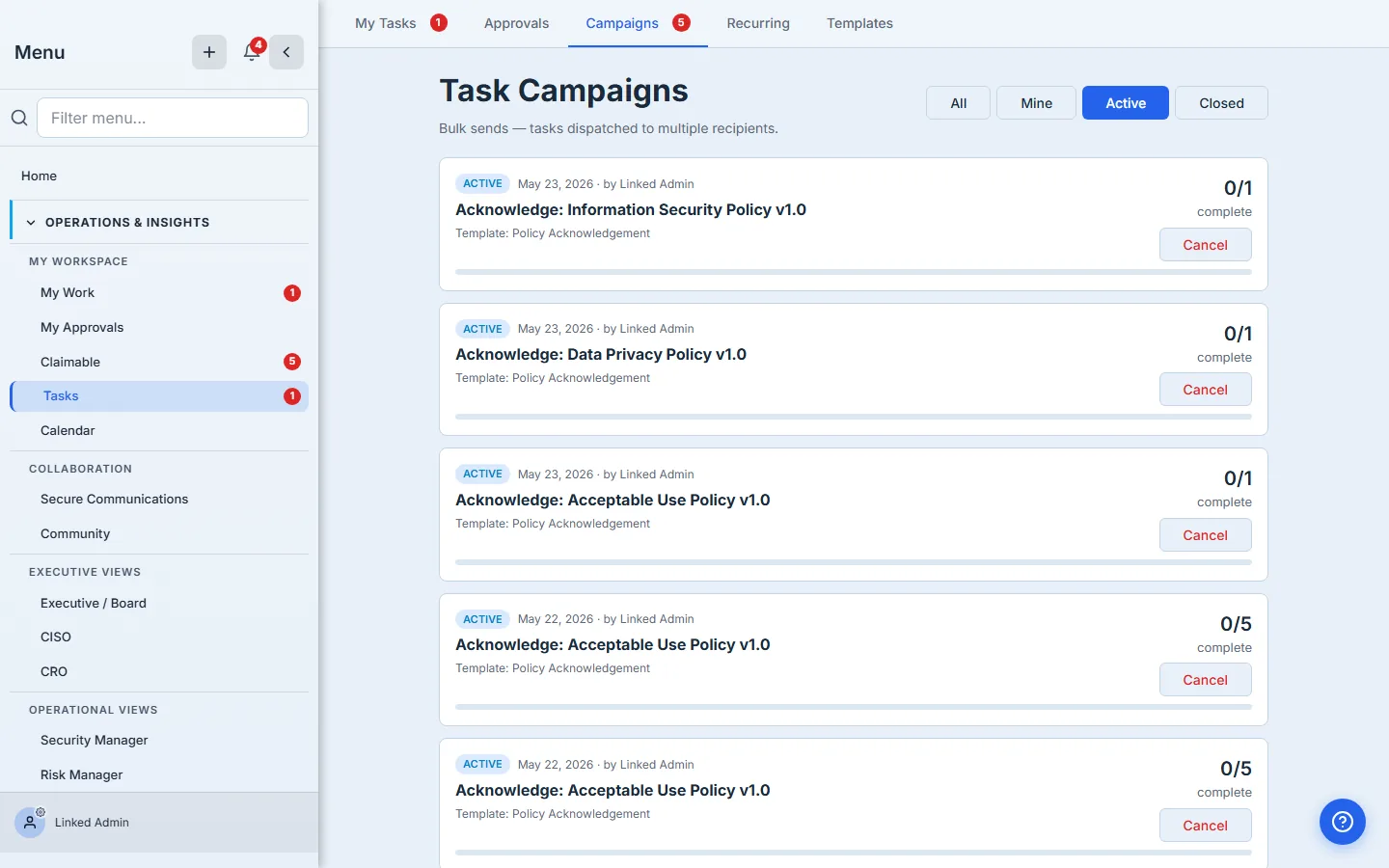
- Task Campaigns — where both flows land: one “Acknowledge: …” campaign per policy, each showing its recipients and 0/N progress.
The shape of the two flows
| Joiner bundle | Single-policy re-ack | |
|---|---|---|
| When | Day one (or before) | When a policy version changes |
| Trigger | HR applies a bundle from the employee detail page | Compliance lead clicks Send for Acknowledgement on the policy |
| Output | One campaign per policy item in the bundle (Talarity dedupes against existing attestations within cadence) | One campaign for that one policy |
| Recipient | The one employee the bundle was applied to | One or many — whoever the compliance lead picks |
| Dedup | Skipped if the employee is already current on that policy/version within cadence | Skipped if recipient is already current on that version within cadence |
The “same campaign primitive” detail is load-bearing: HR’s bundle apply doesn’t write to a different attestation table than the compliance lead’s single send. Both produce task_campaigns rows + per-recipient work_items + (on acknowledge) immutable policy_attestations rows. The auditor’s “did Morgan acknowledge the AUP” query gets the same answer no matter which path put the task on Morgan’s queue.
Step 1 — Build the joiner bundle (HR’s one-time setup)
Head to /app/workforce/bundles. The page lists the bundles your org has defined, with the count of items in each and the employment types it defaults to.
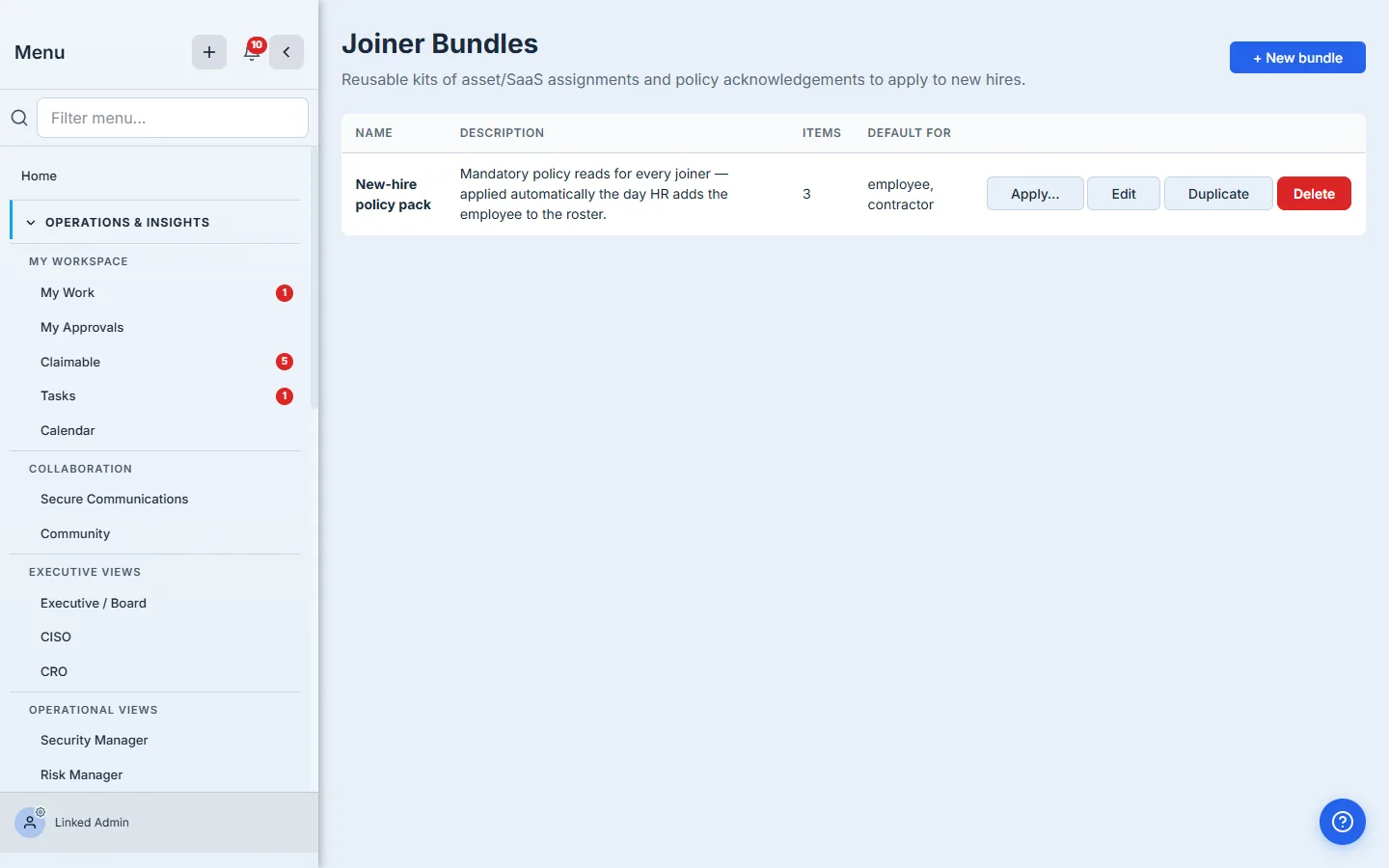
The bundle’s items are typed — asset (laptop, phone, SaaS seat), policy (the AUP, the ISP, the DPP), and placeholder (a TBD slot that HR or the desktop team fills in for this specific hire). A policy item carries the policyId and an optional dueOffsetDays (defaults to 14 days from apply). The article focuses on policy items; assets are covered in the Managing Assets with Intune and Asset Pool Manager articles.
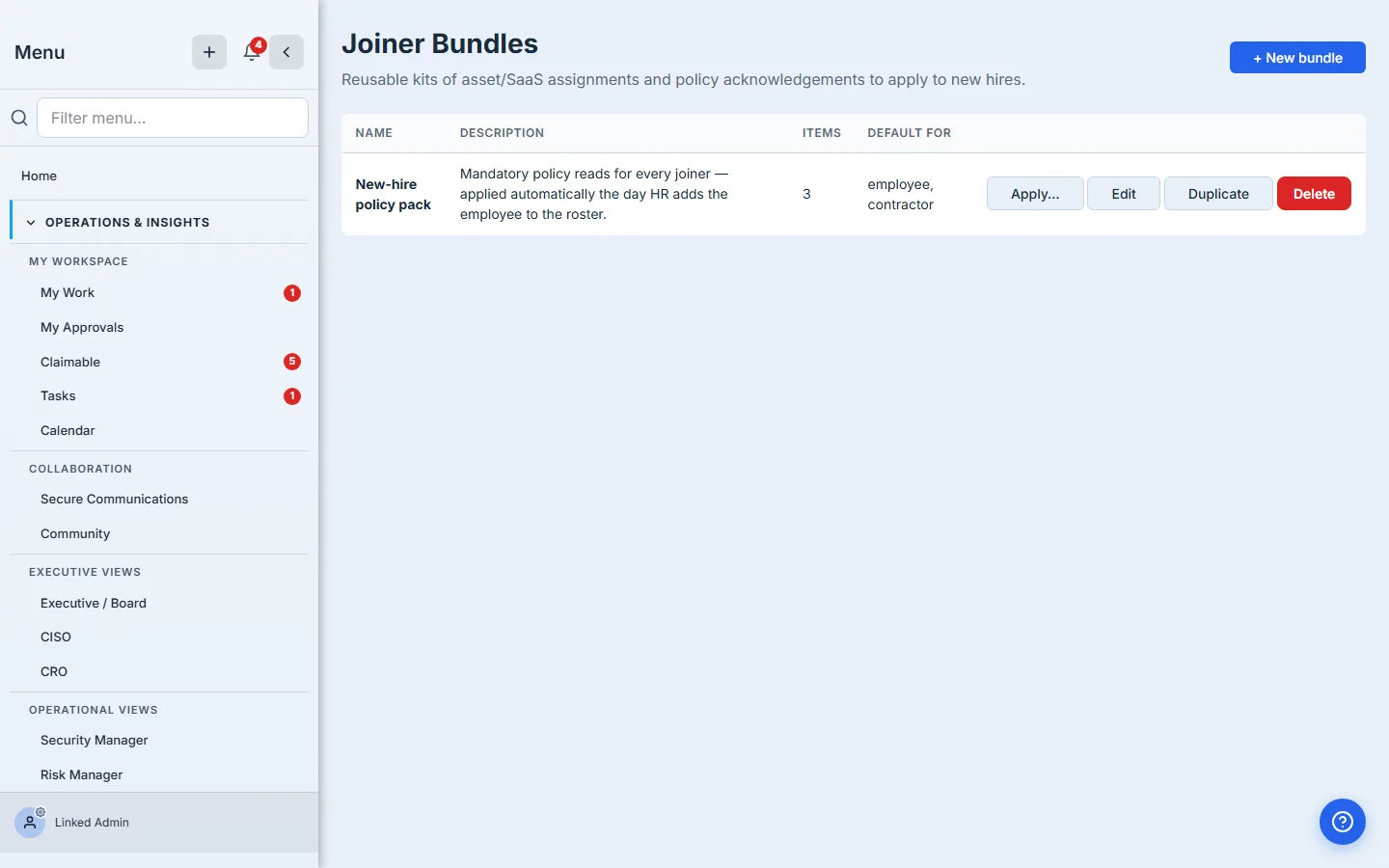
Bundles are reusable kits, not one-off lists. Build a bundle once for “every new engineer” and a separate one for “every external contractor with elevated access.” Applying a bundle is the cheap operation — building one takes thought. Most orgs end up with three or four bundles total: standard joiner, contractor, executive, intern. The list shouldn’t get longer than that.
Step 2 — Apply the bundle to a new hire
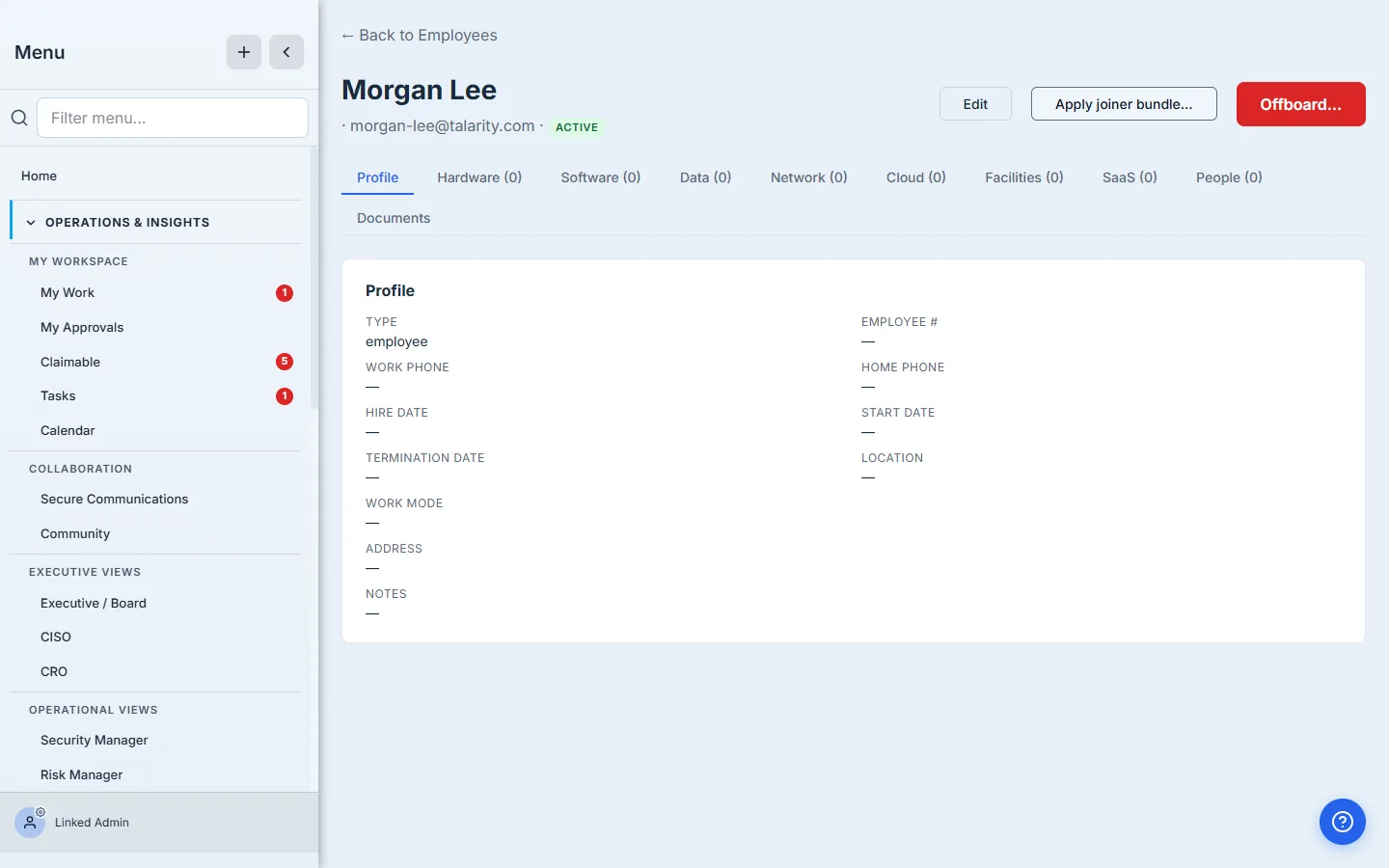
Open the new hire’s profile under /app/workforce/employee?id=…. The header carries an Apply joiner bundle… affordance next to Edit.
Click it. Talarity lists the bundles defined for the org, plus a count of the items each one carries; pick the one that fits this hire’s employment type.
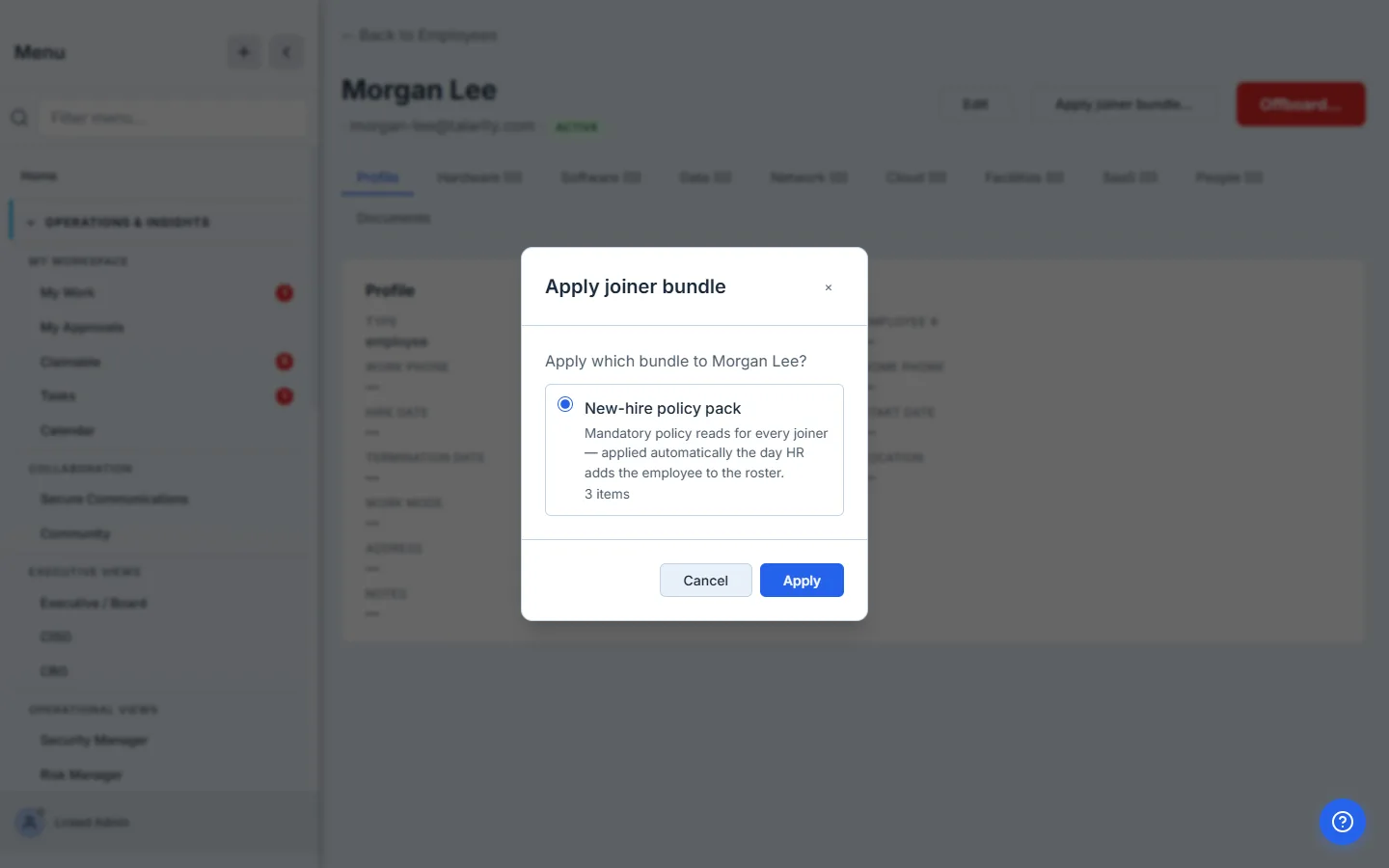
Submit. Talarity walks the bundle:
- Asset items → opens an asset assignment per item, skipping anything the employee already holds. Each new assignment generates a custodian work item to provision (laptop hand-off, account creation, etc).
- Policy items → fires one
governance.policy.sendForAttestationcampaign per policy, with the new hire as the single recipient — unless the bundle also carries equipment, in which case the policy sends are held until the gear is provisioned (the gated flow in New-hire onboarding, gated end-to-end). Each campaign gets its own task_campaigns row + work_item, so the per-policy progress is queryable independently. - Dedup is automatic — if the employee has already attested a policy within the cadence window (e.g. they were re-applied a bundle they’re already current on), that policy item is skipped. The result message tells you exactly how many landed and how many were skipped.
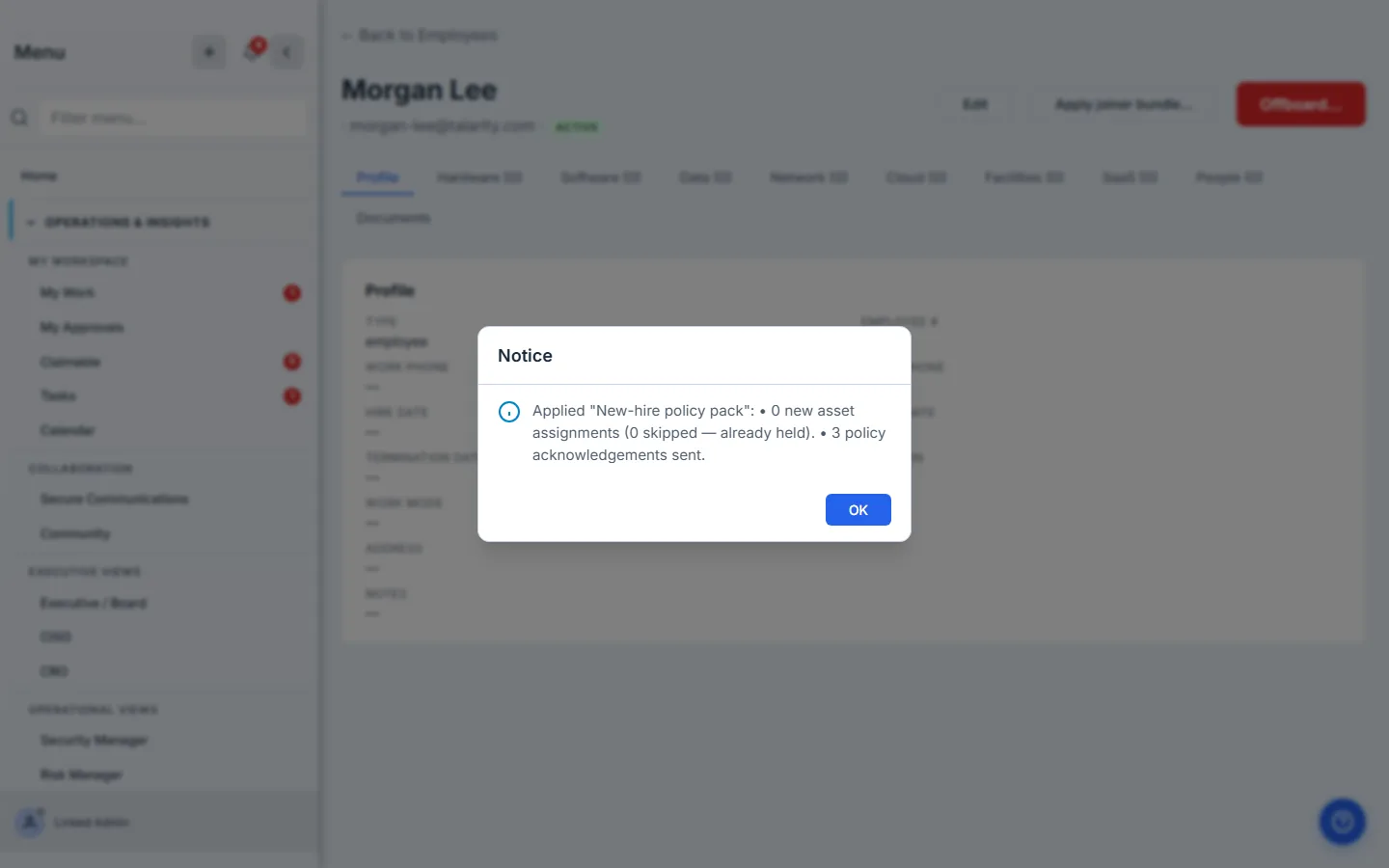
Three campaigns landed in one click. The new hire’s My Work queue now has three policy-acknowledgement tasks waiting — same task shape an existing employee gets from a single-policy re-ack.
Step 3 — The single-policy re-ack for existing employees
When a policy ships a new version — the BCP gets the new vendor section, the WISP picks up the new state regulation — you don’t run the bundle. You open the policy and click Send for Acknowledgement, picking the recipient list with the picker the Sending a policy for acknowledgement article walks through. That’s one campaign, one policy, however many recipients you choose.
Same underlying primitive. Same task_campaigns row + per-recipient work_items + (on acknowledge) policy_attestations write. Same per-recipient table on the campaign detail page. Same tracker UX the Who acknowledged the policy article shows.
The two triggers differ in scope (one employee × N policies vs. one policy × N employees) and ownership (HR drives bundle apply on hire; Compliance drives re-ack on version change). Talarity stays out of that split; the workflow follows whoever owns the trigger.
The bundle isn’t a replacement for the re-ack — it’s the joiner’s version of it. When v2.0 of the AUP ships, you don’t re-apply the joiner bundle to everyone. You send v2.0 for acknowledgement once, picking everyone, and Talarity dedupes against the v2.0 attestations as they land. The bundle is for new employees who haven’t seen any version yet; the re-ack is for existing employees who need to see the new version.
What you walk away with
- Two distinct triggers —
risk.workforce.bundle.applyToEmployeefor the joiner pack,governance.policy.sendForAttestationfor the single-policy re-ack — that route through the same campaign primitive. - One campaign per policy item when a bundle applies, so per-policy tracking + reporting stays clean. The bundle isn’t a single “acknowledge all five at once” task — it’s five tasks the joiner sees side by side.
- Send-time dedup that protects against double-asking the same person for the same version within the policy’s cadence window — applying a bundle to someone who’s already current is idempotent.
- One row per (policy × employee × campaign) in the
policy_attestationstable regardless of trigger. The auditor pulls per-policy or per-person; the trigger is irrelevant to the proof. - Reusable bundles by employment type — define the standard joiner pack once, apply it 50 times a year.
Open /app/workforce/bundles, build the bundle that fits your standard joiner, and the next new hire is one click — and three or four Done checkboxes — away from being audit-ready.
A bundle can also carry equipment, not just policies — and when it does, Talarity gates the whole onboarding: the custodian issues the gear first, and the employee’s policy acks and equipment-receipt confirmation unlock only once it’s provisioned. That end-to-end flow is walked through in New-hire onboarding, gated end-to-end.