Every control testing programme eventually produces a number. Ninety-two per cent design coverage. Forty-one controls tested this quarter. Four failures, all remediated. The number goes in a board pack, and the board reads it the way it reads any percentage: as a fact.
It is not a fact. It is the output of a definition — of what counts as tested, of which controls are in the denominator, of what happens to a control nobody has looked at yet. A dashboard that does not tell you its definitions is not reporting; it is asserting.
The Control Testing page in Talarity (/app/control-testing) is built around that problem. This
walks through what each figure on it actually counts, and — the part most tools leave out — where it
declines to give you a number at all.
The register is the page
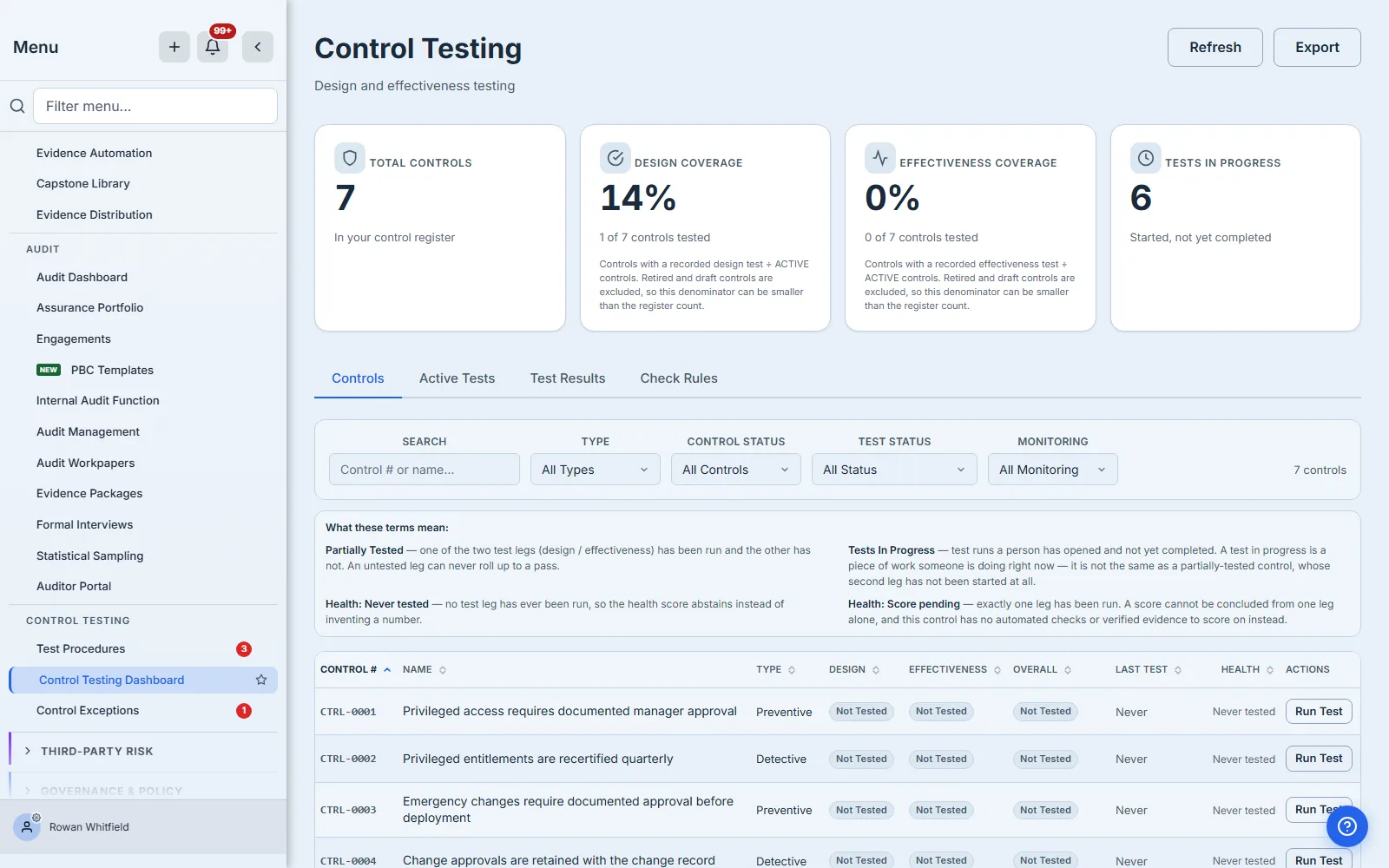
Four tabs sit under the counters: Controls, Active Tests, Test Results and Check Rules. The Controls tab is the register, and it is where nearly all the work happens.
Nine columns: control number, name, type, design result, effectiveness result, overall, last test, health, and the row actions. Every column except the row actions is sortable, and the sort runs across the whole filtered set rather than the twenty-five rows on screen — which matters the first time you have five hundred controls and want the ones closest to going stale at the top.
Four of the filters run server-side: control status, control type, test status, monitoring mode, plus any custom fields your organisation defines. A fifth, Overdue, sits beside Test Status as a checkbox rather than a value inside it, and is applied in the browser across the whole loaded register. It is deliberately orthogonal to the rest: every Test Status value is the outcome of a test that ran, and “the clock ran out” is not one of those — a control can be overdue and have last failed, so folding the two together would make them mutually exclusive and quietly change what “Failed” returns. At the end of the filter row, a count line states exactly what you are looking at — “48 matching · 123 controls in the register” — and, if the loader hit its ceiling, says so rather than quietly showing you a prefix.
Design coverage and effectiveness coverage are two different questions
The two coverage tiles are the ones that reach a board pack, and they answer different questions.
Design asks whether the control is built to work: is it authorised at the right level, assigned to someone competent, precise enough for the risk it addresses, evidenced when it runs. Talarity evaluates ten COSO-aligned attributes, each with its own result and notes.
Effectiveness asks whether it did work, over a period, on real instances. That is a different kind of evidence and a different kind of failure — a control can be perfectly designed and still not have been performed in March.
A control that passes one and fails the other is not half-tested. It is a control you know two specific things about, and the register keeps them in separate columns for exactly that reason.
Where the page abstains
The Health column is the most unusual thing on this page, because most of the time it refuses to give you a score.
Health combines four signals: recent check results, the result of the last test, evidence freshness, and open findings. When a control has none of them, Talarity does not compute a zero and does not compute a fifty. It says Never tested. When some signals exist but not enough to be meaningful, it says Score pending.
This is deliberate, and it is the single most important thing to understand about the page. A zero would be a claim — that the control is in bad health. “Never tested” is the truth: nobody has looked. Those are different facts, and a dashboard that renders them identically has told you something false in a place where you will not notice.
The same discipline runs through the register. A control with no classification reads Not set in its Type column rather than defaulting to a type it was never assigned.
Reading a test from the inside
Opening an in-progress test shows the working papers, not a summary.
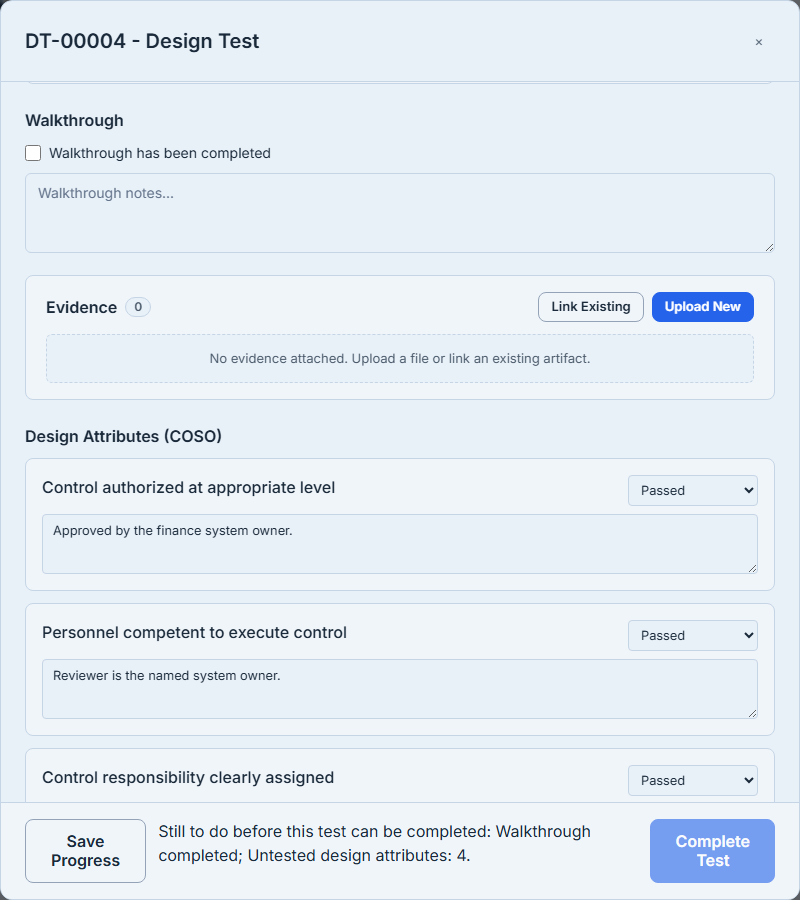
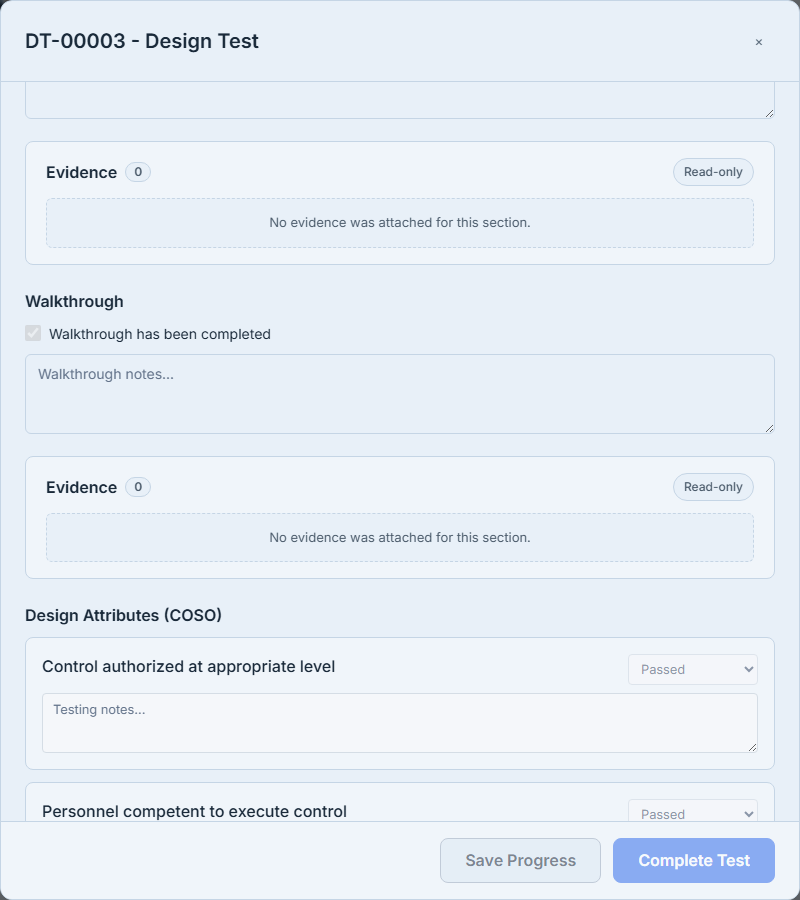
A design test lists the ten attributes, each with a result, a notes field, and — on the two that call for it — a slot to attach the evidence that supports the answer.
 An effectiveness test lists
the four AICPA procedures: inquiry, observation, inspection, reperformance, with the same structure.
An effectiveness test lists
the four AICPA procedures: inquiry, observation, inspection, reperformance, with the same structure.
Complete Test stays disabled until the test is actually complete, and it states on screen what is still missing rather than simply refusing. That gate is enforced on the server too, so a test cannot be closed by any route with attributes ungraded or procedures unperformed. A control test that says “completed” means every attribute was assessed.
Concluding requires a written conclusion — not a dropdown alone. If the conclusion is a failure or a partial, on either leg, Talarity opens a Finding and offers to take you to it.
What the numbers on an effectiveness test are, precisely
An effectiveness test carries a sample size and records a deviation count. Be clear about what that is and is not: the sample size comes from the control’s own testing criteria and is shown to you; the deviations are what you record as you find them. It does not draw the sample for you, enumerate its items, or evaluate them individually. If your methodology requires a reproducible statistical draw, that is a separate exercise today.
Recording the deviation is what carries forward: severity, description, and the root cause, attached to the test rather than to somebody’s notes.
Applying a procedure, and why it is a copy
From inside a test, Apply Procedure pulls a procedure in from your library and copies its steps into this test as a working checklist — with per-step pass, fail or not-applicable, and notes.
The copy is the point. Editing the library procedure afterwards does not rewrite a test already under way, because a test has to document the methodology as it stood when the work was done. The evidence list travels with it, so what must be attached is visible at the moment it is needed.
Where this page stops
Three boundaries worth knowing before you plan around it.
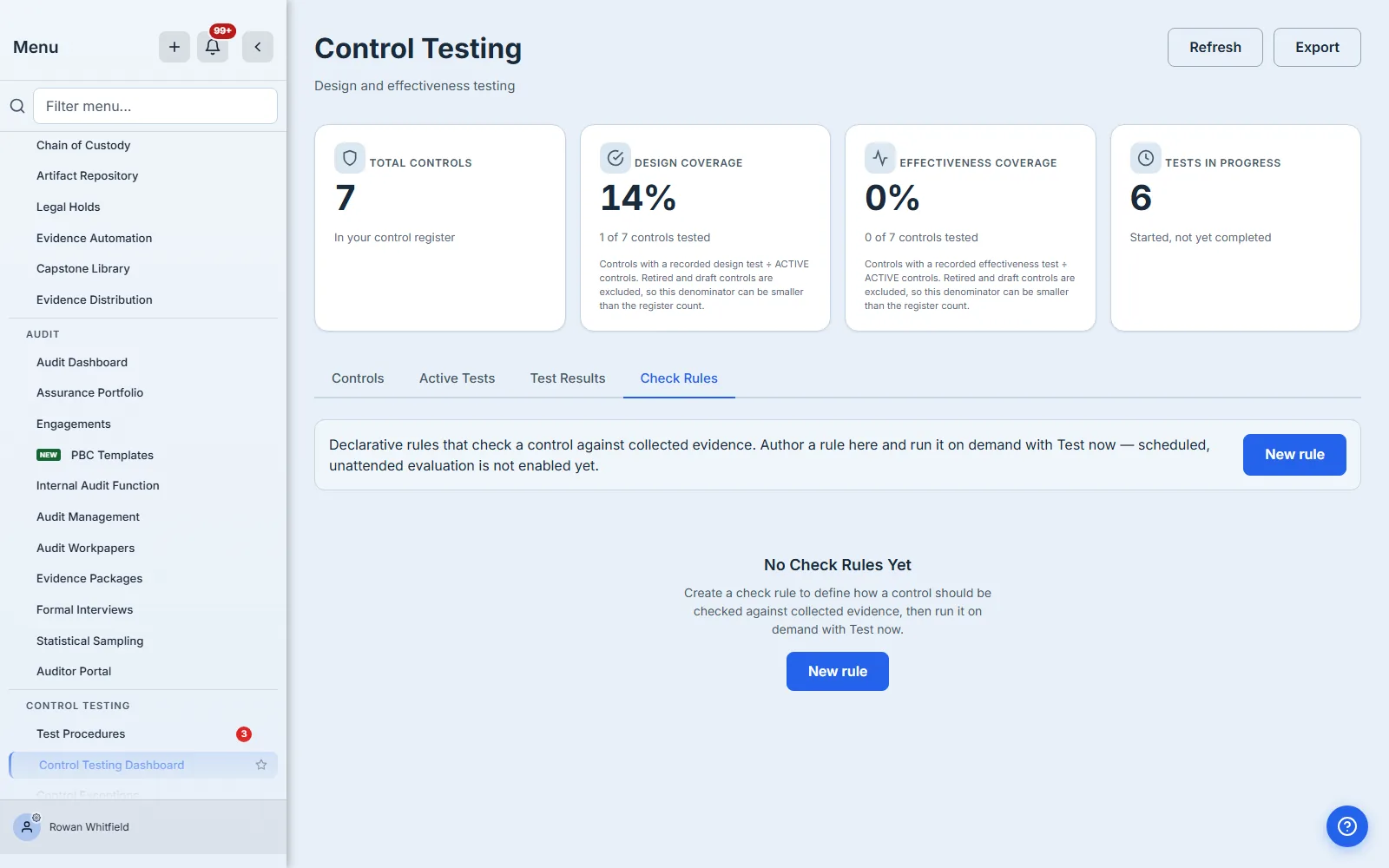
Check Rules is authoring, not monitoring. The tab lets you define rules that check a control against collected evidence, and gives you a Test now dry run that shows the verdict immediately. Scheduled evaluation does not reach these rules today: the hourly job that would run them only evaluates rules inside a monitoring run, and nothing in the product creates one yet — a rule you save and enable will not run on its own. Treat the tab as a place to build and validate rule logic.
Scheduling and assignment live elsewhere. The page does not set testing frequencies, assign a tester, or reschedule a due date.
Controls are adopted, not created here. The register tests controls; the Control Library and Control Inventory are where they come from.
What you walk away with
If you take one thing from this page, take the abstention. Any dashboard can produce a percentage. The useful question is what it does when it does not know — and a tool that answers “never tested” where a competitor answers “0%” is the one whose numbers you can put in front of an auditor.
Read the two coverage tiles as two questions. Read Health as a claim the system is willing to defend, or an admission that it cannot yet. And read the count line under the register, every time, because it is the only thing on the page that tells you whether you are looking at all of it.