Sending an assessment is easy. Running one is not.
You pick a questionnaire, choose twenty-eight linked accounts, and press send. A month later somebody asks the questions that actually matter: how many have come back, who’s late, and can we add the three accounts we onboarded last week on the same terms as everyone else? Those are program questions, and until now the system had no program to ask them of — just twenty-eight unrelated rows that happened to be created on the same afternoon.
Assessment Campaigns is the missing noun. A campaign is the send itself: one assessment, one roster, one set of terms, one deadline, one status. Everything you do to it afterwards — extend, chase, close, reopen, clone for next quarter — happens to the campaign, not to twenty-eight rows one at a time.
Who’s involved
- Compliance or vendor lead — creates the campaign, adds recipients as new accounts onboard, extends when a deadline slips, closes it when the cycle is done.
- Recipients — linked accounts, internal people, or groups. They see a request; they never see the campaign machinery.
- Auditor or sponsor — reads the four program numbers and the per-recipient table, and wants them to mean exactly what they say.
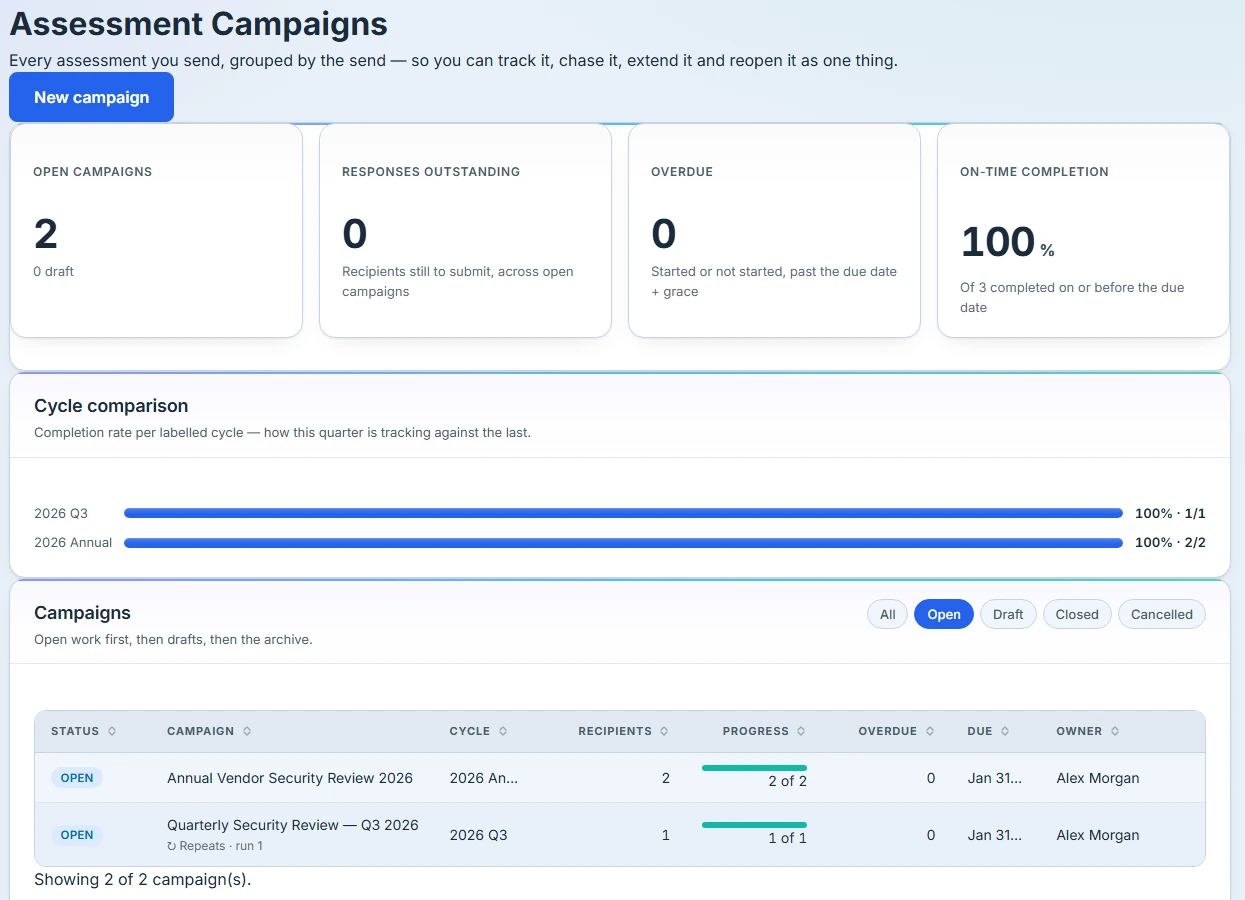
The four numbers, and what they actually count
The dashboard opens with four figures, and each one is careful about its own definition.
Open campaigns carries the draft count in its subtitle, so scheduled-but-not-yet-sent work is visible without a second tile.
Responses outstanding names its population — recipients still to submit, across open campaigns.
Overdue states, in its subtitle, that it counts recipients started or not started, past the due date plus grace. That sentence is there deliberately. The auditor coverage view elsewhere in Talarity counts a narrower set under the same word, and two tiles both labelled “Overdue” showing different numbers is precisely the confusion this replaced. The number tells you what it is.
On-time completion shows an em dash — not 0% — when nothing has been measured yet, with the subtitle “No completed assessments with a due date yet.” Zero and nothing to divide by are different facts, and a program dashboard that reports the second as the first is lying quietly. When it does have data, it names the denominator: “Of 12 completed on or before the due date.”
Below the tiles, cycle comparison lines up completion rates across labelled cycles, so “are we better than last quarter” is answerable on the page rather than in a spreadsheet.
If either the summary or the cycle comparison fails to load, that section says so and offers a retry — not “please refresh”. A failed load and an empty program are different states, and a dashboard that renders them identically will eventually convince someone their campaigns disappeared.
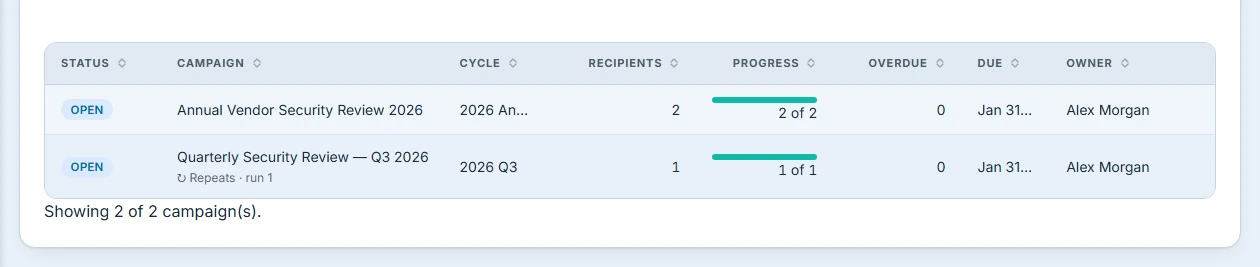
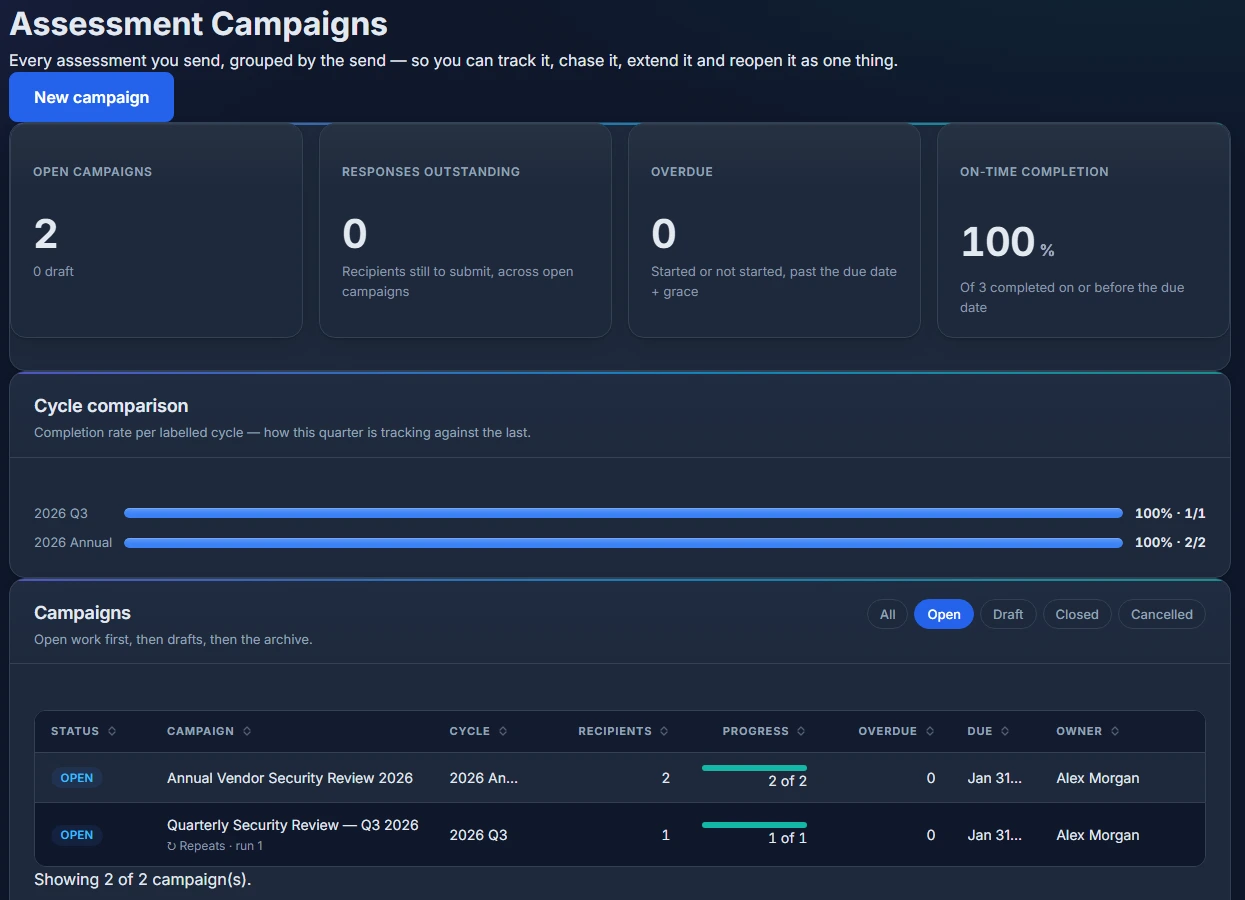
The whole surface follows the app theme, so the same numbers read the same way in dark mode.
Adding someone to a campaign that’s already open
This is the part that used to be guesswork, and it’s the reason the configuration lives on a page rather than in a modal.
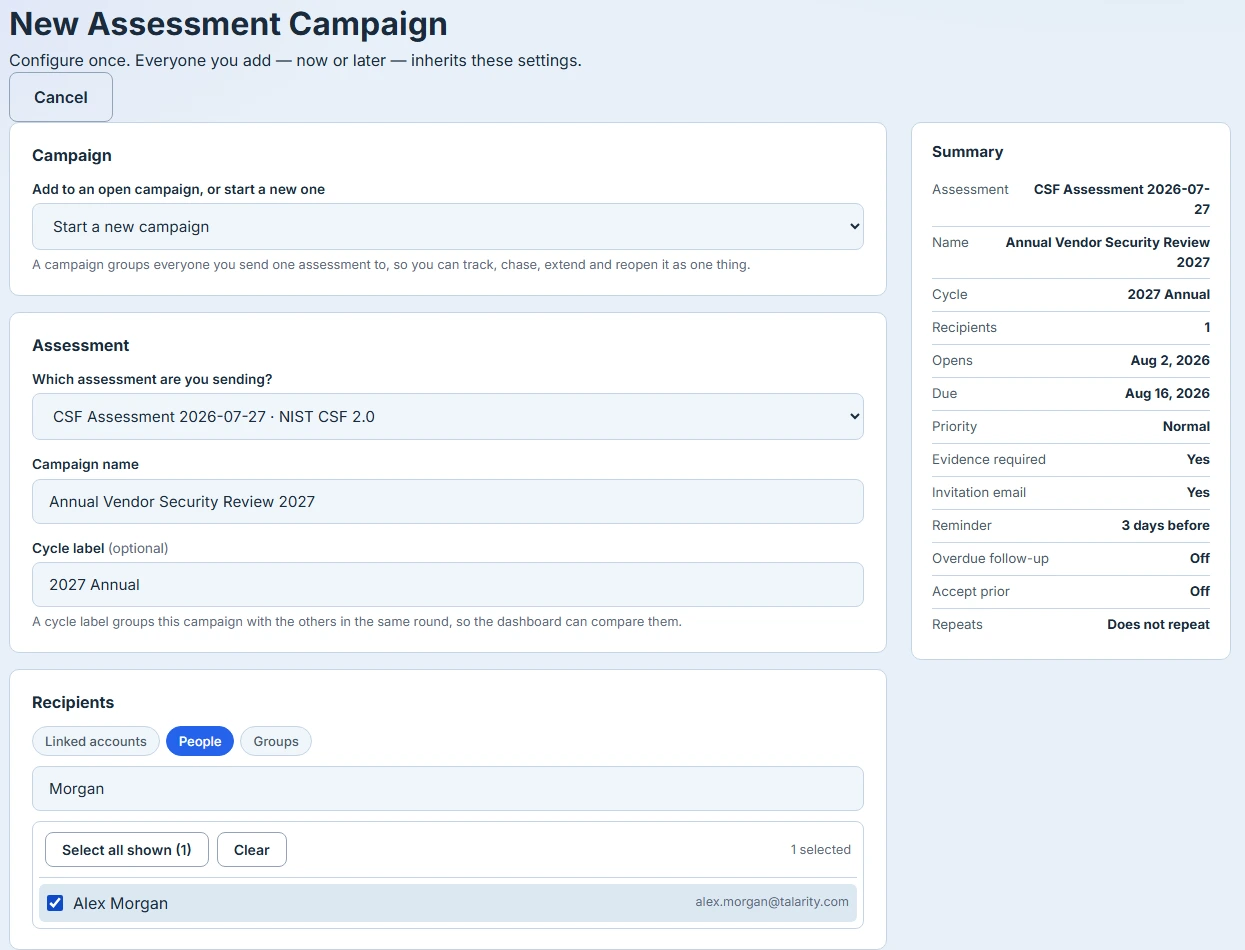
The first control asks a single question: is this a new campaign, or an addition to one already open? Choosing an open campaign changes the shape of the form. The settings collapse into a read-only block titled “Settings these recipients will get”, each row carrying an Inherited chip — due date, priority, evidence requirement, reminders, overdue follow-up, accept-prior window. You are not re-filling a form from memory and hoping you matched what you sent in week one. You are being shown it.
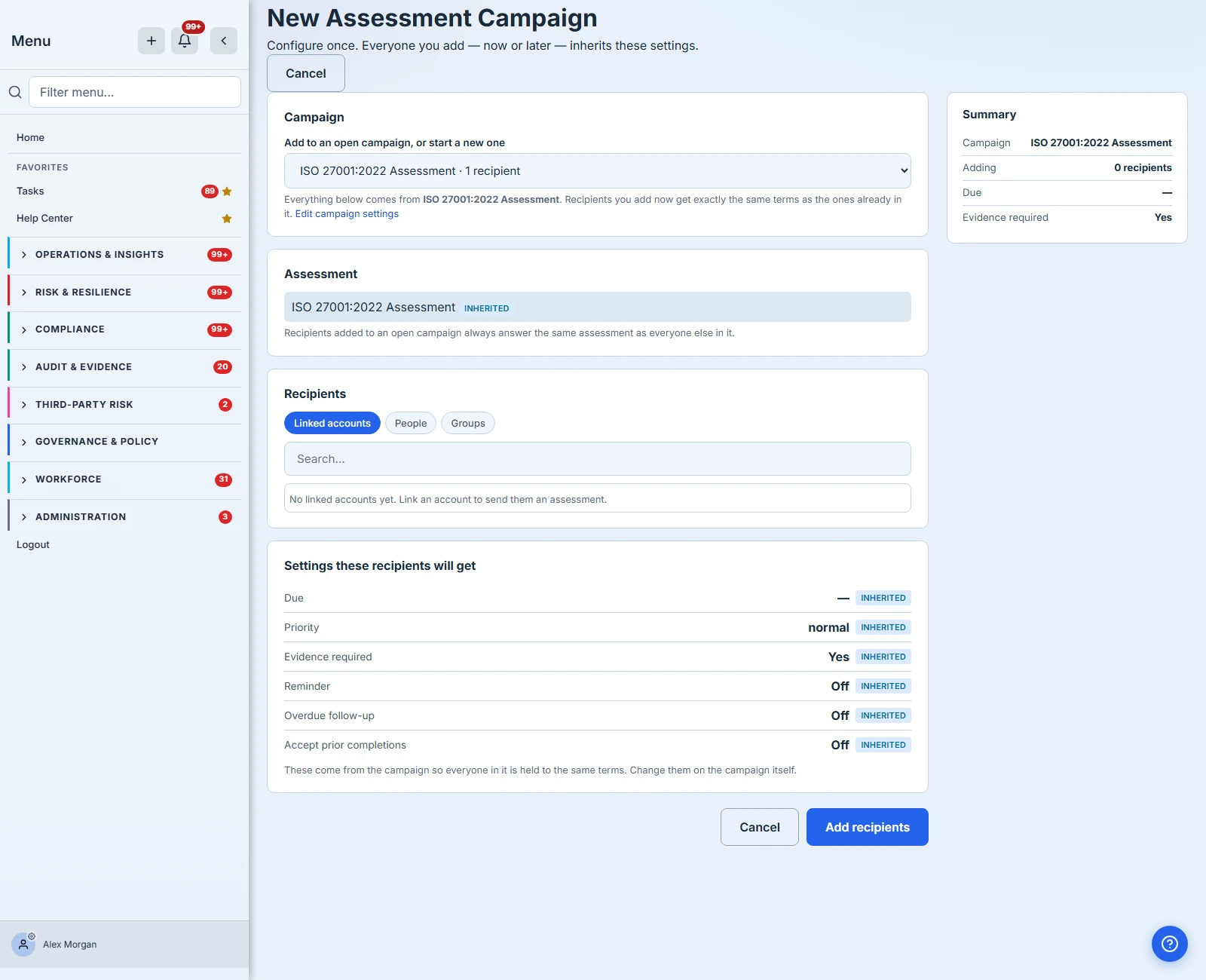
Recipients already in the campaign appear in their own list and cannot be selected again, so sending twice is not a mistake you can make.
Picking the recipients themselves is deliberately unglamorous. There’s a search box, and a bulk control that reads Select all shown rather than Select all — it takes the accounts currently matching your search, not the whole register. The distinction matters when you’ve filtered to eleven of two hundred accounts and are one click away from sending to all two hundred. Clear drops the selection without touching the filter.
If something’s wrong with the form, the page says so at the top and does not send: a reminder with no deadline to count back from, an accept-prior window longer than the repeat cadence. And once you do send, the button disables itself for the duration — a slow network cannot turn one campaign into two.
Because the settings belong to the campaign rather than to the recipient, an account added in week four gets exactly what the week-one accounts got — including a deadline that has since moved. Extend a campaign to September and then add an account, and that account is due in September too, not fourteen days from today.
What will happen, before it happens
Before anything is sent, the page shows a preview naming each recipient and the outcome they’ll actually get: a new request, a continuation of an assessment they already have — with their due date moving, and from what to what — or an accepted prior completion.
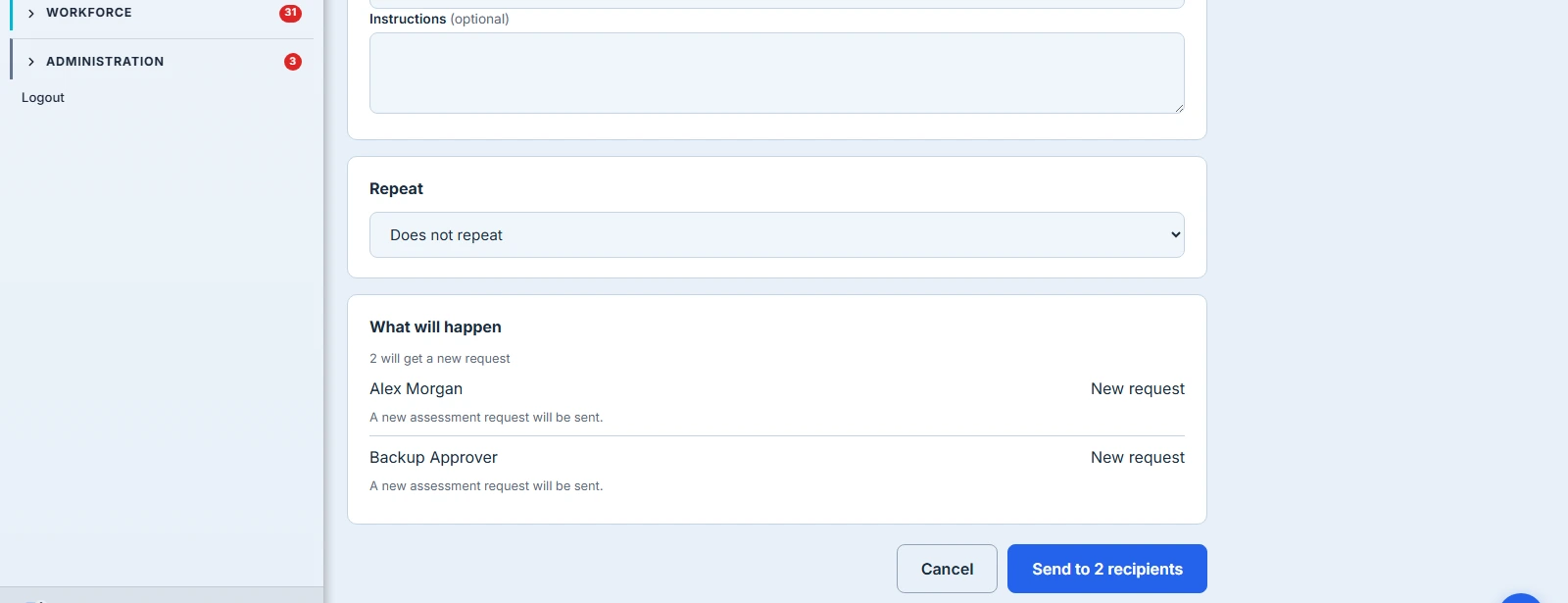
Afterwards, if anything happened that the preview didn’t promise, the page stays put and tells you. A recipient who merged into an assessment they already had, whose deadline tightened from 30 September to 1 September, is named along with the reason. A send where everything went exactly as previewed doesn’t stop to say so — it takes you to the campaign.
Steering a campaign that’s out
The campaign page is where a live campaign is managed, and each action is explicit about what it does to work already in progress.
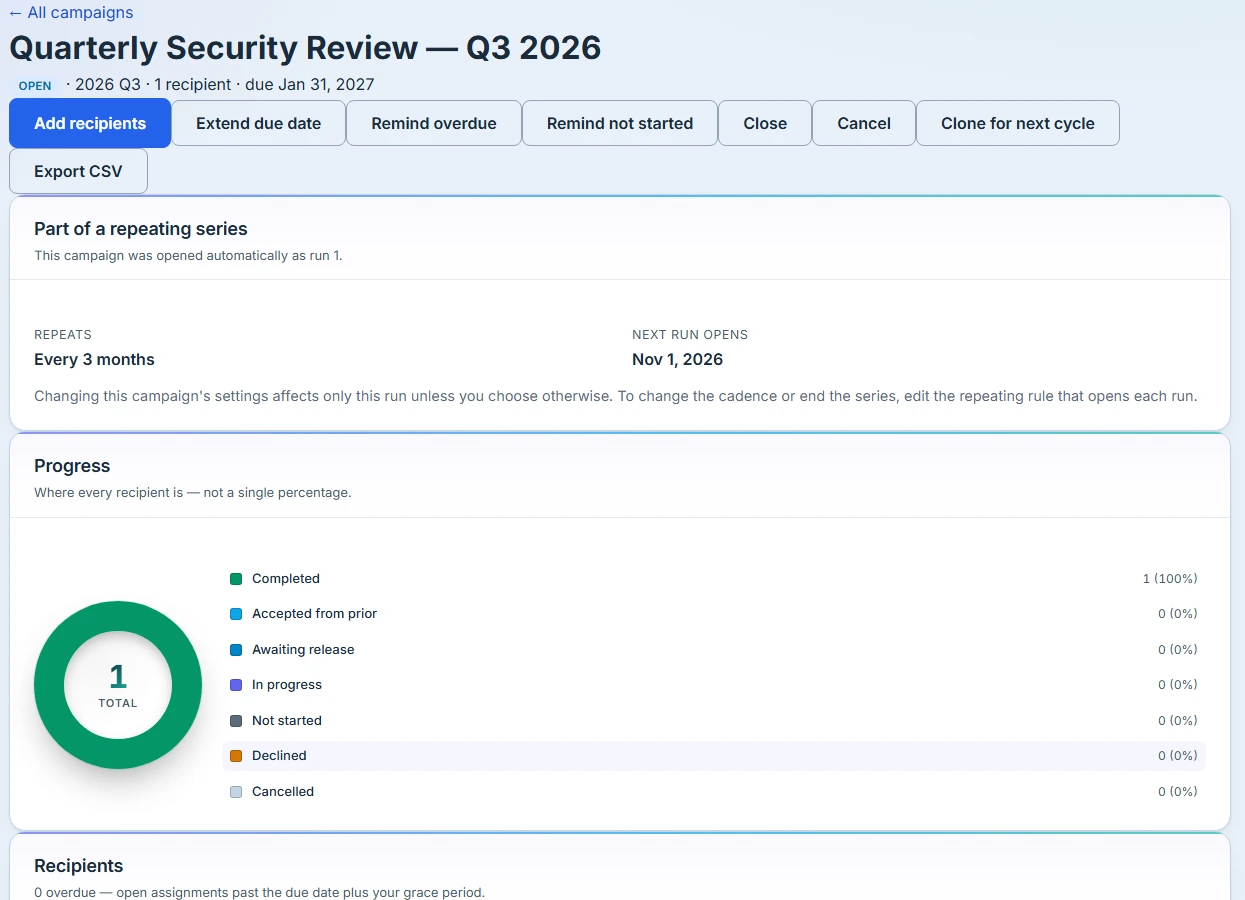
Every recipient is listed individually with their status, progress, evidence state, due date and when they were last reminded.

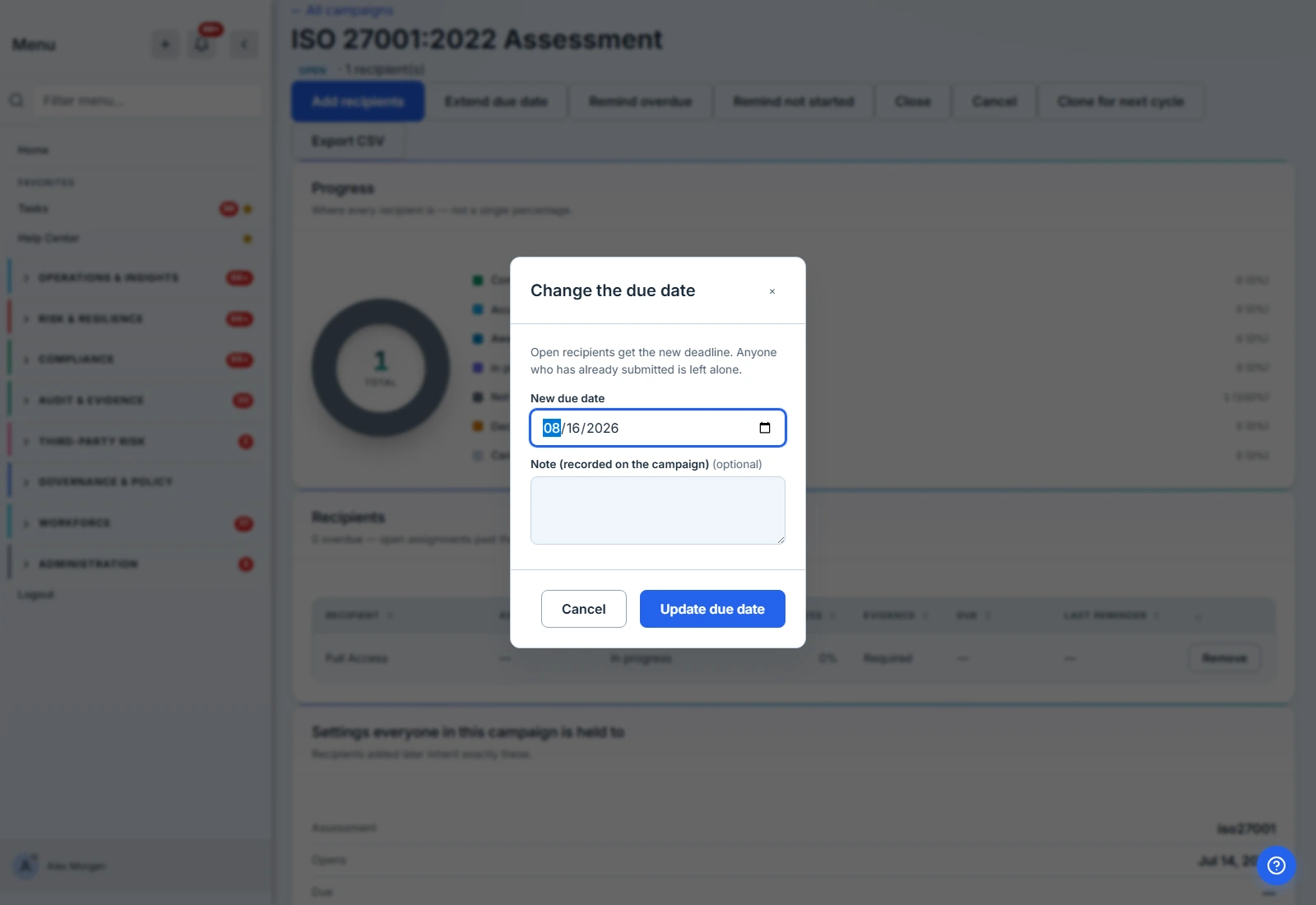
Extending moves the deadline for recipients who still have the assessment open. Anyone who has already submitted is left alone — submitted work is never re-dated. If some rows can’t be moved, the result names them rather than reporting a count that quietly hides them.
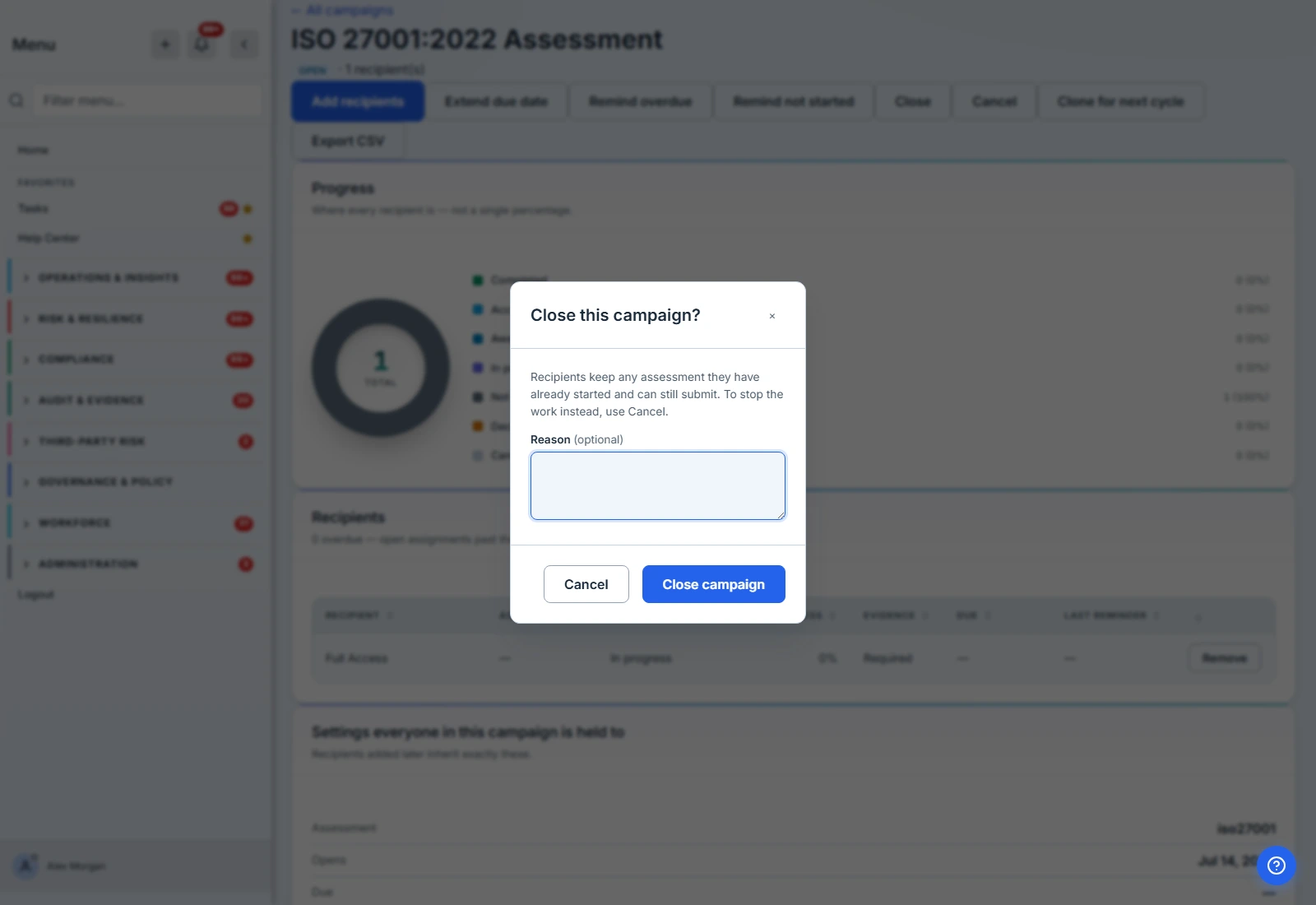
Closing and cancelling are separate buttons because they are separate decisions. Closing ends the campaign as a program without taking anything away: recipients keep any assessment they’ve started and can still submit, and the confirmation tells you how many are in that position. Cancelling stops the work itself.
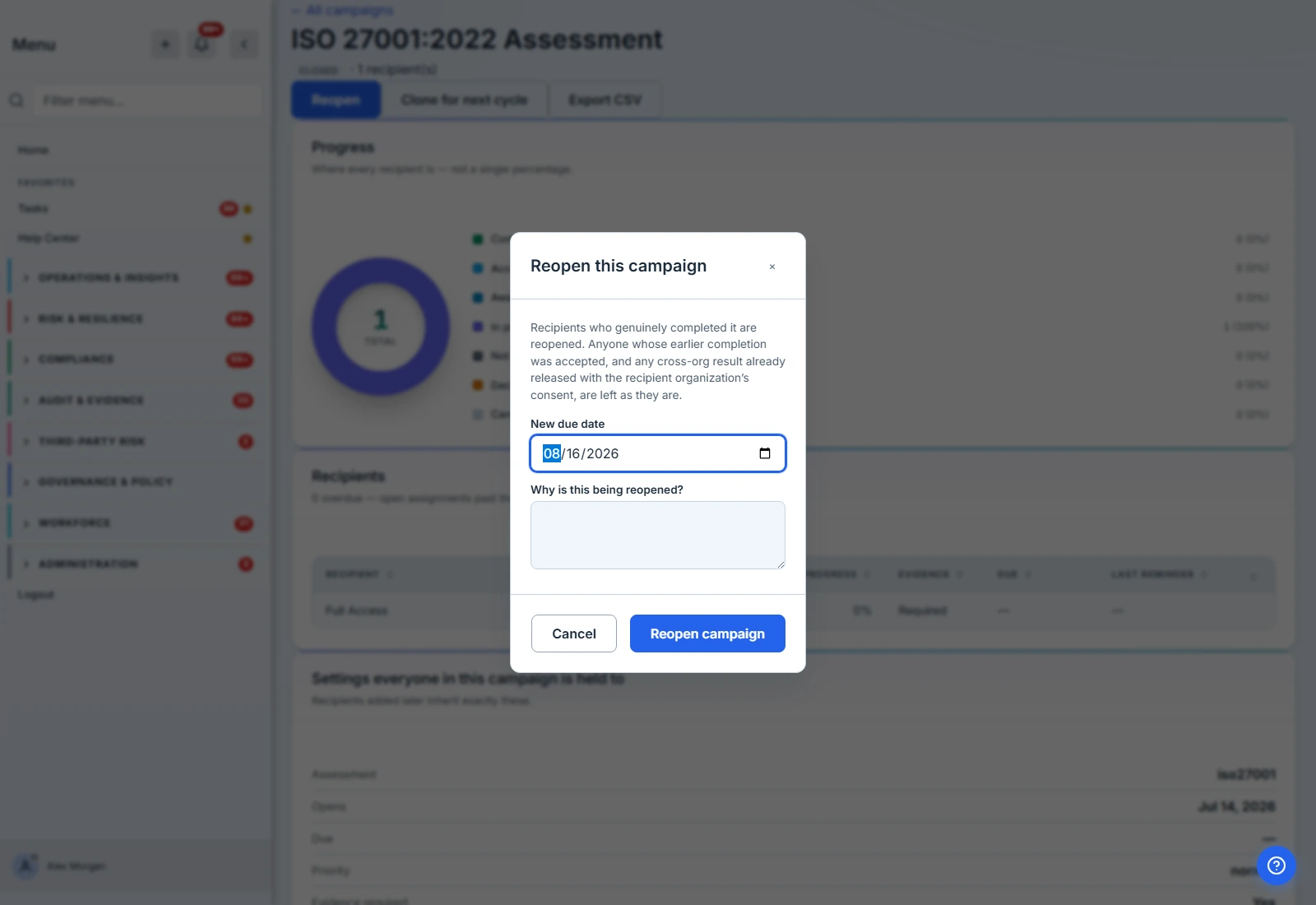
Reopening a closed campaign asks for a new deadline and a reason, and records both. Recipients who genuinely completed it are reopened. Anyone whose earlier completion was accepted from a prior assessment, and any cross-org result already released with the recipient organisation’s consent, are deliberately left as they are. Reopening a cycle must not silently retract a result somebody has already been given.
Cloning for the next cycle creates a draft carrying the settings and the roster, so next quarter starts from what you actually sent last quarter. It lands as a draft rather than opening immediately — you review the dates and press send, because a button labelled “clone” should not email thirty people. The cycle label is deliberately not carried over: next cycle is not this cycle.
Remind overdue and Remind not started target exactly those groups instead of emailing everyone, and each recipient row shows when they were last chased, so a follow-up is visible rather than remembered.
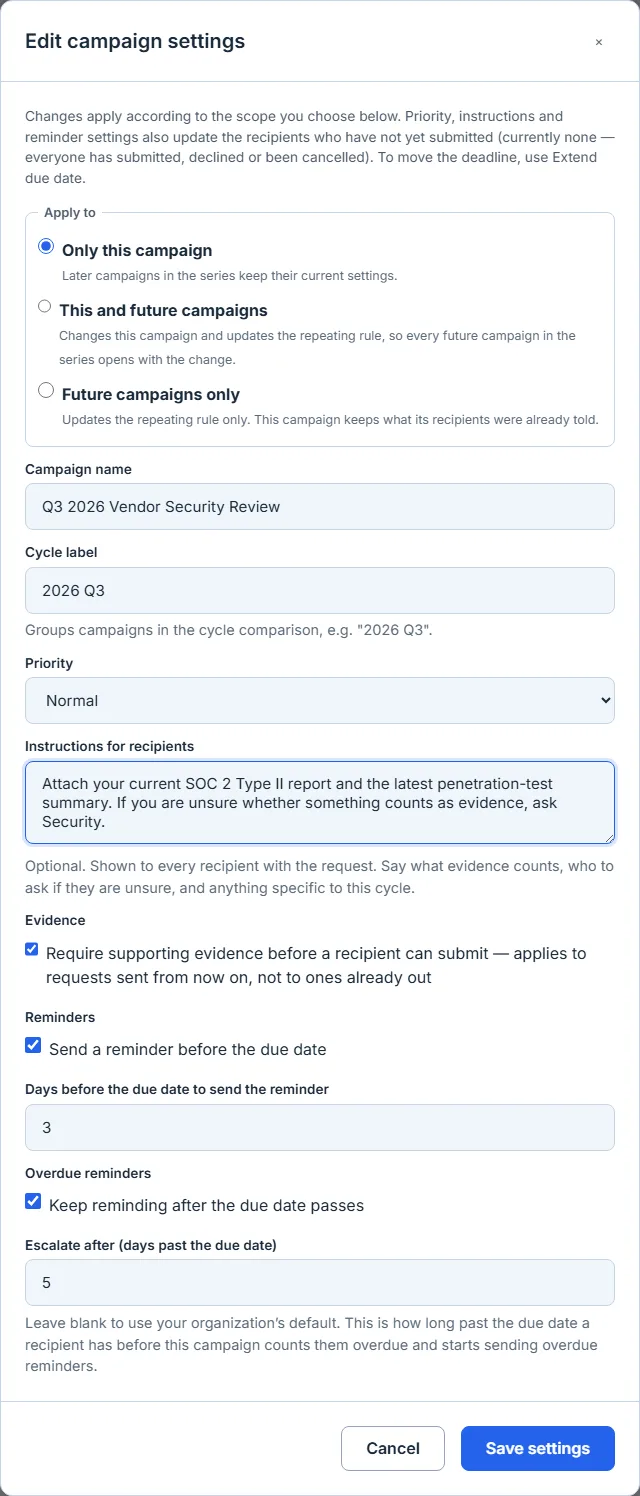
Editing settings after it’s out. A campaign’s terms aren’t frozen the moment you send it. Name, cycle label, priority, instructions, evidence requirement and reminder behaviour can all be changed afterwards. The settings that also live on each recipient — the deadline, priority, instructions and reminders — are pushed to everyone who hasn’t submitted yet; anyone who has already submitted is left alone, on the same principle as extending. The result names how many recipients were updated and how many were deliberately skipped, rather than reporting a bare success. If the campaign belongs to a repeating series you’re asked how far the change should travel — this campaign only, this campaign and future ones, or future ones only — and it defaults to this one. The evidence requirement is the one setting that doesn’t reach requests already out: it’s resolved for each recipient at the moment their request is sent, so changing it can’t retroactively tighten what someone already working is required to attach. The dialog says that on the control itself rather than leaving you to infer it from an omission.
When a campaign chases, and why that isn’t the deadline
A due date says when work is expected. It doesn’t say when being late becomes a problem — and those aren’t the same question. An annual policy attestation and a 48-hour incident questionnaire are both late the day after they’re due, but chasing them on the same clock is wrong in one direction or the other.
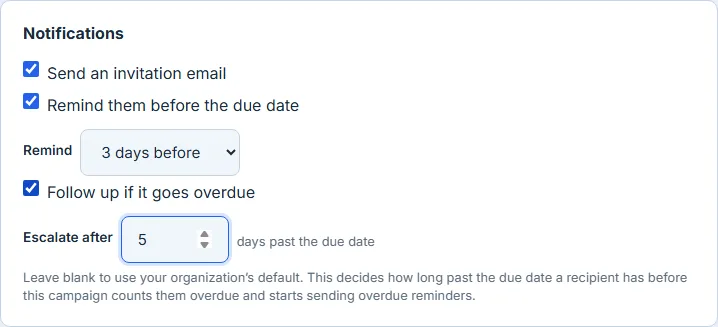
So a campaign carries its own escalation threshold: how long past the deadline a recipient has before this campaign counts them overdue and starts chasing. Leave it blank and it uses your organisation’s default.
The part that matters is that it’s one number, not two. The threshold a campaign escalates on is the same one its Overdue figure counts by, so the number on the program dashboard and the reminders a recipient actually receives can never disagree. A setting that changed the chasing but not the counting — or the other way round — would be worse than no setting at all, because you’d be reading one thing and your recipients would be experiencing another.
Repeating a campaign on a schedule
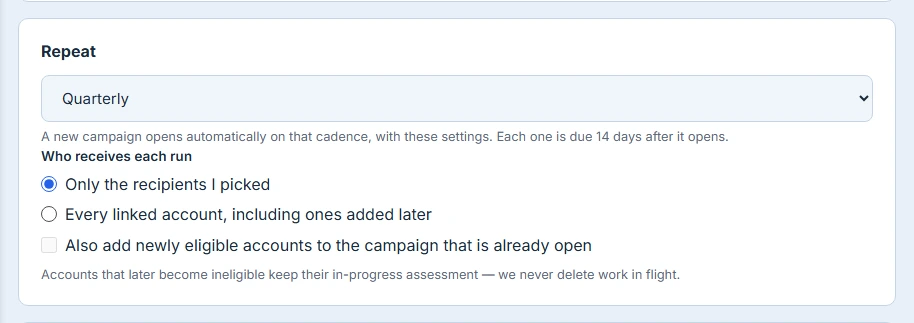
A campaign can repeat. Set a cadence — monthly, quarterly, half-yearly, annually — and a new campaign opens automatically on that schedule carrying these settings, with its cycle label generated for you.
Each campaign in the series can go to the recipients you picked, or to a rule: every linked account, every internal user, or named groups. With a rule, accounts onboarded between one campaign and the next are included automatically, and you can optionally let newly eligible accounts join the campaign that is already open. Accounts that later become ineligible keep anything already in progress — nothing in flight is ever removed on your behalf.
A campaign opened by a schedule says so on its own page, showing which campaign in the series it is and that changes there affect only this campaign unless you widen the scope in Edit settings.
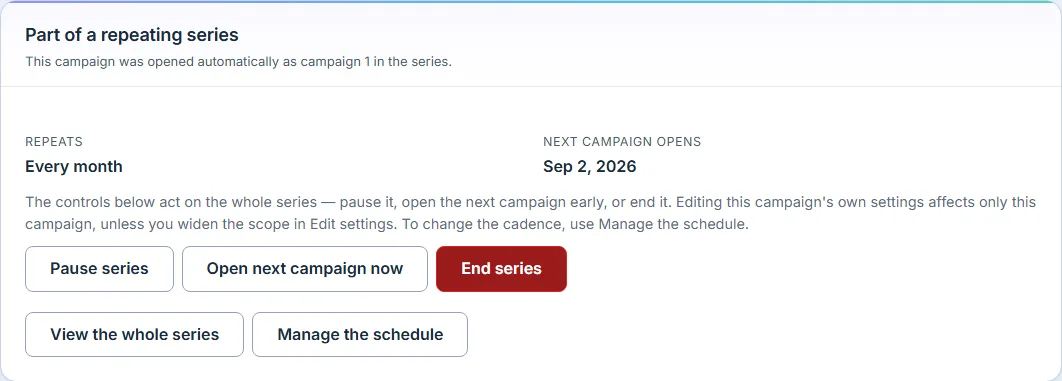
A series is steerable from that panel, not just visible on it. Pause stops further campaigns opening without touching any that are already out, and is reversible. Open next campaign now opens the next one immediately in addition to the schedule — it doesn’t skip or replace the scheduled one, which is the assumption that would quietly cost you a cycle. End series is permanent, asks for a reason, and is the only control on the panel styled as destructive. View the whole series filters the campaign list to this series, because the panel that tells you this is campaign 3 should also be able to show you campaigns 1 and 2. An ended series says so before anything else on the panel, because every other line would otherwise be describing a schedule that will never run again.
A schedule that stops on its own is the worst thing this feature can do, so it refuses to do it quietly. If the recipients for the next campaign can no longer be resolved — the author’s access changed, a scope narrowed — the series pauses itself, says why on the campaign page, and notifies the person who owns it. If one fires and reaches nobody, that’s reported too: the series stays active and will open another on the same cadence, so the panel says the last scheduled campaign reached no one rather than showing a healthy next-open date above a cycle that sent nothing.
Two rules keep a schedule honest. The accept-prior window must be shorter than the gap between campaigns, or every campaign would accept the previous one’s answers and nobody would ever be asked again — so that combination is refused at save time with the reason stated. And if one resolves to nobody — a group emptied, a rule that matches nothing this quarter — it does not count as an occurrence. The cycle is recorded as having reached no one rather than quietly logged as done.
Evidence requirements, stated once
The evidence-gating control shows your organisation’s current default and where to change it, and it stays disabled until that default has actually loaded, so it can never re-check itself under you after you’ve made a choice.
One rule is worth knowing: turning it on also turns it on for any assessment those recipients already have in flight. Turning it off never turns it off for them. Requirements tighten; they don’t loosen retroactively. A completion made without evidence gating won’t satisfy a campaign that requires it — including a prior completion you’d otherwise have accepted.
What this replaces
The old path was a three-step modal. Its confirmation summary listed the assessment name, the type, and a count of accounts — not the due date, not the gating, not the reminders. Its priority dropdown offered “Urgent”, which the backend rewrote to “normal” on arrival. Its Resend button called a function that didn’t exist. Reopening wasn’t possible at any layer. Adding someone to an open campaign meant re-opening the same modal and re-deriving what you’d sent the first time.
All of that is gone, along with the parallel screen that re-implemented the same send with a different cancel semantic. One surface, one set of terms, one place to steer from.