Most disaster-recovery testing fails quietly at the last step. The tests get run, the results get recorded, and nobody with the standing to say “that recovery time isn’t acceptable” ever reads them. The exercise closes, the report gets filed, and the gap survives to the next audit.
A reviewer on a Talarity DR exercise is the fix for that. If an exercise names reviewers, closing testing does not complete it — it moves the exercise to In Review and hands it to the people named. The exercise completes when the last of them approves, and not before.
This guide is for that seat. For the whole picture see running a DR exercise; for the administrator’s side, setting one up.
What lands in your queue
You don’t have to go looking, and you don’t wait until the end to find out an exercise exists.
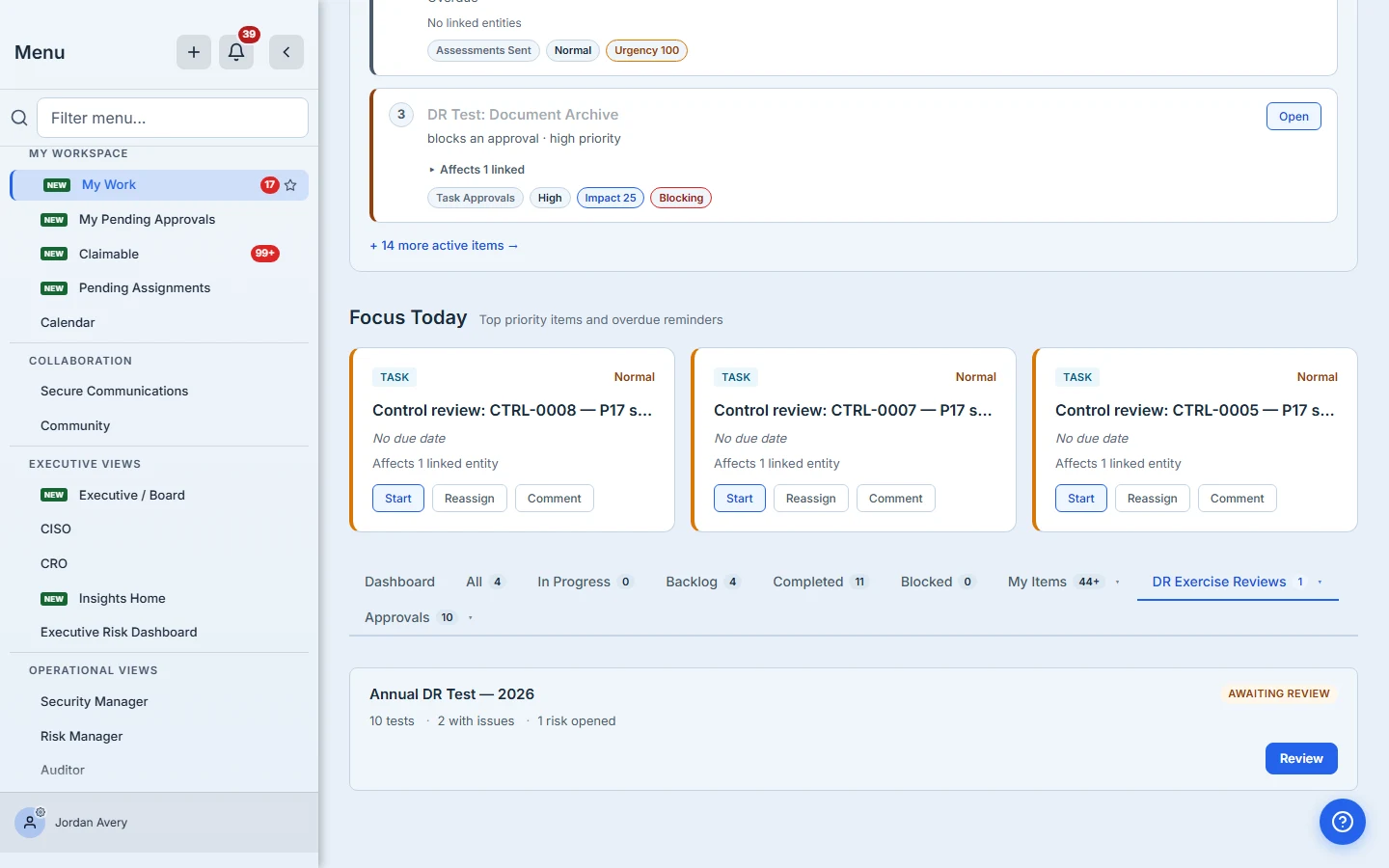
When testing starts, you get an email and an in-app notification naming the exercise, how many tests were assigned and across how many testers, and linking straight to the exercise board. The exercise also appears immediately in My Work under DR Exercise Reviews, marked Testing in progress, showing how many results are in and how many are still outstanding.
That early visibility is the point. A reviewer who first hears about an exercise when it needs signing has no opportunity to do the part of the job that actually matters — noticing that a tester has gone quiet with three days left, while there is still time to do something about it.
When testing closes, the same entry changes to Awaiting review and becomes your action: the counts are final, and you can see how many other reviewers it is waiting on.
You also get a notification at that point that links straight to the exercise board, so the two routes land in the same place.
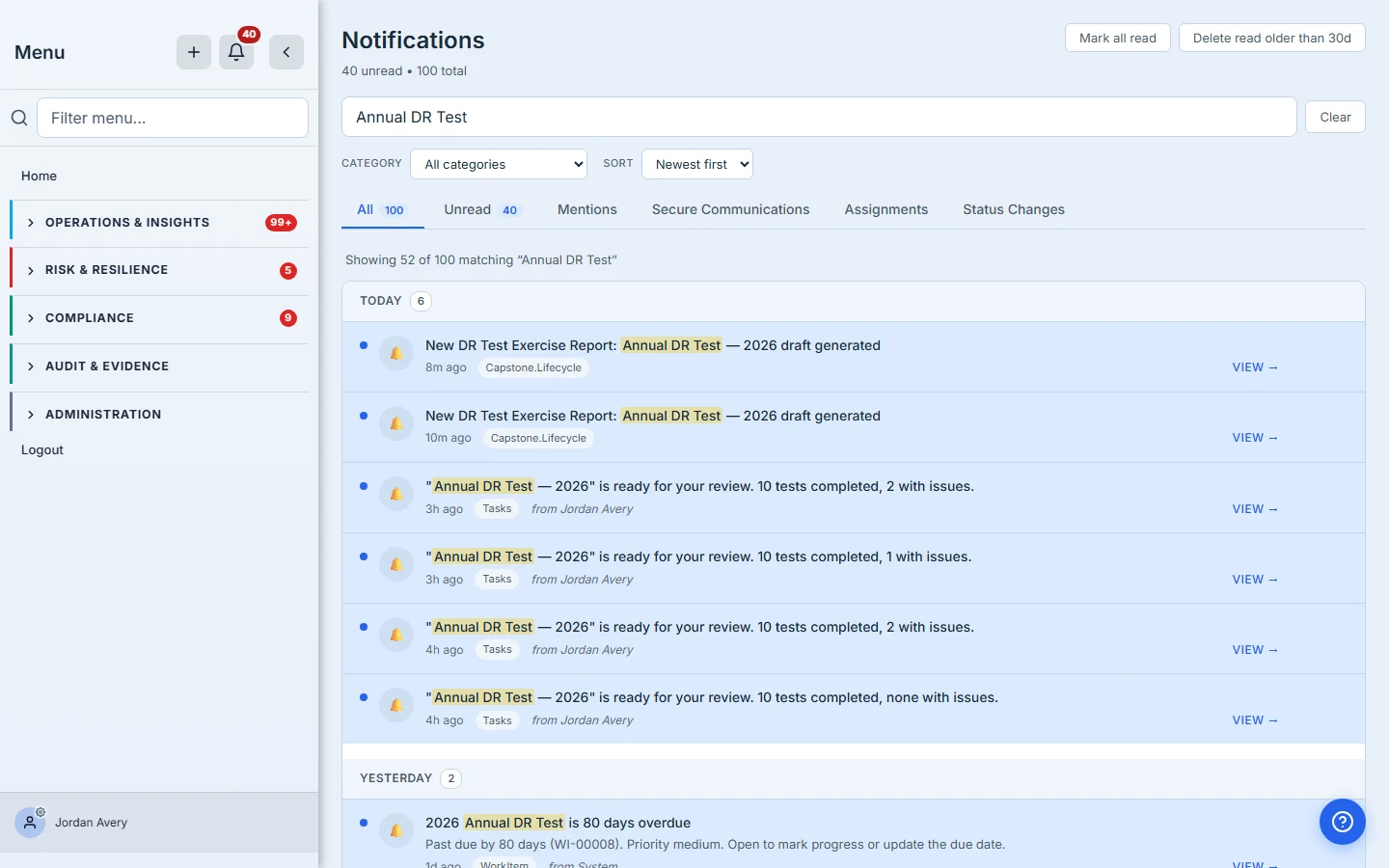
When the last reviewer approves, everyone who signed is told the exercise is complete, with a link to the signed report where one has been generated.
What to read before you approve
Your approval is a statement that the testing was adequate — not that it went well. A failed test honestly recorded and properly remediated is a good exercise. What you’re checking is whether the record supports that conclusion.
The counts line
Start at the top of the board: subjects, passed, partial, failed, pending, risks, remediation items.
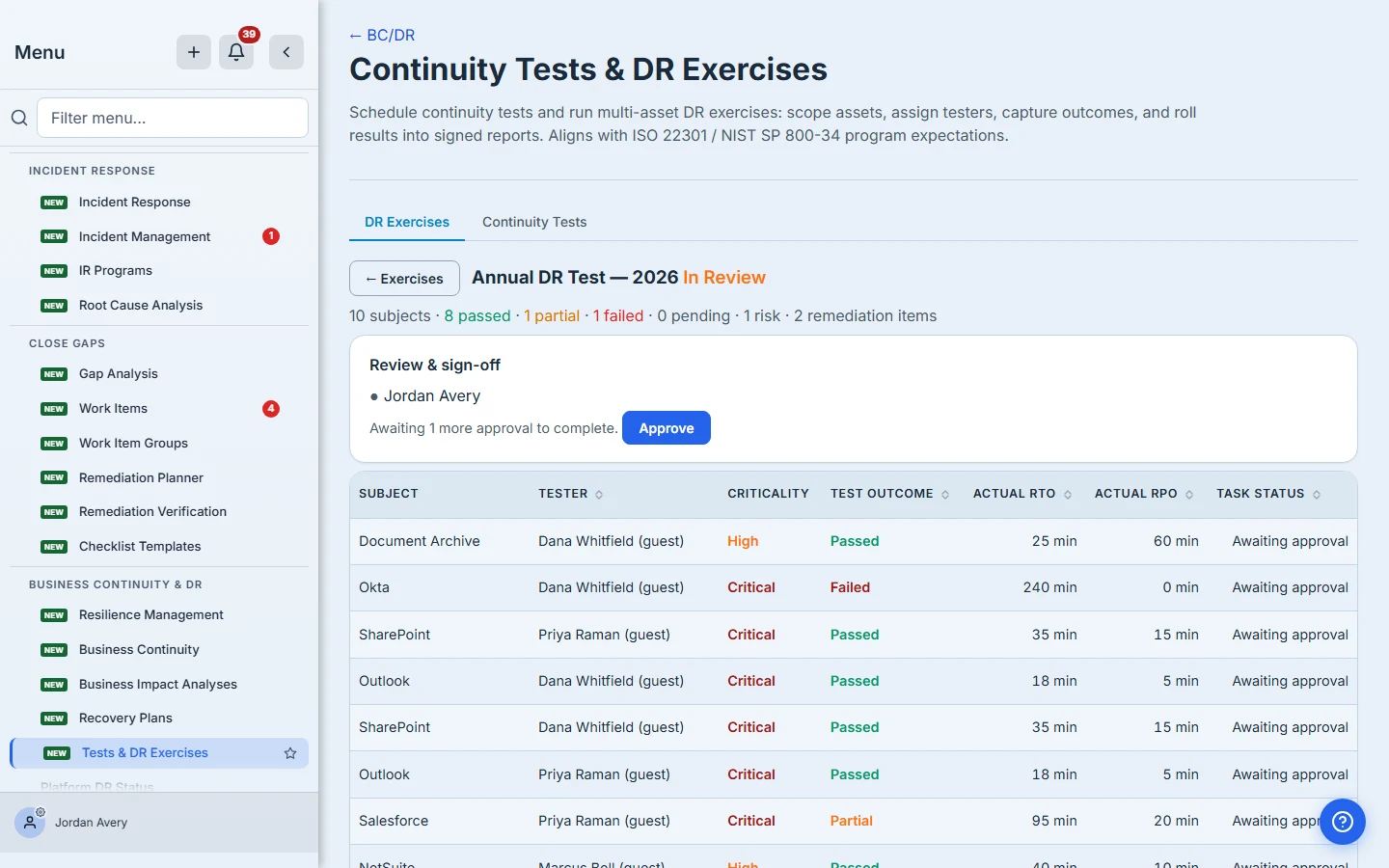
The number to look hardest at is pending. If an exercise was force-closed with tests still outstanding, those subjects were never exercised at all. That’s not a failure — it’s an absence, and it’s the one thing a summary can most easily hide.
The individual results
Each row names the subject, the tester, the outcome, and the actual RTO and RPO they achieved. A subject tested by two people appears twice, one row each.
Three things reward a second look:
- Recovery times against your assumptions. A Passed test that took four hours against a one-hour objective is a passed test and a missed target. Only you can say which matters more.
- A perfect run. Every subject Passed with no issues recorded sometimes means the estate is healthy, and sometimes means the tests weren’t really run. The RTO/RPO figures are the tell: real recoveries produce varied, specific numbers.
- Who tested what. A tester certifying a system they own is normal; a tester certifying one they’ve never operated is worth a question.
The findings
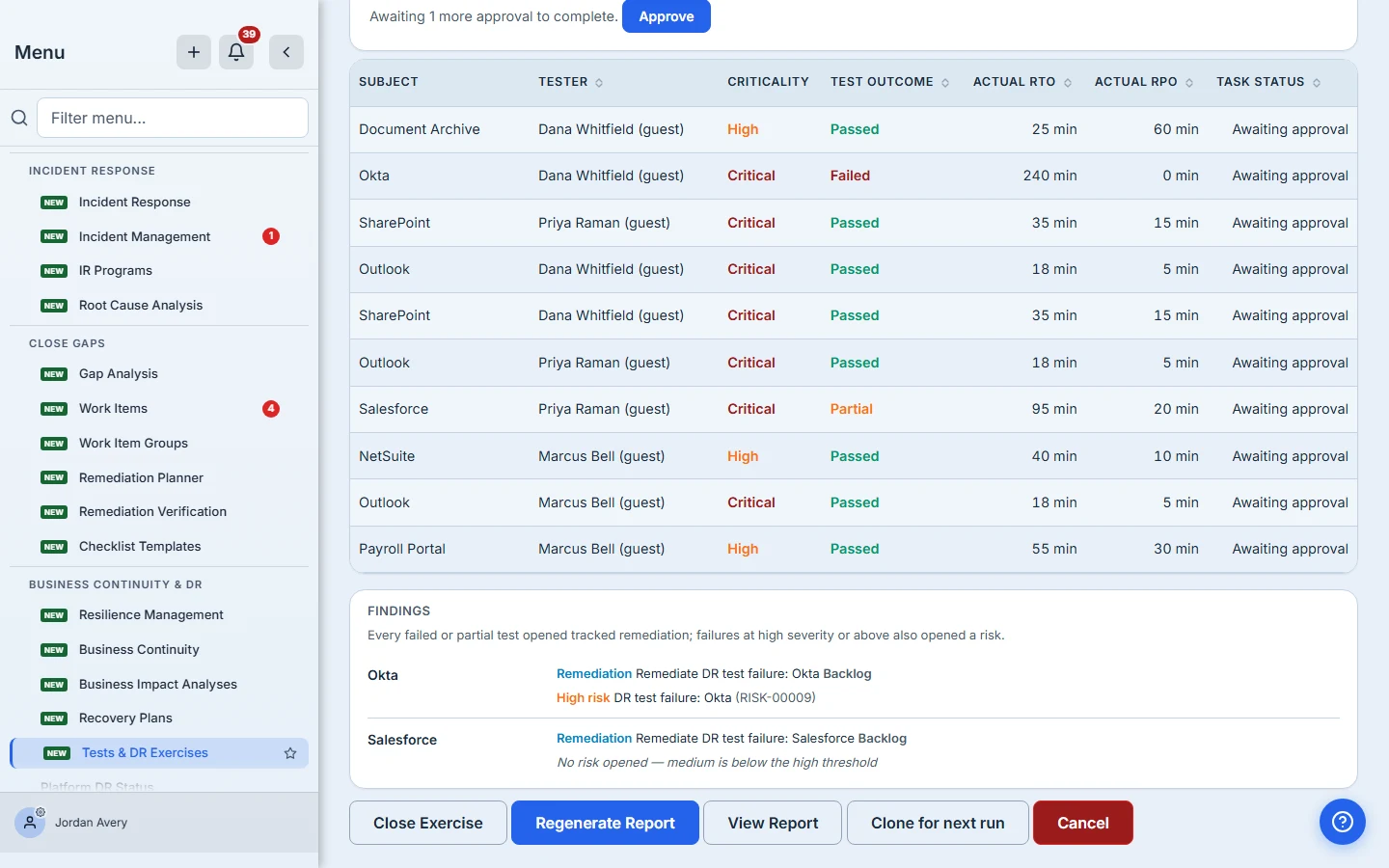
Every failed or partial test opened a remediation work-item. Failures at or above the exercise’s severity threshold also opened a scored risk.
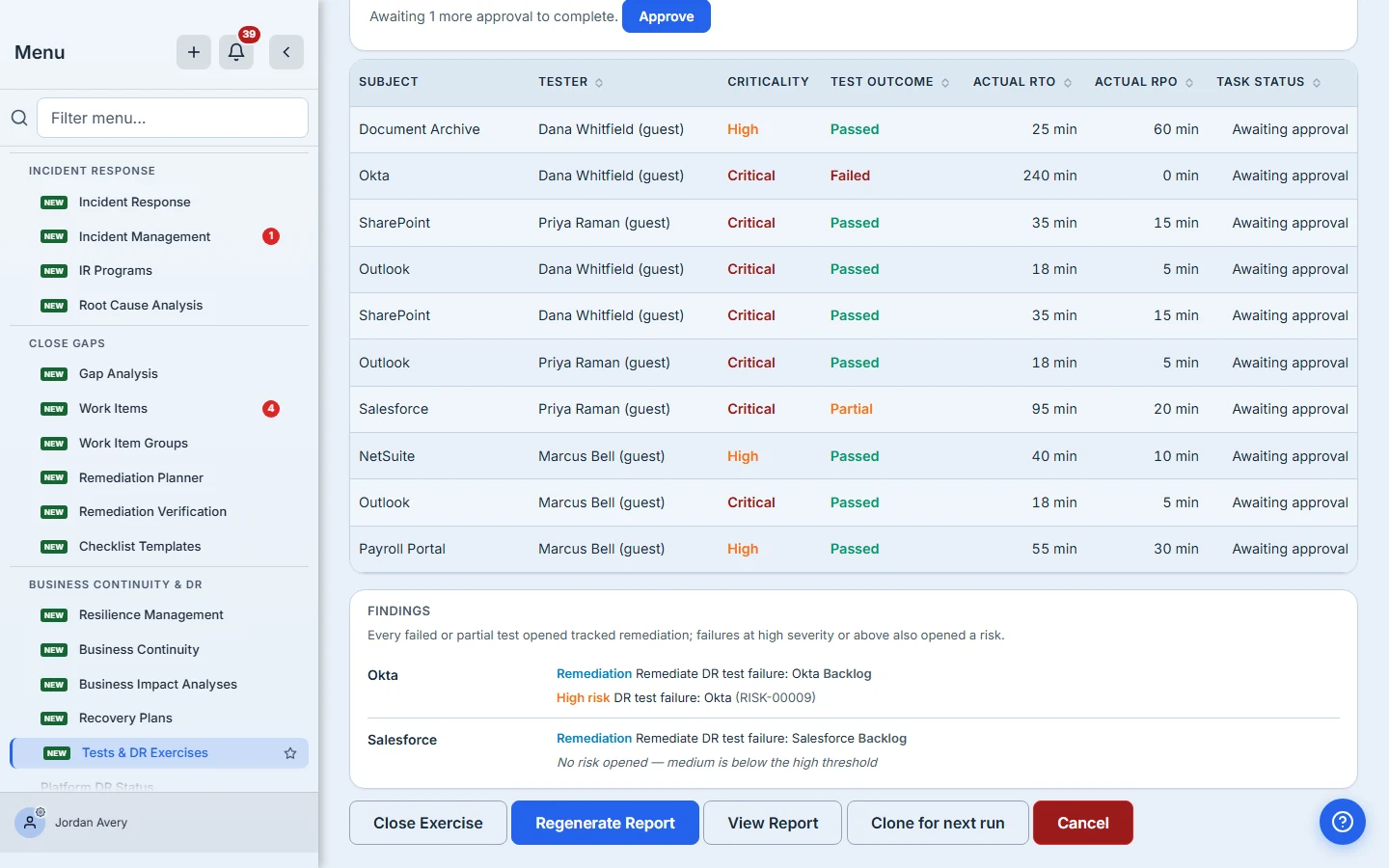
Read the ones that opened no risk carefully. There are two different reasons a finding can show no risk, and the card distinguishes them:
- “below the … threshold” — a severity was recorded and it didn’t clear the bar. The rule worked.
- “no issue severity was recorded” — the tester left it blank. Severity is optional, and a blank one opens no risk at any threshold, including Low. Nothing was judged, because nothing was measured.
The second is the one to push back on. If a failure matters enough to remediate, it matters enough to grade.
Approving
When you’re satisfied, approve.
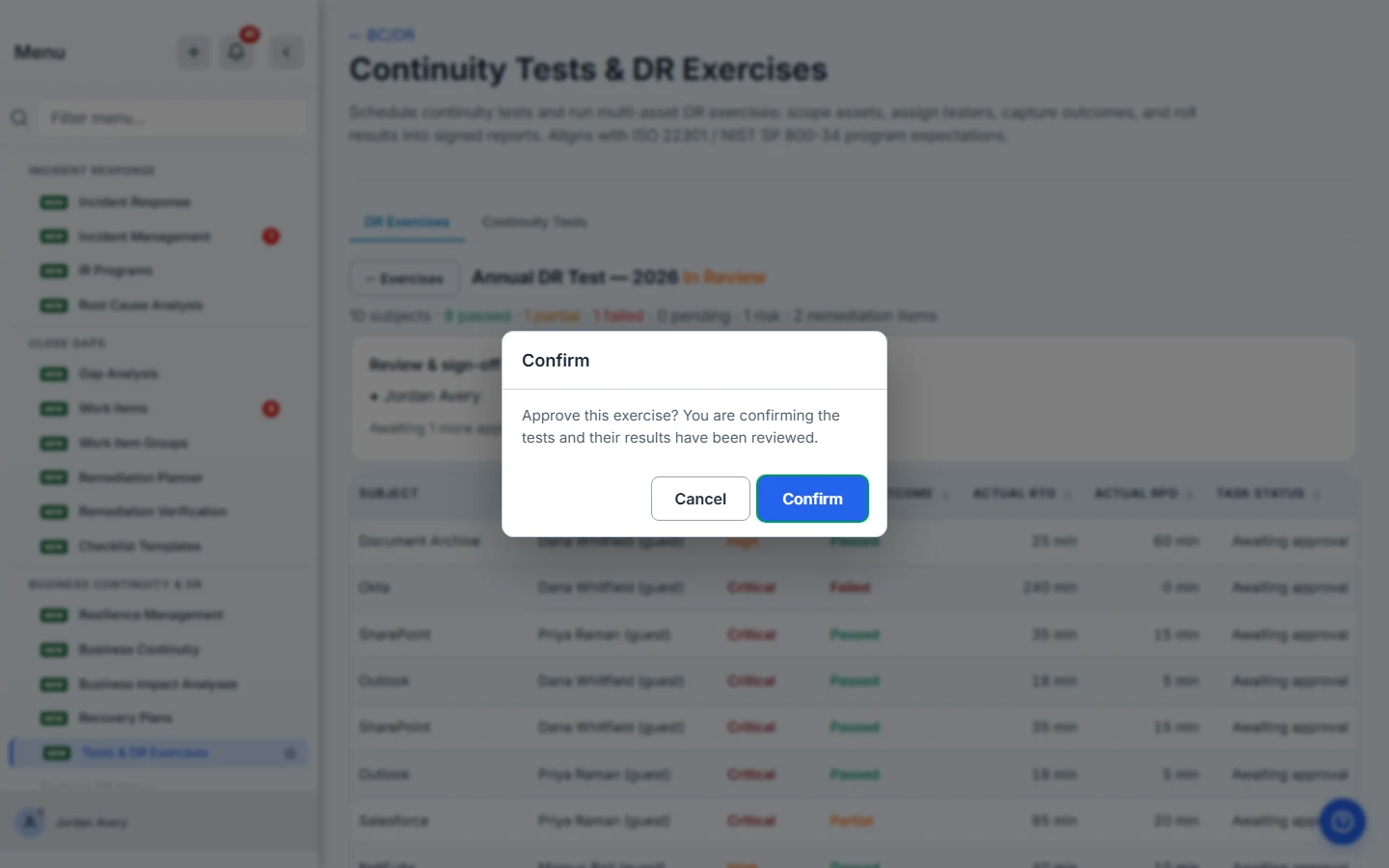
Your approval is recorded against your name. If other reviewers are still outstanding, you’re told who — the exercise stays In Review until every one of them has approved.
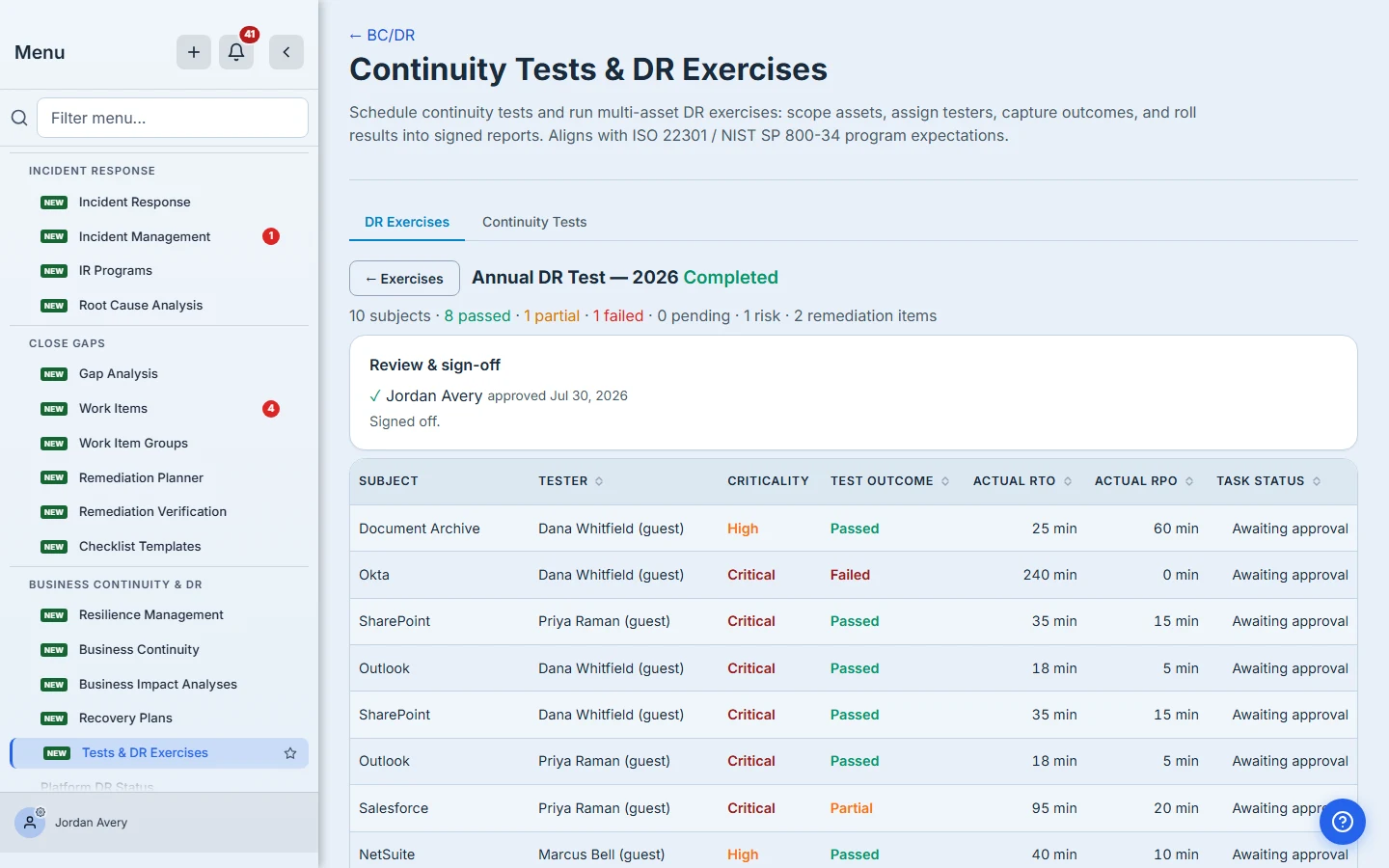
When the last approval lands, the exercise completes and is stamped with the review date. That timestamp is what an auditor reads as this testing was reviewed by a named person on this date — which is the thing a filed spreadsheet has never been able to say.
What review is not
Two boundaries, so your approval means what you think it means:
- Reviewer sign-off is not custodian sign-off. They’re separate controls. Custodian sign-off asks the owner of a specific asset to confirm one result, and it happens in the approvals queue rather than here. It applies to asset subjects whose custodian has a login, and it does not apply to vendor subjects at all.
- Approving does not produce the report. The exercise report is generated separately and becomes evidence only when someone finalizes it in the Capstone Library. A completed exercise and a filed piece of evidence are two steps, not one.
What you walk away with
- A queue that brings the exercise to you rather than relying on you to remember.
- Per-test detail — tester, outcome, and measured recovery times — not a summary you have to take on trust.
- A findings list that tells you which failures were judged and which were never graded.
- An approval recorded against your name and dated, which is what makes the review auditable rather than assumed.
If you’ve been named on an exercise, open My Work and read the pending count first. It’s the fastest way to find out whether you’re reviewing a test that happened or a test that partly didn’t.