Someone has scoped a disaster-recovery exercise and put your name against one or more systems. Your job is to try recovering each one and record what actually happened — not what’s supposed to happen.
This guide is for that. For the whole picture see running a DR exercise.
What arrives
One email, listing every system you’ve been asked to test — not one message per system. It carries the due date, the instructions the coordinator wrote, and whether attaching evidence is required or optional — including the specific document types the exercise wants, if it asks for any.
How you get in depends on how you were added, and it’s worth knowing which you are:
- You already use Talarity — the tests are in your work queue.
- You were added as a guest — you get a real account scoped to just these tasks. You set a password the first time and can sign back in later.
- You were sent a one-time link — it opens the task directly with no account. It expires, and there’s nothing to sign back into afterwards.
Signing in for the first time
If your organisation requires multi-factor authentication, you will be asked to set it up before you reach your tasks — the same requirement every other person in that organisation has, applied the same way. It is a one-time setup: an authenticator app on your phone, a QR code, a six-digit code to confirm. You can usually mark the device as trusted so you are not asked again for a month.
You will also be asked to accept Talarity’s Terms of Service once, the same as any other user.
Both of these catch people out, because a DR test feels like a small favour rather than a system you are joining. Neither takes long, but they land at the moment you were expecting a two-minute form — so it is worth getting them out of the way before the day you actually need to record a result.
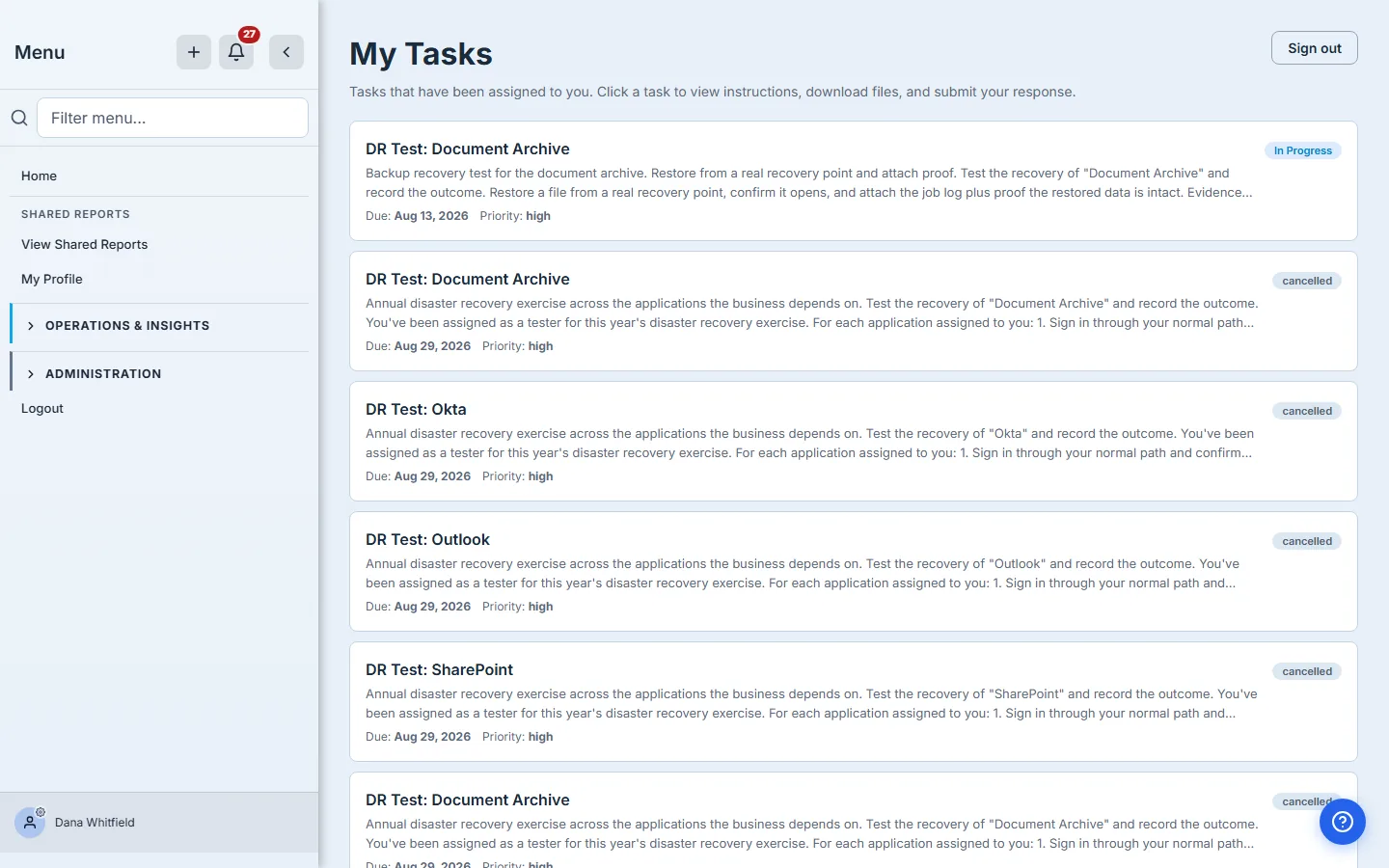
Your task list
Everything assigned to you, with its due date.
The test form
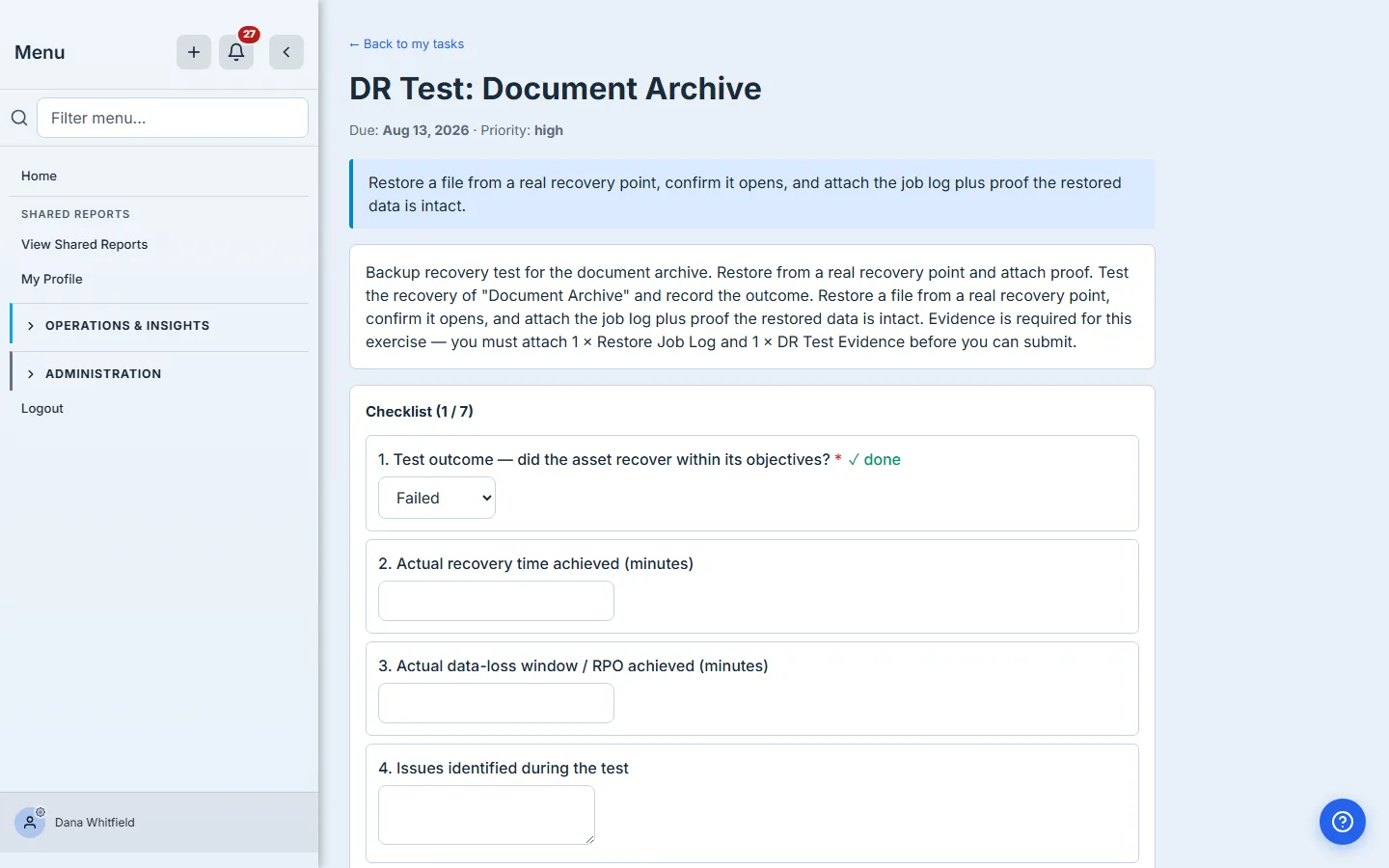
Open one and you get the instructions the coordinator wrote, then the form.
Outcome
Passed, Partial, Failed, or Not applicable. This is the only required field, and it’s the one everything else keys off.
- Passed — you recovered it, within what you’d expect.
- Partial — it came back, but something needed a workaround, or took materially longer than it should.
- Failed — you could not recover it, or recovery was so degraded it wouldn’t have held in a real incident.
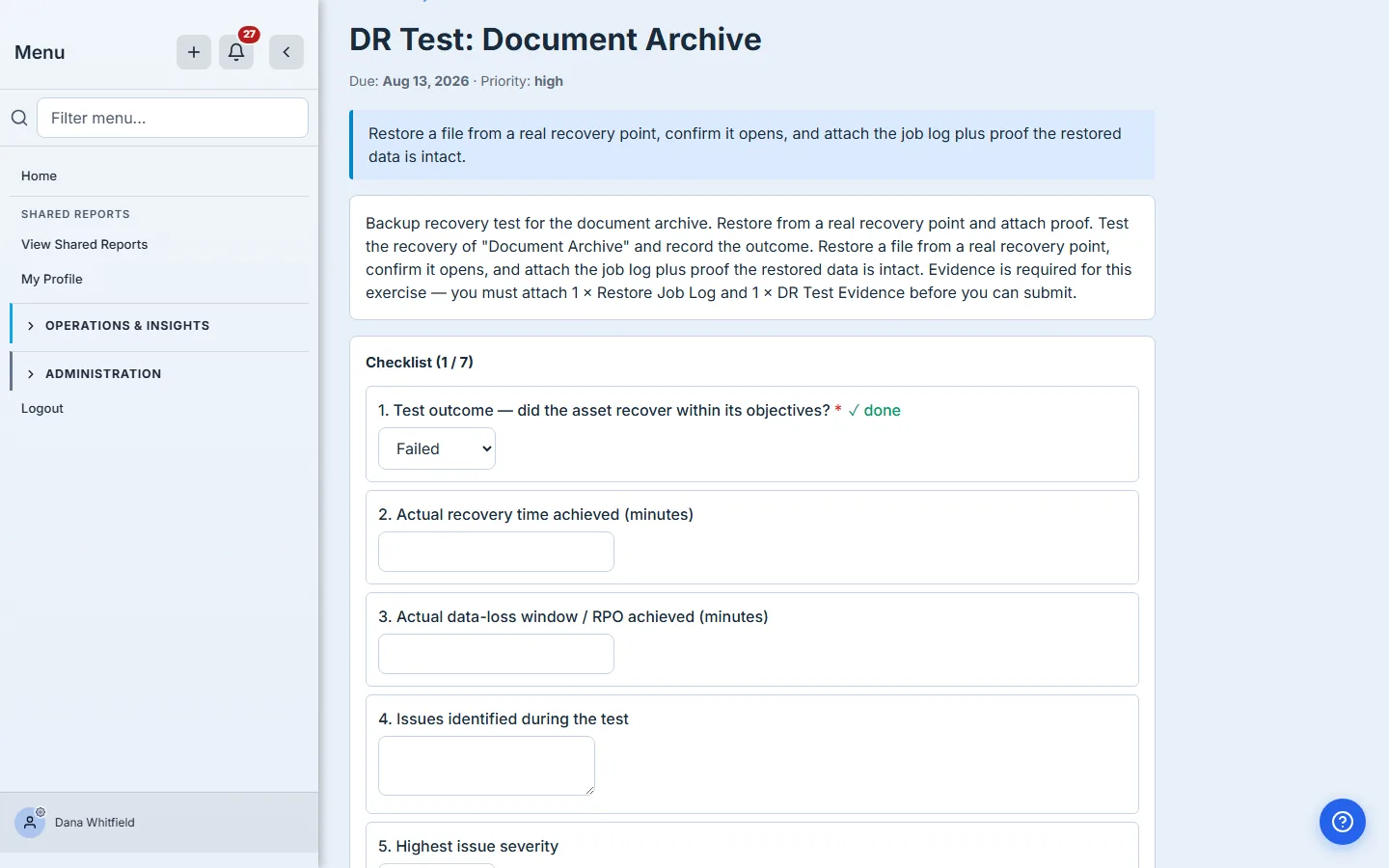
Record a failure rather than leaving the test blank. A blank result tells the organisation nothing — it looks identical to a test nobody got round to. A recorded failure tells them exactly where to look, opens tracked remediation automatically, and is the single most useful thing a DR exercise can produce. Nobody is grading you on a green board.
Actual RTO and RPO
How long recovery actually took, and how much data would have been lost.
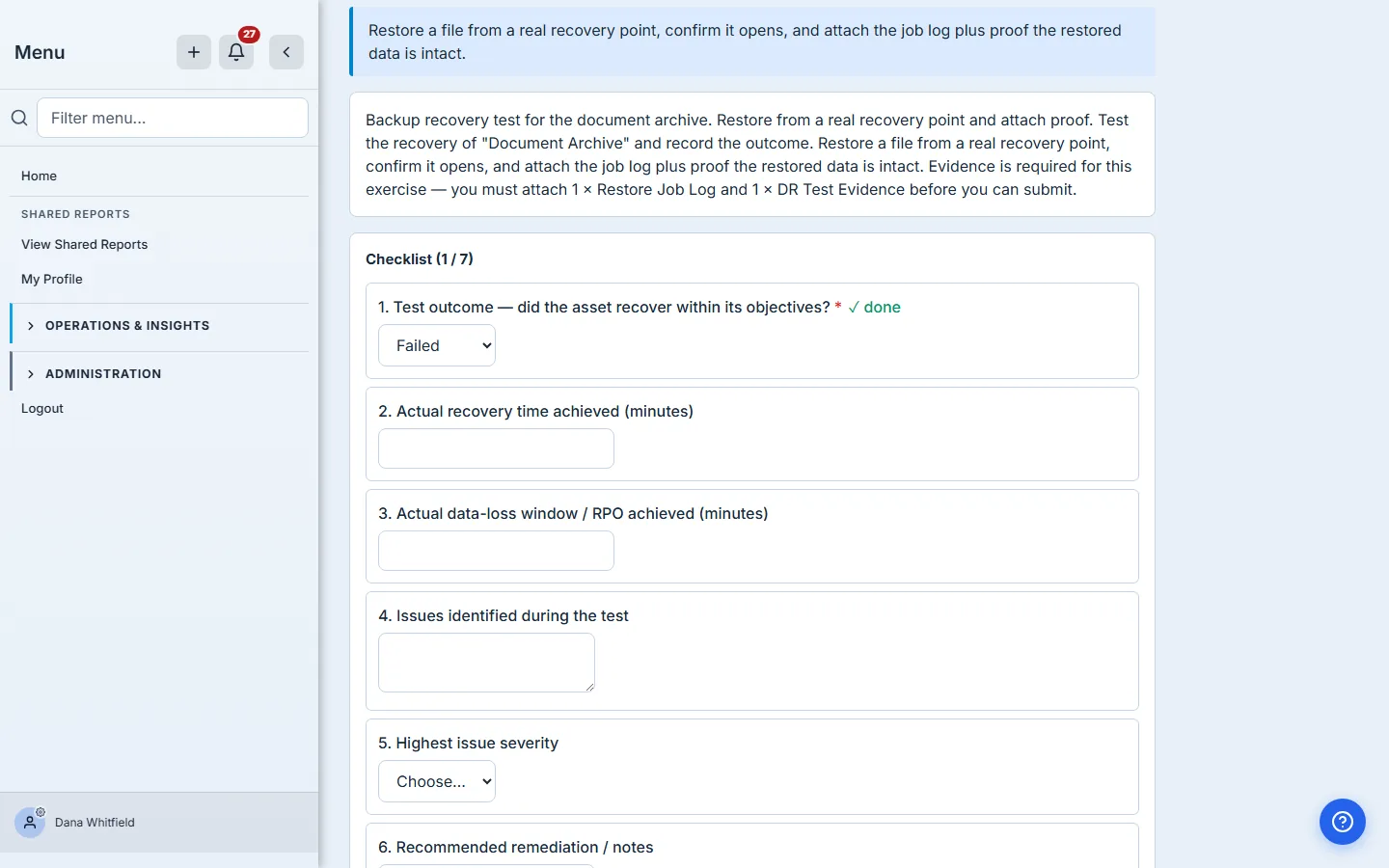
Estimate if you must, but say so in the notes. These two numbers are the ones that get compared against the objectives the business assumed — and an honest 240 minutes against a 60-minute objective is a far more valuable finding than a Passed with the field left empty.
Issues and severity
These appear only when you record Partial or Failed, because they only make sense then.
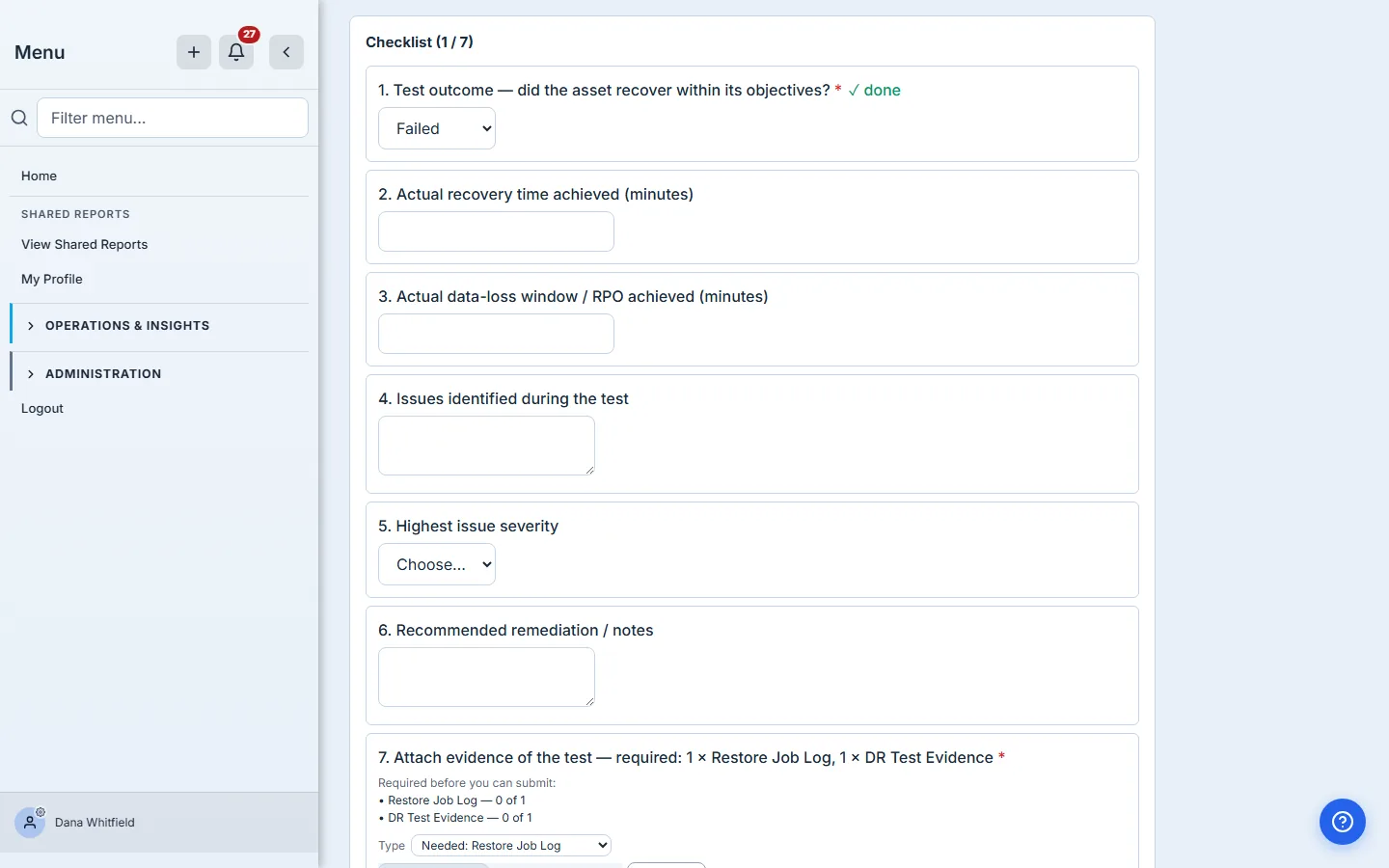
Severity is optional — but if you leave it blank, no risk is opened at any threshold, even the lowest. A failure with no severity gets a remediation item and stops there. If what you found is genuinely serious, grade it, or it won’t escalate.
Write the issue as what you saw and what you did about it: “The break-glass administrator account could not complete MFA against the secondary factor. Recovery needed vendor support and took four hours.” That sentence is what someone reads in six months.
Evidence
Depending on how the exercise was set up, attaching a file is either optional or required — the form says which. A screenshot of the restored system, a log excerpt, a timestamped console view.
You can attach as many files as you need. Most real tests produce more than one artifact — the job log and proof the restored data opened — so the picker takes several at once and uploads them in turn. After each batch the panel clears itself and stays open, so adding more is just picking more.
Each file gets a type, chosen from the same list your artifact repository uses: Restore Job Log, DR Test Evidence, Configuration Export, and so on. The type is what files the artifact into your evidence library correctly, and it’s how a coordinator later finds every restore log across the whole exercise.
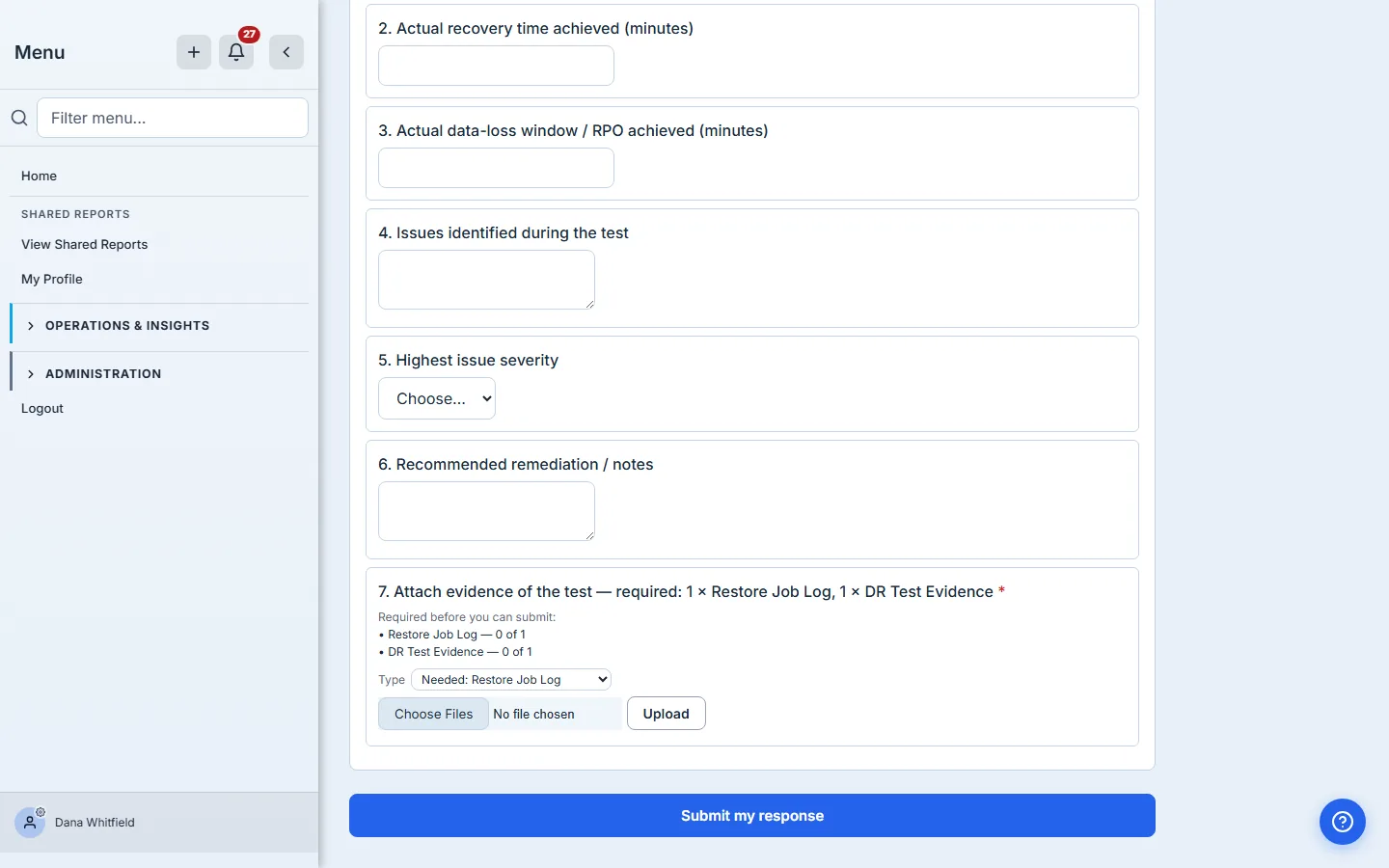
Some exercises ask for specific types: 1 × Restore Job Log and 1 × DR Test Evidence, for example. When they do, you’ll see it three times before it can catch you out — in the assignment email, in the task instructions, and as a running checklist on the upload panel that ticks each line off as you satisfy it. The type you still owe is pre-selected in the picker, labelled Needed.
If it’s required, you cannot submit without it, and the wrong type won’t do: two screenshots don’t satisfy a request for a restore log. If it’s optional, attach one anyway when the result is surprising — a Failed with evidence is much harder to argue with later.
Submitting
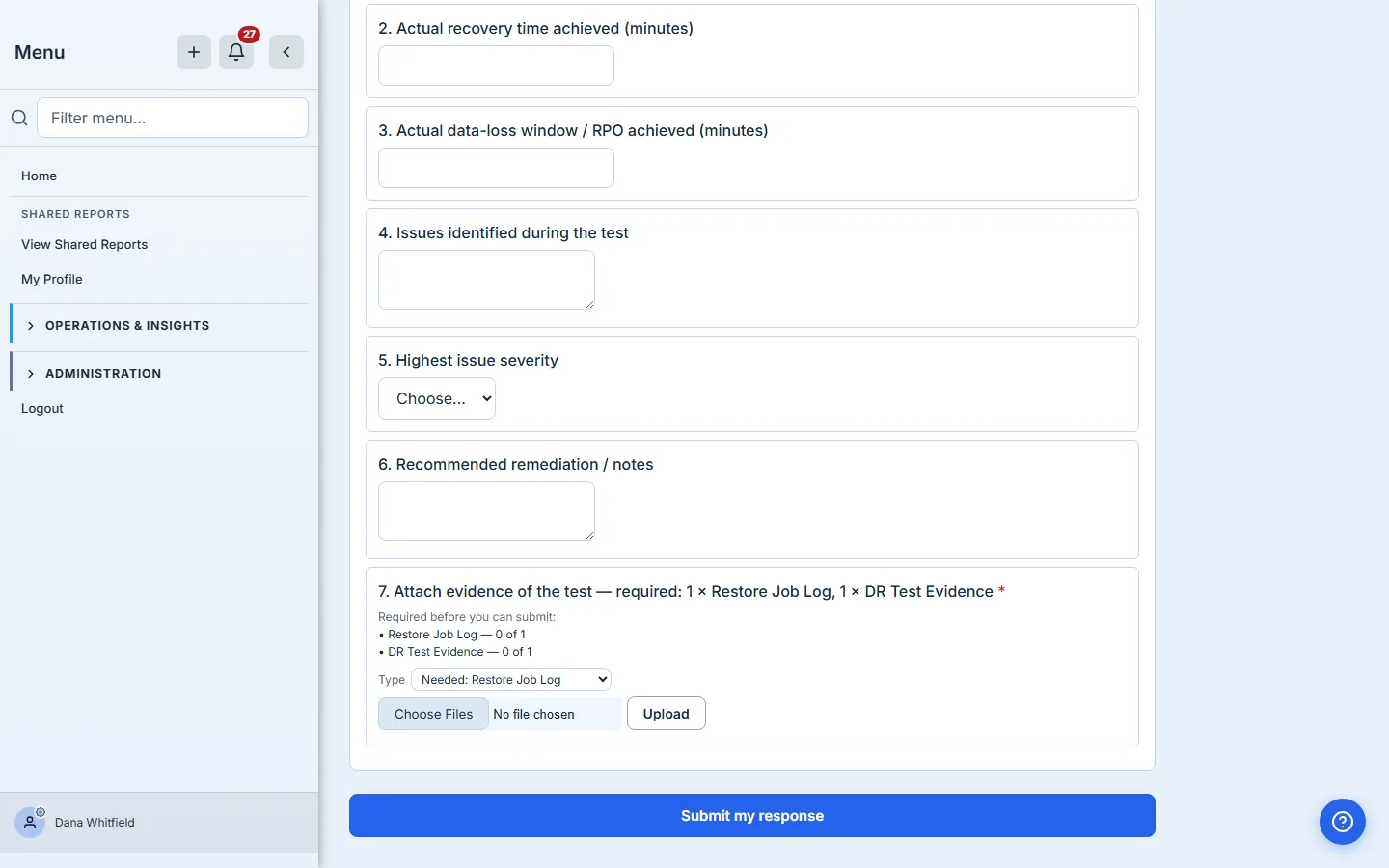
Submit when you’re done. If the exercise requires custodian sign-off and you aren’t the system’s owner, the result goes to them to confirm — that’s normal and not something you need to chase.
What happens to your result
Every result you submit is recorded as a personal attestation — your name, the system, the outcome, the date — and written into a tamper-evident chain. That matters in both directions: nobody can quietly change what you certified, and if you amend a result yourself, the correction is added as a new entry rather than overwriting the old one. The history stays honest.
Your coordinator can produce that record for you, and it is included in the exercise’s signed report.
One caveat worth being straight about: if you were added by one-time link, your result is recorded the same way, but you have no account, so there is nothing for you to sign back in to later. Ask your coordinator for a guest account if you need durable access to your own record.
What you walk away with
- One message listing everything you were asked to test.
- A form that asks for the outcome, the real recovery times, and what went wrong — and only asks about issues when there were some.
- The knowledge that a recorded failure is worth more than a blank, and that severity is what makes a serious one escalate.
- Your own retrievable record of what you certified.
If a test is going badly, that is the finding. Record it, describe it, grade it, and submit.