A governance programme is not one thing. It is a policy library that needs reviewing, a vendor register that needs assessing, a roadmap of initiatives that needs steering, and a stack of audit workpapers that needs finishing. Each has its own page in Talarity, its own owner, and its own way of quietly falling behind.
The problem with four separate pages is not that nothing tells you — Talarity does send reminders, for attestation campaigns, for exceptions coming up for review, for expiries you have built a workflow around. The problem is that a reminder is about one thing. It arrives, you deal with it, and it tells you nothing about the state of the other three programmes. Posture is a different question from tasks, and you only get an answer to it by going and looking — which means you find out about whichever page you happened to open.
Governance Management is the front door to all four. It is deliberately not another dashboard: it is a triage screen. Four cards, each showing the two or three numbers that tell you whether that programme is healthy, each linking into the module that owns it. Under them, five shortcuts that start the most common piece of work without making you navigate first, and a feed of what has actually been happening across the whole module.
There is an audit reason to have such a screen, not just a convenience one. SOC 2’s CC4.1 expects the entity to perform ongoing and/or separate evaluations to ascertain whether the components of internal control are present and functioning — ongoing, not only at assessment time. A hub that surfaces each programme’s health continuously is how “ongoing” stops being an aspiration. It does not satisfy CC4.1 on its own; the evaluations themselves live in the modules behind it. But it is the surface that makes them visible between cycles.
Who’s involved
- Governance lead — opens this first, decides where the day goes.
- Programme owners — policy, vendor, roadmap and audit owners each live in one of the four cards.
- Auditor — asks “how do you oversee this?” This screen, and the activity feed under it, is a large part of the answer.
What’s on the page
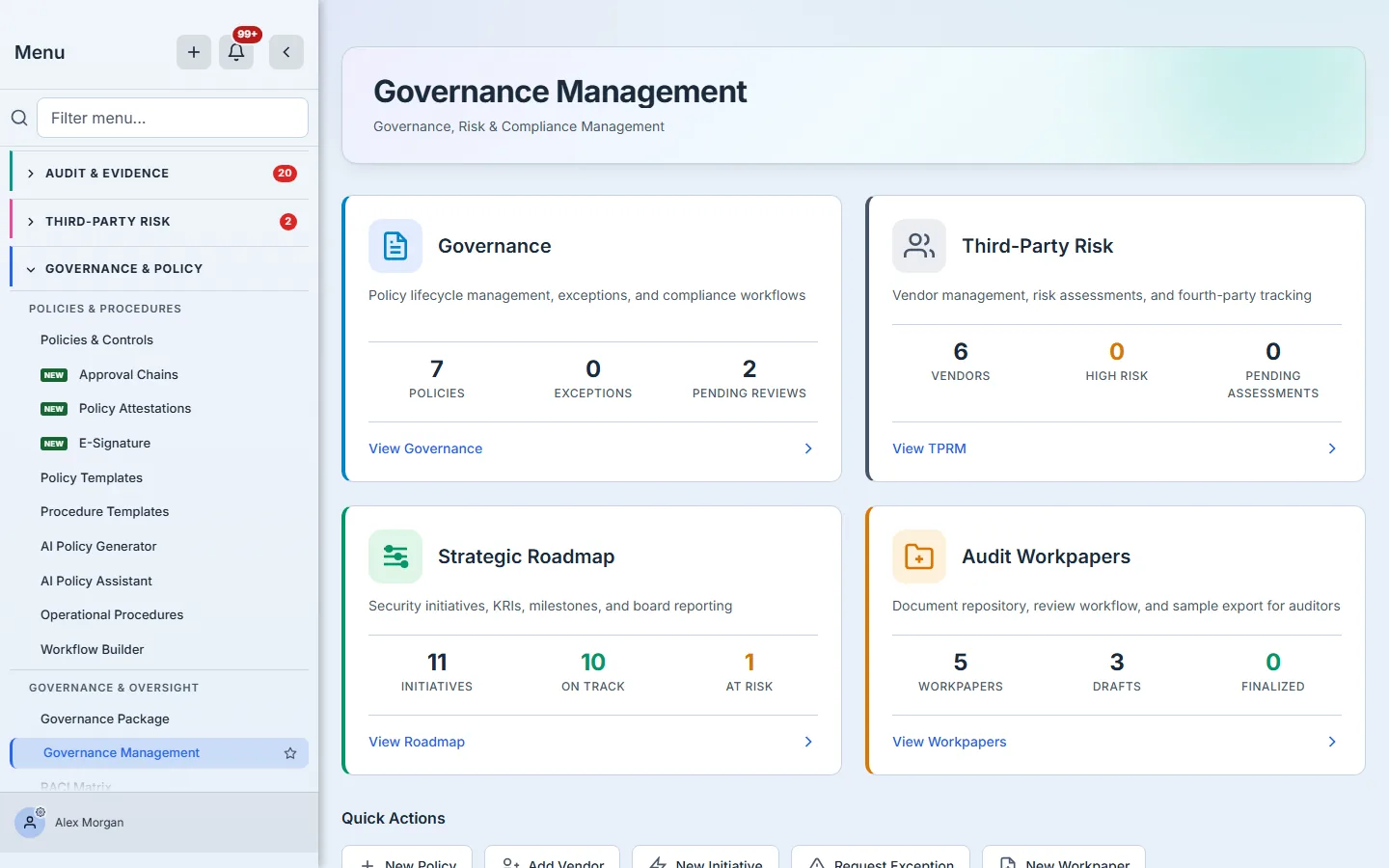
One screen, three bands: the four module cards, the quick actions beneath them, and — below the fold — the activity feed.
Step 1 — Read the four cards
Each card names a programme, says in one line what it covers, and carries three numbers chosen to answer “is this one healthy?” rather than “how big is this one?”
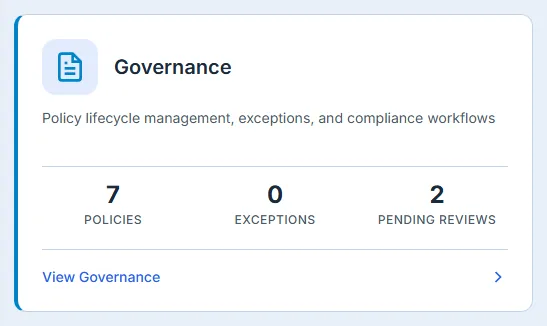
Governance — your policy library. Policies is the size of it; Exceptions is how many documented deviations are live; Pending reviews is the one that decays on its own, because a policy’s review date arrives whether or not anyone is watching.
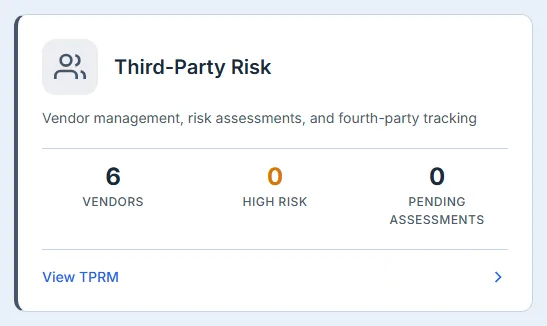
Third-Party Risk — the vendor register. Vendors is the population, High risk is the subset that should never be a surprise, and Pending assessments is the work queue.
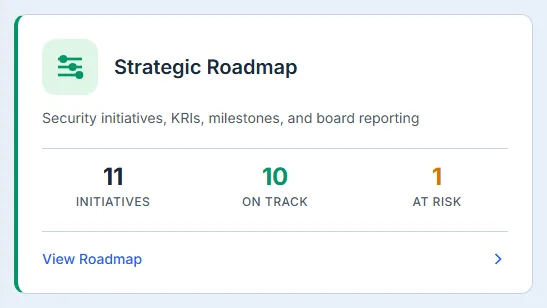
Strategic Roadmap — the security initiatives you have committed to. Initiatives counts everything still live; the split into On track and At risk comes from the status each initiative carries, not from a date calculation, so an initiative is at risk because somebody said so.
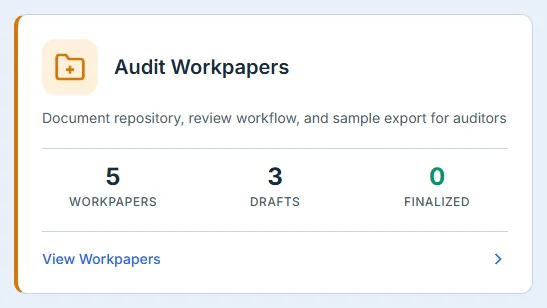
Audit Workpapers — the evidence packages an auditor will actually read. Drafts versus Finalized is the honest measure of how close the pack is. The two counts will not usually add up to the total, because a workpaper spends most of its life in the states between them — in progress, in review, approved.
When a number is not a number
If one of these figures shows ! rather than a digit, that card’s data could not be loaded — hover it and the tooltip says why. This matters more than it looks. The tempting behaviour for a card that cannot reach its data is to render a zero, and a zero here is a statement: you have no policies, no initiatives, nothing overdue. On a governance hub that is either the most alarming thing the screen can say or the most reassuring, and in both cases it would be untrue. A load failure and a genuine zero are different facts, and the card distinguishes them.
Step 2 — Start the work without navigating first

Five shortcuts, one per common piece of work. Each lands you in the destination module with the create flow already open — not on its list page with the button still to find.
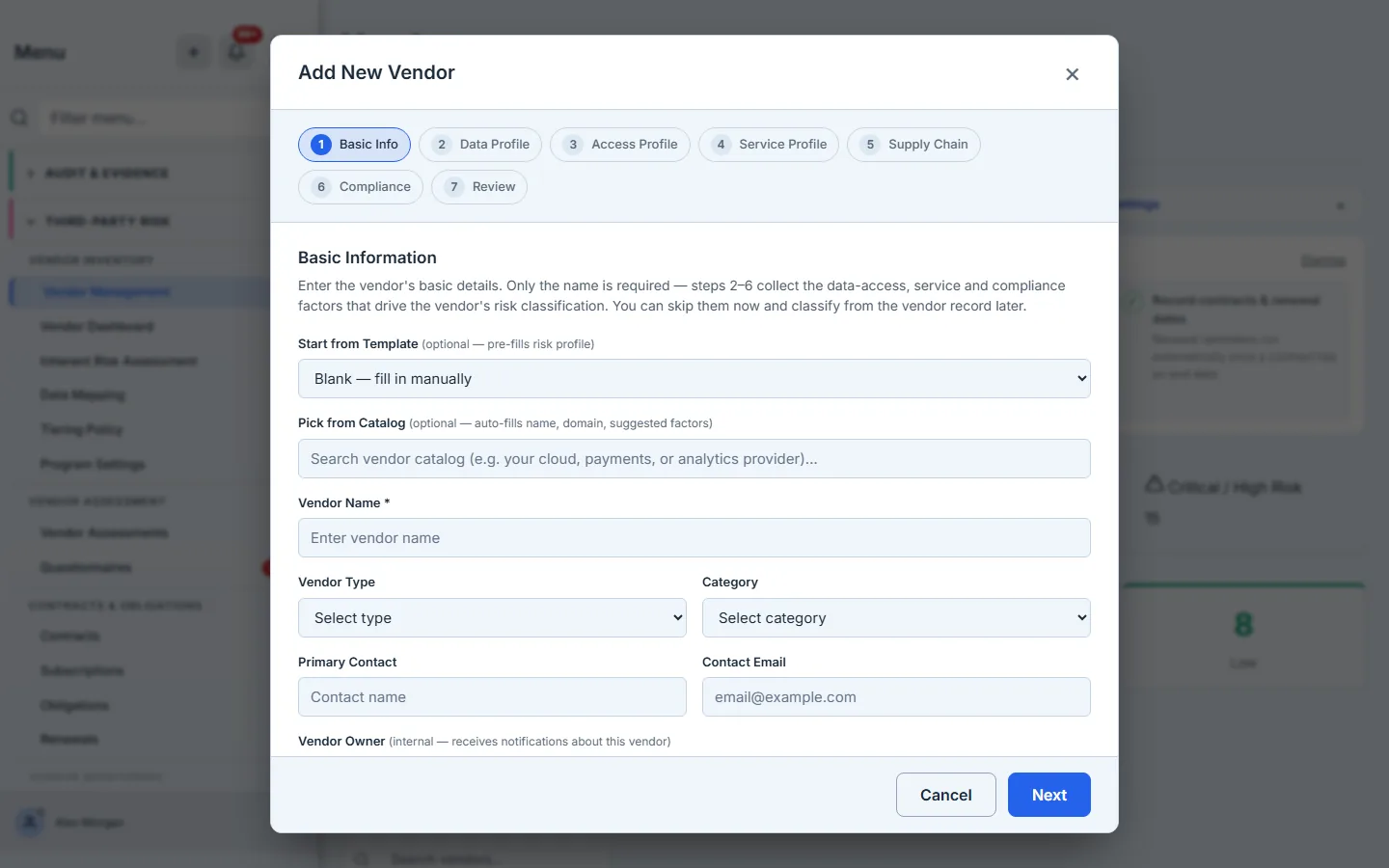
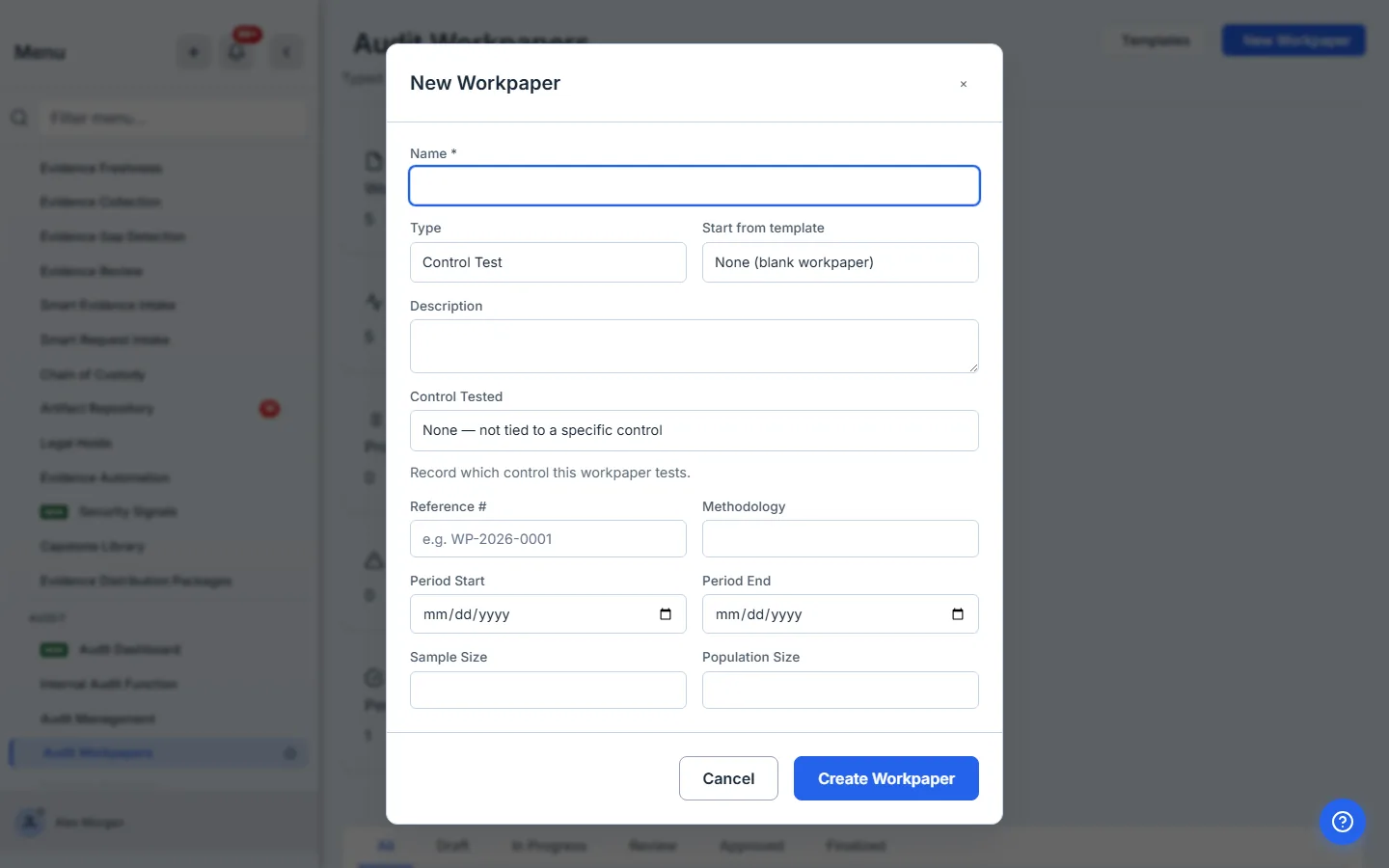
The distinction is small and it is the whole point of a shortcut. New Policy behaves slightly differently by design: it takes you to the policy template picker, because a policy almost always starts from a template rather than a blank page — and that is exactly what the button inside the Policies page does too.
Step 3 — Read what has actually happened
The feed is drawn from the organisation’s audit trail and filtered to governance-relevant events — policies, exceptions, attestations, vendors, initiatives, controls, KRIs, remediation, requirements and work items. It is the one place where events from any of the four programmes arrive in a single stream, newest first — which is what makes it useful for the question “what changed this week?” A quiet week shows a short list; that is the feed working, not failing.
Three honest limits worth knowing:
- It lists changes, not activity in the broadest sense. Reads and recalculations are deliberately left out: adding a single vendor writes three audit records — the vendor itself, plus a risk score and a residual-risk recalculation triggered by the page that opens next — and a feed that answered “what changed this week?” with two arithmetic operations would be answering a different question.
- It is filtered, not exhaustive. Events outside the governance vocabulary — a user being added, a setting changed — are real audit events but are not governance activity, so they are not here. The full trail lives in the audit log.
- It needs audit-log access. If you do not have it, the feed says so rather than showing you an empty list, because “nothing has happened” and “you cannot see what happened” are very different things to tell somebody.
Who can see it
Governance Management sits behind two gates, and both must be open. The organisation needs the Governance module on its licence, and the user’s group needs the governance-hub feature. Access is enforced in three places — the frontend route registry, the backend dispatcher and the handlers themselves — so a user without those gates is not merely missing a sidebar link; the route and the calls behind it are refused independently of what the navigation shows.
The cards inside inherit their own gates. Someone whose group grants governance but not third-party risk still sees the hub; what they can do from the Third-Party Risk card is decided by the vendor module, not by this page. The Recent Activity feed is the clearest case: it needs audit-log access specifically, and says so when it does not have it.
What this page does not do
This is a triage screen, and it is deliberately shallow. It will tell you that three policies are pending review; it will not tell you which. Each card’s View link is the boundary: the module behind it owns the detail, the filters, the bulk actions and the history. Use the hub to decide where to go, then work in the page you land on.
Where each card leads, and what covers it:
- Governance → Policies & Controls, the policy lifecycle from template to attestation.
- Third-Party Risk → the vendor register — onboarding, tiering and assessments are their own workflow.
- Strategic Roadmap → initiatives, milestones and KRIs.
- Audit Workpapers → the document repository, review workflow and sample export an auditor works from.
The hub also does not carry any of the module’s settings. Review cadences, risk appetite and evidence-freshness windows are configured in each module, not here.
The cadence that works
- Daily, briefly — read the four cards. You are looking for a number that moved, not for a number that is large.
- Weekly — read the activity feed properly. It is the cheapest way to notice that a programme has gone quiet, which is different from a programme being healthy.
- Before a board or audit cycle — check Pending reviews and Drafts. Those two are the ones that turn into findings.
What you walk away with
A single screen that answers “which of my four governance programmes needs me today?”, and gets you into that programme in one click. The failure it prevents is not a control failing — it is a programme going quiet for a quarter because nobody had a reason to open its page.