When you run a security program across subsidiaries, portfolio companies, or franchise partners, half the work is getting a straight answer out of the other organization. SOC 2 makes it a control — CC9.2 asks how you assess the entities you rely on — and ISO 27001:2022 spends A.5.19 through A.5.22 on exactly this: understand your suppliers’ posture, on a cadence, with evidence. FFIEC’s third-party risk guidance says the same thing in a different accent.
Most teams do it with a spreadsheet and a chase: email the questionnaire, wait, re-send it, reconcile the answers by hand. Talarity treats an assessment sent to a linked organization as a cross-org process with a clear contract on both sides — the assigner asks, the recipient owns their own answers, and nothing crosses the boundary until the recipient releases it. This walkthrough follows one assessment from assignment to released results, and shows the three ways Talarity keeps the release from being forgotten.
Who’s involved
- The assigner (parent org admin) — an Enterprise org that assigns the assessment to a linked account and waits for released results. In this walkthrough, Jordan Avery at Talarity Holdings.
- The recipient (linked org admin) — the linked organization that completes the assessment and decides when to release. Here, Casey Bennett at Talarity Logistics.
- Auditor — pulls the released run at audit time: the score, the responses, and the timestamped consent record that shows the recipient authorized the share.
Step 1 — Assign the assessment to a linked account
From the Assessment Center, open the Assignments tab and choose + Assign to Linked Accounts. Pick the framework (CIS Controls here), name the run, choose which linked accounts receive it, and set the due date.
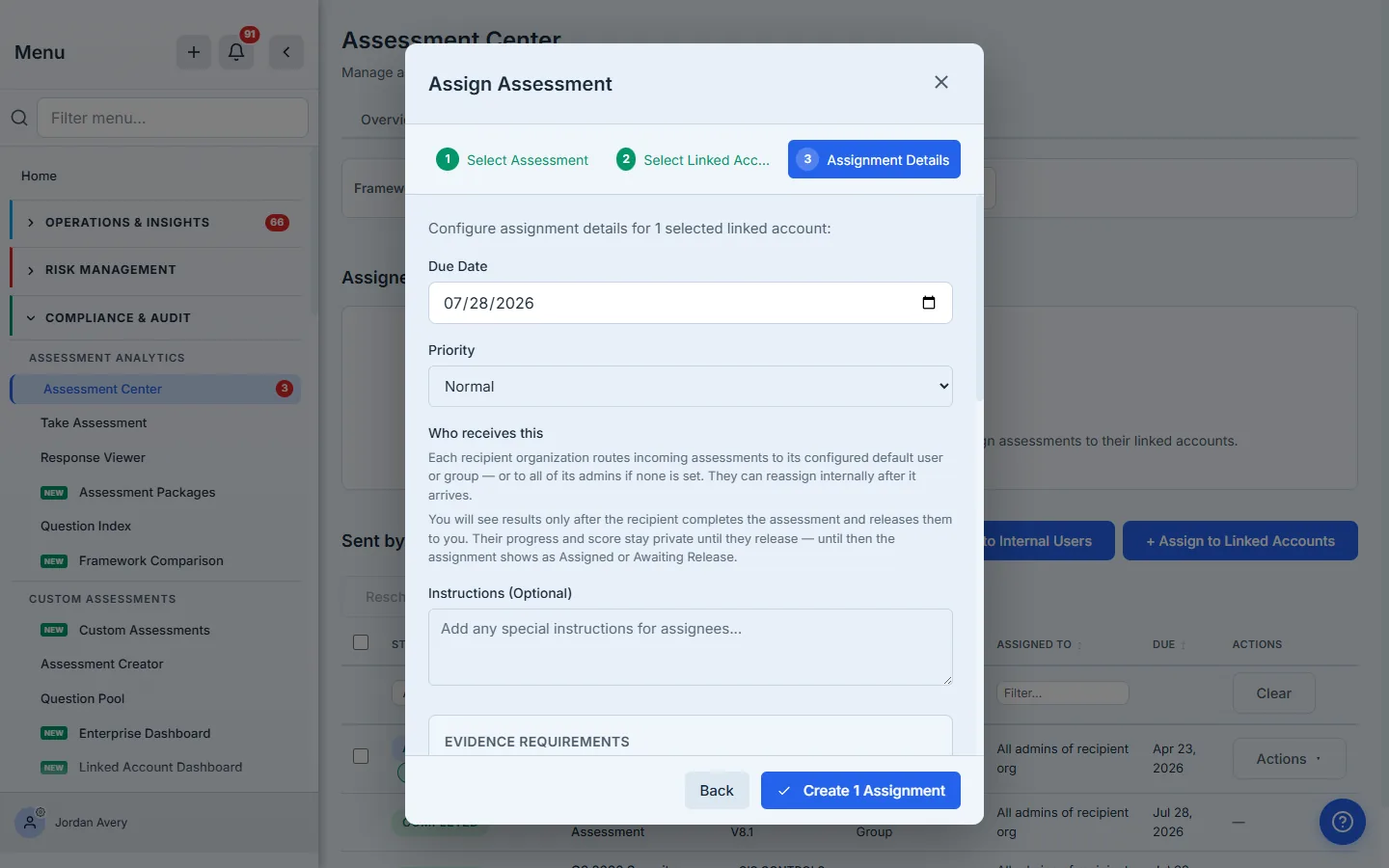
Read the Who receives this panel — it is the whole contract in two sentences. “You will see results only after the recipient completes the assessment and releases them to you. Their progress and score stay private until they release — until then the assignment shows as Assigned or Awaiting Release.” Behind the scenes, Talarity writes a cross-org process row that binds the request to the recipient org, not to a single run — so the recipient can restart, re-do, or complete it through a different door and the request still resolves.
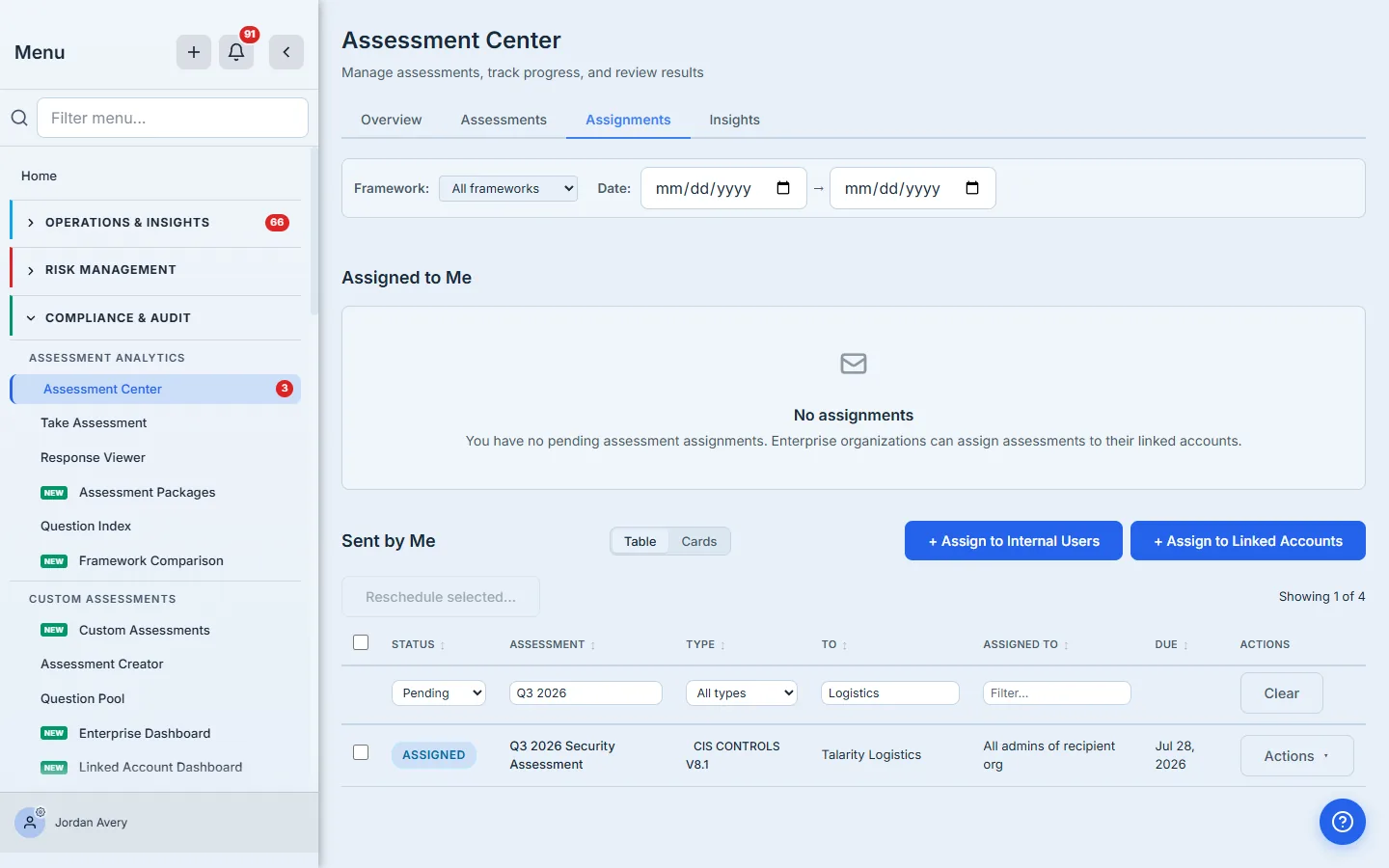
Once created, the assignment shows up in your Sent by Me table as Assigned — your side of the relationship, tracked in one place.
Step 2 — It lands with the recipient
The linked organization sees it immediately in their own Assessment Center, attributed to the org that sent it. There is nothing to forward and no login to create — they already have their own Talarity workspace.
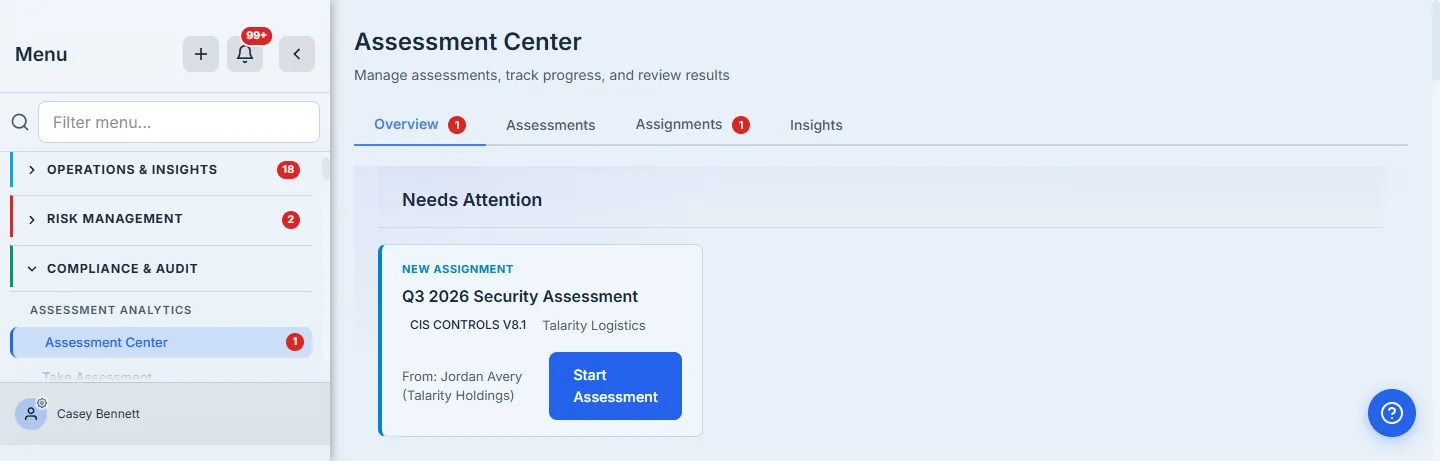
Each recipient org routes an incoming assignment to its configured default user or group — or to all of its admins if none is set — and can reassign it internally after it arrives. The recipient controls who actually fills it in.
Step 3 — Complete now, release now or later
When the recipient opens the assessment, a banner at the top states the choice plainly: “When you submit, you can release your results to <the assigner> right away, or submit now and release later.” This is the decoupled model on purpose. The recipient may want to finish the work today and get sign-off internally before they share it — so completing and releasing are two separate acts.
If they choose Submit & release, the results go straight across in one consent-recorded step. If they finish but pick release later, the run is done — score computed, work saved — but the assigner still can’t see it. The assignment moves to Awaiting Release.
Only the recipient can release. The assigner cannot release on the recipient’s behalf, and cannot see the responses or score until they do. That is the point of the boundary: the data owner decides when their answers leave their organization. If a release is slow, the assigner’s job is to follow up with the recipient — not to reach in and grab it.
Step 4 — Talarity nudges the recipient until they release
“Release later” is exactly the moment work gets forgotten. Talarity closes that gap three ways. The recipient gets an in-app and email notice the moment they complete without releasing; a weekly email reminder keeps arriving until they release; and on their next login, a pop-up puts the unreleased assessment in front of them.
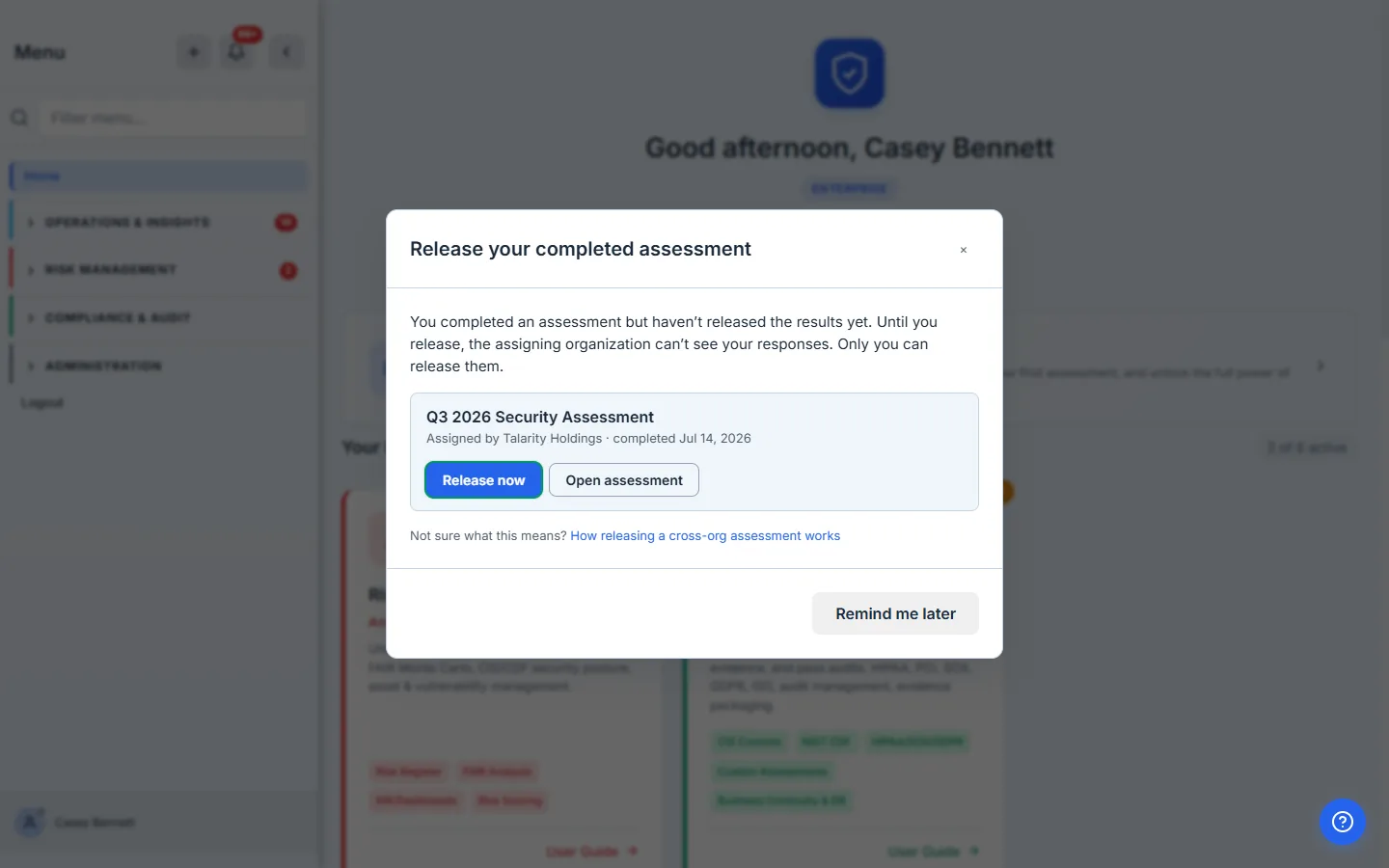
The pop-up isn’t a dead-end reminder — Release now starts the release right there, and Open assessment jumps back into the run. Every reminder, in-app and email, links a short explainer of how releasing works, so a first-time recipient never has to guess what “release” means.
Step 5 — Release, with consent on the record
Releasing is one click, and it records who authorized it. Release now opens a consent step that names exactly what’s about to be shared and with whom.
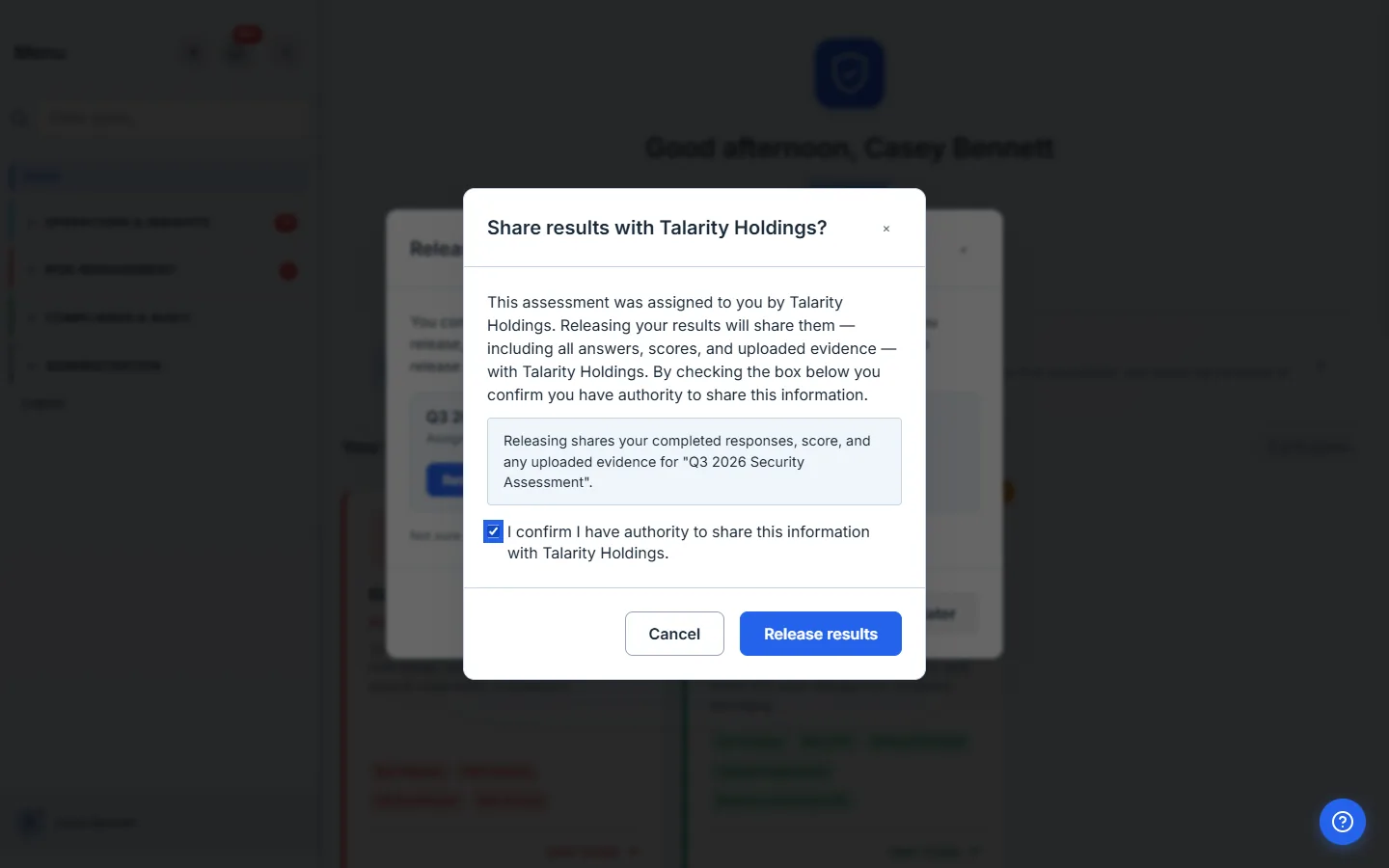
Talarity writes a data_sharing_consent_log row at this moment — the timestamped record that the recipient acknowledged authority to share, which the auditor pulls later to show the disclosure was deliberate. Until that box is checked, the Release results button prompts for consent rather than acting; there is no way to release by accident.
Step 6 — What the assigner sees until then
While the recipient is finishing internal sign-off, the assigner’s Sent by Me table tells the true story: the run is Awaiting Release, not completed. The assigner sees that the work is done but the results are still private — no score, no responses.
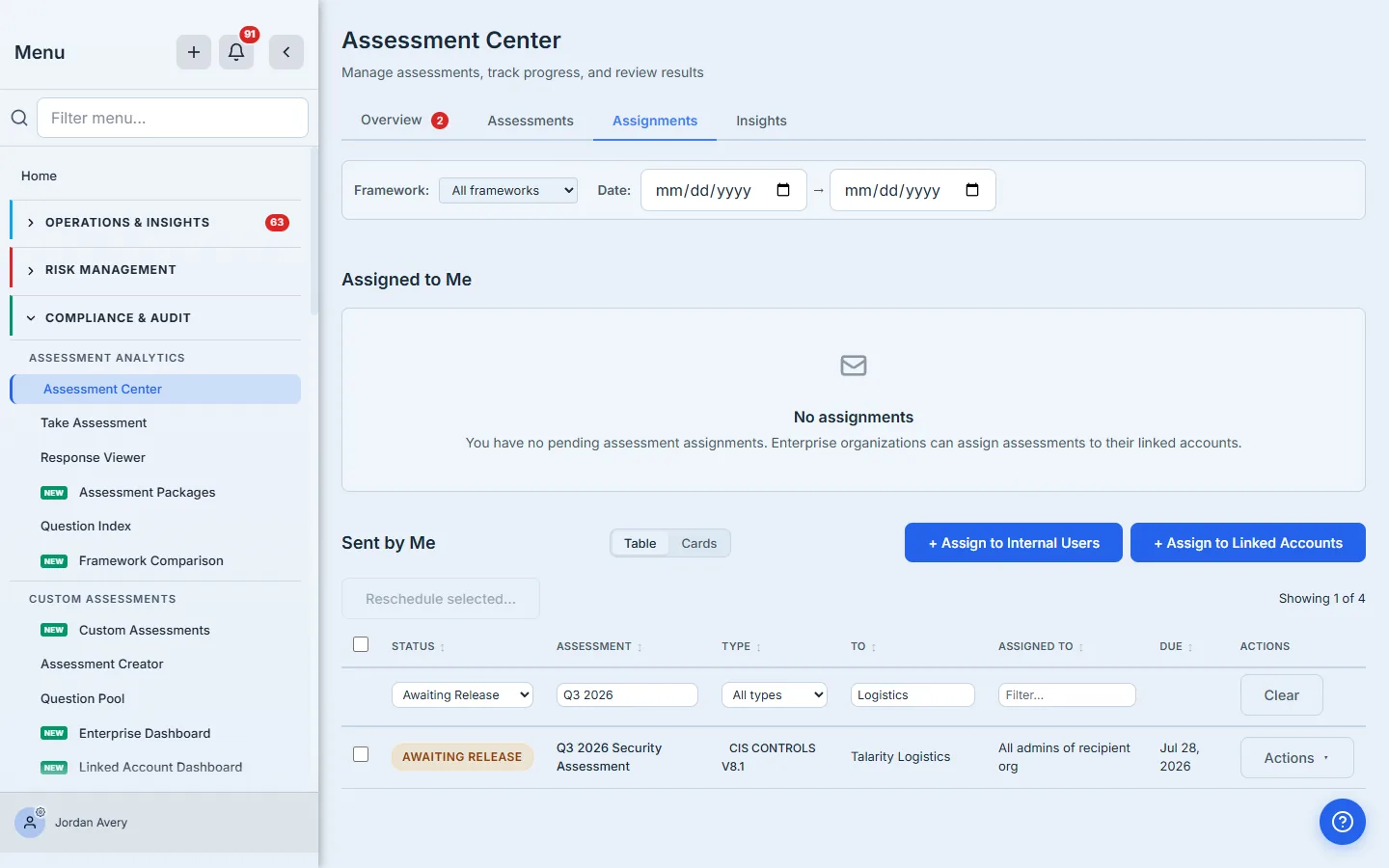
This is deliberately different from “Completed.” An assessment the recipient hasn’t released is not something you can act on yet — so the status says so, and the digest emails an Enterprise parent receives call it “awaiting recipient release,” with the reminder that only the recipient can release it.
Step 7 — Released: the assigner sees the results
The moment the recipient releases, the run appears in full on the assigner’s side — score, responses, and the linked account it came from, marked shared with you.
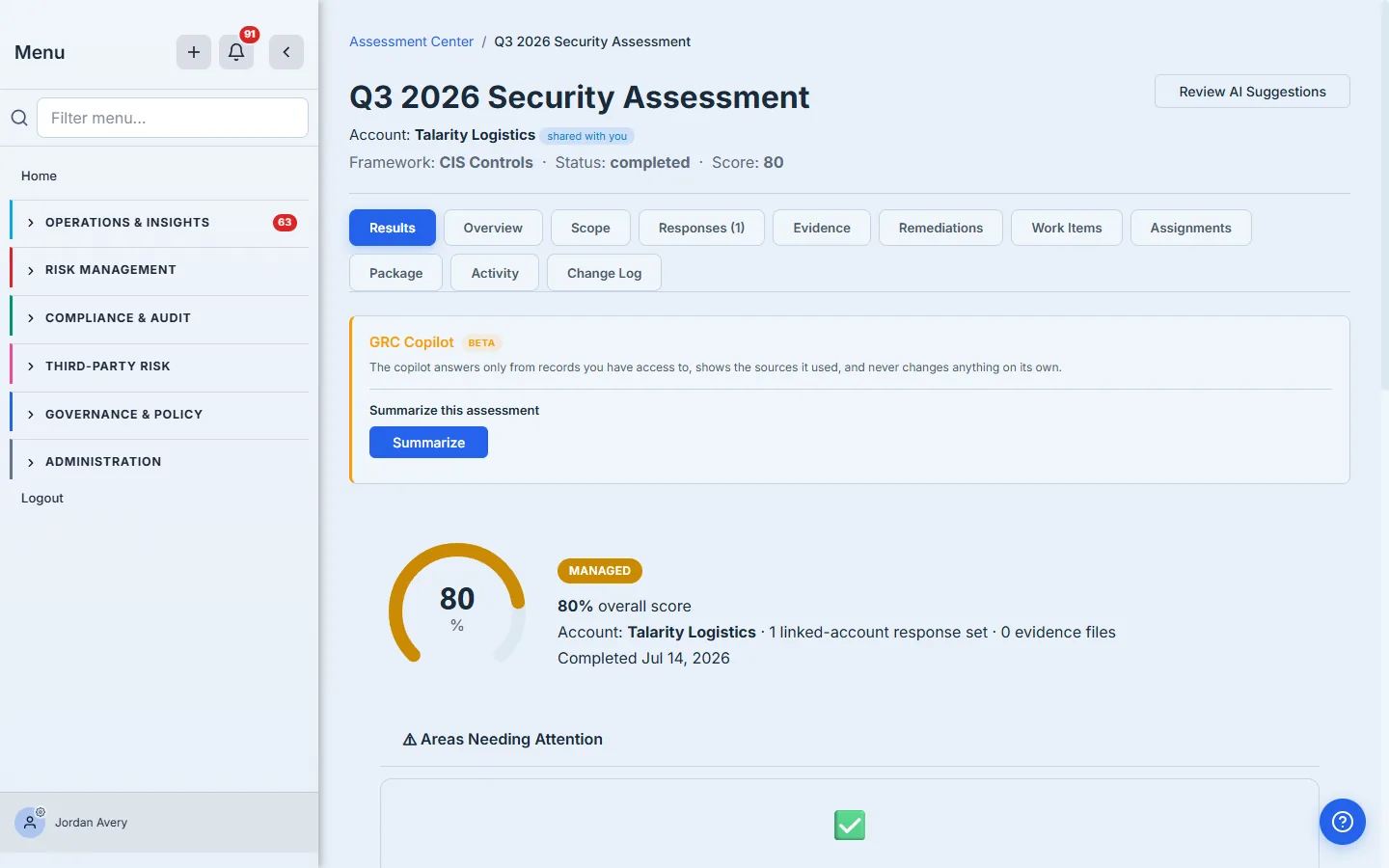
From here the assessment behaves like any other run in your program: the score rolls into your cross-org dashboards, the responses are readable, and — if you have a standing data-sharing subscription with that org — future completions of the same assessment can release automatically, no manual step required. (Set that up once from Data Sharing, under Administration → Org Structure; see Recurring cross-org data subscriptions.)
What you walk away with
- One cross-org assignment per linked account, tracked in your Sent by Me table from Assigned → Awaiting Release → Completed — no spreadsheet, no chase.
- A hard privacy boundary: the recipient’s score and responses stay private until they release, and only the recipient can release — enforced in the backend, not just the UI.
- A recipient who is reminded until they act — an immediate notice, a weekly email, and a login pop-up that releases in place — so “release later” doesn’t become “release never.”
- A
data_sharing_consent_logrow per release: the timestamped, auditor-ready record that the disclosure was authorized. - Released results that flow into your cross-org dashboards automatically, and the option to make future releases automatic with a standing subscription.
Run yours this afternoon. Open Assessment Center → Assignments, hit + Assign to Linked Accounts, and send one framework to one linked organization. The first assignment takes about two minutes; after that, Talarity keeps both sides honest — the assigner sees exactly one status, and the recipient gets nudged until the results are released.